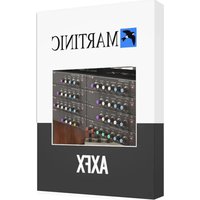
AX Chorus - Audio software MARTINIC - Free user manual and instructions
Find the device manual for free AX Chorus MARTINIC in PDF.


Pick your language and provide your email: we'll send you a specifically translated version.
| Product Type | Audio Software (Chorus Effect Plugin) |
| Brand | MARTINIC |
| Model | AX Chorus |
| Category | Audio Software (Logiciel audio) |
| Dimensions | Digital delivery - no physical object |
| Weight | 0 g (digital download) |
| Power Supply | Powered by the host computer via USB or internal power; no external supply needed |
| Main Functions | Classic chorus effect, stereo widening, rate and depth modulation, mix control |
| Main Functions (cont.) | Low CPU usage, zero-latency monitoring, real-time processing |
| Plugin Formats | VST, VST3, AU, AAX |
| Platform Compatibility | Windows 10/11, macOS 10.13 or later (64-bit) |
| System Requirements | 2 GB RAM minimum, 100 MB free disk space |
| Maintenance and Cleaning | No physical maintenance required; keep the software updated to the latest version |
| Safety | Install only from the official MARTINIC website; follow system requirements to prevent audio dropouts |
| Spare Parts and Repairability | Not applicable - software issues are resolved via patches and version updates |
| General Information | User manual available in English; 14 pages; free download from notice-facile.com |
| Activations / Serial Number | Serial number delivered upon purchase |
| Updates | Free updates for the same major version |
| Customer Support | Online support via MARTINIC website |
Frequently Asked Questions - AX Chorus MARTINIC
What is MARTINIC AX Chorus?
AX Chorus is a chorus effect plugin designed by MARTINIC to emulate the classic analog chorus units. It offers rich, spacious modulation for guitars, synths, and vocals.
What are the system requirements for AX Chorus?
AX Chorus runs on Windows 10/11 and macOS 10.13 or later (64-bit). It requires at least 2 GB RAM and 100 MB of free disk space.
How do I install AX Chorus?
Download the installer from the MARTINIC website, run it, and select your desired plugin format (VST, VST3, AU, AAX). The installer will place the plugin in the correct folder automatically.
Does AX Chorus support my DAW?
AX Chorus is compatible with any DAW that supports VST, VST3, AU, or AAX, including Ableton Live, Logic Pro, Pro Tools, Cubase, FL Studio, and Reaper.
How do I activate AX Chorus?
After purchase, you receive a serial number by email. Open the plugin in your DAW, enter the serial number, and click 'Activate'. An internet connection is required for the first activation.
Can I use AX Chorus on multiple computers?
Yes, the MARTINIC license allows 2 activations simultaneously. You can deactivate a computer from your user account if you want to transfer it.
How do I update AX Chorus?
Log in to your MARTINIC user account, navigate to the My Products section, and download the latest version. Updates are free for the same major version.
Is there a free trial of AX Chorus?
Yes, MARTINIC offers a 15-day free trial with full functionality. The trial introduces brief silence every few seconds until you purchase a license.
How do I troubleshoot audio dropouts when using AX Chorus?
First, check your audio buffer size in your DAW settings; increase it if you experience dropouts. Also, make sure your system meets the requirements and close other CPU-heavy applications. If using as an insert, try switching from VST3 to AU or vice versa.
How do I set up the chorus effect in my mix?
Insert AX Chorus on a send/return bus to avoid phase issues. Use the Mix knob to blend the wet and dry signals. For a subtle widening effect, set the rate low and depth modest. For a dramatic effect, increase both and use stereo width.
User questions about AX Chorus MARTINIC
0 question about this device. Answer the ones you know or ask your own.
Ask a new question about this device
No questions yet. Be the first to ask one.
Download the instructions for your Audio software in PDF format for free! Find your manual AX Chorus - MARTINIC and take your electronic device back in hand. On this page are published all the documents necessary for the use of your device. AX Chorus by MARTINIC.
USER MANUAL AX Chorus MARTINIC

Manual assistant
Powered by Anthropic
Waiting for your message
Product information
Brand : MARTINIC
Model : AX Chorus
Category : Audio software