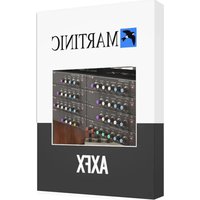
Scanner Vibrato - Audio software MARTINIC - Free user manual and instructions
Find the device manual for free Scanner Vibrato MARTINIC in PDF.


Pick your language and provide your email: we'll send you a specifically translated version.
| Product Type | Audio Software (VST/AU/AAX plugin) |
| Brand | MARTINIC |
| Model | Scanner Vibrato |
| Software Format | VST2, VST3, AU, AAX |
| Operating System | Windows 7 or later, macOS 10.12 or later |
| Architecture | 64-bit only |
| Sample Rate | Up to 192 kHz |
| Internal Bit Depth | 32-bit float |
| Effect Type | Vibrato / Rotary Speaker Emulation |
| Controls | Rate, Depth, Tone, Mix, Level |
| Sync Options | Tap tempo, BPM sync |
| Presets | 40+ factory presets |
| MIDI Control | Learnable MIDI CC |
| CPU Efficiency | Optimized for low CPU usage |
| Installation Method | Downloadable installer |
| Activation | Serial key or license file |
| Documentation | PDF user manual included |
| Software Updates | Free updates for registered users |
| Maintenance | No physical cleaning required; regular software updates recommended |
| Safety | Code-signed installer, secure download from official website |
| Repair & Spare Parts | Not applicable; software updates ensure reliability |
| General Information | Designed for professional audio production |
Frequently Asked Questions - Scanner Vibrato MARTINIC
What is Scanner Vibrato by MARTINIC?
Scanner Vibrato is a vibrato effect plugin that emulates the classic rotary scanner sound found in vintage organs and amplifiers. It is designed for use inside a digital audio workstation (DAW).
Which operating systems are supported?
Scanner Vibrato supports Windows 7 and later as well as macOS 10.12 and later. Both versions require a 64-bit processor and a compatible DAW.
What DAWs are compatible with Scanner Vibrato?
The plugin comes in VST2, VST3, AU, and AAX formats, making it compatible with most major DAWs such as Cubase, Logic Pro, Ableton Live, Pro Tools, and more.
Can I use Scanner Vibrato as a standalone app?
No, Scanner Vibrato is a software plugin and requires a host DAW to run. It cannot be used as a standalone application.
How do I install Scanner Vibrato?
After downloading the installer from the official MARTINIC website, run the file and follow the on-screen instructions. The installer automatically places the plugin in the correct VST/AU/AAX folder on your system.
How do I activate the software?
You will receive a serial key or license file after purchase. In the plugin interface, enter your credentials or load the license file to activate. An internet connection is required for online activation.
How do I adjust the vibrato parameters?
The interface provides knobs for Rate, Depth, Tone, Mix, and Output Level. You can also sync the rate to your DAW's tempo using the BPM sync function.
Is there a demo version available for testing?
Yes, MARTINIC offers a free demonstration version with full functionality, but it may have periodic audio dropout or a time limit. Check the official website for the latest demo policy.
How do I update Scanner Vibrato to the latest version?
Updates are free for all registered users. You can download the latest installer from your user account on the MARTINIC website and install it over the previous version.
Where can I find technical support or the user manual?
The PDF user manual is included with the software and can also be downloaded from the MARTINIC website. For additional support, contact their official support team via email or the contact form.
User questions about Scanner Vibrato MARTINIC
0 question about this device. Answer the ones you know or ask your own.
Ask a new question about this device
No questions yet. Be the first to ask one.
Download the instructions for your Audio software in PDF format for free! Find your manual Scanner Vibrato - MARTINIC and take your electronic device back in hand. On this page are published all the documents necessary for the use of your device. Scanner Vibrato by MARTINIC.
USER MANUAL Scanner Vibrato MARTINIC


Manual assistant
Powered by Anthropic
Waiting for your message
Product information
Brand : MARTINIC
Model : Scanner Vibrato
Category : Audio software