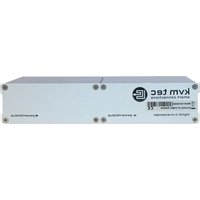
Smartline SVX2L - AV extender KVM-TEC - Free user manual and instructions
Find the device manual for free Smartline SVX2L KVM-TEC in PDF.


Pick your language and provide your email: we'll send you a specifically translated version.
| Product type | AV extender |
| Brand | KVM-TEC |
| Model | Smartline SVX2L |
| Category | AV extender |
| Dimensions (W x D x H) | 210 mm x 150 mm x 35 mm |
| Weight | 850 g |
| Housing material | Aluminum |
| Power supply | 12 V DC via external power adapter |
| Power consumption | 5 W |
| Video interface | HDMI and VGA input/output |
| Max resolution | 1920 x 1200 |
| Transmission distance | Up to 100 m over Cat5e/6 cable |
| Main functions | Extension of video and audio signals with KVM control over long distances |
| Signal type | DVI, HDMI, VGA, RS-232 |
| Operating temperature | 0°C to 50°C |
| Storage temperature | -20°C to 70°C |
| Maintenance and cleaning | Wipe with dry cloth; avoid liquid cleaners |
| Safety | Use only supplied power adapter; prevent moisture ingress; no user-serviceable parts |
| Spare parts and repairability | Contact authorized service center for replacement power adapter and cable sets |
| General information | Compatible with standard Cat5e/6 infrastructure; plug-and-play installation |
Frequently Asked Questions - Smartline SVX2L KVM-TEC
What is the Smartline SVX2L used for?
The Smartline SVX2L is an AV extender designed to transmit video, audio and KVM control signals over long distances using standard network cabling.
What is the maximum transmission distance?
The device supports transmission distances of up to 100 meters over Cat5e or Cat6 cable, making it suitable for large installations.
Does it support high-definition video?
Yes, it supports resolutions up to 1920 x 1200, including HD formats. The interface is compatible with HDMI, VGA and DVI sources.
Can I use Cat6 cable instead of Cat5e?
Cat6 cable is fully compatible and may improve signal quality. The recommended maximum length is 100 meters with either Cat5e or Cat6.
What power supply does the unit need?
The unit requires a 12 V DC external power adapter. Always use the adapter supplied by KVM-TEC to avoid damage.
Is the Smartline SVX2L plug-and-play?
Yes, installation is plug-and-play. Connect the transmitter and receiver units with a network cable and connect your devices; no additional software is required.
What maintenance is required?
The device requires minimal maintenance. Clean the enclosure with a dry soft cloth and avoid exposing it to liquids, dust or extreme temperatures.
Can the extender be mounted on a wall?
The compact metal housing can be installed using mounting brackets or simply placed on a flat surface. Ensure adequate ventilation around the device.
What is the operating temperature range?
The recommended operating temperature is 0°C to 50°C. For storage, the unit can tolerate temperatures from -20°C to 70°C.
Where can I find spare parts?
Contact the KVM-TEC authorized service center for spare parts such as power adapters, connection cables and mounting accessories. This ensures compatibility and safe operation.
User questions about Smartline SVX2L KVM-TEC
0 question about this device. Answer the ones you know or ask your own.
Ask a new question about this device
No questions yet. Be the first to ask one.
Download the instructions for your AV extender in PDF format for free! Find your manual Smartline SVX2L - KVM-TEC and take your electronic device back in hand. On this page are published all the documents necessary for the use of your device. Smartline SVX2L by KVM-TEC.
USER MANUAL Smartline SVX2L KVM-TEC


Manual assistant
Powered by Anthropic
Waiting for your message
Product information
Brand : KVM-TEC
Model : Smartline SVX2L
Category : AV extender