Smartline SVX1L - AV Extender KVM-TEC - Free user manual and instructions
Find the device manual for free Smartline SVX1L KVM-TEC in PDF.


Pick your language and provide your email: we'll send you a specifically translated version.
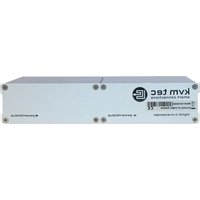
| Product Type | AV Extender |
| Brand | KVM-TEC |
| Model | Smartline SVX1L |
| Category | AV Extender |
| Video Interface | HDMI |
| Max Resolution | 1920x1080 @60Hz (Full HD) |
| Transmission Distance | Up to 50 meters over Cat5e/6 |
| Audio Support | Embedded HDMI audio (stereo/surround) |
| Power Supply | DC 5V/1A via included adapter |
| Dimensions (W x D x H) | 80 x 60 x 25 mm |
| Weight | 200 g (approx.) |
| Operating Temperature | 0°C to 50°C |
| Material | Metal housing |
| Color | Black |
| Mounting Options | Desktop placement or wall-mountable (bracket optional) |
| LED Indicators | Power, Link, Signal |
| Warranty | 2 years limited |
| Included Accessories | Transmitter, receiver, power adapters (2x), user manual |
| Compliance | CE, RoHS |
| Maintenance | Wipe with dry cloth; avoid liquids and dust. |
| Safety Instructions | Use only rated power supply; keep away from moisture; do not disassemble. |
| Spare Parts and Repairability | No user-serviceable parts; contact support for issues. |
Frequently Asked Questions - Smartline SVX1L KVM-TEC
How do I connect the Smartline SVX1L?
Connect the transmitter to your source via HDMI, and the receiver to your display via HDMI. Link the two units using a Cat5e/6 cable up to 50 meters. Power both units with the included adapters.
What is the maximum supported resolution?
The extender supports Full HD 1080p at 60Hz. For resolutions above that, consider a 4K model.
Can I use a longer Ethernet cable?
The maximum guaranteed distance is 50 meters. Longer cables may cause signal degradation or loss.
The LED on the receiver is not lighting up. What should I do?
Check that both power adapters are plugged in and that the Ethernet cable is properly connected at both ends. Ensure the source device is powered on.
Does this extender support audio?
Yes, it passes through embedded HDMI audio, including stereo and surround formats.
How do I clean the device?
Use a soft, dry cloth to wipe the exterior. Do not use liquids or sprays. Ensure the unit is unplugged before cleaning.
Is Power over Ethernet (PoE) supported?
No, the SVX1L requires separate power adapters for transmitter and receiver.
Can I use this extender with a laptop?
Yes, as long as your laptop has an HDMI output. Some laptops may require a USB-C to HDMI adapter.
What does the EDID switch do?
The EDID switch (if present) allows you to set the resolution handed from source to display. Use 'copy' to match the display or 'default' for standard 1080p.
The image is flickering or has artifacts. What can I do?
Ensure the Ethernet cable is of good quality and not kinked. Try a shorter cable or a different HDMI cable. Also check that power supplies are stable.
User questions about Smartline SVX1L KVM-TEC
0 question about this device. Answer the ones you know or ask your own.
Ask a new question about this device
No questions yet. Be the first to ask one.
Download the instructions for your AV Extender in PDF format for free! Find your manual Smartline SVX1L - KVM-TEC and take your electronic device back in hand. On this page are published all the documents necessary for the use of your device. Smartline SVX1L by KVM-TEC.
USER MANUAL Smartline SVX1L KVM-TEC


Manual assistant
Powered by Anthropic
Waiting for your message
Product information
Brand : KVM-TEC
Model : Smartline SVX1L
Category : AV Extender