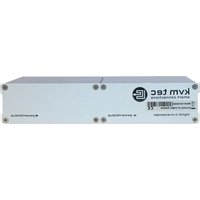
Masterline MVX2L - AV Extender KVM-TEC - Free user manual and instructions
Find the device manual for free Masterline MVX2L KVM-TEC in PDF.


Pick your language and provide your email: we'll send you a specifically translated version.
| Product Type | HDMI Over Extender |
| Brand | KVM-TEC |
| Model | Masterline MVX2L |
| Category | AV Extender |
| Video Resolution Support | Up to 4K@60Hz |
| Extended Distance | Up to 100 meters via Cat5e/6 |
| Interfaces | HDMI input, HDCP compliant |
| Power Supply | 5V DC, external adapter included |
| Dimensions (L x W x H) | 100 mm x 65 mm x 25 mm |
| Weight | 200 g |
| Operating Temperature | 0°C to 50°C |
| Storage Temperature | -10°C to 60°C |
| Primary Functions | Extend HDMI signals, support 4K, EDID management, PoC (Power over Cable) |
| Maintenance | Wipe with dry cloth; avoid moisture and direct sunlight |
| Safety Precautions | Use only provided power supply; do not open device; avoid liquid contact |
| Spare Parts and Repairability | No user-replaceable parts; contact support for repairs |
| General Information | Brand KVM-TEC, Model Masterline MVX2L, designed for professional AV extension |
Frequently Asked Questions - Masterline MVX2L KVM-TEC
What is the maximum transmission distance of the KVM-TEC Masterline MVX2L?
The Masterline MVX2L can extend HDMI signals up to 100 meters over a single Cat5e/6 cable.
Does the Masterline MVX2L support 4K resolution?
Yes, it supports 4K@60Hz resolution with HDCP compliance.
What power supply does the MVX2L require?
It uses a 5V DC external power adapter (included). Some models support PoC (Power over Cable) for single-cable installation.
How do I set up the KVM-TEC Masterline MVX2L?
Connect the HDMI source to the transmitter (TX) via HDMI cable, then connect the transmitter to the receiver (RX) using a Cat5e/6 cable. Connect the receiver to the display via HDMI. Power on both units.
Can I use the MVX2L with a KVM switch?
Yes, the MVX2L is compatible with standard KVM switches that output HDMI. Ensure the cable length from the KVM to the extender does not exceed HDMI cable limits.
What should I do if there is no video output?
Check all cable connections, ensure the power adapters are plugged in and the LEDs on the units are lit. Try a different HDMI source or display, and verify that the Cat cable is not damaged.
Does the MVX2L support EDID?
Yes, it features EDID management to ensure proper handshake between source and display.
Is the device user-serviceable?
No, the MVX2L has no user-replaceable parts. For repairs, contact KVM-TEC customer support.
What is the operating temperature range?
The device operates reliably between 0°C and 50°C.
Where can I download the full user manual?
You can download the manual for free from the notice-facile.com website or the official KVM-TEC support page.
User questions about Masterline MVX2L KVM-TEC
0 question about this device. Answer the ones you know or ask your own.
Ask a new question about this device
No questions yet. Be the first to ask one.
Download the instructions for your AV Extender in PDF format for free! Find your manual Masterline MVX2L - KVM-TEC and take your electronic device back in hand. On this page are published all the documents necessary for the use of your device. Masterline MVX2L by KVM-TEC.
USER MANUAL Masterline MVX2L KVM-TEC


Manual assistant
Powered by Anthropic
Waiting for your message
Product information
Brand : KVM-TEC
Model : Masterline MVX2L
Category : AV Extender