LIFE S43028 (MD 87028) - Camera MEDION - Free user manual and instructions
Find the device manual for free LIFE S43028 (MD 87028) MEDION in PDF.


Pick your language and provide your email: we'll send you a specifically translated version.
| Product type | Digital still camera |
| Brand | Medion |
| Model | LIFE S43028 (MD 87028) |
| Image sensor | 16.2 megapixel CCD |
| Optical zoom | 4x |
| Digital zoom | 4x |
| Display | 2.7 inch TFT LCD |
| Memory media | SD / SDHC memory card |
| Battery | 2 x AA alkaline batteries |
| Dimensions | Approx. 97 x 62 x 30 mm |
| Weight | Approx. 150 g without batteries |
| Main functions | Photo capture, video recording, playback, scene modes |
| Focus system | Autofocus with macro mode |
| Flash | Built-in flash with auto, red-eye, fill modes |
| Interface | USB 2.0, video output |
| Maintenance | Clean the lens with a soft, dry cloth; avoid dust and moisture |
| Safety | Do not disassemble, keep away from water and extreme heat |
| Spare parts and repairability | Service available via Medion support centers; use approved components |
| General information | User manual can be downloaded from the official Medion website |
Frequently Asked Questions - LIFE S43028 (MD 87028) MEDION
How do I turn on the camera?
Press the power button located on the top of the camera until the lens extends and the LCD display turns on. To turn it off, press the same button again.
What battery type does the Medion LIFE S43028 use?
This camera operates on 2 AA alkaline batteries. For longer usage, you can also use rechargeable AA batteries, but ensure they are fully charged.
How can I transfer photos to a computer?
Connect the camera to your computer using the USB cable and set the camera to playback mode. Then copy the files from the memory card to your computer. Alternatively, remove the SD card and insert it into a card reader.
What memory card is compatible with this camera?
The camera supports SD and SDHC memory cards. Use a card with a maximum capacity of 32 GB for optimal compatibility and performance.
How do I record a video?
Rotate the mode dial to the video record icon (a small movie camera). Press the shutter button to start recording and press it again to stop.
Why are my pictures blurry?
Blurry images are often caused by moving the camera during the shot or incorrect focus. Use autofocus and hold the camera steady with both hands. In low light, use a tripod or locate the scene mode for better results.
How can I extend battery life?
Turn off the camera when not in use, lower the LCD brightness, avoid using the flash unnecessarily, and disable the image stabilisation if not needed. Carry a spare set of batteries for long sessions.
How do I reset the camera to factory settings?
Go to the setup menu (usually represented by a wrench icon), select Reset or Factory defaults, and confirm. This will restore all settings to the original values.
Can I use the zoom during video recording?
Yes, you can use the optical and digital zoom while recording a video. Note that digital zoom reduces image quality, so optical zoom is recommended for better results.
Where can I download the user manual?
The user manual is available for free on the official Medion website under the support or download section. Enter the model number LIFE S43028 or MD 87028 to find the PDF.
User questions about LIFE S43028 (MD 87028) MEDION
0 question about this device. Answer the ones you know or ask your own.
Ask a new question about this device
No questions yet. Be the first to ask one.
Download the instructions for your Camera in PDF format for free! Find your manual LIFE S43028 (MD 87028) - MEDION and take your electronic device back in hand. On this page are published all the documents necessary for the use of your device. LIFE S43028 (MD 87028) by MEDION.
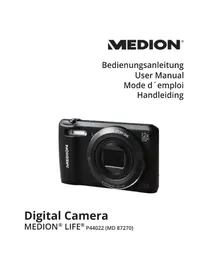
USER MANUAL LIFE S43028 (MD 87028) MEDION

Manual assistant
Powered by Anthropic
Waiting for your message
Product information
Brand : MEDION
Model : LIFE S43028 (MD 87028)
Category : Camera