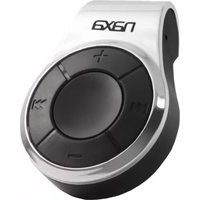
NMV-179X - Mp3 player Naxa - Free user manual and instructions
Find the device manual for free NMV-179X Naxa in PDF.


Pick your language and provide your email: we'll send you a specifically translated version.
| Type of Product | Portable MP3 Player |
| Brand | Naxa |
| Model | NMV-179X |
| Dimensions | Approx. 3.5 x 1.5 x 0.4 inches (89 x 38 x 10 mm) |
| Weight | Approx. 30 g (1.05 oz) |
| Power Source | Built-in rechargeable lithium battery (3.7V, 200mAh) |
| Battery Life | Up to 10 hours of music playback |
| Display | LCD with backlight |
| Supported Audio Formats | MP3, WMA, WAV |
| Storage Capacity | Built-in flash memory (e.g., 8GB) plus microSD card slot (up to 32GB) |
| Connectivity | USB 2.0 for file transfer and charging |
| FM Radio | Built-in FM tuner with station presets |
| Voice Recording | Built-in microphone for voice memos |
| Playback Modes | Repeat one/all, shuffle, and folder navigation |
| Equalizer | Multiple presets (Normal, Rock, Pop, Jazz, etc.) |
| Headphone Output | 3.5mm stereo jack |
| Additional Functions | Clock, alarm, and sleep timer |
| Maintenance | Wipe with a dry soft cloth; keep away from moisture |
| Safety | Use only the provided USB cable; avoid dropping |
| Spare Parts & Repairability | Battery and microSD slot are user-accessible; other components are not user-replaceable |
Frequently Asked Questions - NMV-179X Naxa
How do I turn on the NMV-179X?
Press and hold the play/pause button for 3 seconds until the screen lights up. To turn off, press and hold again.
How do I charge the battery?
Connect the included USB cable to a computer or USB power adapter. The indicator will show charging status.
What music formats are supported?
It supports MP3, WMA and WAV files. For best performance, use MP3 with a bitrate of 128kbps.
How do I transfer songs to the player?
Connect to a computer via USB, the player will appear as a removable drive. Drag and drop audio files into the Music folder.
How do I use the FM radio?
Switch to FM mode, then press the play/pause button to auto-scan and save available stations.
Can I record voice memos?
Yes, switch to voice recorder mode and press record. The audio is saved as WAV files.
How do I reset the player if it freezes?
Use a small pin to press the reset hole on the side of the device. It will restart without deleting your files.
How do I clean the device?
Power off and disconnect all cables. Wipe with a soft dry cloth. Do not use liquids or spray cleaners.
How long does the battery last?
At moderate volume, the built-in battery provides up to 10 hours of playback. Battery life varies with volume and usage.
Is it compatible with memory cards?
Yes, it has a microSD slot for expanding storage up to 32GB. Ensure the card is formatted in FAT32.
User questions about NMV-179X Naxa
0 question about this device. Answer the ones you know or ask your own.
Ask a new question about this device
No questions yet. Be the first to ask one.
Download the instructions for your Mp3 player in PDF format for free! Find your manual NMV-179X - Naxa and take your electronic device back in hand. On this page are published all the documents necessary for the use of your device. NMV-179X by Naxa.
USER MANUAL NMV-179X Naxa

Manual assistant
Powered by Anthropic
Waiting for your message
Product information
Brand : Naxa
Model : NMV-179X
Category : Mp3 player