NMV-170 - Mp3 player Naxa - Free user manual and instructions
Find the device manual for free NMV-170 Naxa in PDF.


Pick your language and provide your email: we'll send you a specifically translated version.
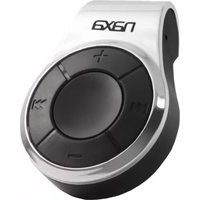
| Product Type | Portable MP3 Player |
| Brand | Naxa |
| Model | NMV-170 |
| Display | LCD screen with backlight |
| Supported Audio Formats | MP3, WMA, WAV |
| Storage | Built-in flash memory and microSD card slot (up to 32GB) |
| Battery | Rechargeable lithium-ion battery |
| Battery Life | Up to 20 hours of continuous playback |
| Charging | USB 2.0 cable (included) |
| Connectivity | USB 2.0 for data transfer and charging |
| Headphone Jack | 3.5mm audio output |
| Additional Features | FM radio, voice recorder, EQ presets |
| Playback Modes | Repeat, shuffle, and playlist navigation |
| Dimensions | Compact design approximating 90 x 40 x 10 mm |
| Weight | Approximately 50 g |
| Color | Black |
| Controls | Play/pause, volume, previous/next track, and menu buttons |
| Cleaning and Maintenance | Wipe with a soft, dry cloth; avoid using liquids or abrasive cleaners |
| Safety Precautions | Keep away from water, heat, and magnetic fields; use only certified chargers |
| Spare Parts and Repairability | Replacement earphones are available; contact Naxa customer service for other parts |
Frequently Asked Questions - NMV-170 Naxa
How do I charge the Naxa NMV-170?
Connect the included USB cable to the player and plug the other end into a computer or a USB wall charger. The battery indicator will show the charging status. A full charge typically takes 2–3 hours.
How can I transfer music to the NMV-170?
Use the USB cable to connect the player to your computer. The device will appear as a removable drive. Simply copy MP3, WMA, or WAV files into the music folder. Eject safely before disconnecting.
Does the NMV-170 support microSD cards?
Yes, the NMV-170 has a microSD card slot that supports cards up to 32GB. Insert the card to expand your storage capacity for more music.
What audio formats are compatible?
The player supports MP3, WMA, and WAV file formats. Other formats may not play correctly, so converting unsupported files is recommended.
How do I use the FM radio function?
Go to the radio mode from the main menu. Use the automatic or manual tuning to find stations. You can also save favorite stations as presets for quick access.
Why won't the player turn on?
First, ensure the device is charged. If it still won't turn on, try resetting it by pressing and holding the power button for 10 seconds. If the issue persists, connect it to a computer to check if it is recognized.
How do I reset the NMV-170?
To reset the device, press and hold the power button for about 10 seconds until the screen turns off and back on. This resolves most temporary software glitches.
Can I use Bluetooth headphones with this player?
No, the NMV-170 does not have Bluetooth connectivity. It only supports wired headphones via the 3.5mm headphone jack.
What is the battery life of the NMV-170?
On a full charge, the internal lithium battery provides up to 20 hours of music playback at moderate volume. Battery life may vary with volume levels and usage of features like FM radio.
What should I do if the screen is blank or frozen?
Try performing a hard reset by pressing and holding the power button for 10–15 seconds. If that doesn't help, connect to a USB charger for at least 30 minutes and retry. If the screen remains blank, the device may need service.
User questions about NMV-170 Naxa
0 question about this device. Answer the ones you know or ask your own.
Ask a new question about this device
No questions yet. Be the first to ask one.
Download the instructions for your Mp3 player in PDF format for free! Find your manual NMV-170 - Naxa and take your electronic device back in hand. On this page are published all the documents necessary for the use of your device. NMV-170 by Naxa.
USER MANUAL NMV-170 Naxa

Manual assistant
Powered by Anthropic
Waiting for your message
Product information
Brand : Naxa
Model : NMV-170
Category : Mp3 player