Nl-707517 - Router Icidu - Free user manual and instructions
Find the device manual for free Nl-707517 Icidu in PDF.


Pick your language and provide your email: we'll send you a specifically translated version.
| Brand | Icidu |
| Model | NL-707517 |
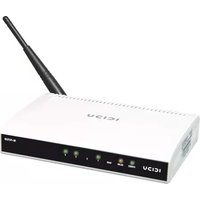
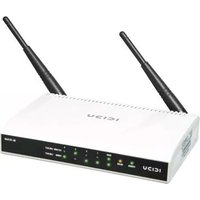
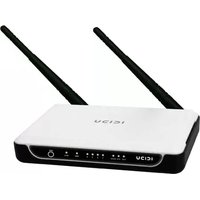
| Product Type | Wireless Router |
| Frequency Band | 2.4 GHz |
| Wireless Standard | IEEE 802.11 b/g/n |
| Maximum Wireless Speed | 300 Mbps |
| Ethernet Ports | 4 x LAN, 1 x WAN |
| Antennas | 2 external (detachable) |
| Dimensions (W x D x H) | Approx. 150 x 120 x 25 mm |
| Weight | Approx. 180 g |
| Power Supply | External AC adapter (input 100-240V, output 12V DC) |
| Power Consumption | Approx. 5 W |
| Key Functions | Wireless access, Ethernet routing, NAT, DHCP server |
| Security Features | WPA/WPA2 encryption, WPS push-button, SSID broadcast control |
| Firewall | Built-in NAT and SPI firewall |
| Quality of Service (QoS) | Supported |
| Operating Modes | Router, Access Point, Repeater |
| Setup Interface | Web-based management interface |
| LED Indicators | Power, Internet, WLAN, LAN ports |
| Buttons | Reset, WPS |
| Certifications | CE, FCC |
| Maintenance | Keep clean and dry; restart periodically for optimal performance |
| Repairability | No user-serviceable parts; contact support for repairs |
Frequently Asked Questions - Nl-707517 Icidu
How do I set up my Icidu NL-707517 router?
Connect the router to your modem via the WAN port, power it on, and access the web-based setup interface by entering the default IP address in your browser. Follow the quick start wizard.
What is the default login IP address and credentials?
The default IP is commonly 192.168.1.1 with username admin and password admin or left blank. Check the label on the router or the manual for exact details.
How can I change my Wi-Fi password?
Go to the Wireless Settings section in the router interface, enter a new passphrase for the network, and save the changes. Use a strong password with at least 8 characters.
Why is my internet connection slow?
Slow internet can be caused by interference, band congestion, or outdated firmware. Try changing the wireless channel, placing the router in a central location, and updating the router software.
How do I reset the router to factory defaults?
Use a paperclip to press and hold the Reset button for about 10 seconds until the LEDs blink. The router will reboot with default settings.
Is the NL-707517 compatible with fiber optic connections?
Yes, as long as you have an Ethernet modem or ONT provided by your ISP, the router can connect via its WAN port and distribute the connection wirelessly.
Can I use this router as an access point?
Yes, switch the router to Access Point mode in the settings, connect a LAN cable from your main router to the WAN port, and configure the same network name for seamless roaming.
How do I enable security on my wireless network?
In the Wireless Security menu, select WPA2-PSK encryption and create a strong passphrase. This prevents unauthorized access and protects your data.
What should I do if I forget the router login password?
Perform a factory reset by holding the reset button, then log in using the default credentials to reconfigure the router.
How many devices can connect simultaneously?
Typically, this router supports around 15-20 wireless clients for normal browsing and streaming. Performance may vary based on bandwidth and distance.
User questions about Nl-707517 Icidu
0 question about this device. Answer the ones you know or ask your own.
Ask a new question about this device
No questions yet. Be the first to ask one.
Download the instructions for your Router in PDF format for free! Find your manual Nl-707517 - Icidu and take your electronic device back in hand. On this page are published all the documents necessary for the use of your device. Nl-707517 by Icidu.
USER MANUAL Nl-707517 Icidu

Manual assistant
Powered by Anthropic
Waiting for your message
Product information
Brand : Icidu
Model : Nl-707517
Category : Router