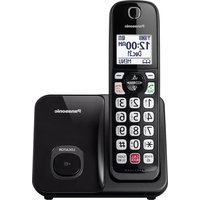
KX-TG403SK - Desk Phone PANASONIC - Free user manual and instructions
Find the device manual for free KX-TG403SK PANASONIC in PDF.


Pick your language and provide your email: we'll send you a specifically translated version.
| Product Type | DECT 6.0 Cordless Desk Phone |
| Frequency Band | 1.9 GHz (DECT 6.0) |
| Display | 1.6-inch white backlit LCD |
| Keypad Backlight | Illuminated keys with on/off setting |
| Phonebook Capacity | Up to 50 contacts |
| Call Log Capacity | 100 entries with name and number |
| Caller ID / Call Waiting | Supported and displayed |
| Answering Machine | Digital system with up to 18 minutes recording time |
| Intercom Capability | Yes, between registered handsets |
| Expandability | Up to 6 handsets per base unit |
| Talk Time | Up to 10 hours continuous use |
| Standby Time | Up to 7 days (200 hours) |
| Wireless Range | Up to 50 m indoors, 300 m outdoors |
| Speakerphone | Yes, with full-duplex audio |
| Headset Jack | 2.5 mm headset connector |
| Battery Type | 2 AAA Ni-MH rechargeable batteries (750 mAh) |
| Power Supply | AC 100-240 V, 50/60 Hz adapter |
| Base Dimensions | 116 x 92 x 74 mm |
| Handset Dimensions | 168 x 48 x 29 mm |
| Total Weight | Base 100 g, handset 130 g |
| Eco Mode | Power-saving mode reduces transmission power |
| Mounting Options | Wall-mountable base unit |
| Nuisance Call Block | Blocks up to 250 numbers after 1 ring |
| Child Lock | Prevents unauthorized outgoing calls |
| Cleaning Instructions | Wipe with a soft dry cloth; avoid liquids and aerosols |
Frequently Asked Questions - KX-TG403SK PANASONIC
How do I set the date and time on the Panasonic KX-TG403SK?
Press MENU, select Set Date/Time, then enter the current date and time using the keypad. Press SAVE to confirm. The clock also updates automatically when you receive a caller ID call.
How do I record a personal greeting for the answering machine?
Press MENU, go to Answering Machine, select Greeting, then choose Record Greeting. After the tone, speak clearly and press SAVE. You can also choose a pre-recorded greeting if you prefer.
How many handsets can I connect to the base unit?
The KX-TG403SK base unit supports up to 6 handsets. Additional handsets, such as KX-TGA403 models, can be registered to the base to expand your system. This enables intercom and call transfer between rooms.
What type of batteries does the handset use?
The handset uses two AAA Ni-MH rechargeable batteries (typically 750 mAh). They provide up to 10 hours of talk time and 7 days of standby. For replacement, use Panasonic model P03P for best performance.
How do I block unwanted or nuisance calls?
Access the Call Block menu to block up to 250 numbers. You can add numbers manually or select them from the call log. Enable the Block Calls without ID option to screen unknown and private callers.
How long is the battery life in normal use?
Under normal conditions, the handset offers up to 10 hours of talk time and up to 7 days (200 hours) of standby. Battery life can be extended by enabling Eco Mode and reducing the base transmission power.
How do I add a new handset to the system?
To register a new handset, place it on the base unit and press the LOCATOR button for 3 seconds. The base will beep and the handset will automatically register. If this fails, ensure the handset is DECT compatible and try again.
How do I perform a factory reset?
Go to MENU > Settings > Reset. Enter the system PIN (default 0000) to confirm. This restores all factory defaults and erases phonebook entries, caller history, and answering machine settings.
How do I use the intercom feature between two handsets?
With at least two registered handsets, press the INT button on the handset, then select the desired handset number. The other handset will ring for an intercom call. You can also transfer an external call to the other handset.
How should I clean the KX-TG403SK safely?
Always disconnect the power adapter before cleaning. Gently wipe the surfaces with a soft, dry, lint-free cloth. Do not use liquid cleaners, sprays, or abrasive materials, as they can damage the finish and the electrical contacts.
User questions about KX-TG403SK PANASONIC
0 question about this device. Answer the ones you know or ask your own.
Ask a new question about this device
No questions yet. Be the first to ask one.
Download the instructions for your Desk Phone in PDF format for free! Find your manual KX-TG403SK - PANASONIC and take your electronic device back in hand. On this page are published all the documents necessary for the use of your device. KX-TG403SK by PANASONIC.
USER MANUAL KX-TG403SK PANASONIC
Manual assistant
Powered by Anthropic
Waiting for your message
Product information
Brand : PANASONIC
Model : KX-TG403SK
Category : Desk Phone