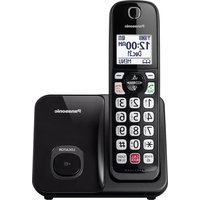
KX-TSC10N - Desk Phone PANASONIC - Free user manual and instructions
Find the device manual for free KX-TSC10N PANASONIC in PDF.


Pick your language and provide your email: we'll send you a specifically translated version.
| Product Type | Corded Desk Telephone |
| Brand | Panasonic |
| Model | KX-TSC10N |
| Dialing Mode | Tone (DTMF) and pulse switchable |
| Caller ID | Caller ID with call waiting display |
| Display | Three-line LCD display with clock and date |
| Memory Capacity | 60-number caller ID log, 30-number speed dial |
| Speakerphone | Hands-free speakerphone with volume control |
| Redial | Redial button for last number |
| Hold | Hold button with music |
| Flash | Flash/call waiting button |
| Volume Controls | Ringer and speaker volume adjustment |
| Ringer Options | Multiple ringer tones and volume levels |
| Hearing Aid | Hearing aid compatible handset |
| Wall Mountable | Can be mounted on wall |
| Power Source | Powered by the telephone line (no separate power supply) |
| Dimensions | 150 mm x 228 mm x 86 mm (approx.) |
| Weight | 680 g (approx.) |
| Keypad | Standard 12-button keypad |
| Additional Features | Visual ringer indicator and voice mail waiting indicator |
Frequently Asked Questions - KX-TSC10N PANASONIC
How do I set the ringer volume on my Panasonic KX-TSC10N?
To adjust the ringer volume, press the Ringer Volume button or use the volume keys during ringing. The level will be shown on the display.
Can I use this phone with VoIP service?
The KX-TSC10N is designed for standard analog telephone lines. For VoIP, you may need an ATA (Analog Telephone Adapter) to connect it to your router.
How do I store numbers in the speed dial memory?
Press Memory, then the desired dial button, enter the number, and press Memory again to confirm.
Why is caller ID not working?
Caller ID requires a subscription from your telephone company. Check that the Caller ID service is enabled and the phone is properly connected to the line.
How do I switch between tone and pulse dialing?
Locate the Tone/Pulse switch on the base of the phone. Slide it to the appropriate position for your telephone line.
Is the Panasonic KX-TSC10N compatible with hearing aids?
Yes, the handset is hearing aid compatible when used with compatible hearing aids. Ensure the handset volume is set to a comfortable level.
Can I mount the phone on a wall?
The phone is wall mountable. Use the provided wall mounting bracket and follow the instructions in the manual.
How should I clean and maintain the phone?
Unplug the phone from the line before cleaning. Use a soft dry cloth to wipe the surfaces. Avoid using harsh chemicals or abrasive cleaners.
What should I do if the phone does not ring?
Check the ringer switch (if any) and the volume level. Ensure the phone line is properly connected. Also verify that the line is active by testing with another phone.
Does the phone have a speakerphone feature?
Yes, the KX-TSC10N includes a full-duplex speakerphone for hands-free conversations. Press the Speaker button to activate.
User questions about KX-TSC10N PANASONIC
0 question about this device. Answer the ones you know or ask your own.
Ask a new question about this device
No questions yet. Be the first to ask one.
Download the instructions for your Desk Phone in PDF format for free! Find your manual KX-TSC10N - PANASONIC and take your electronic device back in hand. On this page are published all the documents necessary for the use of your device. KX-TSC10N by PANASONIC.
USER MANUAL KX-TSC10N PANASONIC
Manual assistant
Powered by Anthropic
Waiting for your message
Product information
Brand : PANASONIC
Model : KX-TSC10N
Category : Desk Phone