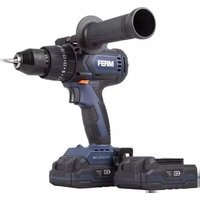
PDM1059P_K - Drill Ferm - Free user manual and instructions
Find the device manual for free PDM1059P_K Ferm in PDF.


Pick your language and provide your email: we'll send you a specifically translated version.
| Product Type | Drill |
| Brand | Ferm |
| Model | PDM1059P_K |
| Power Supply | 230 V, 50 Hz AC |
| Power Consumption | 650 W (estimated) |
| No-Load Speed | 0-3000 rpm (variable) |
| Chuck Capacity | 1.5-13 mm |
| Max. Drilling Diameter (Wood) | 30 mm |
| Max. Drilling Diameter (Steel) | 13 mm |
| Max. Drilling Diameter (Concrete) | 16 mm |
| Weight | 1.8 kg (approx.) |
| Product Dimensions (L x W x H) | 280 x 200 x 80 mm (approx.) |
| Additional Grip | Auxiliary handle included |
| Speed Control | Variable speed trigger |
| Reverse Function | Yes |
| Rotational Direction | Forward/reverse |
| Cable Length | 2.5 m (approx.) |
| Insulation | Double insulated (Class II) |
| Protection Rating | IP20 |
| Maintenance | Clean with dry cloth; keep air vents clear |
| Safety | Wear safety goggles and ear protection |
| Spare Parts | Replaceable carbon brushes |
| Repairability | Spare parts available for 5 years |
| Included Accessories | Auxiliary handle, depth stop, chuck key |
| Warranty | 2-year manufacturer warranty |
Frequently Asked Questions - PDM1059P_K Ferm
How do I change the drill bit?
To change the drill bit, first unplug the drill. Open the chuck by turning it counterclockwise, insert the new bit, then tighten the chuck clockwise using the chuck key. Ensure the bit is securely tightened before use.
What is the variable speed trigger for?
The variable speed trigger allows you to control the drill speed. Pressing it lightly gives a low speed, while pressing it fully gives maximum speed. This is useful for precise drilling in delicate materials or for starting holes.
Can I use this drill as a screwdriver?
Yes, this drill has a reverse function, which allows you to drive and remove screws. Use a suitable screwdriver bit and set the direction switch to the appropriate rotation. Adjust the speed to a low setting to avoid damaging the screw or material.
How do I drill into concrete or masonry?
If your drill is equipped with an impact function, switch it on for concrete. Otherwise, use a carbide-tipped masonry bit and proceed slowly with moderate pressure. Always wear safety goggles and ear protection.
What safety equipment should I use?
Always wear safety goggles to protect your eyes from debris, and ear protection to reduce noise. In dusty environments, use a dust mask. Keep hands and clothes away from rotating parts.
How do I maintain and clean the drill?
After use, unplug the drill and wipe the outer surfaces with a dry cloth. Do not use water or solvents. Keep the ventilation slots free of dust and check the carbon brushes regularly.
Can I replace the carbon brushes?
Yes, the carbon brushes are replaceable. If you notice a reduction in power or sparking, inspect them. For replacement, follow the manual or contact a qualified service center. Use original spare parts.
What is the maximum drilling capacity of this drill?
The maximum drilling diameter depends on the material: approximately 30 mm in wood, 13 mm in steel, and 16 mm in concrete (with impact). Always use the correct drill bit and reduce speed for harder materials.
Is the drill double insulated?
Yes, this drill is double insulated (Class II), meaning it does not require a ground connection. However, always ensure the power cord and plug are in good condition before use.
What are the included accessories?
The package includes the drill, an auxiliary handle, a depth stop, and a chuck key. Some models may also include a set of drill bits. Refer to the manual for exact contents.
User questions about PDM1059P_K Ferm
0 question about this device. Answer the ones you know or ask your own.
Ask a new question about this device
No questions yet. Be the first to ask one.
Download the instructions for your Drill in PDF format for free! Find your manual PDM1059P_K - Ferm and take your electronic device back in hand. On this page are published all the documents necessary for the use of your device. PDM1059P_K by Ferm.
USER MANUAL PDM1059P_K Ferm


Manual assistant
Powered by Anthropic
Waiting for your message
Product information
Brand : Ferm
Model : PDM1059P_K
Category : Drill