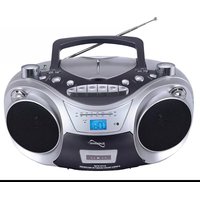
IQ-2006 - Mp3 player SuperSonic - Free user manual and instructions
Find the device manual for free IQ-2006 SuperSonic in PDF.


Pick your language and provide your email: we'll send you a specifically translated version.
| Product Type | MP3 Player |
| Brand | SuperSonic |
| Model | IQ-2006 |
| Dimensions | 3.3 x 1.1 x 0.4 inches (84 x 28 x 10 mm) |
| Weight | 1.1 oz (30 g) |
| Display | 1.5-inch LCD screen |
| Storage Capacity | 4 GB internal memory |
| Expandable Memory | MicroSD card slot up to 16 GB |
| Audio Formats | MP3, WMA, WAV |
| Music Playback Modes | Normal, Single Repeat, All Repeat, Random, Intro |
| FM Radio | Yes, with manual and auto search |
| Voice Recording | Built-in microphone, WAV format |
| Battery Type | Built-in rechargeable lithium battery |
| Charging Time | Approximately 2 hours via USB |
| Playback Time | Up to 15 hours of music playback |
| Interface | USB 2.0 High Speed |
| Supported Operating Systems | Windows XP/Vista/7/8/10, Mac OS X |
| Main Functions | Music playback, FM radio, voice recording, storage |
| Accessories Included | Earphones, USB cable, user manual |
| Maintenance and Cleaning | Wipe with a soft dry cloth. Do not use harsh chemicals. |
| Safety Precautions | Do not expose to moisture, extreme heat, or direct sunlight. |
| Spare Parts and Repairability | Commonly available parts: battery, earphone, USB port. |
| General Information | Free PDF manual available at notice-facile.com |
Frequently Asked Questions - IQ-2006 SuperSonic
How do I transfer music to my SuperSonic IQ-2006?
Connect the player to your computer using the provided USB cable. The device will appear as a removable drive. Drag and drop MP3, WMA, or WAV files into the music folder. Safely eject the player before disconnecting.
How can I reset my IQ-2006 if it freezes?
Press and hold the reset button (usually a small pinhole) with a paperclip for 5 seconds. If there is no reset button, turn the device off, wait 10 seconds, and turn it back on. This will not delete your files.
What audio formats are supported?
The IQ-2006 supports MP3, WMA, and WAV audio formats. Other formats like FLAC or AAC may not play correctly.
How long does the battery take to charge?
The built-in lithium battery takes approximately 2 hours to fully charge via a USB port or a standard 5V charger. A full charge provides up to 15 hours of playback time.
Can I use the device as a USB flash drive?
Yes, when connected to a computer, the IQ-2006 functions as a standard USB mass storage device. You can store and transfer any type of file, not just music.
How do I tune FM radio stations?
Navigate to the FM radio mode using the menu. Press the auto-search button to scan and save available stations. You can also manually tune by pressing and holding the seek buttons.
Why is my device not detected by my computer?
Make sure the USB cable is securely connected and the player is turned on. Try a different USB port or restart your computer. If using Windows, check Device Manager for driver issues. The device supports Windows and Mac without extra drivers.
How can I extend battery life?
Reduce volume, skip less frequently, and avoid using the backlight continuously. Turn off the device when not in use and charge it regularly. Extreme temperatures can also drain the battery faster.
What should I do if the sound is distorted?
Check the earphone connection and volume level. Ensure the audio file is not corrupted. Try a different pair of earphones. Reset the equalizer settings to a neutral profile if available.
How do I clean and care for the device?
Use a soft, dry cloth to wipe the exterior. Never use liquids, sprays, or abrasive cleaners. Keep the device away from dust, moisture, and direct sunlight. Store it in a protective case when not in use.
User questions about IQ-2006 SuperSonic
0 question about this device. Answer the ones you know or ask your own.
Ask a new question about this device
No questions yet. Be the first to ask one.
Download the instructions for your Mp3 player in PDF format for free! Find your manual IQ-2006 - SuperSonic and take your electronic device back in hand. On this page are published all the documents necessary for the use of your device. IQ-2006 by SuperSonic.
USER MANUAL IQ-2006 SuperSonic


Manual assistant
Powered by Anthropic
Waiting for your message
Product information
Brand : SuperSonic
Model : IQ-2006
Category : Mp3 player