IQ-4912DJWK - Sound system SuperSonic - Free user manual and instructions
Find the device manual for free IQ-4912DJWK SuperSonic in PDF.


Pick your language and provide your email: we'll send you a specifically translated version.
| Product Type | Portable PA sound system |
| Brand | SuperSonic |
| Model | IQ-4912DJWK |
| Product Category | Sound system |
| Speaker Configuration | 2-way with 8-inch woofer and compression tweeter |
| Power Output | 100 W RMS / 200 W peak |
| Frequency Response | 50 Hz - 18 kHz |
| Connectivity | Bluetooth, USB, SD card, FM radio, RCA line input |
| Microphone System | UHF wireless dual microphone system |
| Audio Controls | Master volume, microphone echo, bass and treble controls |
| Lighting Effects | Built-in multicolor LED light show |
| Playback Compatibility | MP3, WAV and WMA files from USB/SD |
| Radio Tuner | FM stereo tuner, extended antenna included |
| Power Supply | AC 110-240 V 50/60 Hz |
| Rechargeable Battery | Built-in 12 V 7 Ah battery, up to 4 hours playback |
| Remote Control | Yes, included for remote operation |
| Housing / Material | Impact-resistant ABS plastic with metal speaker grille |
| Dimensions (W x H x D) | Approx. 43 cm x 57 cm x 33 cm |
| Weight | Approx. 8.7 kg |
| Included Accessories | 2 wireless microphones, remote control, audio cable, power cable |
| Cleaning and Maintenance | Clean with soft dry cloth; keep vents free from dust |
| Safety Information | Use only on specified voltage; avoid water exposure; do not disassemble |
| Spare Parts and Repairability | Replaceable battery, microphones, grille; service by qualified technicians |
| General Purpose | Karaoke parties, small events, presentations and PA use |
Frequently Asked Questions - IQ-4912DJWK SuperSonic
How do I turn on the SuperSonic IQ-4912DJWK?
Press and hold the power button on the control panel until the indicator lights. The system starts in the last used mode.
How do I connect my smartphone via Bluetooth?
Switch on the sound system and press MODE until Bluetooth is active. On your smartphone, search for 'IQ-4912DJWK' and select it. A chime confirms pairing.
Does the system include wireless microphones?
Yes, the package contains two UHF wireless microphones. Insert batteries, switch each microphone on, and pair them with the receiver using the selected channel.
How can I play music from a USB flash drive?
Insert the USB drive into the USB port. The player will detect it automatically and start playing compatible MP3, WAV or WMA files.
Can I use the sound system outdoors?
Yes, the IQ-4912DJWK is a portable PA system with a built-in rechargeable battery. Use it outside only in dry conditions and keep it away from moisture.
How do I use the FM radio function?
Press SOURCE/MODE to choose FM radio. Extend the antenna, then press the play/pause button to scan for available stations. Use +/- to manually tune.
What is the power output of this speaker?
This sound system delivers 100 W RMS and 200 W peak power, suitable for small events and medium-sized rooms.
How should I clean and maintain the speaker?
Clean the cabinet with a soft dry cloth. Do not use chemical cleaners or water, and avoid blocking the ventilation openings during operation.
What accessories are included in the box?
The package includes two wireless microphones, a remote control, an audio cable and a power cable. Check the manual for a complete list.
What should I do if the sound is distorted or interrupted?
Reduce the master volume, check that the battery is fully charged, and stay away from other wireless devices that may cause interference.
User questions about IQ-4912DJWK SuperSonic
0 question about this device. Answer the ones you know or ask your own.
Ask a new question about this device
No questions yet. Be the first to ask one.
Download the instructions for your Sound system in PDF format for free! Find your manual IQ-4912DJWK - SuperSonic and take your electronic device back in hand. On this page are published all the documents necessary for the use of your device. IQ-4912DJWK by SuperSonic.
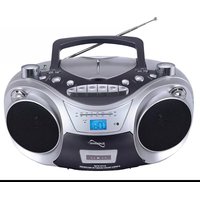
USER MANUAL IQ-4912DJWK SuperSonic


Manual assistant
Powered by Anthropic
Waiting for your message
Product information
Brand : SuperSonic
Model : IQ-4912DJWK
Category : Sound system