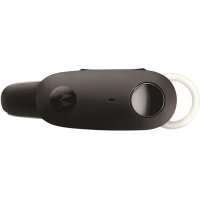
H270 - Headphones MOTOROLA - Free user manual and instructions
Find the device manual for free H270 MOTOROLA in PDF.


Pick your language and provide your email: we'll send you a specifically translated version.
| Product Type | Wireless Bluetooth headset |
| Brand | Motorola |
| Model | H270 |
| Bluetooth Version | Bluetooth 2.0 |
| Wireless Range | 10 meters (33 feet) |
| Talk Time | Up to 8 hours |
| Standby Time | Up to 120 hours |
| Charging Time | Approximately 2 hours |
| Battery Type | Rechargeable lithium-ion battery |
| Dimensions (H × W × D) | 52 × 18 × 10.5 mm |
| Weight | 9 grams (0.32 oz) |
| Controls | Multi-function button, volume up/down |
| Main Functions | Answer/end calls, voice dial, last number redial, mute |
| Indicators | LED status light |
| Compatibility | Bluetooth-enabled phones and devices with HSP/HFP profiles |
| Included Accessories | Charger, ear hook, user manual |
| Maintenance | Wipe with a soft dry cloth; do not use liquids or solvents |
| Safety | Do not expose to water, extreme temperatures, or direct sunlight |
| Repairability | No user-serviceable parts; contact authorized Motorola service center |
| Disposal | Recycle electronic device in accordance with local regulations |
Frequently Asked Questions - H270 MOTOROLA
How do I pair the Motorola H270 with my phone?
Turn on the headset and press and hold the multi-function button until the LED flashes red and blue alternately. Enable Bluetooth on your phone, select Motorola H270 from the list, and enter PIN 0000 if prompted. Pairing is complete once the LED stays lit.
How do I charge the H270 headset?
Connect the included charger to the charging port on the headset and plug it into a power source. The LED will show a color (usually red) while charging and changes or goes off when fully charged. A full charge takes approximately 2 hours.
How long does the battery last on one full charge?
The Motorola H270 provides up to 8 hours of talk time and up to 120 hours of standby time. Actual battery life depends on usage, volume, distance from the phone, and network conditions.
Can I use the H270 with more than one device?
The H270 can store multiple paired devices, but it typically connects to one device at a time. To switch between devices, turn off Bluetooth on the current device or place the headset into pairing mode and connect to the new device.
How do I adjust the volume on the H270?
Use the volume up and volume down buttons on the side of the headset during a call to adjust the call volume. The setting is saved by the headset for future calls.
How can I reset the Motorola H270 headset?
If the headset becomes unresponsive, press and hold the multi-function button for about 10 seconds until the LED flashes red. This resets the Bluetooth stack. You may need to re-pair the headset with your phone afterwards.
Is the H270 compatible with all smartphones?
The H270 uses Bluetooth 2.0, so it works with most Bluetooth-enabled phones, tablets, and computers. For full call control, your device must support the HSP (Headset Profile) or HFP (Hands-Free Profile).
How do I wear the H270 comfortably?
Attach the flexible ear hook to the headset and select the ear gel size that fits your ear. Hook it over your ear and adjust the angle so the speaker sits comfortably at your ear canal. Ensure the microphone is positioned near your mouth for clear voice pickup.
How should I clean and maintain the H270?
Wipe the exterior with a soft, dry cloth. Use a slightly damp cloth for the ear gel, then dry it completely before reattaching. Avoid using solvents, abrasive cleaners, or submerging the headset in water.
What should I do if the H270 stops working?
First, charge the headset for at least 30 minutes, then try resetting it by holding the multi-function button for 10 seconds. Delete the pairing on your phone and re-pair the headset. If it still does not work, contact Motorola support or an authorized service center.
User questions about H270 MOTOROLA
0 question about this device. Answer the ones you know or ask your own.
Ask a new question about this device
No questions yet. Be the first to ask one.
Download the instructions for your Headphones in PDF format for free! Find your manual H270 - MOTOROLA and take your electronic device back in hand. On this page are published all the documents necessary for the use of your device. H270 by MOTOROLA.
USER MANUAL H270 MOTOROLA


Manual assistant
Powered by Anthropic
Waiting for your message
Product information
Brand : MOTOROLA
Model : H270
Category : Headphones