PLR31MP - Car Radio Pyle - Free user manual and instructions
Find the device manual for free PLR31MP Pyle in PDF.


Pick your language and provide your email: we'll send you a specifically translated version.
| Brand | Pyle |
| Model | PLR31MP |
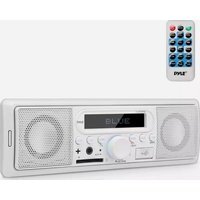
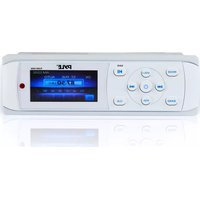
| Product Type | Car Radio (1-DIN) |
| Compatibility | Universal fit for most vehicles |
| Chassis Size | 1-DIN |
| Display | LCD display with blue backlight |
| Tuner Range | AM: 530-1710 kHz; FM: 87.5-108 MHz |
| Audio Formats | MP3 and WMA |
| Supported Media | USB flash drive and SD card |
| Auxiliary Input | 3.5mm AUX input |
| Output Power | 4 x 45 watts maximum |
| Frequency Response | 20 Hz - 20 kHz |
| Power Supply | 12V DC negative ground |
| Dimensions | Approx. 180 x 50 x 150 mm (7.1 x 2.0 x 5.9 in) |
| Weight | Approx. 0.7 kg (1.5 lbs) |
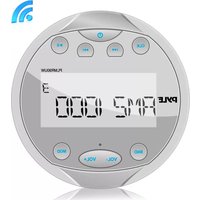
| Water Resistance | Marine-grade waterproof front panel |
| Remote Control | Wireless remote control included |
| Antenna Input | Standard motorized antenna lead |
| Installation | Standard DIN sleeve with mounting screws |
| Maintenance | Clean with dry cloth; no abrasive cleaners |
| Safety | Use only 12V DC; avoid short circuits |
| Spare Parts and Repairability | No user-serviceable parts; service by qualified technician |
Frequently Asked Questions - PLR31MP Pyle
How do I reset the Pyle PLR31MP radio?
Press and hold the RESET button using a pointed object, or disconnect the power for 10 seconds to restore factory settings.
Does this radio support Bluetooth audio streaming?
The PLR31MP model does not include Bluetooth. It supports USB, SD, and AUX connections for audio playback.
What is the maximum output power?
The radio delivers 4 x 45 watts maximum output, with typical RMS power around 20 watts per channel.
Can I control the radio from a remote?
Yes, a wireless remote control is included, allowing you to adjust volume, change tracks, and switch sources safely.
Is the front panel waterproof?
Yes, the front panel has a marine-grade waterproof design to withstand splashes and damp conditions, ideal for boats or off-road vehicles.
How can I play music from my phone?
Connect your phone via the AUX input, or copy MP3/WMA files to a USB drive or SD card and play them through the radio.
Why is there no sound on one channel?
Check the speaker wiring for loose connections, and verify the balance/fader settings are centered.
How do I remove the radio for servicing?
Use the release keys provided to slide the chassis out of the DIN sleeve, then disconnect the wiring harness.
Does it include a USB charging port?
The USB port is primarily for playing media files; it is not intended for charging devices.
What is the warranty period?
Pyle products typically come with a 1-year limited warranty. Check with your dealer for complete warranty details.
User questions about PLR31MP Pyle
0 question about this device. Answer the ones you know or ask your own.
Ask a new question about this device
No questions yet. Be the first to ask one.
Download the instructions for your Car Radio in PDF format for free! Find your manual PLR31MP - Pyle and take your electronic device back in hand. On this page are published all the documents necessary for the use of your device. PLR31MP by Pyle.
USER MANUAL PLR31MP Pyle
Manual assistant
Powered by Anthropic
Waiting for your message
Product information
Brand : Pyle
Model : PLR31MP
Category : Car Radio