PLR34M - Car Radio Pyle - Free user manual and instructions
Find the device manual for free PLR34M Pyle in PDF.


Pick your language and provide your email: we'll send you a specifically translated version.
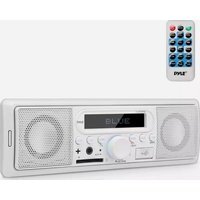
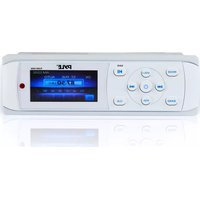
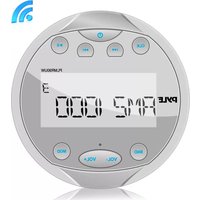
| Product Type | Car Radio / Receiver |
| Brand | Pyle |
| Model | PLR34M |
| Chassis Size | Single DIN (2" x 7" x 6") |
| Weight | 1.5 lbs (0.68 kg) |
| Power Supply | 12V DC (negative ground) |
| Max Power Output | 4 x 50 Watts |
| Display | LCD with white backlight |
| Tuner Bands | FM / AM |
| Preset Stations | 30 (18 FM + 12 AM) |
| Bluetooth | Version 4.0 with A2DP, AVRCP, HFP |
| USB Port | Front USB (supports MP3, WMA) |
| AUX Input | 3.5mm front AUX |
| SD Card Slot | Supports SD/SDHC/MMC cards |
| Audio Outputs | Preamp outputs: Front, Rear, Subwoofer |
| Equalizer | Preset EQ modes (Rock, Pop, Classic, Flat) |
| Remote Control | Included (wired or IR?) |
| Warranty | 1 year limited |
Frequently Asked Questions - PLR34M Pyle
How do I pair my phone via Bluetooth?
Press the BT button on the front panel to enter Bluetooth mode. On your phone, search for available devices and select 'PLR34M'. Enter PIN 0000 if prompted. Once paired, audio will stream automatically.
What should I do if the radio won't turn on?
Check the vehicle's ignition switch (ACC position). Ensure the yellow (constant 12V) and red (switched 12V) wires are connected properly. Verify the ground wire (black) is securely attached to a metal chassis point. Test the fuse on the back of the unit.
How do I reset the unit to factory settings?
Locate the RESET button on the front panel (usually near the volume knob). Use a pointed object like a pen tip to press and hold the button for 3 seconds. This will clear all settings and presets.
Can I play music from a USB drive?
Yes, insert a USB flash drive (FAT32 formatted) into the front USB port. The radio will automatically read MP3 or WMA files. Use the SRC button to select USB mode. Folders can be navigated using the UP/DOWN buttons.
Why is the sound distorted at high volume?
Distortion may occur if the volume is pushed beyond the amplifier's clean range. Lower the volume or adjust the EQ settings. Also check speaker impedance (minimum 4 ohms per channel). Avoid using the LOUD function at high volumes.
How do I set the clock?
Press and hold the DISP button until the time flashes. Use the VOL knob or SEEK buttons to adjust hours and minutes. Press DISP again to save.
Does the radio support steering wheel controls?
The PLR34M has a wired remote input for optional steering wheel control adapters. You will need a separate adapter (e.g., PAC SWI-RC) and a compatible wiring harness. Consult the manual for connection details.
What is the pinout for the ISO connector?
Standard ISO pinout: Pin 4 (constant 12V yellow), Pin 5 (illumination orange), Pin 6 (ground black), Pin 7 (switched 12V red), Pin 8 (antenna remote blue). Speaker wires: white (LF+), white/black (LF-), gray (RF+), gray/black (RF-), green (LR+), green/black (LR-), purple (RR+), purple/black (RR-).
How do I improve FM radio reception?
Ensure the antenna cable is fully inserted into the antenna jack. Extend the vehicle's antenna fully. If reception is poor, consider upgrading to a powered antenna amplifier. Avoid running the antenna cable near power cables.
What is the maximum capacity for an SD card?
The SD slot supports cards up to 32GB (SDHC). Higher capacity SDXC cards may not work. Format the card as FAT32 before use.
User questions about PLR34M Pyle
0 question about this device. Answer the ones you know or ask your own.
Ask a new question about this device
No questions yet. Be the first to ask one.
Download the instructions for your Car Radio in PDF format for free! Find your manual PLR34M - Pyle and take your electronic device back in hand. On this page are published all the documents necessary for the use of your device. PLR34M by Pyle.
USER MANUAL PLR34M Pyle

Manual assistant
Powered by Anthropic
Waiting for your message
Product information
Brand : Pyle
Model : PLR34M
Category : Car Radio