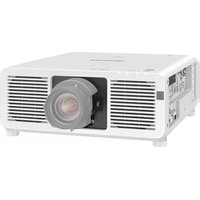
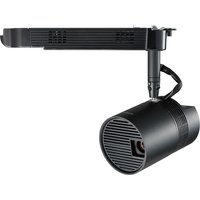
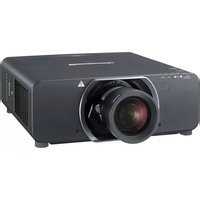
PT-LB10SU - Video projector PANASONIC - Free user manual and instructions
Find the device manual for free PT-LB10SU PANASONIC in PDF.


Pick your language and provide your email: we'll send you a specifically translated version.
| Product type | LCD video projector |
| Brand | Panasonic |
| Model | PT-LB10SU |
| Native resolution | XGA (1024 x 768) |
| Brightness | 2500 ANSI lumens |
| Technology | 3-panel LCD |
| Contrast ratio | 500:1 |
| Lamp life | 4000 hours (normal mode) / 5000 hours (eco mode) |
| Dimensions (W x D x H) | 327 x 233 x 113 mm |
| Weight | 3.5 kg |
| Power supply | 100-240 V AC, 50/60 Hz |
| Power consumption | 280 W (normal mode) / 200 W (eco mode) |
| Video inputs | 1x VGA, 1x S-Video, 1x Composite, 1x HDMI |
| Audio input | 1x 3.5 mm jack |
| Audio output | 1x 3.5 mm jack |
| Built-in speaker | 1 x 1 W |
| Keystone correction | Vertical ±30° |
| Main functions | Image projection, presentations, video |
| Maintenance and cleaning | Clean the air filter every 500 hours; replace the lamp after depletion |
| Safety | Adequate ventilation required; do not block vents |
| Spare parts and repairability | Replacement lamp available, replaceable air filter |
| Included accessories | Power cable, VGA cable, remote control, battery, manual |
Frequently Asked Questions - PT-LB10SU PANASONIC
How to turn on the Panasonic PT-LB10SU projector?
Plug in the power cable, then press the Power button on the projector or on the remote control. Wait for the green light to turn on.
How to connect a computer to the projector?
Use a VGA cable to connect your computer's video output to the projector's Computer In input. Select the appropriate source via the Input button.
What to do if the image is blurry?
Turn the focus ring on the lens to adjust sharpness. Also ensure that the projection distance is correct.
How to clean the air filter?
Turn off the unit and unplug it. Remove the filter cover, take out the filter, and gently vacuum it with a vacuum cleaner. Reinstall it after drying.
When to replace the projector lamp?
The lamp should be replaced after approximately 4000 hours in normal mode or 5000 hours in eco mode. A warning message appears on the screen.
How to activate eco mode?
Press the Menu button, go to the lamp settings, and select Eco. This reduces brightness and extends lamp life.
Can I connect a game console?
Yes, via the Composite or HDMI input (depending on the model). Use an adapter if necessary.
How to adjust keystone correction?
Press the Keystone button on the remote control or in the menu, then use the arrow keys to correct vertical distortion.
The projector does not turn on, what to do?
Check that the power cable is properly plugged in and that the outlet works. If the light flashes red, wait for the lamp to cool down before trying again.
How to update the firmware?
This model does not support user firmware updates. Contact an authorized service center if necessary.
User questions about PT-LB10SU PANASONIC
0 question about this device. Answer the ones you know or ask your own.
Ask a new question about this device
No questions yet. Be the first to ask one.
Download the instructions for your Video projector in PDF format for free! Find your manual PT-LB10SU - PANASONIC and take your electronic device back in hand. On this page are published all the documents necessary for the use of your device. PT-LB10SU by PANASONIC.
USER MANUAL PT-LB10SU PANASONIC


Manual assistant
Powered by Anthropic
Waiting for your message
Product information
Brand : PANASONIC
Model : PT-LB10SU
Category : Video projector