Timebase Pro+ iWBTW200 - Radio IHOME - Free user manual and instructions
Find the device manual for free Timebase Pro+ iWBTW200 IHOME in PDF.


Pick your language and provide your email: we'll send you a specifically translated version.
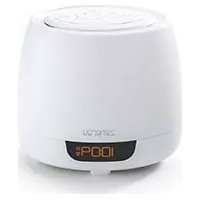
| Product Type | Clock Radio with Bluetooth |
| Brand | iHome |
| Model | Timebase Pro+ iWBTW200 |
| Dimensions (approx.) | 6.3 x 3.5 x 4.5 inches (16 x 9 x 11.4 cm) |
| Weight (approx.) | 12 oz (340 g) |
| Power Source | AC adapter (included) or 3x AAA batteries (not included) |
| Radio Bands | FM / AM |
| Bluetooth Version | Bluetooth 5.0 |
| Alarm Features | Dual alarms with radio, buzzer, or Bluetooth audio wake-up |
| Display | Large LED display with adjustable brightness |
| USB Charging | USB-A port for charging mobile devices |
| Snooze | Snooze function with adjustable duration |
| Sleep Timer | Sleep to radio or Bluetooth with auto-off |
| Cleaning Instructions | Wipe with a soft, dry cloth. Do not use liquids or abrasives. |
| Safety Warnings | Do not expose to moisture or extreme temperatures. Unplug during storms. |
| Spare Parts Availability | AC adapter and remote control may be ordered from iHome support. |
| Repairability | No user-serviceable parts inside. Contact qualified service. |
| Warranty | 1-year limited warranty |
Frequently Asked Questions - Timebase Pro+ iWBTW200 IHOME
How do I set the time on my iHome Timebase Pro+?
Press and hold the Time Set button until the hour flashes. Use the + and - buttons to adjust. Press Time Set again to set minutes, then press to confirm.
How can I pair my phone via Bluetooth?
Press the Bluetooth button on the unit. The display will show 'BT Pairing'. On your phone, select iHome Timebase Pro+ from available devices. Once connected, the display will show 'BT Connected'.
What should I do if the radio doesn't play sound?
Ensure the volume is turned up. Check that the antenna is fully extended. Try switching between FM and AM. If using Bluetooth, confirm your phone is connected and playing audio.
How do I set an alarm?
Press the Alarm 1 or Alarm 2 button. Use +/- to set the hour, press the alarm button again to set minutes. Press the alarm button a third time to select wake source (radio, buzzer, Bluetooth).
Why does my alarm not go off?
Check that the alarm is enabled (alarm icon appears on display). Ensure the volume is not set to zero for radio/Bluetooth alarm. Verify the time is set correctly. If using Bluetooth, the paired device must be on and connected.
Can I use batteries if the power goes out?
Yes, the unit can operate on 3x AAA batteries (not included). Note that the display brightness will be dimmer and Bluetooth may not be available on battery power.The AC adapter is recommended for full functionality.
How do I clean my iHome radio?
Unplug the unit. Use a soft, dry cloth to wipe the exterior. Do not use water, cleaning solvents, or abrasive cleaners. Avoid getting moisture into any openings.
What does the 'Timebase Pro+' feature do?
The Timebase Pro+ ensures the clock time is continuously synchronized via a built-in backup battery, so you don't lose settings during power outages. It also provides a self-setting feature after power is restored.
My display is too bright at night. Can I dim it?
Yes, press the Dim button repeatedly to cycle through brightness levels (high, medium, low, off). The setting will be saved.
Where can I find the user manual?
The user manual can be downloaded for free from notice-facile.com or the iHome support website. Search for model Timebase Pro+ iWBTW200.
User questions about Timebase Pro+ iWBTW200 IHOME
0 question about this device. Answer the ones you know or ask your own.
Ask a new question about this device
No questions yet. Be the first to ask one.
Download the instructions for your Radio in PDF format for free! Find your manual Timebase Pro+ iWBTW200 - IHOME and take your electronic device back in hand. On this page are published all the documents necessary for the use of your device. Timebase Pro+ iWBTW200 by IHOME.
USER MANUAL Timebase Pro+ iWBTW200 IHOME
Manual assistant
Powered by Anthropic
Waiting for your message
Product information
Brand : IHOME
Model : Timebase Pro+ iWBTW200
Category : Radio