IBTW39G - Radio IHOME - Free user manual and instructions
Find the device manual for free IBTW39G IHOME in PDF.


Pick your language and provide your email: we'll send you a specifically translated version.
| Product Type | Portable AM/FM Radio |
| Brand | iHome |
| Model | IBTW39G |
| Dimensions | 5.5 x 3.0 x 1.5 inches |
| Weight | 0.55 lbs (250 g) |
| Power Source | 2 x AAA batteries (not included) |
| Tuning Range | AM: 530-1710 kHz, FM: 87.5-108 MHz |
| Speaker Type | Built-in mono speaker |
| Headphone Jack | 3.5 mm stereo |
| Controls | Power/Volume knob, Tuning knob, AM/FM switch |
| Antenna | Built-in ferrite bar for AM, telescopic for FM |
| Display | Analog tuning dial with frequency markings |
| Body Material | Plastic casing |
| Color | Black with silver accents |
| Battery Life | Approximately 30 hours with alkaline batteries |
| Audio Output Power | 100 mW (RMS) |
| Frequency Stability | ±0.005% |
| Included Accessories | None (batteries not included) |
| Cleaning & Maintenance | Wipe with a soft, dry cloth. Do not use liquid cleaners. |
| Safety | Keep away from water and heat sources. Do not disassemble. |
| Spare Parts & Repairability | Contact iHome customer support for replacement parts. Not user-serviceable. |
Frequently Asked Questions - IBTW39G IHOME
How do I turn on the iHome IBTW39G radio?
Turn the Power/Volume knob clockwise until a click is heard. Adjust volume to desired level.
What batteries does the IBTW39G require?
It requires 2 AAA batteries (not included). Alkaline batteries are recommended for best performance.
How do I switch between AM and FM?
Use the AM/FM switch on the side of the radio to select the desired band.
How do I tune to a station?
Rotate the Tuning knob slowly until the desired frequency is aligned with the indicator on the dial.
Why is there static on FM?
Extend the telescopic antenna fully and adjust its position. For AM, rotate the radio to align the internal ferrite bar.
Can I use headphones with this radio?
Yes, plug any standard 3.5 mm headphones into the headphone jack. The built-in speaker will mute automatically.
How do I clean the radio?
Use a soft, dry cloth to wipe the exterior. Do not use water, solvents, or abrasive cleaners.
What should I do if the radio doesn't turn on?
Check that the batteries are inserted correctly with the correct polarity. Try fresh batteries. If still not working, contact iHome support.
Is the IBTW39G water-resistant?
No, it is not water-resistant. Keep it away from liquids and moisture.
Where can I find a user manual?
The manual is available for free download on notice-facile.com in PDF format.
User questions about IBTW39G IHOME
0 question about this device. Answer the ones you know or ask your own.
Ask a new question about this device
No questions yet. Be the first to ask one.
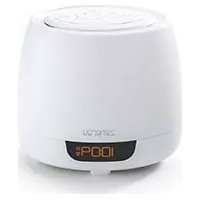
Download the instructions for your Radio in PDF format for free! Find your manual IBTW39G - IHOME and take your electronic device back in hand. On this page are published all the documents necessary for the use of your device. IBTW39G by IHOME.
USER MANUAL IBTW39G IHOME
Manual assistant
Powered by Anthropic
Waiting for your message
Product information
Brand : IHOME
Model : IBTW39G
Category : Radio