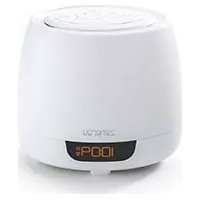
IBTW281B - Radio IHOME - Free user manual and instructions
Find the device manual for free IBTW281B IHOME in PDF.


Pick your language and provide your email: we'll send you a specifically translated version.
| Product Type | Clock Radio with Bluetooth |
| Brand | iHome |
| Model | IBTW281B |
| Dimensions (W x H x D) | 6.5 x 3.5 x 6.5 inches (approx.) |
| Weight | 1.1 lbs (approx.) |
| Power Source | AC adapter (included) or 3 AA batteries (backup) |
| Bluetooth Version | Bluetooth 5.0 |
| Wireless Range | Up to 33 feet (10 meters) |
| Speaker Type | Single full-range driver |
| Output Power | 2 x 3 Watts (stereo) |
| Frequency Response | 80 Hz – 20 kHz |
| Radio Tuner | FM with digital tuning, presets |
| Alarm Functions | Dual alarms, snooze, alarm via buzzer or radio |
| Display | Blue LED digital display |
| Clock Backup | Battery backup (3x AA, not included) |
| Inputs | 3.5mm auxiliary input |
| Charging Port | USB-A output for charging devices (5V/1A) |
| Controls | Touch-sensitive top panel and remote control |
| Material | Plastic with fabric speaker grille |
| Cleaning Instructions | Unplug, wipe with soft dry cloth; avoid liquids |
| Safety Warnings | Do not expose to water, heat sources, or direct sunlight |
| Spare Parts Availability | Contact iHome support for replacement AC adapters or batteries |
| Reparability | Limited; user-replaceable batteries, otherwise professional service |
| Warranty | 1-year limited warranty |
Frequently Asked Questions - IBTW281B IHOME
How do I set the time on the iHome IBTW281B?
Press and hold the Time Set button until the hour flashes. Use the + and - buttons to set the hour, then press Time Set again to set minutes.
How do I pair my phone with the radio via Bluetooth?
Press the Bluetooth button on the unit or remote. The display will show 'Pairing'. On your phone, select 'iHome IBTW281B' from the Bluetooth list.
Can I use this radio without Bluetooth?
Yes, you can use the FM radio tuner or connect a device via the 3.5mm auxiliary input.
How do I set an alarm?
Press the Alarm button to enter alarm setup. Choose alarm 1 or 2, set the time, and select the alarm source (buzzer or radio).
Does the clock have battery backup?
Yes, insert 3 AA batteries (not included) into the compartment on the bottom to keep time settings during a power outage.
How do I adjust the brightness of the display?
Press the Brightness button on the remote or unit to cycle through low, medium, and high brightness levels.
Can I charge my phone using this radio?
Yes, the USB port on the back provides up to 1A output for charging smartphones or other devices.
Why is my radio not turning on?
Ensure the AC adapter is securely connected to both the unit and a working outlet. If using batteries, check they are inserted correctly and have charge.
How do I reset the iHome IBTW281B?
Press and hold the Reset button (located inside the battery compartment) with a paperclip for 3 seconds.
What should I do if the sound is distorted?
Check the volume level and reduce it if too high. Also ensure the source (Bluetooth or aux) is not clipping. If using radio, adjust the antenna for better reception.
User questions about IBTW281B IHOME
0 question about this device. Answer the ones you know or ask your own.
Ask a new question about this device
No questions yet. Be the first to ask one.
Download the instructions for your Radio in PDF format for free! Find your manual IBTW281B - IHOME and take your electronic device back in hand. On this page are published all the documents necessary for the use of your device. IBTW281B by IHOME.
USER MANUAL IBTW281B IHOME
Manual assistant
Powered by Anthropic
Waiting for your message
Product information
Brand : IHOME
Model : IBTW281B
Category : Radio