MG300 - Audio/video converter Kiloview - Free user manual and instructions
Find the device manual for free MG300 Kiloview in PDF.


Pick your language and provide your email: we'll send you a specifically translated version.
| Product Type | Audio/Video Converter |
| Brand | Kiloview |
| Model | MG300 |
| Dimensions (W x D x H) | Approx. 130 x 85 x 30 mm |
| Weight | Approx. 200 g |
| Power Supply | DC 5V / 1A via USB-C |
| Input Interfaces | HDMI, 3.5mm Audio |
| Output Interfaces | HDMI, 3.5mm Audio, USB-C |
| Video Resolution Support | Up to 1080p 60fps |
| Audio Sampling Rate | 48 kHz |
| Audio Bit Depth | 16-bit |
| Supported Formats | HDMI Audio Pass-through, Analog to Digital Conversion |
| Main Functions | Audio embedding/de-embedding, format conversion, signal scaling |
| Maintenance | Keep dry; clean with soft cloth; avoid dust |
| Safety Precautions | Do not expose to liquids; use only original power adapter; avoid extreme temperatures |
| Spare Parts and Repairability | Contact authorized service center for repairs; no user-serviceable parts inside |
| Package Contents | MG300 unit, USB-C cable, user manual |
| General Information | Professional-grade converter for broadcast and streaming applications |
Frequently Asked Questions - MG300 Kiloview
How do I connect the MG300 to my camera?
Connect the HDMI output of your camera to the HDMI input of the MG300 using a standard HDMI cable. For audio, use a 3.5mm cable if needed.
Can I use the MG300 without external power?
No, the MG300 requires external power via the USB-C port with a 5V/1A adapter. It does not support bus power from HDMI alone.
What is the maximum video resolution supported?
The MG300 supports video resolutions up to 1080p 60fps for input and output.
How do I extract audio from HDMI?
Connect the HDMI source to the MG300 input. The analog audio output will provide the extracted stereo audio via the 3.5mm jack. Ensure the audio format is PCM.
The device is not powering on. What should I check?
First, verify the USB-C cable is properly connected to the MG300 and the power adapter. Try a different power adapter with 5V/1A output. If still not working, contact support.
Can I use the MG300 with a computer?
Yes, the MG300 can be used as a USB capture device when connected via USB-C. Install the necessary drivers if prompted.
How do I update the firmware?
Firmware updates are available on Kiloview's website. Download the update tool and follow the instructions provided in the update package.
What audio formats are supported?
The MG300 supports PCM stereo audio at 48 kHz sampling rate and 16-bit depth. Other formats may not pass through correctly.
Is the MG300 compatible with HDCP?
The MG300 does not support HDCP. Input signals with HDCP may not be displayed or passed through. Use HDCP-free sources.
How often should I clean the device?
Clean the exterior with a dry, soft cloth when needed. Avoid using liquids or harsh chemicals. Ensure the device is unplugged before cleaning.
User questions about MG300 Kiloview
0 question about this device. Answer the ones you know or ask your own.
Ask a new question about this device
No questions yet. Be the first to ask one.
Download the instructions for your Audio/video converter in PDF format for free! Find your manual MG300 - Kiloview and take your electronic device back in hand. On this page are published all the documents necessary for the use of your device. MG300 by Kiloview.
USER MANUAL MG300 Kiloview
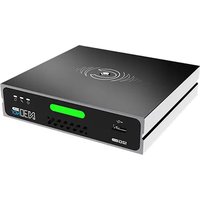
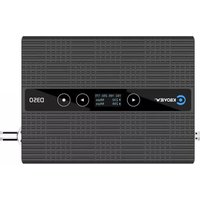
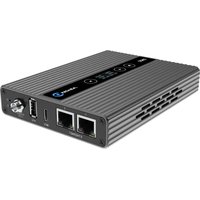

Manual assistant
Powered by Anthropic
Waiting for your message
Product information
Brand : Kiloview
Model : MG300
Category : Audio/video converter