AP122 - Access Point Fortinet - Free user manual and instructions
Find the device manual for free AP122 Fortinet in PDF.


Pick your language and provide your email: we'll send you a specifically translated version.
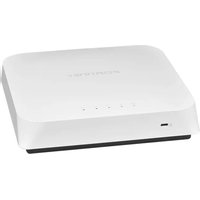
| Product Type | Indoor Access Point |
| Brand | Fortinet |
| Model | AP122 |
| Dimensions (W x D x H) | 5.5 x 5.5 x 1.2 in (14.0 x 14.0 x 3.0 cm) |
| Weight | 0.66 lb (0.3 kg) |
| Power Supply | 802.3af PoE or 12V DC adapter |
| Wi-Fi Standard | Dual-band 802.11ac (2.4 GHz + 5 GHz) |
| Max Data Rate | 867 Mbps (5 GHz) + 300 Mbps (2.4 GHz) |
| Security | WPA2, WPA3, 802.1X, captive portal |
| Management | FortiGate, FortiManager, or cloud (FortiCloud) |
| Antenna Type | Internal omnidirectional antennas |
| Number of SSIDs | Up to 16 |
| Mounting | Wall or ceiling mount (bracket included) |
| Ethernet Ports | 1x Gigabit Ethernet (PoE in) |
| Operating Temperature | 32°F to 104°F (0°C to 40°C) |
| Maintenance | Clean with a soft, dry cloth |
| Spare Parts & Repairability | No user-serviceable parts; contact Fortinet support |
Frequently Asked Questions - AP122 Fortinet
How do I reset the Fortinet AP122 to factory defaults?
Press and hold the reset button on the back of the access point for about 10 seconds using a paperclip until the LED blinks amber. The device will reboot with factory settings.
Can the AP122 be powered by PoE?
Yes, it supports 802.3af Power over Ethernet (PoE). You can also use the optional 12V DC power adapter.
How do I access the web interface?
Connect to the AP via a computer on the same network. The default IP is usually 192.168.1.2, or use the FortiGate controller to manage it.
What are the default login credentials?
Default username is admin and password is blank (empty). It is strongly recommended to change the password on first login.
Does the AP122 support WPA3?
Yes, with recent firmware it supports WPA3 encryption for enhanced security. Check Fortinet release notes for specific versions.
How can I mount the access point?
The AP122 comes with a mounting bracket for ceiling or wall installations. Use the included screws and anchors for secure attachment.
What is the maximum number of concurrent users?
The AP122 can handle up to 128 simultaneous clients under typical conditions, depending on environment and configuration.
How do I update the firmware?
Upload the latest firmware file via the web interface under System > Firmware, or push it from FortiGate/Cloud. Ensure the AP is not under active load during update.
Can I use the AP122 without a FortiGate firewall?
Yes, it can operate in standalone mode via a local web interface, but advanced features require a FortiGate controller for management.
What do the LED colors mean?
Solid green: operational; flashing green: activity; amber: booting/updating; red: error. Refer to the manual for full LED behavior details.
User questions about AP122 Fortinet
0 question about this device. Answer the ones you know or ask your own.
Ask a new question about this device
No questions yet. Be the first to ask one.
Download the instructions for your Access Point in PDF format for free! Find your manual AP122 - Fortinet and take your electronic device back in hand. On this page are published all the documents necessary for the use of your device. AP122 by Fortinet.
USER MANUAL AP122 Fortinet
Manual assistant
Powered by Anthropic
Waiting for your message
Product information
Brand : Fortinet
Model : AP122
Category : Access Point