AP822i - Access Point Fortinet - Free user manual and instructions
Find the device manual for free AP822i Fortinet in PDF.


| Product Type | Wireless Access Point |
| Brand | Fortinet |
| Model | AP822i |
| Wireless Standard | IEEE 802.11ac Wave 2 |
| Frequency Bands | 2.4 GHz and 5 GHz |
| MIMO Configuration | 2x2 MU-MIMO |
| Maximum Data Rate | 1.2 Gbps (2.4 GHz: 300 Mbps, 5 GHz: 867 Mbps) |
| Ethernet Ports | 2 x Gigabit Ethernet (one with PoE input) |
| Power Method | 802.3af PoE or 12V DC adapter |
| Power Consumption | Up to 12.95 W |
| Dimensions (W x D x H) | 200 x 200 x 40 mm |
| Weight | 0.6 kg (1.32 lbs) |
| Antenna Type | Internal dual-band dipole antennas |
| Management | Cloud-managed via FortiGate or FortiManager |
| Security Features | WPA2/WPA3, 802.1X, firewall, VPN passthrough |
| Mounting | Wall or ceiling mount (bracket included) |
| Operating Temperature | 0°C to 40°C (32°F to 104°F) |
| Storage Temperature | -20°C to 70°C (-4°F to 158°F) |
| Humidity | 5% to 95% non-condensing |
| Certifications | FCC, CE, UL, RoHS |
| Maintenance | Clean with a dry cloth; avoid liquids |
| Repairability | No user-serviceable parts; contact Fortinet support |
Frequently Asked Questions - AP822i Fortinet
User questions about AP822i Fortinet
0 question about this device. Answer the ones you know or ask your own.
Ask a new question about this device
Download the instructions for your Access Point in PDF format for free! Find your manual AP822i - Fortinet and take your electronic device back in hand. On this page are published all the documents necessary for the use of your device. AP822i by Fortinet.
USER MANUAL AP822i Fortinet
Copyright© 2015 Fortinet, Inc. All rights reserved. Fortinet® and certain other marks are registered trademarks of Fortinet, Inc., in the U.S. and other jurisdictions, and other Fortinet names herein may also be registered and/or common law trademarks of Fortinet. All other product or company names may be trademarks of their respective owners. Performance and other metrics contained herein were attained in internal lab tests under ideal conditions, and actual performance and other results may vary. Network variables, different network environments and other conditions may affect performance results. Nothing herein represents any binding commitment by Fortinet, and Fortinet disclaims all warranties, whether express or implied, except to the extent Fortinet enters a binding written contract, signed by Fortinet's General Counsel, with a purchaser that expressly warrants that the identified product will perform according to certain expressly-identified performance metrics and, in such event, only the specific performance metrics expressly identified in such binding written contract shall be binding on Fortinet. For absolute clarity, any such warranty will be limited to performance in the same ideal conditions as in Fortinet's internal lab tests. In no event does Fortinet make any commitment related to future deliverables, features or development, and circumstances may change such that any forward-looking statements herein are not accurate. Fortinet disclaims in full any covenants, representations, and guarantees pursuant hereto, whether express or implied. Fortinet reserves the right to change, modify, transfer, or otherwise revise this publication without notice, and the most current version of the publication shall be applicable.
Support
For assistance, contact Fortinet Customer Service and Support 24 hours a day at +1 408-542-7780, or by using one of the local contact numbers, or through the Support portal at https://support.fortinet.com/
Fortinet Customer Service and Support provide end users and channel partners with the following:
- Technical Support
- Software Updates
- Parts replacement service
Fortinet Product License Agreement / EULA and Warranty Terms

To ensure a secured WiFi network, Fortinet hardware (controllers and access points) are designed to run only the proprietary firmware developed by Fortinet. Only approved Fortinet access points are configurable with Fortinet controllers and vice versa. Third party access points and software cannot be configured on Fortinet hardware
Trademarks and Copyright Statement
Fortinet®, FortiGate®, and FortiGuard® are registered trademarks of Fortinet, Inc., and other Fortinet names may also be trademarks, registered or otherwise, of Fortinet. All other product or company names may be trademarks of their respective owners. Copyright © 2015 Fortinet, Inc., All Rights reserved. Contents and terms are subject to change by Fortinet without prior notice. No part of this publication may be reproduced in any form or by any means or used to make any derivative such as translation, transformation, or adaptation without permission from Fortinet, Inc., as stipulated by the United States Copyright Act of 1976.
Product License Agreement
The parties to this agreement are you, the end customer, and either (i) where you have purchased your Product within the Americas, Fortinet, Inc., or (ii) where you have purchased your Product outside of the Americas, Fortinet Singapore Private Limited (each referred to herein as "Fortinet"). CAREFULLY READ THE FOLLOWING LEGAL AGREEMENT (THE OR THIS "AGREEMENT" OR "EULA"). USE OR INSTALLATION OF FORTINET PRODUCT(S) AND ANY UPDATES THERETO, INCLUDING HARDWARE APPLIANCE PRODUCTS, SOFTWARE AND FIRMWARE INCLUDED THEREIN BY FORTINET, AND STAND-ALONE SOFTWARE PRODUCTS SOLD BY FORTINET (TOGETHER, THE "PRODUCTS") CONSTITUTES ACCEPTANCE BY YOU OF THE TERMS IN THIS AGREEMENT, AS AMENDED OR UPDATED FROM TIME TO TIME IN FORTINET'S DISCRETION BY FORTINET PUBLISHING AN AMENDED OR UPDATED VERSION. FORTINET SHALL NOT BE BOUND BY ANY ADDITIONAL AND/OR CONFLICTING PROVISIONS IN ANY ORDER, RELEASE, ACCEPTANCE OR OTHER WRITTEN CORRESPONDENCE OR OTHER WRITTEN OR VERBAL COMMUNICATION UNLESS EXPRESSLY AGREED TO IN A WRITING SIGNED BY THE GENERAL COUNSEL OF FORTINET. IF YOU DO NOT AGREE TO ALL OF THE TERMS OF THIS AGREEMENT, DO NOT START THE INSTALLATION PROCESS OR USE THE PRODUCTS. IF YOU DO NOT AGREE TO THE TERMS OF THIS AGREEMENT, YOU SHOULD IMMEDIATELY, AND IN NO EVENT LATER THAN FIVE (5) CALENDAR DAYS AFTER YOUR RECEIPT OF THE PRODUCT IMMEDIATELY NOTIFY THE FORTINET LEGAL TEAM IN WRITING AT LEGAL@FORTINET.COM OF REQUESTED CHANGES TO THIS AGREEMENT.
1. License Grant.
This is a license, not a sales agreement, between you and Fortinet. The term "Software", as used throughout this Agreement, includes all Fortinet and third party firmware and software provided to you with, or incorporated into, Fortinet appliances and any stand-alone software provided to you by Fortinet, with the exception of any open source software contained in Fortinet's Products which is discussed in detail in section 15 below, and the term "Software" includes any accompanying documentation, any updates and enhancements of the software or firmware provided to you by Fortinet, at its option. Fortinet grants to you a non-transferable (except as provided in section 5 ("Transfer") and section 15 ("Open Source Software") below), non-exclusive, revocable (in the event of your failure to comply with these terms or in the event Fortinet is not properly paid for the applicable Product) license to use the Software solely for your internal business purposes (provided, if a substantial portion of your business is to provide managed service provider services to your end-customers, you may use the Software embedded in FortiGate and supporting hardware appliances to provide those services, subject to the other restrictions in this Agreement), in accordance with the terms set forth in this Agreement and subject to any further restrictions in Fortinet documentation, and solely on the Fortinet appliance, or, in the case of blades, CPUs or databases, on the single blade, CPU or database on which Fortinet installed the Software or, for stand-alone Software, solely on a single computer running a validly licensed copy of the operating system for which the Software was designed, or, in the case of blades, CPUs or databases, on a single blade, CPU or database. For clarity, notwithstanding anything to the contrary, all licenses of Software to be installed on blades, CPUs or databases are licensed on a per single blade, solely for one blade and not for multiple blades that may be installed in a chassis, per single CPU or per single database basis, as applicable. The Software is "in use" on any Fortinet appliances when it is loaded into temporary memory (i.e. RAM). You agree that, except for the limited, specific license rights granted in this section 1, you receive no license rights to the Software.
2. Limitation on Use.
You may not attempt to, and, if you are a corporation, you are responsible to prevent your employees and contractors from attempting to, (a) modify, translate, reverse engineer, decompile, disassemble, create derivative works based on, sublicense, or distribute the Software; (b) rent or lease any rights in the Software in any form to any third party or make the Software available or accessible to third parties in any other manner; (c) except as provided in section 5, transfer assign or sublicense right to any other person or entity, or (d) remove any proprietary notice, labels, or marks on the Software, Products, and containers.
3. Proprietary Rights.
All rights, title, interest, and all copyrights to the Software and any copy made thereof by you and to any Product remain with Fortinet. You acknowledge that no title to the intellectual property in the Software or other Products is transferred to you and you will not acquire any rights to the Software or other Products except for the specific license as expressly set forth in section 1 (“License Grant”) above. You agree to keep confidential all Fortinet
confidential information and only to use such information for the purposes for which Fortinet disclosed it.
4. Term and Termination.
Except for evaluation and beta licenses or other licenses where the term of the license is limited per the evaluation/beta or other agreement or in the ordering documents, the term of the license is for the duration of Fortinet's copyright in the Software. Fortinet may terminate this Agreement, and the licenses and other rights herein, immediately without notice if you breach or fail to comply with any of the terms and conditions of this Agreement. You agree that, upon such termination, you will cease using the Software and any Product and either destroy all copies of the Fortinet documentation or return all materials to Fortinet. The provisions of this Agreement, other than the license granted in section 1 ("License Grant"), shall survive termination.
5. Transfer.
If you are a Fortinet contracted and authorized reseller or distributor of Products, you may transfer (not rent or lease unless specifically agreed to in writing by Fortinet) the Software to one end user on a permanent basis, provided that: (i) you ensure that your customer and the end user receives a copy of this Agreement, is bound by its terms and conditions, and, by selling the Product or Software, you hereby agree to enforce the terms in this Agreement against such end user, (ii) you at all times comply with all applicable United States export control laws and regulations, and (iii) you agree to refund any fees paid to you by an end user who purchased Product(s) from you but does not agree to the terms contained in this Agreement and therefore wishes to return the Product(s) as provided for in this Agreement. Further, if you are a non-authorized reseller of Products, you are not authorized to sell Product(s) or Software, but, regardless, by selling Product(s) or Software, you hereby agree you are bound by the restrictions and obligations herein and are bound to: (i) ensure that your customer and the end user receive a copy of this Agreement and are bound in full by all restrictions and obligations herein (ii) enforce the restrictions and obligations in this Agreement against such customer and/or end user, (iii) comply with all applicable United States export control laws and regulations and all other applicable laws, and (iv) refund any fees paid to you by a customer and/or end user who purchased Product(s) from you but does not agree to the restrictions and obligations contained in this Agreement and therefore wishes to return the Product(s) as provided for in this Agreement. Notwithstanding anything to the contrary, distributors, resellers and other Fortinet partners (a) are not agents of Fortinet and (b) are not authorized to bind Fortinet in any way.
6. Limited Warranty.
Fortinet provides this limited warranty for its product only to the single end-user person or entity that originally purchased the Product from Fortinet or its authorized reseller or distributor and paid for such Product. The warranty is only valid for Products which are properly registered on Fortinet's Support Website, https://support.fortinet.com, or such other website as provided by Fortinet, or for which the warranty otherwise
starts according to Fortinet's policies. The warranty periods discussed below will start according to Fortinet's policies posted at http://www.fortinet.com/aboutus/legal.html or such other website as provided by Fortinet. It is the Fortinet distributor's and reseller's responsibility to make clear to the end user the date the product was originally shipped from Fortinet, and it is the end user's responsibility to understand the original ship date from the party from which the end user purchased the product. All warranty claims must be submitted in writing to Fortinet before the expiration of the warranty term or such claims are waived in full. Fortinet provides no warranty for any beta, donation or evaluation Products, for any spare parts not purchased directly from Fortinet by the end-user, for any accessories, or for any stand-alone software. Fortinet warrants that the hardware portion of the Products, including spare parts unless noted otherwise ("Hardware") will be free from material defects in workmanship as compared to the functional specifications for the period set forth as follows and applicable to the Product type ("Hardware Warranty Period"): a three hundred sixty-five (365) day limited warranty for the Hardware excluding spare parts, power supplies, and accessories (provided, solely with respect to FortiAP and Meru AP indoor Wi-Fi access point Hardware appliance products and FortiSwitch Hardware appliance products other than the FortiSwitch-5000 series (for both excluding spare parts, power supplies, and accessories), the warranty herein shall last from the start of the warranty period as discussed above until five (5) years following the product announced end-of-life date), and, for spare parts, power supplies, and accessories, solely a ninety (90) days limited warranty. Fortinet's sole obligation shall be to repair or offer replacement Hardware for the defective Hardware at no charge to the original owner. This obligation is exclusive of transport fees, labor, de-installation, installation, reconfiguration, or return shipment and handling fees and costs, and Fortinet shall have no obligation related thereto. Such repair or replacement will be rendered by Fortinet at an authorized Fortinet service facility as determined by Fortinet. The replacement Hardware need not be new or of an identical make, model, or part; Fortinet may, in its discretion, replace the defective Hardware (or any part thereof) with any reconditioned Product that Fortinet reasonably determines is substantially equivalent (or superior) in all material respects to the defective Hardware. The Hardware Warranty Period for the repaired or replacement Hardware shall be for the greater of the remaining Hardware Warranty Period or ninety days from the delivery of the repaired or replacement Hardware. If Fortinet determines in its reasonable discretion that a material defect is incapable of correction or that it is not practical to repair or replace defective Hardware, the price paid by the original purchaser for the defective Hardware will be refunded by Fortinet upon return to Fortinet of the defective Hardware. All Hardware (or part thereof) that is replaced by Fortinet, or for which the purchase price is refunded, shall become the property of Fortinet upon replacement or refund. Fortinet warrants that the software as initially shipped with the Hardware Products will substantially conform to Fortinet's then current functional specifications for the Software, as set forth in the applicable documentation for a period of ninety (90) days ("Software Warranty Period"), if the Software is properly installed on approved Hardware and operated as contemplated in its documentation. Fortinet's sole obligation shall be to repair or offer replacement Software for the non-conforming Software with software that substantially conforms to Fortinet's functional specifications. This obligation is exclusive of transport fees, labor, de-installation, installation, reconfiguration, or return shipment and handling fees and costs, and Fortinet shall have no obligation related thereto. Except as otherwise agreed by
Fortinet in writing, the warranty replacement Software is provided only to the original licensee, and is subject to the terms and conditions of the license granted by Fortinet for the Software. The Software Warranty Period shall extend for an additional ninety (90) days after any warranty replacement software is delivered. If Fortinet determines in its reasonable discretion that a material non-conformance is incapable of correction or that it is not practical to repair or replace the non-conforming Software, the price paid by the original licensee for the non-conforming Software will be refunded by Fortinet; provided that the non-conforming Software (and all copies thereof) is first returned to Fortinet. The license granted respecting any Software for which a refund is given automatically terminates immediately upon refund. For purpose of the above hardware and software warranties, the term “functional specifications” means solely those specifications authorized and published by Fortinet that expressly state in such specifications that they are the functional specifications referred to in this section 6 of this Agreement, and, in the event no such specifications are provided to you with the Software or Hardware, there shall be no warranty on such Software.
7. Disclaimer of Other Warranties and Restrictions.
EXCEPT FOR THE LIMITED WARRANTY SPECIFIED IN SECTION 6 ABOVE, THE PRODUCT AND SOFTWARE ARE PROVIDED "AS-IS" WITHOUT ANY WARRANTY OF ANY KIND INCLUDING, WITHOUT LIMITATION, ANY IMPLIED WARRANTY, IMPLIED OR EXPRESS WARRANTY OF MERCHANTABILITY, OR WARRANTY FOR FITNESS FOR A PARTICULAR PURPOSE AND NON-INFRINGEMENT. IF ANY IMPLIED WARRANTY CANNOT BE DISCLAIMED IN ANY TERRITORY WHERE A PRODUCT IS SOLD, THE DURATION OF SUCH IMPLIED WARRANTY SHALL BE LIMITED TO NINETY (90) DAYS FROM THE DATE OF ORIGINAL SHIPMENT FROM FORTINET. EXCEPT AS EXPRESSLY COVERED UNDER THE LIMITED WARRANTY PROVIDED HEREIN, THE ENTIRE RISK AS TO THE QUALITY, SELECTION AND PERFORMANCE OF THE PRODUCT IS WITH THE PURCHASER OF THE PRODUCT. NOTWITHSTANDING ANYTHING TO THE CONTRARY, THE HARDWARE WARRANTY PERIOD DISCUSSED ABOVE DOES NOT APPLY TO CERTAIN FORTINET PRODUCTS, INCLUDING FORTITOKEN WHICH HAS A 365 DAY WARRANTY FROM THE DATE OF SHIPMENT FROM FORTINET'S FACILITIES, AND THE SOFTWARE WARRANTY DOES NOT APPLY TO CERTAIN FORTINET PRODUCTS, INCLUDING FORTIGATE-ONE AND VDOM SOFTWARE. YOU HEREBY ACKNOWLEDGE AND AGREE THAT NO VENDOR CAN ASSURE COMPLETE SECURITY AND NOTHING HEREIN OR ELSEWHERE SHALL BE DEEMED TO IMPLY A SECURITY GUARANTEE OR ASSURANCE. The warranty in Section 6 above does not apply if the Software, Product or any other equipment upon which the Software is authorized to be used (a) has been altered, except by Fortinet or its authorized representative, (b) has not been installed, operated, repaired, updated to the latest version, or maintained in accordance with instructions supplied by Fortinet, (c) has been subjected to abnormal physical or electrical stress, misuse, negligence, or accident; (d) is licensed for beta, evaluation, donation, testing or demonstration purposes or for which Fortinet does not charge a purchase price or license fee. In the case of beta, testing, evaluation, donation or free Software or Product, the end user acknowledges and agrees that such Software or Product may contain bugs or
errors and could cause system failures, data loss and other issues, and the end user agrees that such Software or Product is provided “as-is” without any warranty whatsoever, and Fortinet disclaims any warranty or liability whatsoever. An end user’s use of evaluation or beta Software or Product is limited to thirty (30) days from original shipment unless otherwise agreed in writing by Fortinet.
8. Governing Law.
Any disputes arising out of this Agreement or Fortinet's limited warranty shall be governed by the laws of the state of California, without regard to the conflict of laws principles. In the event of any disputes arising out of this Agreement or Fortinet's limited warranty, the parties submit to the jurisdiction of the federal and state courts located in Santa Clara County, California, as applicable.
9. Limitation of Liability.
TO THE MAXIMUM EXTENT PERMITTED BY LAW AND NOTWITHSTANDING ANYTHING TO THE CONTRARY, FORTINET IS NOT LIABLE UNDER ANY CONTRACT, NEGLIGENCE, TORT, STRICT LIABILITY, INFRINGEMENT OR OTHER LEGAL OR EQUITABLE THEORY FOR ANY LOSS OF USE OF THE PRODUCT OR SERVICE OR ANY DAMAGES OF ANY KIND WHATSOEVER, WHETHER DIRECT, SPECIAL, INCIDENTAL OR CONSEQUENTIAL (INCLUDING, BUT NOT LIMITED TO, DAMAGES FOR LOSS OF GOODWILL, LOSS OF PROFIT, LOSS OF OPPORTUNITY, LOSS OR DAMAGE RELATED TO USE OF THE PRODUCT OR SERVICE IN CONNECTION WITH HIGH RISK ACTIVITIES, DE-INSTALLATION AND INSTALLATION FEES AND COSTS, DAMAGE TO PERSONAL OR REAL PROPERTY, WORK STOPPAGE, COMPUTER FAILURE OR MALFUNCTION, COMPUTER SECURITY BREACH, COMPUTER VIRUS INFECTION, LOSS OF INFORMATION OR DATA CONTAINED IN, STORED ON, OR INTEGRATED WITH ANY PRODUCT INCLUDING ANY PRODUCT RETURNED TO FORTINET FOR WARRANTY SERVICE) RESULTING FROM THE USE OF THE PRODUCT, RELATING TO WARRANTY SERVICE, OR ARISING OUT OF ANY BREACH OF THE LIMITED WARRANTY IN SECTION 6 ABOVE, EVEN IF FORTINET HAS BEEN ADVISED OF THE POSSIBILITY OF SUCH DAMAGES. THE SOLE REMEDY FOR A BREACH OF THE LIMITED WARRANTY IS REPAIR, REPLACEMENT OR REFUND OF THE DEFECTIVE OR NONCONFORMING PRODUCT AS SPECIFICALLY STATED IN SECTION 6 ABOVE.
10. Import / Export Requirements; FCPA Compliance.
You are advised that the Products may be subject to the United States Export Administration Regulations and other import and export laws; diversion contrary to United States law and regulation is prohibited. You agree to comply with all applicable international and national laws that apply to the Products as well as end user, end-use, and destination restrictions issued by U.S. and other governments. For additional information on U.S. export controls see www.bis.doc.gov. Fortinet assumes no responsibility or liability for your failure to obtain any
necessary import and export approvals, and Fortinet reserves the right to terminate or suspend shipments, services and support in the event Fortinet has a reasonable basis to suspect any import or export violation. You represent that neither the United States Bureau of Industry and Security nor any other governmental agency has issued sanctions against you or otherwise suspended, revoked or denied your export privileges. You agree not to use or transfer the Products for any use relating to nuclear, chemical or biological weapons, or missile technology, unless authorized by the United States Government by regulation or specific written license. Additionally, you agree not to directly or indirectly export, import or transmit the Products contrary to the laws or regulations of any other governmental entity that has jurisdiction over such export, import, transmission or use. Furthermore, you represent that you understand, and you hereby agree to comply with, all requirements of the U.S. Foreign Corrupt Practices Act and all other applicable laws. For beta, testing, evaluation, donation or free Products and/or related services, you hereby agree, represent and warrant to Fortinet that (a) receipt of the Products and/or services comply with all policies and you have obtained all necessary approvals for such Products and/or services, (b) the Products and/or services are not provided in exchange for Fortinet maintaining current business or for new business opportunities, and (c) the Products and/or services are not being received for the benefit of, and are not being transferred to, any government entity, representative or affiliate.
11. U.S. Government End Users.
The Software and accompanying documentation are deemed to be "commercial computer software" and "commercial computer software documentation," respectively, pursuant to DFAR Section 227.7202 and FAR Section 12.212, as applicable. Any use, modification, reproduction, release, performance, display or disclosure of the Software and accompanying documentation by the United States Government shall be governed solely by the terms of this Agreement and shall be prohibited except to the extent expressly permitted by the terms of this Agreement and its successors.
12. Tax Liability.
You agree to be responsible for payment of any sales or use taxes imposed at any time on this transaction.
13. General Provisions.
Except as specifically permitted and required in section 5 (“Transfer”) above, you agree not to assign this Agreement or transfer any of the rights or obligations under this Agreement without the prior written consent of Fortinet. This Agreement shall be binding upon, and inure to the benefit of, the successors and permitted assigns of the parties. The United Nations Convention on Contracts for the International Sales of Goods is expressly excluded. This Agreement and other Fortinet agreements may be amended or supplemented only by a writing that refers explicitly to the agreement signed on behalf of both parties, or, for this Agreement, as otherwise expressly provided in the lead-in above Section 1 above, provided, notwithstanding anything to the contrary and except for this Agreement which may be amended or updated as expressly provided in the lead-in above Section 1 above, for any amendment or other agree-
ment to be binding on Fortinet, such amendment or other agreement must be signed by Fortinet's General Counsel. No waiver will be implied from conduct or failure to enforce rights nor effective unless in a writing signed on behalf of the party against whom the waiver is asserted. If any part of this Agreement is found unenforceable, that part will be enforced to the maximum extent permitted and the remainder shall continue in full force and effect. You acknowledge that you have read this Agreement, understand it, and agree to be bound by its terms and conditions.
14. Privacy.
For information regarding Fortinet's collection, use and transfer of your personal information please read the Fortinet privacy policy on the Fortinet web site (http://www.fortinet.com/aboutus/privacy.html).
15. Open Source Software.
Fortinet's products may include software modules that are licensed (or sublicensed) to the user under the GNU General Public License, Version 2, of June 1991 ("GPL") or GNU Lesser General Public License, Version 2.1, of February 1999 ("LGPL") or other open source software licenses which, among other rights, permit the user touse, copy, modify and redistribute modules, or portions thereof, and may also require attribution disclosures and access to the source code ("Open Source Software"). The GPL requires that for any Open Source Software covered under the GPL, which is distributed to someone in an executable binary format, that the source code also be made available to those users. For any Open Source Software covered under the GPL, the source code is made available on this CD or download package. If any Open Source Software licenses require that Fortinet provide rights to use, copy or modify a Open Source Software program that are broader than the rights granted in this agreement, then such rights shall take precedence over the rights and restrictions herein. Fortinet will provide, for a charge reflecting our standard distribution costs, the complete machine-readable copy of the modified software modules. To obtain a complete machine-readable copy, please send your written request, along with a check in the amount of US \$25.00, to General Public License Source Code Request, Fortinet, Inc., 899 Kifer Rd, Sunnyvale, CA 94086 USA. In order to receive the modified software modules, you must also include the following information: (a) Name, (b) Address, (c) Telephone number, (d) E-mail Address, (e) Product purchased (if applicable), (f) Product Serial Number (if applicable). All open source software modules are licensed free of charge. There is no warranty for these modules, to the extent permitted by applicable law. The copyright holders provide these software modules "AS-IS" without warranty of any kind, either expressed or implied. In no event will the copyright holder for the open source software be liable to you for damages, including any special, incidental or consequential damages arising out of the use or inability to use the software modules, even if such holder has been advised of the possibility of such damages. A full copy of this license, including additional open source software license disclosures and third party license disclosures applicable to certain Fortinet products, may obtained by contacting Fortinet's Legal Department at legal@fortinet.com.
GNU GENERAL PUBLIC LICENSE GNU GENERAL PUBLIC LICENSE
Version 2, June 1991
Copyright (C) 1989, 1991 Free Software Foundation, Inc.
59 Temple Place, Suite 330, Boston, MA 02111-1307 USA
TERMS AND CONDITIONS FOR COPYING, DISTRIBUTION AND MODIFICATION
This License applies to any program or other work which contains a notice placed by the copyright holder saying it may be distributed under the terms of this General Public License. The "Program", below, refers to any such program or work, and a "work based on the Program" means either the Program or any derivative work under copyright law: that is to say, a work containing the Program or a portion of it, either verbatim or with modifications and/or translated into another language. (Hereinafter, translation is included without limitation in the term "modification".) Each licensee is addressed as "you". Activities other than copying, distribution and modification are not covered by this License; they are outside its scope. The act of running the Program is not restricted, and the output from the Program is covered only if its contents constitute a work based on the Program (independent of having been made by running the Program). Whether that is true depends on what the
Program does.
- You may copy and distribute verbatim copies of the Program's source code as you receive it, in any medium, provided that you conspicuously and appropriately publish on each copy an appropriate copyright notice and disclaimer of warranty; keep intact all the notices that refer to this License and to the absence of any warranty; and give any other recipients of the Program a copy of this License along with the Program. You may charge a fee for the physical act of transferring a copy, and you may at your option offer warranty protection in exchange for a fee.
- You may modify your copy or copies of the Program or any portion of it, thus forming a work based on the Program, and copy and distribute such modifications or work under the terms of Section 1 above, provided that you also meet all of these conditions:
a) You must cause the modified files to carry prominent notices stating that you changed the files and the date of any change.
b) You must cause any work that you distribute or publish, that in whole or in part contains or is derived from the Program or any part thereof, to be licensed as a whole at no charge to all third parties under the terms of this License.
c) If the modified program normally reads commands interactively when run, you must cause it, when started running for such interactive use in the most ordinary way, to print or display an announcement including an appropriate copyright notice and a notice that there is no warranty (or else, saying that you provide a warranty) and that users may redistribute the program under these conditions, and telling the user how to view a copy of this License. (Exception: if
the Program itself is interactive but does not normally print such an announcement, your work based on the Program is not required to print an announcement.) These requirements apply to the modified work as a whole. If identifiable sections of that work are not derived from the Program, and can be reasonably considered independent and separate works in themselves, then this License, and its terms, do not apply to those sections when you distribute them as separate works. But when you distribute the same sections as part of a whole which is a work based on the Program, the distribution of the whole must be on the terms of this License, whose permissions for other licensees extend to the entire whole, and thus to each and every part regardless of who wrote it.. Thus, it is not the intent of this section to claim rights or contest your rights to work written entirely by you; rather, the intent is to exercise the right to control the distribution of derivative or collective works based on the Program. In addition, mere aggregation of another work not based on the Program with the Program (or with a work based on the Program) on a volume of a storage or distribution medium does not bring the other work under the scope of this License.
- You may copy and distribute the Program (or a work based on it, under Section 2) in object code or executable form under the terms of Sections 1 and 2 above provided that you also do one of the following:
a) Accompany it with the complete corresponding machine-readable source code, which must be distributed under the terms of Sections1 and 2 above on a medium customarily used for software interchange; or,
b) Accompany it with a written offer, valid for at least three years, to give any third party, for a charge no more than your cost of physically performing source distribution, a complete machine-readable copy of the corresponding source code, to be distributed under the terms of Sections 1 and 2 above on a medium customarily used for software interchange; or,
c) Accompany it with the information you received as to the offer to distribute corresponding source code. (This alternative is allowed only for noncommercial distribution and only if you received the program in object code or executable form with such an offer, in accord with Sub-section b above.)
Source code for a work means the preferred form of the work for making modifications to it. For an executable work, complete source code means all the source code for all modules it contains, plus any associated interface definition files, plus the scripts used to control compilation and installation of the executable. However, as a special exception, the source code distributed need not include anything that is normally distributed (in either source or binary form) with the major components (compiler, kernel, and so on) of the operating system on which the executable runs, unless that component itself accompanies the executable. If distribution of executable or object code is made by offering access to copy from a designated place, then offering equivalent access to copy the source code from the same place counts as distribution of the source code, even though third parties are not compelled to copy the source along with the object code.
-
You may not copy, modify, sublicense, or distribute the Program except as expressly provided under this License. Any attempt otherwise to copy, modify, sublicense or distribute the Program is void, and will automatically terminate your rights under this License. However, parties who have received copies, or rights, from you under this License will not have their licenses terminated so long as such parties remain in full compliance.
-
You are not required to accept this License, since you have not signed it. However, nothing else grants you permission to modify or distribute the Program or its derivative works. These actions are prohibited by law if you do not accept this License. Therefore, by modifying or distributing the Program (or any work based on the Program), you indicate your acceptance of this License to do so, and all its terms and conditions for copying, distributing or modifying the Program or works based on it.
-
Each time you redistribute the Program (or any work based on the Program), the recipient automatically receives a license from the original licensor to copy, distribute or modify the Program subject to these terms and conditions. You may not impose any further restrictions on the recipients' exercise of the rights granted herein. You are not responsible for enforcing compliance by third parties to this License.
-
If, as a consequence of a court judgment or allegation of patent infringement or for any other reason (not limited to patent issues), conditions are imposed on you (whether by court order, agreement or otherwise) that contradict the conditions of this License, they do not excuse you from the conditions of this License. If you cannot distribute so as to satisfy simultaneously your obligations under this License and any other pertinent obligations, then as a consequence you may not distribute the Program at all. For example, if a patent license would not permit royalty-free redistribution of the Program by all those who receive copies directly or indirectly through you, then the only way you could satisfy both it and this License would be to refrain entirely from distribution of the Program.
If any portion of this section is held invalid or unenforceable under any particular circumstance, the balance of the section is intended to apply and the section as a whole is intended to apply in other circumstances.
It is not the purpose of this section to induce you to infringe any patents or other property right claims or to contest validity of any such claims; this section has the sole purpose of protecting the integrity of the free software distribution system, which is implemented by public license practices. Many people have made generous contributions to the wide range of software distributed through that system in reliance on consistent application of that system; it is up to the author/donor to decide if he or she is willing to distribute software through any other system and a licensee cannot impose that choice.
This section is intended to make thoroughly clear what is believed to be a consequence of the rest of this License.
- If the distribution and/or use of the Program is restricted in certain countries either by patents or by copyrighted interfaces, the original copyright holder who places the Program under
this License may add an explicit geographical distribution limitation excluding those countries, so that distribution is permitted only in or among countries not thus excluded. In such case, this License incorporates the limitation as if written in the body of this License.
-
The Free Software Foundation may publish revised and/or new versions of the General Public License from time to time. Such new versions will be similar in spirit to the present version, but may differ in detail to address new problems or concerns. Each version is given a distinguishing version number. If the Program specifies a version number of this License which applies to it and "any later version", you have the option of following the terms and conditions either of that version or of any later version published by the Free Software Foundation. If the Program does not specify a version number of this License, you may choose any version ever published by the Free Software Foundation.
-
If you wish to incorporate parts of the Program into other free programs whose distribution conditions are different, write to the author to ask for permission. For software which is copyrighted by the Free Software Foundation, write to the Free Software Foundation; we sometimes make exceptions for this. Our decision will be guided by the two goals of preserving the free status of all derivatives of our free software and of promoting the sharing and reuse of software generally.
NO WARRANTY
-
BECAUSE THE PROGRAM IS LICENSED FREE OF CHARGE, THERE IS NO WARRANTY FOR THE PROGRAM, TO THE EXTENT PERMITTED BY APPLICABLE LAW. EXCEPT WHEN OTHERWISE STATED IN WRITING THE COPYRIGHT HOLDERS AND/OR OTHER PARTIES PROVIDE THE PROGRAM "AS IS" WITHOUT WARRANTY OF ANY KIND, EITHER EXPRESSED OR IMPLIED, INCLUDING, BUT NOT LIMITED TO, THE IMPLIED WARRANTIES OF MERCHANTABILITY AND FITNESS FOR A PARTICULAR PURPOSE. THE ENTIRE RISK AS TO THE QUALITY AND PERFORMANCE OF THE PROGRAM IS WITH YOU. SHOULD THE PROGRAM PROVE DEFECTIVE, YOU ASSUME THE COST OF ALL NECESSARY SERVICING, REPAIR OR CORRECTION.
-
IN NO EVENT UNLESS REQUIRED BY APPLICABLE LAW OR AGREED TO IN WRITING WILL ANY COPYRIGHT HOLDER, OR ANY OTHER PARTY WHO MAY MODIFY AND/OR REDISTRIBUTE THE PROGRAM AS PERMITTED ABOVE, BE LIABLE TO YOU FOR DAMAGES, INCLUDING ANY GENERAL, SPECIAL, INCIDENTAL OR CONSEQUENTIAL DAMAGES ARISING OUT OF THE USE OR INABILITY TO USE THE PROGRAM (INCLUDING BUT NOT LIMITED TO LOSS OF DATA OR DATA BEING RENDERED INACCURATE OR LOSSES SUSTAINED BY YOU OR THIRD PARTIES OR A FAILURE OF THE PROGRAM TO OPERATE WITH ANY OTHER PROGRAMS), EVEN IF SUCH HOLDER OR OTHER PARTY HAS BEEN ADVISED OF THE POSSIBILITY OF SUCH DAMAGES.
GNU LESSER GENERAL PUBLIC LICENSE
Version 2.1, February 1999
Copyright (C) 1991, 1999 Free Software Foundation, Inc.
59 Temple Place, Suite 330, Boston, MA 02111-1307 USA
TERMS AND CONDITIONS FOR COPYING, DISTRIBUTION AND MODIFICATION
- This License Agreement applies to any software library or other program which contains a notice placed by the copyright holder or other authorized party saying it may be distributed under the terms of this Lesser General Public License (also called "this License"). Each licensee is addressed as "you".
A "library" means a collection of software functions and/or data prepared so as to be conveniently linked with application programs (which use some of those functions and data) to form executables.
The "Library", below, refers to any such software library or work which has been distributed under these terms. A "work based on the Library" means either the Library or any derivative work under copyright law: that is to say, a work containing the Library or a portion of it, either verbatim or with modifications and/or translated straightforwardly into another language. (Hereinafter, translation is included without limitation in the term "modification".)
"Source code" for a work means the preferred form of the work for making modifications to it. For a library, complete source code means all the source code for all modules it contains, plus any associated interface definition files, plus the scripts used to control compilation and installation of the library.
Activities other than copying, distribution and modification are not covered by this License; they are outside its scope. The act of running a program using the Library is not restricted, and output from such a program is covered only if its contents constitute a work based on the Library (independent of the use of the Library in a tool for writing it). Whether that is true depends on what the Library does and what the program that uses the Library does.
-
You may copy and distribute verbatim copies of the Library's complete source code as you receive it, in any medium, provided that you conspicuously and appropriately publish on each copy an appropriate copyright notice and disclaimer of warranty; keep intact all the notices that refer to this License and to the absence of any warranty; and distribute a copy of this License along with the Library. You may charge a fee for the physical act of transferring a copy, and you may at your option offer warranty protection in exchange for a fee.
-
You may modify your copy or copies of the Library or any portion of it, thus forming a work based on the Library, and copy and distribute such modifications or work under the terms of Section 1 above, provided that you also meet all of these conditions:
a) The modified work must itself be a software library.
b) You must cause the files modified to carry prominent notices stating that you changed the files and the date of any change.
c) You must cause the whole of the work to be licensed at no charge to all third parties under the terms of this License.
d) If a facility in the modified Library refers to a function or a table of data to be supplied by an application program that uses the facility, other than as an argument passed when the facility is invoked, then you must make a good faith effort to ensure that, in the event an application does not supply such function or table, the facility still operates, and performs whatever part of its purpose remains meaningful.
These requirements apply to the modified work as a whole. If identifiable sections of that work are not derived from the Library, and can be reasonably considered independent and separate works in themselves, then this License, and its terms, do not apply to those sections when you distribute them as separate works. But when you distribute the same sections as part of a whole which is a work based on the Library, the distribution of the whole must be on the terms of this License, whose permissions for other licensees extend to the entire whole, and thus to each and every part regardless of who wrote it. Thus, it is not the intent of this section to claim rights or contest your rights to work written entirely by you; rather, the intent is to exercise the right to control the distribution of derivative or collective works based on the Library. In addition, mere aggregation of another work not based on the Library with the Library (or with a work based on the Library) on a volume of a storage or distribution medium does not bring the other work under the scope of this License.
- You may opt to apply the terms of the ordinary GNU General Public License instead of this License to a given copy of the Library. To do this, you must alter all the notices that refer to this License, so that they refer to the ordinary GNU General Public License, version 2 instead of to this License. (If a newer version than version 2 of the ordinary GNU General Public License has appeared, then you can specify that version instead if you wish.) Do not make any other change in these notices.
Once this change is made in a given copy, it is irreversible for that copy, so the ordinary GNU General Public License applies to all subsequent copies and derivative works made from that copy. This option is useful when you wish to copy part of the code of the Library into a program that is not a library.
- You may copy and distribute the Library (or a portion or derivative of it, under Section 2) in object code or executable form under the terms of Sections 1 and 2 above provided that you accompany it with the complete corresponding machine-readable source code, which must be distributed under the terms of Sections 1 and 2 above on a medium customarily used for software interchange.
If distribution of object code is made by offering access to copy from a designated place, then offering equivalent access to copy the source code from the same place satisfies the requirement to distribute the source code, even though third parties are not compelled to copy the source along with the object code.
- A program that contains no derivative of any portion of the Library, but is designed to work with the Library by being compiled or linked with it, is called a "work that uses the Library". Such a work, in isolation, is not a derivative work of the Library, and therefore falls outside the scope of this License.
However, linking a "work that uses the Library" with the Library creates an executable that is a derivative of the Library (because it contains portions of the Library), rather than a "work that uses the library". The executable is therefore covered by this License. Section 6 states terms for distribution of such executables.
When a "work that uses the Library" uses material from a header file that is part of the Library, the object code for the work may be a derivative work of the Library even though the source code is not.
Whether this is true is especially significant if the work can be linked without the Library, or if the work is itself a library. The threshold for this to be true is not precisely defined by law.
If such an object file uses only numerical parameters, data structure layouts and accessors, and small macros and small inline functions (ten lines or less in length), then the use of the object file is unrestricted, regardless of whether it is legally a derivative work. (Executables containing this object code plus portions of the Library will still fall under Section 6.) Otherwise, if the work is a derivative of the Library, you may distribute the object code for the work under the terms of Section 6. Any executables containing that work also fall under Section 6, whether or not they are linked directly with the Library itself.
- As an exception to the Sections above, you may also combine or link a "work that uses the Library" with the Library to produce a work containing portions of the Library, and distribute that work under terms of your choice, provided that the terms permit modification of the work for your own use and reverse engineering for debugging such modifications. You must give prominent notice with each copy of the work that the Library is used in it and that the Library and its use are covered by this License. You must supply a copy of this License. If the work during execution displays copyright notices, you must include the copyright notice for the Library among them, as well as a reference directing the user to the copy of this License. Also, you must do one of these things:
a) Accompany the work with the complete corresponding machine-readable source code for the Library including whatever changes were used in the work (which must be distributed under Sections 1 and 2 above); and, if the work is an executable linked with the Library, with the complete machine-readable "work that uses the Library", as object code and/or source code, so that the user can modify the Library and then relink to produce a modified executable containing the modified Library. (It is understood that the user who changes the contents of
definitions files in the Library will not necessarily be able to recompile the application to use the modified definitions.)
b) Use a suitable shared library mechanism for linking with the Library. A suitable mechanism is one that (1) uses at run time a copy of the library already present on the user's computer system, rather than copying library functions into the executable, and (2) will operate properly with a modified version of the library, if the user installs one, as long as the modified version is interface-compatible with the version that the work was made with.
c) Accompany the work with a written offer, valid for at least three years, to give the same user the materials specified in Subsection 6a, above, for a charge no more than the cost of performing this distribution.
d) If distribution of the work is made by offering access to copy from a designated place, offer equivalent access to copy the above specified materials from the same place.
e) Verify that the user has already received a copy of these materials or that you have already sent this user a copy. For an executable, the required form of the "work that uses the Library" must include any data and utility programs needed for reproducing the executable from it. However, as a special exception, the materials to be distributed need not include anything that is normally distributed (in either source or binary form) with the major components (compiler, kernel, and so on) of the operating system on which the executable runs, unless that component itself accompanies the executable. It may happen that this requirement contradicts the license restrictions of other proprietary libraries that do not normally accompany the operating system. Such a contradiction means you cannot use both them and the Library together in an executable that you distribute.
- You may place library facilities that are a work based on the Library side-by-side in a single library together with other library facilities not covered by this License, and distribute such a combined library, provided that the separate distribution of the work based on the Library and of the other library facilities is otherwise permitted, and provided that you do these two things:
a) Accompany the combined library with a copy of the same work based on the Library, uncombined with any other library facilities. This must be distributed under the terms of the Sections above.
b) Give prominent notice with the combined library of the fact that part of it is a work based on the Library, and explaining where to find the accompanying uncombined form of the same work.
-
You may not copy, modify, sublicense, link with, or distribute the Library except as expressly provided under this License. Any attempt otherwise to copy, modify, sublicense, link with, or distribute the Library is void, and will automatically terminate your rights under this License. However, parties who have received copies, or rights, from you under this License will not have their licenses terminated so long as such parties remain in full compliance.
-
You are not required to accept this License, since you have not signed it. However, nothing else grants you permission to modify or distribute the Library or its derivative works. These actions are prohibited by law if you do not accept this License. Therefore, by modifying or distributing the Library (or any work based on the Library), you indicate your acceptance of this
License to do so, and all its terms and conditions for copying, distributing or modifying the Library or works based on it.
-
Each time you redistribute the Library (or any work based on the Library), the recipient automatically receives a license from the original licensor to copy, distribute, link with or modify the Library subject to these terms and conditions. You may not impose any further restrictions on the recipients' exercise of the rights granted herein. You are not responsible for enforcing compliance by third parties with this License.
-
If, as a consequence of a court judgment or allegation of patent infringement or for any other reason (not limited to patent issues), conditions are imposed on you (whether by court order, agreement or otherwise) that contradict the conditions of this License, they do not excuse you from the conditions of this License. If you cannot distribute so as to satisfy simultaneously your obligations under this License and any other pertinent obligations, then as a consequence you may not distribute the Library at all. For example, if a patent license would not permit royalty-free redistribution of the Library by all those who receive copies directly or indirectly through you, then the only way you could satisfy both it and this License would be to refrain entirely from distribution of the Library.
If any portion of this section is held invalid or unenforceable under any particular circumstance, the balance of the section is intended to apply, and the section as a whole is intended to apply in other circumstances.
It is not the purpose of this section to induce you to infringe any patents or other property right claims or to contest validity of any such claims; this section has the sole purpose of protecting the integrity of the free software distribution system which is implemented by public license practices. Many people have made generous contributions to the wide range of software distributed through that system in reliance on consistent application of that system; it is up to the author/donor to decide if he or she is willing to distribute software through any other system and a licensee cannot impose that choice. This section is intended to make thoroughly clear what is believed to be a consequence of the rest of this License.
-
If the distribution and/or use of the Library is restricted in certain countries either by patents or by copyrighted interfaces, the original copyright holder who places the Library under this License may add an explicit geographical distribution limitation excluding those countries, so that distribution is permitted only in or among countries not thus excluded. In such case, this License incorporates the limitation as if written in the body of this License.
-
The Free Software Foundation may publish revised and/or new versions of the Lesser General Public License from time to time. Such new versions will be similar in spirit to the present version, but may differ in detail to address new problems or concerns. Each version is
given a distinguishing version number. If the Library specifies a version number of this License which applies to it and "any later version", you have the option of following the terms and conditions either of that version or of any later version published by the Free Software Foundation. If the Library does not specify a license version number, you may choose any version ever published by the Free Software Foundation.
-
If you wish to incorporate parts of the Library into other free programs whose distribution conditions are incompatible with these, write to the author to ask for permission. For software which is copyrighted by the Free Software Foundation, write to the Free Software Foundation; we sometimes make exceptions for this. Our decision will be guided by the two goals of preserving the free status of all derivatives of our free software and of promoting the sharing and reuse of software generally.
-
The warranty disclaimer contained in Sections 11 and 12 of the preceding GPL License is incorporated herein.
Table of Contents
About AP822....11
System Director Support 11
Features 12
IEEE Std 802.11ac in AP822 12
Installation Location 13
Safety Precautions 14
Installing AP822eV2....15
Before You Begin 15
Package Contents 15
Kensington Lock 16
Power Options 16
AP822eV2 Antennas.... 17
Radio-Antenna-Port Mappings 17
Attaching Antennas 17
Installing AP822iV2 and XP8i .....19
Before You Begin 19
Package Contents 19
Kensington Lock 19
Power Options....20
Mounting AP822 and XP8i .....21
Horizontally on a Shelf 21
Vertically on a Wall 22
Installation 22
Removing AP from Wall 26
Box Mount.... 26
Below a Standard Suspended Ceiling 27
AP Installation over Standard 9/16" or 15/16" T-Bar.....28
AP Removal from Standard 9/16" or 15/16" T-Bar ..... 30
AP Installation over Interlude & Silhouette T-Bars 31
AP Removal from Interlude & Silhouette T-Bar. 34
Above a Standard Suspended Ceiling....34
LED Lights.... 36
LED Activity and Meaning 38
Changing LED Appearance....38
Next Steps.... 39
Approved Antennas....41
Wall Mount AP822e Antenna Orientation 42
Option 1: Vertical Antenna Orientation (90 degrees to AP)....42
Option 2: Horizontal Antenna Orientation ..... 43
Regulatory Information....45
Regulatory Specifications 46
Declaration of Conformity, Federal Communication Commission 46
Manufacturer Information....46
Declaration of Conformity 47
Declaration of Conformity, Industry Canada 47
Manufacturer Information....48
Declaration of Conformity 48
Declaration of Conformity, R&TTE Directive 1999/5/EC.....50
Declaration of Conformity 50
VCCI Statement 53
General Information of RF Exposure 53
International Guidelines....53
FCC Guidelines 54
Industry Canada Guidelines 55
Additional Notes ....57
Maximum EIRP 57
Dual Concurrent Same Band Operation 57
Manufacturing Information 57
Distributed Antenna Systems (DAS).... 57
Air Handling Space Requirements 58
Frequencies Blocked for Regulatory Compliance.... 58
Underwriters Laboratories 58
Restriction of Hazardous Substances.... 59
European Community 59
China....59
Cautions and Warnings....61
Cautions 61
Warnings....63
1 About AP822
The AP822 is a cost-effective, dual-radio, 802.11a/b/g/n/ac WLAN access point with a 2x2:2ss design. It can operate in the 2.4 GHz band for 802.11n support and in the 5 GHz band for 802.11ac to deliver an aggregate data rate of 1.2 Gbps for demanding business applications such as video and voice. The access point is offered with a choice of internal or external antenna models. Learn more.
AP822 is available in AP822eV2, AP822iV2 and XP8i models.
System Director Support
All access points supported in the SD v6.x releases are supported with the addition of support for the AP822v2.How to easily identify V1 and V2 models of the AP822:
TABLE 1: Identifying AP822 v1 and v2 models
| AP822 Serial Number Version ID | |
| 1414A822e162ADB | V1 - Identified with embedded character "A" |
| 3814B822e173153 | V2 - Identified with embedded character "B" |
Effective immediately, all orders for AP822 will be filled with the AP822v2 model. Attempts to install an AP822v2 on a controller running an earlier SD release will receive one of the following behaviors:
- On a SD 6.1.1 controller, attempts to install an AP822v2 will indicate --
"Operational state: Disabled
"Availability Status: Online
And there will be no alarm message
- On a SD 6.1.2 controller, attempts to install an AP822v2 will indicate --
"Operational state: Disabled
"Availability Status: Online
And an AP Alarm will show up saying: ALARM NAME: AP822 HW Rev Not Supported;
Detail Info: 'upgrade to 6.1-3 or above'
Web UI will also display Critical Alarm
Features
TABLE 2: AP822v2 Feature List
| AP822iV2 and XP8i AP822eV2 | |
| Two dual-band-selectable radios, in either 2.4 GHz or 5.x GHz, capable of operating in IEEE 802.11b/g/a/n and IEEE 802.11ac standards, withINTERNALantennas. | Two dual-band-selectable radios, in either 2.4 GHz or 5.x GHz, capable of operating in IEEE 802.11b/g/a/n and IEEE 802.11ac standards, with optional EXTERNALantennas. |
| Supported by System Director versions 6.1 and greater. | |
| Supports 80-MHz channel-bonding (VHT80) in 5.x GHz band with IEEE Std 802.11ac. 80-MHz channel-bonding (VHT80) combines four 20-MHz channels into a single 80-MHz channels for increasing bandwidth. | |
| Supports Plug and Play deployment. | |
| Supports multi-layered security including Enterprise WPA2 features such as automatic traffic inspection. | |
| Powered by either a standard IEEE 802.3af or IEEE 802.3at PoE switches or PoE injectors. Supports an optional 12v external power adapter. | |
| Supports channel span architecture that requires no channel planning or configuration. | |
| Supports wired stations via the secondary Ethernet interface. | |
| Provides pre-pack PHY data rate up to 866 Mbps per radio at IEEE Std 802.11ac with MCS9/QAM-256 mode. | |

AP 822 V2 POE is supported only on port G1. Connect the POE connector to G1 port.
IEEE Std 802.11ac in AP822
The AP822 series is the first of Fortinet access point family capable of operating in the IEEE Std 802.11ac mode, which is capable for theoretical throughput rates up to 866 Mbps per radio.
IEEE Std 802.11ac is applied only on the 5 GHz band, and its higher throughput levels require the use of 80 MHz wide channels.
When a radio on AP822 is configured for IEEE Std 802.11ac operation, it is automatically set to operate on the 5 GHz band. By default, the radio 1 is set to operate on the 2.4 GHz band (Channel 6, 20 MHz channel width) to support IEEE Std 802.11b/g/n clients and radio 2 is configured for IEEE Std 802.11ac on 5 GHz (Primary Channel 36 with 80 MHz channel width).
With backward compatibility, AP822's Radio 2 supports either IEEE 802.11a or IEEE 802.11a/n clients.
Installation Location
All AP822 interconnected equipment must be contained within the same building, including the interconnected equipment's associated LAN connection. Ceiling mount is recommended but wall mount is also supported. In addition, the AP822 should be mounted in a location that meets the following conditions:
- Unobstructed access to stations - relatively unobstructed access to the stations the AP serves. Select a location with minimal physical obstructions between the AP and the wireless stations. In an office with cubicles, mounting the APs below a hanging ceiling or the wall near the ceiling provides the least obstructed communications path. On a wall, orient the AP822 horizontally so that you can read the Fortinet logo without tilting your head at 90 degrees - this orientation provides optimum MIMO performance.
- Access to power - access to wall outlet or to a Power over Ethernet (PoE) connection to the network switch servicing the controller.
- Capacity Planning - AP822 is capable of associating up to 128 clients per radio or 256 clients per system. For optimum performance, Fortinet Networks recommend planning up to 50 clients per radio for a mixed WLAN voice, video, and data. Users can, however, achieve higher client capacity in a data traffic only environment. Refer to the Fortinet Deployment Guides on the support site for more information.
• Install APs toward the center of the building. - Place APs about 80 feet apart.
- Do not install APs near metal objects, such as heating ducts, metal doors, or electric service panels.
- If you install an AP822 on a pole, its coverage will be a half spherical shape. Mounting two AP822's (back to back) on a poll does not provide full coverage (spherical shape). This could potentially interfere with each other resulting in poor coverage.

With grant of additional regulatory approvals and Permit-but-Ask by US Federal Communication Commission, users can configure two radios in AP822 on the same band (i.e., both radios are on the 2.4 GHz but in the different or same channels, or both radios are on the 5.x GHz but in the different or same channels). However, user shall expect performance deterioration due to RF collision. collocation, or co-channel interference (CCI). It is important that the users reduce AP822 transmit power, for each radio, by at-least 3 dBm for its default setting. It is also recommended to apply such use case in AP822eV2 with pigtail attached external antennas only.
Safety Precautions
IMPORTANT—Read and follow the regulatory instructions in Appendix B before installing and operating this product.
If an optional power supply is used, it must be one supplied by Fortinet Networks.

This product is intended to be supplied by a UL Listed power supply marked Class 2 or LPS and rated 12Vdc, 2A. For Power over Ethernet, an 802.3af or 802.3at connection must be used.
The AP822 is intended only for installation in Environment A as defined in IEEE Std 802.3af. All interconnected equipment must be contained within the same building, including the interconnected equipment's associated LAN connection.
2 Installing AP822eV2
This chapter provides all the information that users need to install AP822eV2. After user completing installation procedure, see the System Director 8.0 Configuration guide for detailed instructions on the various configuration options.
Follow all safety precautions mentioned in the "Safety Precautions" on page 14 section.
Before You Begin
This section provides information that users should know before installing AP822eV2.
Package Contents
The AP822eV2 shipping package should contain the following. Please contact Fortinet, if packages do not contain any of the following items.
TABLE 1: Package Contents
| Item Model Number Quantity | ||
| AP822 AP822eV2 1 | ||
| Omni Directional Rubber Duck antenna ANT-01ABGN-0303-0Gain: 3/4 dBi | 4 | |
| 15/16" T-Bar & Wall-mount combo adapter (650-00232) | 1 | |
| 9/16" T-bar Adapter (650-00233) 1 | ||
| Wall-mount bracket (650-00234) 1 | ||
| Wall-mount hardware kit (4 spacers, M3x10 & M3x30 screws) (840-00126) | 1 | |
Kensington Lock
The AP822eV2 has an access slot at the back to support Kensington Lock. Users can lock the AP822eV2 with a standard security cable, such as those used to secure laptop computers. See "AP822 Kensington lock" on page 16 for location of AP822 Kensington Lock.
Figure 1: AP822 Kensington lock

Power Options
A power source is needed to power the AP822eV2. The AP822eV2 requires either IEEE Std 802.3af or IEEE Std 802.3at compatible external Power-over-Ethernet (PoE) switch or PoE injector. If the PoE power source is not available, a 12-V DC power (2A rated) must be supplied.

When connected to an IEEE Std 802.3af PoE power source, both the USB and the secondary Ethernet port (G2) shall be disabled due to power limitations.

AP822 is intended to be supplied by a UL listed power supply marked Class 2 or LPS and rated 12Vdc, 2A. If an optional power supply is used, it must be one supplied by Fortinet Networks.
AP822eV2 Antennas
Radio-Antenna-Port Mappings
The following table lists which radio is associated with each antenna.
TABLE 2: Radio-Antenna-Port Mappings
| Antenna Port Radio / Channel | |
| A1 Radio 1 | |
| A3 Radio 1 | |
| A4 Radio 2 | |
| A6 Radio 2 | |
Attaching Antennas
An AP822eV2 has four external antenna ports, labeled A1, A3, A4 and A6, to be used for attaching the antennas supplied with the AP. Do not leave any antenna connector open. All connectors on the AP must be terminated either with antennas or with 50 ohm Reverse Polarity SMA terminators. For a list of approved terminators, see http://www.merunetworks.com/merusupport.
Antennas attached to a specific radio in AP822eV2 must all be of the same model. In case of replacement, user must replace all the antennas.
3 Installing AP822iV2 and XP8i
This chapter provides all the information that users need to install AP822iV2 and XP8i. After user completing installation procedure, see the System Director 6.1 Configuration guide for detailed instructions on the various configuration options.
Follow all safety precautions mentioned in the "Safety Precautions" on page 14 section.
Before You Begin
This section provides information that users should know before installing AP822iV2 and XP8i
Package Contents
The AP822iV2 and XP8i shipping package should contain the following. Please contact Fortinet, if packages do not contain any of the following items.
TABLE 3: Package Contents
| Item Model Number Quantity | ||
| AP822 AP822iV2 and XP8i 1 | ||
| 15/16” T-Bar & Wall-mount combo adapter (650-00232) | 1 | |
| 9/16” T-bar Adapter (650-00233) 1 | ||
| Wall-mount bracket (650-00234) 1 | ||
| Wall-mount hardware kit (4 spacers, M3x10 & M3x30 screws) (840-00126) | 1 |
Kensington Lock
The AP822iV2 and XP8i has an access slot at the back to support Kensington Lock. Users can lock the AP with a standard security cable, such as those used to secure laptop computers. See "AP822 Kensington lock" on page 20 for location of AP822 Kensington Lock.
Figure 2: AP822 Kensington lock

Power Options
A power source is needed to power the AP822iV2 and XP8i. The AP requires either IEEE Std 802.3af or IEEE Std 802.3at compatible external Power-over-Ethernet (PoE) switch or PoE injector. If PoE power source is not available, 12-V DC power (2A rated) must be supplied.

When connected to an IEEE Std 802.3af PoE power source, both USB and the secondary Ethernet port (G2) shall be disabled due to power limitations.

AP822iV2 and XP8i is intended to be supplied by a UL listed power supply marked Class 2 or LPS and rated 12Vdc, 2A. If an optional power supply is used, it must be one supplied by Fortinet Networks.
4 Mounting AP822 and XP8i
AP822 ships with several different mounting bracket components that allow for a variety of mounting options. You can mount an AP822 in any of the following ways:
You can mount an AP822 in any of the following ways:
• "Horizontally on a Shelf" on page 21
• "Vertically on a Wall" on page 22
- "Box Mount" on page 26
• "Below a Standard Suspended Ceiling" on page 27
- "Above a Standard Suspended Ceiling" on page 34

Read and follow the regulatory instructions in Appendix A before installing and operating AP822.
Horizontally on a Shelf
When mounting an AP822 horizontally, place it on the desired surface and connect the power and network cables (G1 Ethernet Port is also used a PoE input). Optional stands (MNT-FEET-SET-X5) can be applied underneath to raise AP822 for additional cabling space.
The accessory required for such installation is listed below:
TABLE 4:
| Item Model Number | Quantity | |
| Stands (Optional) MNT-FEET-SET-X5 1 (set) | ||
Vertically on a Wall
Installation
The AP822 ships with a metal bracket (650-00234) that can be used for wall mounting. This bracket is used in conjunction with the plastic 15/16" T-Bar Adapter/Wall Mount bracket (650-00232) that easily locks the AP into place.
The accessory required for such installation is listed below:
TABLE 5:
| Item Model Number | Quantity | |
| 15/16" T-bar & wall-mount combo adapter (650-00232) | 1 | |
| Wall-mount bracket (650-00234) 1 | ||
| Wall-mount hardware kit (4 spacers, M3x10 & M3x30 screws) (840-00126) | 1 |
- User should bench test this mounting hardware in order to familiarize with the locking mechanism prior to actual installation.
- Determine the desired location for mounting.
-
Use the wall mount bracket as a template for screw holes and cable cutout.
-
User may need to cut a hole in the wall or ceiling in the cable cutout area in order to hide the cables during installation.
- User may also use the optional RJ45 cable extension (840-00124 CBL-RJ45-ADAPT-X5, comes in a 5 pack), if user do not want to cut a hole in the wall or ceiling.
- Place the metal bracket against the wall. It should be oriented such that the indicator text for wall-mounting is pointing upwards.
- Attach the bracket to the wall using screws at the appropriate screw locations as indicated in "AP822 Wall Bracket" on page 23. Recommend #6, #8 (M3, M3.5).
Figure 3: AP822 Wall Bracket

- Orient 15/16" T-Bar adapter/Wall mount adapter to line up with posts on wall mount bracket.
- AP locking mechanism should be facing away from bracket.
- Position the adapter over posts on wall mount bracket.
- User may mount the wall mount adapter directly to the wall mount bracket or use the included option spacers to allow additional clearance between the AP and bracket. See "AP822 Wall Bracket without spacers" on page 23 and "AP822 Wall Bracket with spacers" on page 24.
Figure 4: AP822 Wall Bracket without spacers

natural_image
Two views of an open electronic device casing showing internal components and mounting holes (no text or symbols visible)Figure 5: AP822 Wall Bracket with spacers

natural_image
Two views of a mechanical housing component, one showing internal circuitry and the other showing internal components (no text or symbols visible)-
Secure the adapter to the wall mount bracket with the screws provided:
-
Use the 4 short screws for installation without spacers
- Use the 4 long screws for installation with spacers
Figure 6: AP822 adapter to the wall mount bracket

natural_image
Interior view of a mechanical device housing with mounting holes and internal components (no visible text or symbols)10.Orient the AP so that the 2 mounting pins align with the receiving slots.
Figure 7: Attaching the AP to the Wall Mount


Figure 5 shows an AP822iV2 and XP8i model being attached to the bracket, but the process is identical for either AP.
- The Fortinet logo on the front of the AP should face up and be readable. The ports on the AP should be in line with the cable cutout on the wall mount bracket.
- Make any necessary cable connections at this time (Ethernet, power, locking cable).
- Carefully position the AP over the adapter bracket pins and slide the AP gently from left to right until the locking mechanism "clicks" into place. Verify that the locking mechanism is securely locked into place to prevent accidental disengagement and potential damage, if dropped.
- Verify that the AP comes online.
Figure 8: Successful installation (with optional spacers)
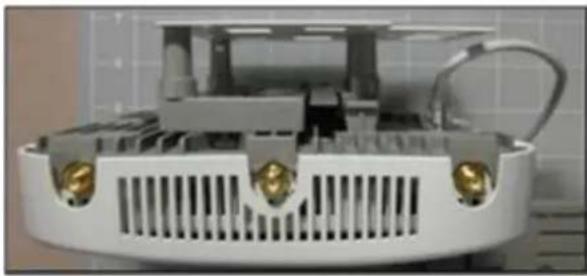
natural_image
Front view of a white electric vehicle front grille with visible golden connectors (no text or symbols)Removing AP from Wall
To remove the AP from the wall mount, depress the locking mechanism tab toward the wall and slide the AP from right to left until it releases.
Figure 9: AP822 removal

Box Mount
The accessory required for such installation is listed below:
TABLE 6:
| Item Model Number | Quantity | |
| Wall-mount bracket (650-00234) 1 |
- Orient the wall mount bracket with the arrow up for box mount.
Figure 10: AP822 Box Mounting Screws

- Use the desired holes as indicated in the "AP822 Box Mounting Screws" on page 27 to mount bracket to the box.
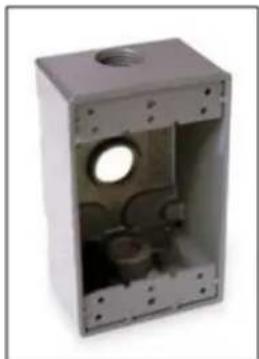
natural_image
Exterior view of a gray rectangular electrical enclosure with internal components (no text or symbols visible)- Follow the wall mount installation instructions as appropriate.
Below a Standard Suspended Ceiling
The provided ceiling mounting brackets allow the AP822 to attach to suspended ceiling T-rails. The AP ships with two different ceiling mounting bracket options to accommodate varying sizes of ceiling T-rails. Be sure to attach the correctly-sized bracket to your AP prior to attempting to deploy it. Note that each plastic bracket contains descriptive text to indicate the ceiling T-rail size for which it is designed.
AP Installation over Standard 9/16" or 15/16" T-Bar
The accessory required for such installation is listed below:
TABLE 7:
| Item Model Number | Quantity | |
| 15/16" T-bar & wall-mount combo adapter (650-00232) | 1 | |
| 9/16" T-bar adapter (650-00233) 1 |
- Orient T-Bar adapter/Wall mount adapter with the back of the AP, so that the 2 mounting pins align with the receiving slots.

- Slide the adapter plate from left to right until the locking mechanism "clicks" into place.
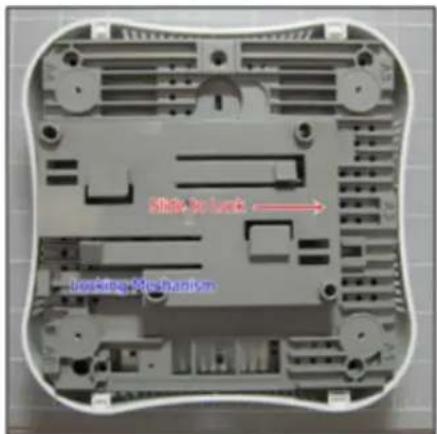

natural_image
Cross-sectional view of an electronic device casing with internal circuitry and mounting holes (no visible text or symbols)- Position the AP up to the T-Bar at an angle and depress slightly to disengage T-Bar locks.

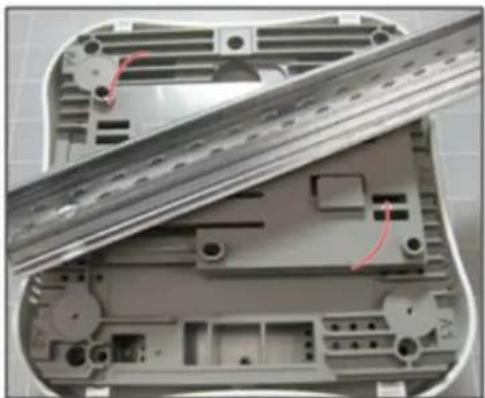
natural_image
Interior view of an electronic device showing a metal panel and internal components (no text or symbols visible)- Twist the AP clockwise to engage T-Bar locks. There should be 2 audible clicks.

natural_image
Interior view of an electronic device casing showing internal components and mounting holes (no text or symbols visible)- Verify that the AP comes online.
AP Removal from Standard 9/16" or 15/16" T-Bar
- To remove the AP from ceiling, release the locking mechanism by pressing tab up, towards the ceiling and slide the AP from right to left until it releases.
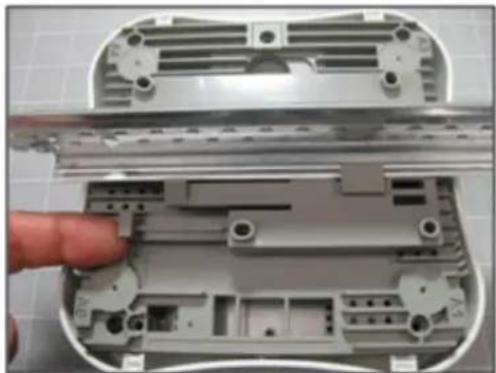
natural_image
Close-up of a mechanical component with visible internal structures and a finger pointing to a feature (no text or symbols)- To remove the 15/16" T-Bar adapter/Wall mount adapter from the T-Bar, depress both T-Bar locks at the same time and twist counter-clockwise to release.


natural_image
Close-up of a metallic mechanical component with four square cutouts and mounting holes, placed on a grid background (no text or symbols visible)AP Installation over Interlude & Silhouette T-Bars
The accessory required for such installation is listed below:
TABLE 8:
| Item Model Number | Quantity | |
| 15/16" T-bar & wall-mount combo adapter (650-00232) | 1 | |
| T-bar Adapter (Optional) MNT-SCRM | MKIT-04 1 |

- Orient T-Bar adapter/Wall mount adapter with the back of the AP, so that the 2 mounting pins align with the receiving slots.
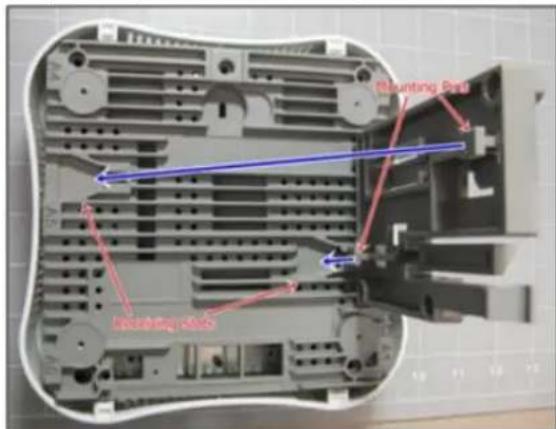
- Slide the adapter plate from left to right until the locking mechanism "clicks" into place.
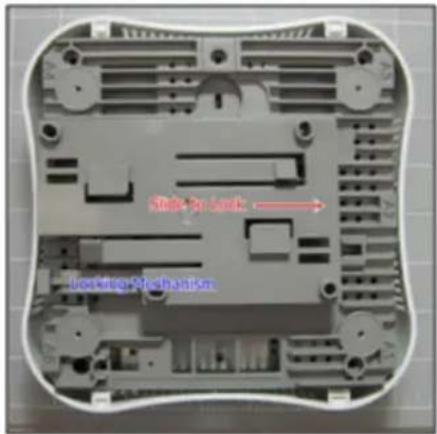
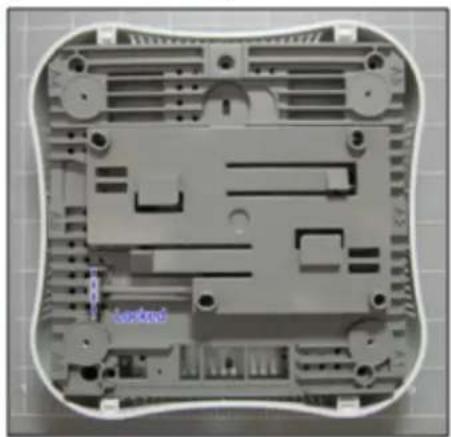
natural_image
Cross-sectional view of an electronic device casing with internal circuitry and mounting holes (no visible text or symbols)- Install the optional accessory "MNT-SCRMKIT-04" to T-Bar. This is accomplished by loosening the two clamp screws, positioning the clamps over the T-Bar and re-tightening the screws until secure.
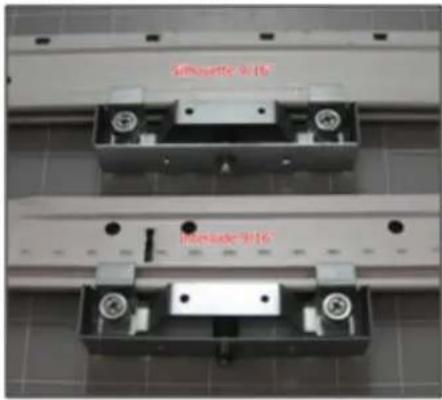
natural_image
Two mechanical components with labeled parts, placed on tiled floor (no readable text or symbols)- Position the AP with the adapter plate installed, up to the T-Bar with the "MNT-SCRMKIT-04" installed, at an angle. Be sure that the locating pin on the "MNT-SCRMKIT-04" is positioned in the indent on the adapter. Depress slightly to disengage T-Bar locks.


natural_image
Interior view of an electronic device showing a metal frame and internal components (no visible text or symbols)- Twist the AP clockwise to engage T-Bar locks. There should be 2 audible clicks.

natural_image
Interior view of a vehicle chassis showing internal components and structural framing (no text or symbols visible)- Verify that the AP comes online.
AP Removal from Interlude & Silhouette T-Bar
- To remove the AP from ceiling, release the locking mechanism by pressing tab up, toward the ceiling and slide the AP from right to left until it releases.
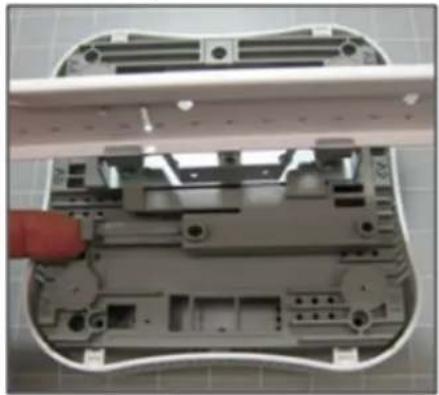
natural_image
Interior view of a white plastic electronic device with visible internal components and a red hand pointing to a component (no text or symbols)- To remove the 15/16" T-Bar adapter/Wall mount adapter from the T-Bar, depress both T-Bar locks at the same time and twist counter-clockwise to release.
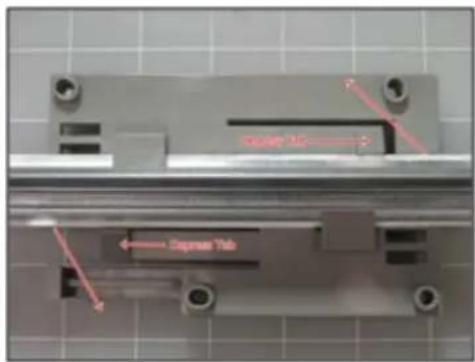
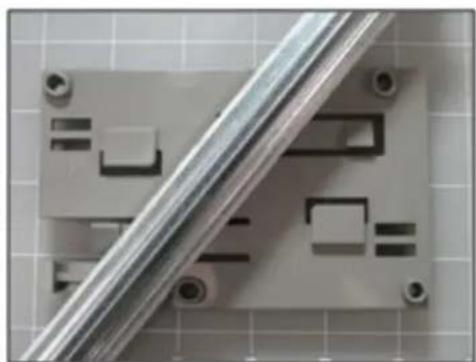
natural_image
Close-up of a metallic mechanical component with mounting holes and internal cutouts, placed on a grid background (no text or symbols visible)Above a Standard Suspended Ceiling
By removing plastic facade, AP822eV2 can be installed in air-handling space. Use the optional T-bar box hanger mounting kit to mount AP822eV2 above suspended ceiling T- rails. The installation attaches the T-bar box hanger to the ceiling rails and then the AP822eV2 attaches to the T-bar box hanger.

AP822eV2 mounted above the ceiling has about 2-3 dBm less RF coverage than AP822eV2 mounted under the ceiling.
 | The AP822eV2 with plastic cover removed is suitable for use in environmental air-handling space above a suspended ceiling in accordance with the Section 300-22(c) of the National Electric Code and Sections 2-128.12 - 010 (3) and 12 - 100 of the Canadian Electrical Code. Part 1. C22. 1. Note that in order to comply with these standards, the plastic cover on the AP822eV2 must be removed.Users shall only apply certified external antennas with plenum-rated cables in this installation. |
 | When installed in air-handling spaces, such as above a suspended ceiling, power the AP822eV2 only with a PoE not a power supply. |
 | You may need to use thicker tiles to support this installation. |
The accessory required for such installation is listed below:
TABLE 9:
| Item Model Number | Quantity | |
| 15/16” T-bar & wall-mount combo adapter (650-00232) | 1 | |
| T-bar hanger (Optional) (840-00071) | ACC-MTN-ASCMKIT 1 |
- Determine the location on the ceiling rails where the AP will be mounted and remove the ceiling tile.
- Unpack the T-bar hanger kit.
- Attach the mounting bar (depicted in Figure 8) to the mounting brace (which looks like a small handle) with the crossbar of the mounting kit sandwiched between them
- Locate the 650-00232 15/16" T-Bar Adapter/Wall Mount and attach the AP to the mounting bracket by pressing the bracket's Mounting Pins (shown in Figure 2 on page 9) to the AP's Receiving Slots and sliding the bracket until it locks in place.
- Gently press the underside of the AP against the mounting brace and rotate it into place until the locking mechanism clicks.
- Attach the legs for the mounting kit to the T-Bars in the ceiling by sliding the clips down onto each respective bar. Remove the top nut from each leg.
- Lower the crossbar (with the AP attached) onto the legs and screw the nuts back on top of the bar.
-
Connect one end of the PoE Ethernet cable to the Ethernet connector on the AP.
-
Connect one end of the CAT5 (or greater) Ethernet cable with PoE to the 100/1000 Ethernet connector on the underside of the AP.
-
Check that the AP822eV2 is operating correctly before replacing the ceiling tile to the ceiling. It can also be installed with the AP822eV2 on top by flipping cross bar. Verify correct operation using the LEDs, as shown in "LED Activity and Meaning" on page 38.

natural_image
Technical line drawing of a mechanical lever system with mounting bracket and support bracket (no text or symbols)LED Lights
When AP822 first connects to the controller (and any time the access point is rebooted), the AP initializes and then is programmed by the controller. When the AP first powers up, the LED is green. Thereafter, its color indicates its operating status.
Figure 11: AP822 Status LED
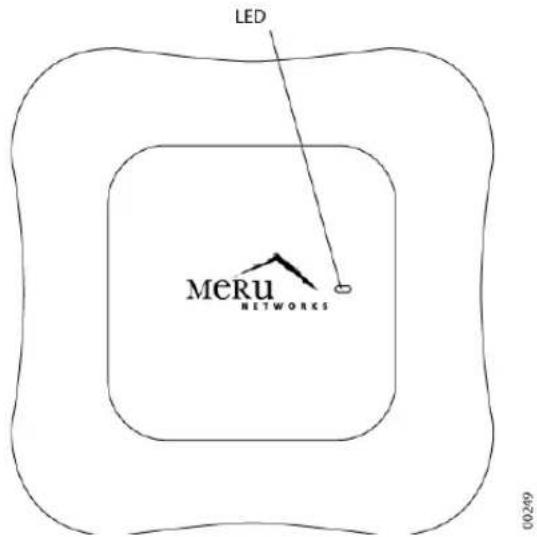
After the AP822 is connected, check the status of the LED. Its indicator state is described below.
LED Activity and Meaning
TABLE 10: LED Activity and Meaning
| LED COLOR STATE MEANING | |||
| Status No Color — No power. | Either there is no power or the LEDs are set to Off on the controller. Check the LED setting on the controller by clicking Configuration > Devices > AP, selecting the AP and then checking the setting for LED Mode. | ||
Changing LED Appearance
If user wants to change the appearance of the LEDS, follow these steps:
- From the controller, click Configuration > Devices > AP, and then select the AP.
- Select one of these settings for the LED Mode setting:
• Normal: LEDs are as described above
- Blink: Sets all LEDs flashing; this is useful to locate an AP
• Dark: Turns off all LEDs
3. Click OK.
Next Steps
Now that the AP822 is installed, see the System Director Getting Started Guide for instructions on initializing the hardware. Return to this chapter to check the status of the LEDs once the WLAN is operational.
5 Approved Antennas
Only approved antennas may be used in conjunction with AP822eV2 access points. Access Points have been designed to operate with the antennas listed below. Antennas not included in this list are strictly prohibited for use with these devices. The required antenna impedance is 50 ohms.
| S.No | Fortinet Part Number Description Gain (2.4GHz/ | 5.0GHz) | |
| 1 | ANT-01ABGN-0304-0 Omni Directional Rubber Duck antenna | 3/4 dBi | |
| 2 | ANT-01ABGN-0406-O High Gain Omni Directional Rubber Duck antenna | 4/6 dBi | |
| 3 | ANT-ABGN23O-W Omni Directional Rubber Duck antenna | 2/3 dBi | |
| 4 | ANT-I2ABGN-0304-O Ceiling mount Omni Directional Antenna | 3/4 dBi | |
| 5 | ANT-O4ABGN-0607-PT Dual Band Wall Mount Patch 4-lead Antenna | 6/7 dBi | |
| 6 | ANT-O4ABGN-0606-O Outdoor Omni Directional 4-leads Dual Band Antenna | 6/6 dBi | |
| 7 | ANT-ABGN-23 Dual Band Ceiling mount Omni Directional 3-lead Antenna | 3/4 dBi | |
| 8 | ANT-6ABGN-24 Dual Band Ceiling mount Omni Directional 6-lead Antenna | 2.5/4 dBi | |
| 9 | ANT-ABGN47O Dual Band High Gain Dipole Omni Directional Antenna | 4.7/4.7 dBi | |
| 10 | ANT-O6ABGN-0606-O Dual Band Omni Directional 6-lead Antenna | 6/6 dBi | |
| 11 | ANT-I3ABGN-0304-O Dual Band Ceiling mount Omni Directional 3-lead Antenna | 3/4 dBi | |
| 12 | ANT-O6ABGN-0607-PT Dual Band Wall Mount Patch 6-lead Antenna | 6/7 dBi | |
Wall Mount AP822e Antenna Orientation
There are 2 recommended options for wall mount antenna orientations.
Option 1: Vertical Antenna Orientation (90 degrees to AP)
Figure 12: Vertical Antenna Orientation

Option 1 is recommended where the maximum coverage is required towards the sides of the AP and the minimum coverage in front of the AP as shown in Figure 1. Example: Mounting the AP at the middle of the corridor wall where the maximum coverage is required on both sides of the AP.
Option 2: Horizontal Antenna Orientation
Figure 13: Horizontal Antenna Orientation

natural_image
Close-up of a white electronic device labeled 'MICRU' with four leads, no visible text or symbols beyond the logo.Figure 14: Horizonta Antenna Orientation (Side View)
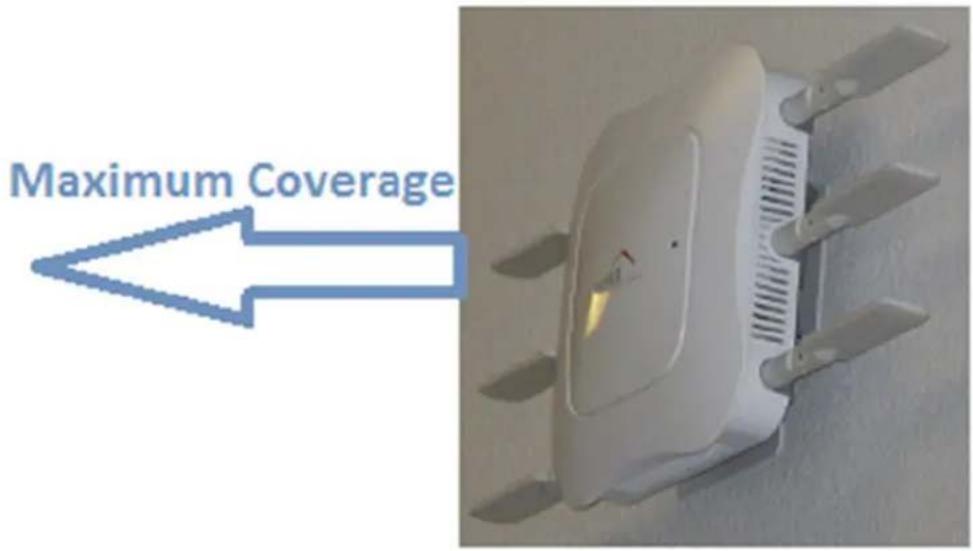
Option 2, horizontal antenna orientation is recommended where the maximum coverage is required in front of the AP and the minimum coverage is required towards the sides of the AP as shown in Figure 3.
Example: Mounting the AP on the end wall of the corridor where the maximum coverage is required in front of the AP.
A Regulatory Information
The Fortinet Access Point (APs) must be installed and used in strict accordance with the manufacturer's instructions as described in the user documentation that comes with the product. For country-specific approvals, see below. Fortinet Networks, Inc. is not responsible for any radio or television interference caused by unauthorized modification of APs, or the substitution or attachment of connecting cables and equipment other than that specified by Fortinet Networks, Inc. The correction of interference caused by such unauthorized modification, substitution or attachment is the responsibility of the user. Fortinet Networks, Inc. and its authorized resellers or distributors are not liable for any damage or violation of government regulations that may arise from the user failing to comply with these guidelines.
Regulatory Specifications
TABLE 11: Regulatory Specifications
| Category Items | |
| Safety | UL 60950-1CSA C22.2EN 60950-1IEC 60950-1 |
| Unintentional Radiation Compliance | FCC Part 15.107 - 47CFR15.107FCC Part 15.109 - 47CFR15.109 BICES-003 Class BEN 301 489-1EN 301 489-17EN55022 Class BEN55024/AS/NZS CISPR 24VCCI Class B |
| Intentional Radiation Compliance | FCC Part 15.247 - 47 CFR Ch. IFCC Part 15.407 - 47 CFR15.407RSS-210EN 300 328EN 301 893Japan (CAB) |
Declaration of Conformity, Federal Communication Commission
Manufacturer Information
Fortinet Networks, Inc
894 Ross drive,
Sunnyvale, CA 94089
USA
Declaration of Conformity
This device complies with Part 15 rules. Operation is subject to the following two conditions:
• This device may not cause harmful interference, and
- This device must accept any interference received, including interference that may cause undesired operation.
| Device Name FCC ID | Number |
| AP822eV2 RE7-AP822EV2 | |
| AP822iV2 & XP8i RE7-AP822iV2 |
This product is FCC marked according to the provisions of FCC Part 15.
FC
This equipment has been tested and found to comply with the limits of a Class B digital device, pursuant to Part 15 of the FCC Rules. These limits are designed to provide reasonable protection against harmful interference when the equipment is operated in a residential environment. This equipment generates, uses, and radiates radio frequency energy, and if not installed and used in accordance with the instructions, may cause harmful interference. However, there is no guarantee that interference will not occur. If this equipment does cause interference to radio or television reception, which can be determined by turning the equipment off and on, the user is encouraged to correct the interference by one of the following measures:
- Reorient or relocate the receiving antenna.
- Increase the separation between the equipment and receiver.
- Connect the equipment into an outlet on a circuit different from to which the receiver is connected.
- Consult the dealer or an experienced radio/TV technician for help.

The Part 15 radio device operates on a non-interference basis with other devices operating at this frequency when using the integrated antennas. Any changes or modification to the product not expressly approved by Fortinet could void the user's authority to operate this device.
Declaration of Conformity, Industry Canada
This equipment is in compliance with the essential requirements of other relevant provisions of Directive.
Manufacturer Information
Fortinet Networks, Inc
894 Ross drive,
Sunnyvale, CA 94089
USA
Declaration of Conformity
The Class B digital portion of this apparatus complies with Canadian standard ICES-003. These devices comply with RSS210 of Industry Canada.
- The device for the band 5150-5250 MHz is only for indoor usage to reduce potential for harmful interference to co-channel mobile satellite systems (The device for the band 5150-5250 MHz is only for indoor usage to reduce potential for harmful interference to co-channel mobile satellite systems)
- The maximum antenna gain permitted (for devices in the bands 5250-5350 MHz and 5470-5725 MHz) to comply with the EIRPlimit; and the maximum antenna gain permitted (for devices in the band 5725-5825 MHz) to comply with the EIRP limits specified for point-to-point and non point-to-point operation as appropriate, as stated in section A9.2(3) (The maximum antenna gain permitted (for devices in the bands 5250-5350 MHz and 5470-5725 MHz) to comply with the EIRPlimit; and the maximum antenna gain permitted (for devices in the band 5725-5825 MHz) to comply with the EIRP limits specified for point-to-point and non point-to-point operation as appropriate, as stated in section A9.2(3).
- In addition, users should also be cautioned to take note that high-power radars are allocated as primary users (meaning they have priority) of the bands 5250-5350 MHz and 5650-5850 MHz and these radars could cause interference and/or damage to WLAN devices (En outre, les utilisateurs doivent également être avertis de prendre note que les radars à haute puissance sont désignés comme utilisateurs principaux (ils ont la priorité) des bandes 5250-5350 MHz et 5650-5850 MHz et ces radars pourraient cause des interférences et / ou endommager aux appareils WLAN.
- These devices are not permitted to operate in the 5600 - 5650 MHz band (Ces appareils ne sont pas autorisés à opérer dans le 5600 - bande 5650 MHz.)
For products available in the Canadian markets, only channels 1 through 11 can be operated. Selection of other channels is not authorized. Operation is subject to the following two conditions: (1) this device may not cause interference, and (2) this device must accept any interference, including interference that may cause undesired operation of this device.
This device and its listed antenna(s) must not be co-located or operated in conjunction with any other antenna or transmitter
The term "IC" before the equipment certification number only signifies that the Industry Canada technical specifications were met.
To reduce the potential radio interference to other users, the antenna type and gain should be chosen so that the equivalent isotropic radiated power (EIRP) is not more than that required for successful communication. This device complies with Class B Limits of Industry Canada. Operation is subject to the following two conditions:
To prevent radio interference to the licensed service, this device is intended to be operated indoors and away from windows to provide maximum shielding. Equipment (or its transmit antenna) that is installed outdoors is subject to licensing.
Declaration of Conformity, R&TTE Directive 1999/5/EC
This equipment is in compliance with the essential requirements of other relevant provisions of Directive.
Declaration of Conformity
Hereby, Networks Inc. declares that this unit is in compliance with the essential requirements and other relevant provisions of Directive 1999/5/EC.
To obtain the declaration of conformity (DoC) for R&TTE Directive, please access the following URL address. http://www.merunetworks.com
Notice for customers: the following information is only applicable to equipment sold in countries applying EU directives. System may be operated in following countries:
EU Countries: Austria, Belgium, Bulgaria, Croatia, Cyprus, Czech Republic, Denmark, Estonia, Finland, France, Germany, Greece, Hungary, Ireland, Italy, Latvia, Lithuania, Luxembourg, Malta, The Netherlands, Poland, Portugal, Romania, Slovakia, Slovenia, Spain, Sweden, United Kingdom.
This equipment can be operated in other non-European countries.
EFTA Countries: Norway and Switzerland
EU Applicants: Albania, Bosnia and Herzegovina
EU Candidate: Iceland, Macedonia and Montenegro
The following standards were applied:
- EMC-EN 301.489-1 Article 3.1 (b) of R&TTE Directive; EN 301.489-17 Article 3.1 (b) of R&TTE Directive
• Health & Safety-EN60950-1
- Radio-EN 300 328 Article 3.1 (b) of R&TTE Directive; EN 301.893 Article 3.1 (b) of R&TTE Directive
- The conformity assessment procedure referred to in Article 10.4 and Annex III of Directive 1999/5/EC has been followed.
| Language | Content of Declaration |
| Български-(Bulgarian) | това оборудване е в съответствие със съществените изисквания и другите приложими разпоредби на Директива 1999/5/ΕΟ |
| Češka......(Czech) | Toto zařízení je ve shodě se základními požadavky a dalšími příslušnými ustanoveními směrnice 1999/5/ES |
| Dansk......(Danish) | Dette udstyr er i overensstemmelse med de væsentlige krav og øvrige relevante kravi direktiv 1999/5/EF |
| Deutsch-(German) | Dette udstyr er i overensstemmelse med de væsentlige krav og andre relevante bestemmelser i direktiv 1999/5/EF |
| Esti......(Estonian) | See seade on vastavuses oluliste Krav ja muude asjaomaste komisjoni direktivi 1999/5/EÜ |
| English-(English) | This equipment is in compliance with the essential requirements and other relevant provisions of Directive 1999/5/EC |
| Español-(Spanish)- | Este equipo cumple con el krav esenciales y otras comisiones pertinentes de la Directiva 1999/5/CE |
| Еллянікá-(Greek) | Autr h ouo keuń ēívaí oúuφωνη με τις βασικές Krav kai álla αρμόδια επιτροπή της οδηγίας 1999/5/EK |
| Français-(French) | Cet appareil est en conformité avec le krav essentielles et aux autres commissions pertinentes de la directive 1999/5/CE |
| Isendska-(Icelandic) | Pessi būnaður er í samræmi við nauðsynleg krav og aðrar viðeigandi póknun tilskipunar 1999/5/EB |
| Italiano...(Italian) | Questa apparecchiatura è conforme con il krav essenziali e altri servizi della Commissione, della direttiva 1999/5/CE |
| Latviešu-(Latvian) | Šis aprikojums ir saskaņā ar būtiskajām Krav un citiem attieoigajiem Komisijas Direktīvas 1999/5/EK |
| Lietuvių-(Lithuanian)- | Ši jranga atitinka esminius Krav ir kitomis atitinkamomis Komisijos direktyvos 1999/5/EB |
| Nederlands-(Dutch) | Deze apparatuur voldoet aan de essentiele krav en andere relevante provisies van Richtlijn 1999/5/EG |
| Malti-(Maltese) | Dan it-tağhmir huwa konformi mal-Krav essenzjali u kummissjoni rilevanti ohra tad-Direttiva 1999/5/KE |
| Magyar-(Hungarian) | Ez a berendezés megfelel a vonatkozó alapvető Krav és egyeb releváns bizottsági irányely 1999/5/EK |
| Norsk-(Norwegian) | Dette utstyret er i samsvar med de grunnleggende krav og andre relevante oppdrag i direktiv 1999/5/EF |
| Polski......(Polish) | Ten sprzęt jest zgodny z zasadniczymi KRAV oraz innych właściwych komisji dyrektywy 1999/5/WE |
| Portugues-(Portuguese) | Este equipamento está em conformidade como krav essencial e outra comissão pertinente da Directiva 1999/5/CE |
| Româná-Romanian | Acest echipament este in conformitate cu Krav esențiale si alte Comisie relevante ale Directivei 1999/5/CE |
| Slovensko-(Slovenian) | Ta oprema je v skladu z bistvenimi Krav in druge ustrezne provizije Direktive 1999/5/ES |
| Slovensky-(Slovak) | Toto zariadenie je v súlade so základnými krav a ostatnými príslušnými útvarmi Komisie smernice 1999/5/ES |
| Suomi-(Finnish) | Tämä laite on yhdenmukainen olennaisten krav ja muiden asiaan liittyvien komission direktivin 1999/5/EY |
| Svenska...(Swedish) | Denna utrustning är i överensstämmelse med de grundläggande krav och andra relevanta uppdrag av direktiv 1999/5/EG |
This device is intended to be used in all EU and EFTA countries.

| Device Name Certification Report Number | |
| AP822eV2 CE 0980 | |
| AP822iV2 and XP8i CE 0980 | |
VCCI Statement
This is a Class B product based on the standard of the Voluntary Control Council for Interference from Information Technology Equipment (VCCI). If this is used near a radio or television receiver in a domestic environment, it may cause radio interference. User shall install and use the equipment according to the instruction manual.
General Information of RF Exposure
International Guidelines
This Device Meets International Guidelines for Exposure to Radio Waves.
The AP822eV2, AP822iV2 and XP8i device includes radio transmitters and receivers. It is designed not to exceed the limits for exposure to radio waves (radio frequency electromagnetic fields) recommended by international guidelines. The guidelines were developed by an independent scientific organization (ICNIRP) and include a substantial safety margin designed to ensure the safety of all persons, regardless of age and health.
As such the systems are designed to be operated as to avoid contact with the antennas by the end user. It is recommended to set the system in a location where the antennas can remain at
least a minimum distance as specified from the user in accordance to the regulatory guidelines which are designed to reduce the overall exposure of the user or operator.
| Separation Distance | ||
| MPE Distance Limit | ||
| 0.82 mW/cm2 25 cm (9.84 inches) 1.00 mW/cm2 | ||
The World Health Organization has stated that present scientific information does not indicate the need for any special precautions for the use of wireless devices. They recommend that if you are interested in further reducing your exposure then you can easily do so by reorienting antennas away from the user or placing he antennas at a greater separation distance then recommended.
FCC Guidelines
This device meets FCC guidelines for exposure to radio waves.
The AP822eV2, AP822iV2 and XP8i include radio transmitters and receivers. It is designed not to exceed the limits for exposure to radio waves (radio frequency electromagnetic fields) as referenced in FCC Part 1.1310. The guidelines are based on IEEE ANSI C 95.1 (92) and include a substantial safety margin designed to ensure the safety of all persons, regardless of age and health.
As such the systems are designed to be operated as to avoid contact with the antennas by the end user. It is recommended to set the system in a location where the antennas can remain at least a minimum distance as specified from the user in accordance to the regulatory guidelines which are designed to reduce the overall exposure of the user or operator.
The device has been tested and found compliant with the applicable regulations as part of the radio certification process.
The FCC recommends that if you are interested in further reducing your exposure then you can easily do so by reorienting antennas away from the user or placing the antennas at a greater separation distance then recommended or lowering the transmitter power output.
| Separation Distance | ||
| MPE Distance Limit | ||
| 0.63 mW/cm2 20 cm (7.87 inches) 1.00 mW/cm2 | ||
Industry Canada Guidelines
This device meets Industry Canada guidelines for exposure to radio waves.
The AP822eV2, AP822iV2 and XP8i include radio transmitters and receivers. It is designed not to exceed the limits for exposure to radio waves (radio frequency electromagnetic fields) as referenced in Health Canada Safety Code 6. The guidelines include a substantial safety margin designed into the limit to ensure the safety of all persons, regardless of age and health.
As such the systems are designed to be operated as to avoid contact with the antennas by the end user. It is recommended to set the system in a location where the antennas can remain at least a minimum distance as specified from the user in accordance to the regulatory guidelines which are designed to reduce the overall exposure of the user or operator.
Health Canada states that present scientific information does not indicate the need for any special precautions for the use of wireless devices. They recommend that if you are interested in further reducing your exposure you can easily do so by reorienting antennas away from the user, placing the antennas at a greater separation distance than recommended, or lowering the transmitter power output.
| Separation Distance | ||
| MPE Distance Limit | ||
| 0.63 mW/cm2 20 cm (7.87 inches) 1.00 mW/cm2 | ||
Health Canada states that present scientific information does not indicate the need for any special precautions for the use of wireless devices. They recommend that if you are interested in further reducing your exposure you can easily do so by reorienting antennas away from the user, placing the antennas at a greater separation distance than recommended, or lowering the transmitter power output.
B Additional Notes
Maximum EIRP
The transmit EIRP is the sum of the conductive transmit power, IEEE Std 802.11n multiple stream effect, and the antenna gain. By default, Fortinet AP822 EIRP is set lower than the regulatory limit with the default antenna.
Dual Concurrent Same Band Operation
With grant of additional regulatory approval and Permit-but-Ask, users may configure two radios in AP822 on the same band (i.e., both radios are on the 2.4 GHz but in the different or same channels, and both radios are on the 5.x GHz but in the different or same channels).
However, user shall expect performance deterioration due to RF collision and collocation interference. It is important that users adopt external antennas, with extended coaxial pigtail cables, with AP822eV2 in such use case. User shall place antennas far apart to reduce interference. Meanwhile, user shall also reduce AP822eV2 transmit power, for each radio, by at-least 3 dBm from its default setting.
Manufacturing Information
The AP822 models are built in China. Contact Fortinet Networks for manufacturing related information.
Distributed Antenna Systems (DAS)
Fortinet Networks does not certify or endorse any specific Distributed Antenna System (DAS) vendors. Fortinet Networks will provide support to Fortinet Wi-Fi customers that use distributed antennas within the terms and conditions of the MeruAssure Terms of Service and in accordance with the customer's support agreement. Fortinet Customer Support will support Fortinet software and hardware, and will work jointly with DAS vendors to identify and troubleshoot issues, but any support related to RF issues, including RF coverage, shall be the responsibility of the DAS vendor.
Fortinet Networks recommends that customers use only a DAS that has been tested to work with Fortinet hardware and software. Fortinet does not provide any site surveys, design or implementation of Wi-Fi over DAS. Fortinet recommends that customers obtain such services from a trained and qualified systems integrator or from their DAS vendor.
Air Handling Space Requirements
When installing APs in an air-handling space, as described in Article 300.22(C) of the National Electric Code® (2008 edition, pages 70-135 and 70-136), the unit should only be powered by the Ethernet port (PoE), not by the AC-powered power supply.
Only AP822eV2 with plastic façade removed can be applied in air-handling space.
When the product is installed in air-handling spaces, the cables employed should be suitable under NEC Articles 300.22 and 725 and marked accordingly, for use in plenums and air-handling spaces with regard to smoke propagation, such as CL2-P, CL3-P, MPP or CMP.
The products should be installed in accordance with all applicable, local regulations and practices. Compliance applies only when the plastic facade is removed from the AP.
Frequencies Blocked for Regulatory Compliance
These products are for indoor use only, in U-NII-1 and/or U-NII-3 band when Dynamic Frequency Selection, DFS, from 5.25-5.35 GHz and 5.47-5.725 GHz, is disabled. With DFS approval, these products can operate in U-NII-2 or U-NII-2e. To ensure compliance with local regulations, be sure to set your Access Point to the country in which you are using the Access Point.
Underwriters Laboratories
Use only listed e information technology equipment (ITE) I.T.E. equipment.
The unit is intended for installation in Environment A as defined in IEEE 802.3.af.All interconnected equipments must be contained within the same building, including the interconnected equipment's associated LAN connection.
Suitable for use in environmental air space in accordance with Section 300-22(c) of the National Electrical Code, and Sections 2-128, 12-010(3) and 12-100 of the Canadian Electrical Code, Part 1, C22.1.
Restriction of Hazardous Substances
European Community
This device complies the Restriction of Hazardous Substances Directive (RoHS) for its restriction of the use of certain hazardous substances in electrical and electronic equipment for European Union.
China
This device complies Administrative Measure on the Control of Pollution Caused by Electronic Information Products or China RoHS. AP822 may contain hazardous substances are marked with the EIP logo including an Environment Friendly Use Period (EFUP) value in 10 years.
| AP822 | Toxic and Hazardous Substances or Elements | 10 | ||||
| Component with toxic and hazardous substances | Pb(Lead) | Hg(Mercury) | Cd(Cadmium) | Cr(VI)(Hexavalent Chrome) | PBB(Polybrominated biphenyl) | PBDE(Polybrominated diphenyl ether) |
| Circuit Modules | X | O | O | O | O | O |
| Metal Parts | O | O | O | O | O | O |
| Plastic and Polymeric Parts | O | O | O | O | O | O |
O: Indicates that the content of the toxic and hazardous substance in all the homogenous materials of the part is below the concentration limit requirement for RoHS compliance. X: Indicates that the content of the toxic and hazardous substance in at least one homogeneous material of the part exceeds the concentration limit requirement for RoHS compliance.
C Cautions and Warnings
The cautions and warnings that appear in this manual are listed below in English, German, French, and Spanish. Changes or modifications not expressly approved by the party responsible for compliance could void the user's authority to operate the equipment.
Cautions
A Caution calls your attention to a possible hazard that can damage equipment.
When changing the orientation of the antennas, be sure to slightly loosen the knurled ring before moving the antenna. Retighten the ring afterward. Otherwise, you might damage the internal cabling in the AP.
The radiated output power of the access points is well below the radio frequency exposure limits. However, the Fortinet Access Point should be used in such a manner that the potential for human contact during normal operation is minimized. To avoid the possibility of exceeding the radio frequency exposure limits, you should keep a distance of at least 20 cm between you (or any other person in the vicinity) and the Access Point antennas.
Exposure to Radio Frequency Radiation.
The installer of this radio equipment must ensure that the antenna is located or pointed such that it does not emit an RF field in excess of Health Canada limits for the general population; consult Safety Code 6, obtainable from Health Canada's website http://www.hc-sc.gc.ca/rpb.
A warning calls your attention to a possible hazard that can cause injury or death. The following are the warnings used in this manual.
With plastic covers removed, this product is suitable for use in environmental air-handling space in accordance with the Section 300-22(c) of the National Electric Code and Sections 2-128.12-010 (3) and 12-100 of the Canadian Electrical Code. Part 1. C22. 1. For other countries, consult local authorities for regulations.
Any Ethernet cables installed in air-handling spaces should be suitable under NEC Article 800.50 and marked accordingly for use in plenums and air-handling spaces with regard to smoke propagation, such as CL2-P, CL3-P, MPP (Multi Purpose Plenum), or CMP (Communications Plenum).
Indoor antennas must be positioned to observe minimum separation of 20 cm. (\~ 8 in.) from all users and bystanders. For the protection of personnel working in the vicinity of inside (downlink) antennas, the following guidelines for minimum distances between the human body and the antenna must be observed.
The installation of the indoor antenna must be such that, under normal conditions, all personnel cannot come within 20 cm. (\~ 8.0 in.) from any inside antenna. Exceeding this minimum separation will ensure that the employee or bystander does not receive RF-exposure beyond the Maximum Permissible Exposure according to local country regulatory approval.
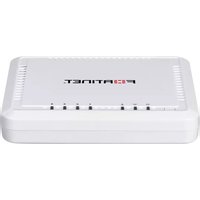
- Support
- Fortinet Product License Agreement / EULA and Warranty Terms
- Trademarks and Copyright Statement
- Product License Agreement
- License Grant.
- Limitation on Use.
- Proprietary Rights.
- Term and Termination.
- Transfer.
- Limited Warranty.
- Disclaimer of Other Warranties and Restrictions.
- Governing Law.
- Limitation of Liability.
- Import / Export Requirements; FCPA Compliance.
- U.S. Government End Users.
- Tax Liability.
- General Provisions.
- Privacy.
- Open Source Software.
- GNU GENERAL PUBLIC LICENSE GNU GENERAL PUBLIC LICENSE
- TERMS AND CONDITIONS FOR COPYING, DISTRIBUTION AND MODIFICATION
- Program does.
- NO WARRANTY
- GNU LESSER GENERAL PUBLIC LICENSE
- Table of Contents
- About AP822....11
- Installing AP822eV2....15
- Installing AP822iV2 and XP8i .....19
- Mounting AP822 and XP8i .....21
- Approved Antennas....41
- Regulatory Information....45
- Declaration of Conformity, Federal Communication Commission 46
- Declaration of Conformity, Industry Canada 47
- Declaration of Conformity, R&TTE Directive 1999/5/EC.....50
- VCCI Statement 53
- General Information of RF Exposure 53
- Additional Notes ....57
- Frequencies Blocked for Regulatory Compliance.... 58
- Cautions and Warnings....61
- About AP822
- System Director Support
- Features
- IEEE Std 802.11ac in AP822
- Installation Location
- Safety Precautions
- Installing AP822eV2
- Before You Begin
- Package Contents
- Kensington Lock
- Power Options
- AP822eV2 Antennas
- Radio-Antenna-Port Mappings
- Attaching Antennas
- Installing AP822iV2 and XP8i
- Mounting AP822 and XP8i
- Horizontally on a Shelf
- Vertically on a Wall
- Installation
- Removing AP from Wall
- Box Mount
- Below a Standard Suspended Ceiling
- AP Installation over Standard 9/16" or 15/16" T-Bar
- AP Removal from Standard 9/16" or 15/16" T-Bar
- AP Installation over Interlude & Silhouette T-Bars
- AP Removal from Interlude & Silhouette T-Bar
- Above a Standard Suspended Ceiling
- LED Lights
- LED Activity and Meaning
- Changing LED Appearance
- Next Steps
- Approved Antennas
- Wall Mount AP822e Antenna Orientation
- Option 1: Vertical Antenna Orientation (90 degrees to AP)
- Option 2: Horizontal Antenna Orientation
- A Regulatory Information
- Regulatory Specifications
- Declaration of Conformity, Federal Communication Commission
- Declaration of Conformity
- FC
- Declaration of Conformity, Industry Canada
- Manufacturer Information
- Declaration of Conformity, R&TTE Directive 1999/5/EC
- VCCI Statement
- General Information of RF Exposure
- International Guidelines
- FCC Guidelines
- Industry Canada Guidelines
- B Additional Notes
- Maximum EIRP
- Dual Concurrent Same Band Operation
- Manufacturing Information
- Distributed Antenna Systems (DAS)
- Air Handling Space Requirements
- Frequencies Blocked for Regulatory Compliance
- Underwriters Laboratories
- Restriction of Hazardous Substances
- European Community
- China
- C Cautions and Warnings
- Cautions
Brand : Fortinet
Model : AP822i
Category : Access Point