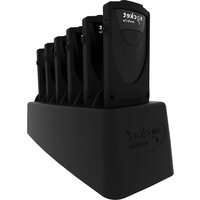
DuraScan D755 - Barcode scanners Socket Mobile - Free user manual and instructions
Find the device manual for free DuraScan D755 Socket Mobile in PDF.


Pick your language and provide your email: we'll send you a specifically translated version.
| Product Type | Barcode Scanner |
| Brand | Socket Mobile |
| Model | DuraScan D755 |
| Dimensions | 6.7 x 4.2 x 2.1 in (170 x 107 x 53 mm) |
| Weight | 8.8 oz (250 g) |
| Power Source | Rechargeable Lithium-Ion battery (2600 mAh) |
| Charging Time | Approximately 4 hours |
| Scan Engine | 2D Imager |
| Scan Range | Up to 20 inches (50 cm) |
| Connectivity | Bluetooth 5.0, USB-C |
| Decode Capabilities | 1D and 2D barcodes, including QR and PDF417 |
| Operating Temperature | 0°C to 50°C |
| Drop Specification | Withstands multiple drops from 5 ft (1.5 m) onto concrete |
| Certifications | FCC, CE, RoHS |
| Maintenance | Clean lens with soft, dry cloth; avoid solvents |
| Safety | Use only approved chargers; do not disassemble |
| Spare Parts | Battery, USB cable, holster available |
| Repairability | Battery user-replaceable; service center available |
| General Information | Rugged design for industrial use |
Frequently Asked Questions - DuraScan D755 Socket Mobile
How do I pair the DuraScan D755 via Bluetooth?
Turn on the scanner and put it in pairing mode by holding the scan button for 3 seconds. On your device, search for Bluetooth devices and select 'DuraScan D755'. Enter PIN '0000' if prompted. The scanner will beep to confirm pairing.
How do I charge the scanner?
Connect the included USB-C cable to the scanner and a USB power adapter (5V/1A). Charging time is about 4 hours. The LED indicator turns solid green when fully charged.
What barcodes can it read?
The DuraScan D755 reads all common 1D barcodes (UPC, EAN, Code 39, Code 128, etc.) and 2D barcodes (QR Code, Data Matrix, PDF417, etc.). It also captures screens and OCR data.
How to clean the scanner?
Use a soft, lint-free cloth slightly dampened with water to wipe the exterior. For the lens, use a dry microfiber cloth. Do not use alcohol, solvents, or abrasive cleaners.
What is the battery life?
The rechargeable battery provides up to 10 hours of continuous scanning on a full charge. Standby time extends to several days. Battery life varies with usage.
Can I use it without Bluetooth?
Yes, the scanner supports USB-C wired connection. Connect it directly to a computer or tablet using the provided cable for a plug-and-play HID keyboard emulation mode.
How to reset the scanner?
If the scanner freezes, perform a reset by inserting a paperclip into the small reset hole on the back of the device. Hold for 5 seconds until the LED flashes, then release.
Is it waterproof?
The DuraScan D755 has an IP54 rating, meaning it is protected against dust ingress and splashing water from any direction. It is not designed for submersion.
Where to download the manual?
The user manual is available for free download on notice-facile.com and the official Socket Mobile website. Search for 'DuraScan D755 manual' in PDF format.
What to do if scanner doesn't turn on?
First, ensure the battery is charged by connecting to USB power for at least 10 minutes. If still no power, perform a reset using the reset hole. If the issue persists, contact Socket Mobile support for battery replacement.
User questions about DuraScan D755 Socket Mobile
0 question about this device. Answer the ones you know or ask your own.
Ask a new question about this device
No questions yet. Be the first to ask one.
Download the instructions for your Barcode scanners in PDF format for free! Find your manual DuraScan D755 - Socket Mobile and take your electronic device back in hand. On this page are published all the documents necessary for the use of your device. DuraScan D755 by Socket Mobile.
USER MANUAL DuraScan D755 Socket Mobile



Manual assistant
Powered by Anthropic
Waiting for your message
Product information
Brand : Socket Mobile
Model : DuraScan D755
Category : Barcode scanners