WII DONKEY KONG COUNTRY RETURNS - Video game NINTENDO - Free user manual and instructions
Find the device manual for free WII DONKEY KONG COUNTRY RETURNS NINTENDO in PDF.


| Product Type | Video game for Wii console |
| Box dimensions | Approximately 13.5 x 19 x 1.5 cm |
| Weight | Approximately 100 g |
| Power supply | Works on Wii console (AC adapter included with console) |
| Available languages | French, English, Spanish (depending on Wii settings) |
| Number of players | 1 to 2 players (cooperative) |
| Save storage | Wii memory card (2 free blocks required) |
| Main features | Platform, action-adventure, item collection, boss fights, time trial mode |
| Game modes | Solo, two-player cooperative, time trial mode, Super Guide |
| Required accessories | Wii Remote controller (and Nunchuk for some controls) |
| Maintenance and cleaning | Wipe the disc with a soft cloth, avoid scratches and dust |
| Safety | Follow warnings about epilepsy, repetitive movements, and motion sickness. Use the wrist strap and take breaks |
| Spare parts and repairability | Not applicable (disc-based game). For the console, contact Nintendo |
| Warranty | 3 months for the game, 12 months for the console (depending on country) |
| Customer service | support.nintendo.com or 1-800-255-3700 |
| Release year | 2010 |
| Publisher | Nintendo |
Frequently Asked Questions - WII DONKEY KONG COUNTRY RETURNS NINTENDO
User questions about WII DONKEY KONG COUNTRY RETURNS NINTENDO
0 question about this device. Answer the ones you know or ask your own.
Ask a new question about this device
Download the instructions for your Video game in PDF format for free! Find your manual WII DONKEY KONG COUNTRY RETURNS - NINTENDO and take your electronic device back in hand. On this page are published all the documents necessary for the use of your device. WII DONKEY KONG COUNTRY RETURNS by NINTENDO.
USER MANUAL WII DONKEY KONG COUNTRY RETURNS NINTENDO
NEED HELP WITH INSTALLATION, MAINTENANCE OR SERVICE?
Nintendo Customer Service
SUPPORT.NINTENDO.COM
or call 1-800-255-3700
For game play assistance, we recommend using your favorite Internet search engine to find tips for the game you are playing. Some helpful words to include in the search, along with the game's title, are: "walk through," "FAQ," "codes," and "tips."
BESOIN D'AIDE POUR L'INSTALLATION, L'ENTRETIEN OU LA RÉPARATION?
The Official Seal is your assurance that this product is licensed or manufactured by Nintendo. Always look for this seal when buying video game systems, accessories, games and related products.
- Some people (about 1 in 4000) may have seizures or blackouts triggered by light flashes or patterns, and this may occur while they are watching TV or playing video games, even if they have never had a seizure before.
- Anyone who has had a seizure, loss of awareness, or other symptom linked to an epileptic condition should consult a doctor before playing a video game.
- Parents should watch their children play video games. Stop playing and consult a doctor if you or your child has any of the following symptoms:
Convulsions
Loss of awareness
Eye or muscle twitching
Involuntary movements
Altered vision
Disorientation
- To reduce the likelihood of a seizure when playing video games:
- Sit or stand as far from the screen as possible.
- Do not play if you are tired or need sleep.
- Play in a well-lit room.
-
Take a 10 to 15 minute break every hour.
-
Play video games on the smallest available television screen.
WARNING - Repetitive Motion Injuries and Eyestrain
Playing video games can make your muscles, joints, skin or eyes hurt. Follow these instructions to avoid problems such as tendinitis, carpal tunnel syndrome, skin irritation or eyestrain:
- Avoid excessive play. Parents should monitor their children for appropriate play.
Take a 10 to 15 minute break every hour, even if you don't think you need it. - If your hands, wrists, arms or eyes become tired or sore while playing, or if you feel symptoms such as tingling, numbness, burning or stiffness, stop and rest for several hours before playing again.
- If you continue to have any of the above symptoms or other discomfort during or after play, stop playing and see a doctor.
CAUTION - Motion Sickness
Playing video games can cause motion sickness in some players. If you or your child feel dizzy or nauseous when playing video games, stop playing and rest. Do not drive or engage in other demanding activity until you feel better.
IMPORTANT LEGAL INFORMATION
This Nintendo game is not designed for use with
any unauthorized device. Use of any such device will invalidate your Nintendo product warranty. Copying of any Nintendo game is illegal and is strictly prohibited by domestic and international intellectual property laws. "Back-up" or "archival" copies are not authorized and are not necessary to protect your software. Violators will be prosecuted.
WARRANTY & SERVICE INFORMATION
You may need only simple instructions to correct a problem with your product. Try our website at support.nintendo.com or call our Consumer Assistance Hotline at 1-800-255-3700, rather than going to your retailer. Hours of operation are 6 a.m. to 7 p.m., Pacific Time, Monday - Sunday (times subject to change). If the problem cannot be solved with the troubleshooting information available online or over the telephone, you will be offered express factory service through Nintendo. Please do not send any products to Nintendo without contacting us first.
HARDWARE WARRANTY
Nintendo of America Inc. ("Nintendo") warrants to the original purchaser that the hardware product shall be free from defects in material and workmanship for twelve (12) months from the date of purchase. If a defect covered by this warranty occurs during this warranty period, Nintendo will repair or replace the defective hardware product or component, free of charge.* The original purchaser is entitled to this warranty only if the date of purchase is registered at point of sale or the consumer can demonstrate, to Nintendo's satisfaction, that the product was purchased within the last 12 months.
GAME & ACCESSORY WARRANTY
Nintendo warrants to the original purchaser that the product (games and accessories) shall be free from defects in material and workmanship for a period of three (3) months from the date of purchase. If a defect covered by this warranty occurs during this three (3) month warranty period, Nintendo will repair or replace the defective product, free of charge.*
SERVICE AFTER EXPIRATION OF WARRANTY
Please try our website at support.nintendo.com or call the Consumer Assistance Hotline at 1-800-255-3700 for troubleshooting information and repair or replacement options and pricing.*
*In some instances, it may be necessary for you to ship the complete product, FREIGHT PREPAID AND INSURED FOR LOSS OR DAMAGE, to Nintendo. Please do not send any products to Nintendo without contacting us first.
WARRANTY LIMITATIONS
THIS WARRANTY SHALL NOT APPLY IF THIS PRODUCT: (a) IS USED WITH PRODUCTS NOT SOLD OR LICENSED BY NINTENDO (INCLUDING, BUT NOT LIMITED TO, NON-LICENSED GAME ENHANCEMENT AND COPIER DEVICES, ADAPTERS, SOFTWARE, AND POWER SUPPLIES); (b) IS USED FOR COMMERCIAL PURPOSES (INCLUDING RENTAL); (c) IS MODIFIED OR TAMPERED WITH; (d) IS DAMAGED BY NEGLIGENCE, ACCIDENT, UNREASONABLE USE, OR BY OTHER CAUSES UNRELATED TO DEFECTIVE MATERIALS OR WORKMANSHIP; OR (e) HAS HAD THE SERIAL NUMBER ALTERED, DEFACED OR REMOVED.
ANY APPLICABLE IMPLIED WARRANTIES, INCLUDING WARRANTIES OF MERCHANTABILITY AND FITNESS FOR A PARTICULAR PURPOSE, ARE HEREBY LIMITED IN DURATION TO THE WARRANTY PERIODS DESCRIBED ABOVE (12 MONTHS OR 3 MONTHS, AS APPLICABLE). IN NO EVENT SHALL NINTENDO BE LIABLE FOR CONSEQUENTIAL OR INCIDENTAL DAMAGES RESULTING FROM THE BREACH OF ANY IMPLIED OR EXPRESS WARRANTIES. SOME STATES DO NOT ALLOW LIMITATIONS ON HOW LONG AN IMPLIED WARRANTY LASTS OR EXCLUSION OF CONSEQUENTIAL OR INCIDENTAL DAMAGES, SO THE ABOVE LIMITATIONS MAY NOT APPLY TO YOU.
This warranty gives you specific legal rights. You may also have other rights which vary from state to state or province to province.
Nintendo's address is: Nintendo of America Inc., P.O. Box 957, Redmond, WA 98073-0957 U.S.A.
This warranty is only valid in the United States and Canada.

© 2010 Nintendo. ^TM , ^® and the Wii logo are trademarks of Nintendo. © 2010 Nintendo.

CONTENTS
Prologue 4
Controls 5
Starting the Game 7
Game Screens 9
Actions 13
Collectibles and Items 19
Cranky Kong's Shop 20
Two-Player Cooperative Mode ······21
Cranky's Tips 21
Super Guide 22
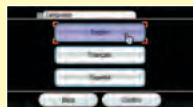
LANGUAGE SELECTION
To play this game in English, change your language settings in the Wii System Settings.
SYSTEM MENU UPDATE
Please note that when first loading the Game Disc into the Wii console, the system will check if you have the latest version of the system menu, and if necessary a Wii system menu update screen will appear. Select OK to proceed with the update. Please note that the Wii console must have the latest version of the Wii system menu in order to play the Game Disc.
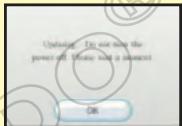
When the system menu is updated, unauthorized hardware and/or software modifications may be detected and unauthorized content may be removed, causing the immediate or delayed inoperability of your console. Failure to accept the update may render this game, and future games, unplayable. Please note that Nintendo cannot guarantee that unauthorized software or accessories will continue to function with the Wii console after this or future updates of the Wii system menu.
CAUTION: WRIST STRAP USE
Please use the wrist strap to help prevent injury to other people or damage to surrounding objects or the Wii Remote in case you accidentally let go of the Wii Remote during game play. Also remember the following:
- Make sure all players put on the wrist strap properly when it is their turn.
- Do not let go of the Wii Remote during game play.
- Dry your hands if they become moist.
- Allow adequate room around you during game play and make sure that all areas you might move into are clear of other people and objects.
- Stay at least three feet from the television.
- Use the Wii Remote Jacket.
PROLOGUE
natural_image
Cartoon character with white beard and brown head, sitting in a chair with wooden tools, set against a green leafy background (no text or symbols)
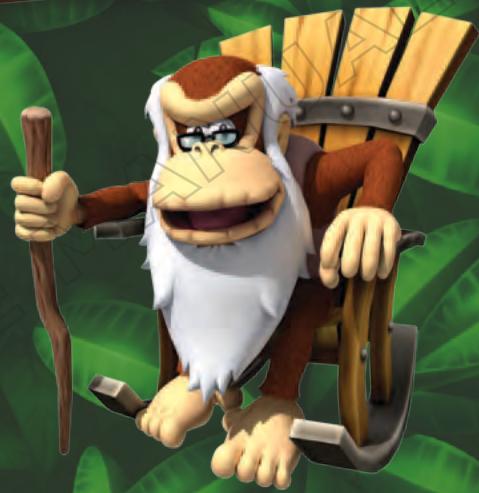
an't a tired old ape take a nap around here?? A bunch of shifty-eyed musical miscreants just kicked our volcano into overdrive and took over Donkey Kong Island! Enough with the noise, already!
These rhythmic rabble-rousers are up to no good. They've been putting some kind of musical mojo on all our animal buddies and toting off every banana in sight. And get this: they've even gone after Donkey Kong's secret hoard! Nothing burns that boy's biscuits like someone messing with his precious bananas!
Just what do they want with all those stolen bananas? Back in my day, I'd take care of this mysterious predicament without breaking a sweat, but Donkey Kong and his little pal Diddy Kong are all worked up and ready for action. If anybody can run, jump, cling, and swing to the bottom of all this banana burglary, it's those two!
natural_image
Colorful stylized creature with red, blue, and yellow facial features and a brown headdress (no text or symbols)CONTROLS
Donkey Kong Country™ Returns can be played using the Wii Remote™ and Nunchuk™ controllers or a single Wii Remote controller held sideways. This manual will explain in-game controls assuming you are using the Wii Remote and Nunchuk controller configuration.
Wii Remote and Nunchuk
- Standard Controls
- Donkey Kong™ Controls (Two-Player Cooperative Mode)
- Menu Controls
- Diddy Kong™ Controls (Two-Player Cooperative Mode)
For advanced Donkey Kong's moves, please see pg. 13. For advanced Diddy Kong's moves, please see pg. 15.
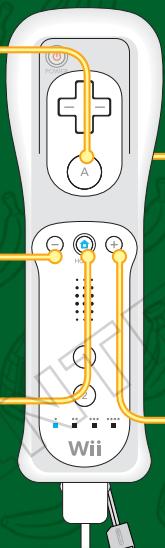
A Button
- Jump
- Press and hold to use Diddy Kong's Barrel Jet
- Confirm
- Button
- Display pause menu
HOME Button
- Display HOME Menu
natural_image
Illustration of a Wii game controller with orange wiring and key points (no text or symbols)B Button
- Press and hold to grab barrels, vines, and cling patches. Release to throw barrels and let go of vines and cling patches.
- Back/Cancel
- Carry Diddy Kong
- Ride/Dismount Donkey Kong
+ Button
- Display pause menu
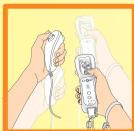
Shake the Wii Remote and Nunchuk:
- Ground Pound
- Blow (while holding Ⓞ down)
- Roll (while holding Ⓞ left or right)

Control Stick
- Walk/Run
(Hold Ⓞ left or right)
• Crouch (Hold ◎ down) - Select item
natural_image
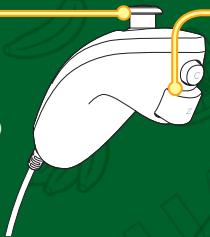
Illustration of a white handheld device with yellow connectors and a blue handle, set against a green background (no text or symbols)Z Button
- Press and hold to grab barrels, vines, and cling patches. Release to throw barrels and let go of vines and cling patches.
- Carry Diddy Kong
- Ride/Dismount Donkey Kong
Wii Remote (Horizontal)
+Control Pad
- Walk
- Run (Hold 1)
• Crouch (Hold - Select item
+/- Button
- Display pause menu
HOME Button
- Display HOME Menu

1 Button
- Press and hold to grab barrels, vines, and cling patches. Release to throw barrels and let go of vines and cling patches.
- Back/Cancel
- Carry Diddy Kong on back (Hold +)
- Ride Donkey Kong (Hold +) / Dismount Donkey Kong (Hold +)
2 Button
- Jump
- Press and hold to use Diddy Kong's Barrel Jet
- Confirm
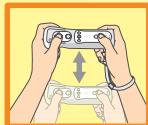
Shake the Wii Remote:
- Ground Pound
- Blow (while holding
- Roll (while holding
STARTING THE GAME
Insert the Donkey Kong Country Returns Game Disc in the Wii console and follow the on-screen instructions.
Create a Game File
1 On the title screen, press A and B to proceed to the Select Game screen.

2 When playing for the first time, highlight a new game file using © and press A. This will take you to the Start Game screen.
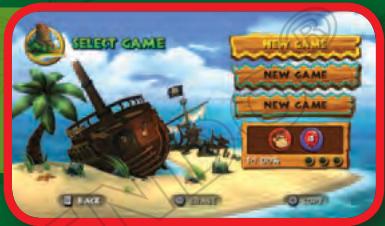
3 If you would like to continue a previously saved game, select the appropriate file and press Ⓐ to continue.
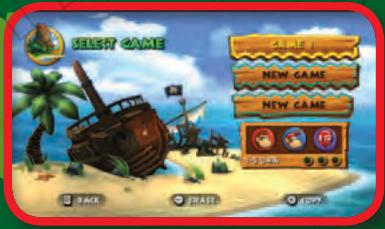
Copy and Erase Files
If you would like to copy an existing file, press + and select the file you would like to copy, then select the destination file. To erase a file, press - and select the file you would like to erase.
Note: Once a file has been erased, it can't be restored. Please be careful.
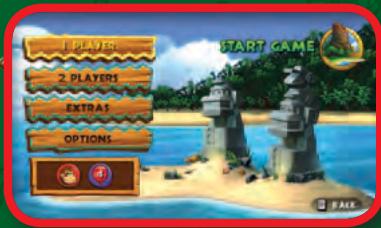
Start Game
After selecting your file, you will be taken to the Start Game screen. You will have the option to start a one or two-player game (pg. 21) or enter the Options or Extras menus.
Options Menu
Audio
Adjust the Music volume or Sound FX volume.
How to Control
Confirm Wii Remote and Nunchuk or Wii Remote (Horizontal) controls (pg. 5). Highlight the control configuration you would like to review and press Ⓐ. You can change your control configuration anytime by unplugging or inserting the Nunchuk accessory into the Wii Remote.
Extras Menu
As you progress through the game and meet certain criteria, you will unlock art and music. These items can be found in this section.
Saving
Your game progress and items you collect will automatically save to the file you chose on the Select Game screen. If you quit a level by using the reset option on the HOME Menu or resetting the Wii console, your recent game data will not be saved.
- Do not turn off your Wii Console while the game is saving.
- Please see your Wii Operations Manual: Channels and Settings for information about how to delete files from your Wii system memory.
- You will need 2 free blocks of memory on your Wii system memory to create save data.
GAME SCREENS
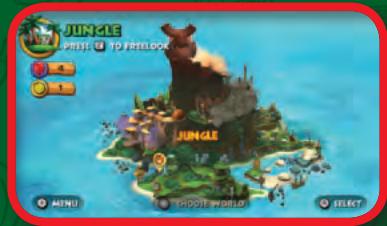
World-Selection Screen
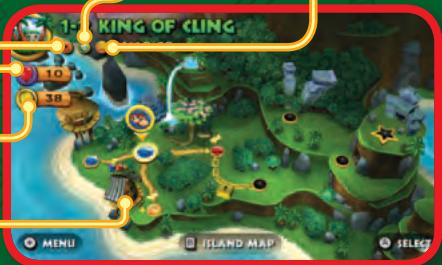
On this screen you can travel around Donkey Kong Island by pressing Ⓐ in the direction you want to move. Select the world you want to visit, then press A to enter the world's level-selection screen.
Note: You must defeat the boss in the current world to discover more worlds on Donkey Kong Island.
Press ☑ to activate the Freelook Camera. Once activated, use Ⓞ to freely look around Donkey Kong Island. Press ☑ to exit Freelook mode.
Level-Selection Screen
The level-selection screen shows you which levels you need to complete before you can move to the next world. When you first arrive in a new world, only one level will be available. Once you complete the level, a new path will open. Defeat the boss at the end of the current world to proceed to the next world. You can return to the world-selection screen at any time by pressing B.
K-O-N-G Letter Icon
Indicates this level's K-O-N-G Letters have been found (pg. 19).
Puzzle Piece Icon
Indicates this level's Puzzle Pieces have been found (pg. 19).
Time Attack Medal (pg. 12)
Balloons (pg.19)
Banana Coins (pg. 19)
Cranky Kong's Shop (pg. 20)
Map Screen Pause Menu
While on the map screens, press + or - to bring up the pause menu.
Add or Remove a Player
Select this option to add or remove a player. You will need one Red Balloon (pg. 19) for the second player to join when you do not have Diddy Kong with you.
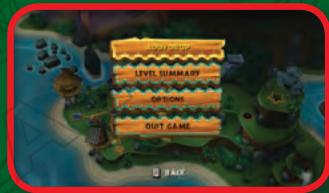
- You can add or remove a player anytime on the level-selection or world-selection screens.
- To play with another player, you will need a Wii Remote and Nunchuk or Wii Remote for each player. (Additional accessories are each sold separately.)
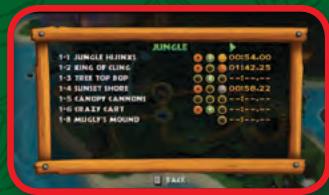
Level Summary
The Level Summary screen displays the levels you have completed and items you have acquired: K-O-N-G Letters, Puzzle Pieces, and the best Time Attack medal. Press ☐ left or right to view other worlds.
Options
For more information, see pg. 8.
Quit Game
Select to return to the title screen.
Start a Level
Use Ⓐ to move the Donkey Kong Icon to the level you want to play, and press Ⓐ to bring up the following menu:
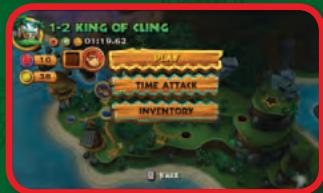
Play
Begin the level.
Time Attack
This will appear after you complete the level and play it again. For more information, see pg. 12.
Inventory
This option allows you to use items purchased from Cranky Kong's Shop (pg. 20). Use Ⓐ to highlight the item you want to use and press Ⓐ to select it. Press Ⓐ to return to the previous screen and begin the level.
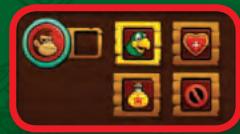
In-Game Pause Screen
Press + or - to pause the game and bring up the in-game pause screen. This screen shows your current status on the left side of the screen and menu selections on the right. Select the menu item using Ⓧ and confirm by pressing Ⓐ.
Hearts
Displays remaining hearts for Donkey Kong and Diddy Kong. This indicator is visible at all times.
Bananas
Number of bananas collected.
Balloons
Number of extra lives remaining.
Banana Coins
Number of Banana Coins collected.
Puzzle Pieces
Number of Puzzle Pieces you have found in the current level.
For more information on these items, see pg. 19.
Checkpoints
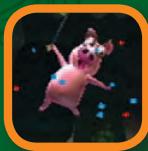
When you reach a checkpoint, a tutorial pig will save your progress. If you make a mistake later in the level, you will start from the last checkpoint you passed.
If you complete the level, lose all your lives, or quit to the level-selection screen, you will start from the beginning of the level your next time through.
K-O-N-G Letters
Shows which K-O-N-G Letters you have acquired in the current level.
Name of Current Level
1-1 JUNGLE HIJINKS
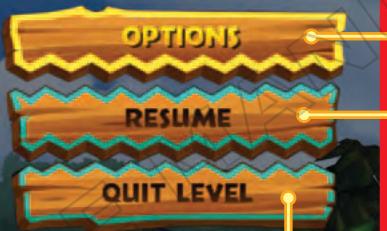
natural_image
Illustration of a monkey holding a red envelope with a golden coin, standing beside a giant monkey (no text or symbols present)Options
See pg.8.
Resume
Continue your game.
Quit Level
Return to level-selection screen.
Time Attack
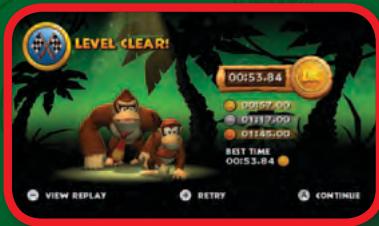
Once a level has been completed, you can replay it in a Time Attack mode to acquire a gold, silver, or bronze medal. Move the Donkey Kong Icon to the level you want to play, and select Time Attack from the menu (pg. 10).
When the level starts, a timer will appear in the lower-left corner of the screen. This timer indicates the required time for the displayed medal. Below this timer is your current time. If your time exceeds the displayed time for the current medal, the timer will adjust for the next medal.
The best medal you have acquired will be displayed on the level-selection screen (pg. 9) and Level Summary screen (pg. 10).
If you want to retry the level for a better time, press ⭕ on the Level Clear screen or press ⭕ or ⭕ to pause the level and select Retry from the pause menu.
ACTIONS
Donkey Kong's Moves
These are Donkey Kong's standard moves. When you find a DK Barrel and release Diddy Kong, he will automatically jump on Donkey Kong's back and provide additional abilities.
In Two-Player Cooperative Mode (pg. 21), Diddy Kong will not automatically jump on Donkey Kong's back. Press ☐ or ☐ when close to Diddy Kong to carry him on Donkey Kong's back.
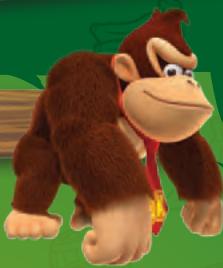
Walk/Run
Hold Ⓞ left or right to walk. As you move Ⓞ farther in one direction, Donkey Kong will begin to run.
Crouch
Hold down on Ⓞ to crouch.
Jump
Press Ⓐ to jump. Press and release for short jumps, or press and hold for longer jumps.
Barrel Roll
Shake the Wii Remote or Nunchuk while holding left or right on to barrel roll.
Ground Pound
While not moving, shake the Wii Remote and Nunchuk to ground pound. This will stun nearby enemies and allow Donkey Kong to
interact with certain objects in the environment, such as special DK Plates.
natural_image
Illustration of a cartoon monkey character with brown fur and red cape, walking on green background (no text or symbols)
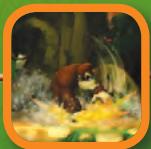
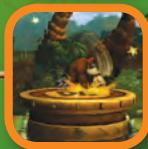
Blow
Hold down on Ⓐ and shake the Wii Remote or Nunchuk controller to blow.
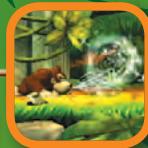
Grab
Press and hold either Z or B to pick up barrels and other objects or grab vines. Release the button to throw the barrel or let go of the object or vine.
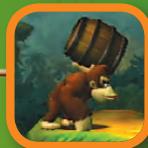
cling
Press and hold either Z or B to cling to certain surfaces like grass, sails, and chains. Hold Ⓞ left or right to move along the surface. Shake the Wii Remote or Nunchuk to pound. Release to let go.
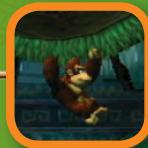
Barrel Jet
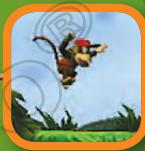
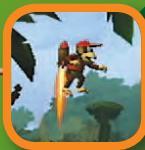
With Diddy Kong on Donkey Kong's back, hold Ⓐ after jumping to hover in midair for a short period of time.
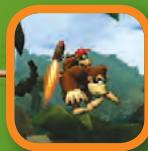
Kong Roll
With Diddy Kong on Donkey Kong's back, shake the Wii Remote and Nunchuk while holding left or right on Ⓞ to perform a Kong Roll. Donkey Kong will continuously roll until you stop shaking the Wii Remote and Nunchuk.
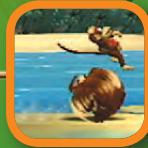
natural_image
Cartoon monkey holding a tool and hat, no text or symbols visibleHere's a tip from my days as a beloved hero: Try rolling off a ledge and jumping in midair. That'll get your blood movin'!
Diddy Kong's Moves
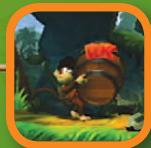
Diddy Kong is only playable during Two-Player Cooperative Mode (pg. 21), and will be controlled by Player Two.
Diddy Kong can jump on and off Donkey Kong's back by pressing either Z or B.
When using the Wii Remote (Horizontal) configuration, press + and ① to jump on Donkey Kong's back. To dismount, press + and ①.
Walk/Run
Hold Ⓞ left or right to walk. As you move Ⓞ farther in one direction, Diddy Kong will begin to run.
Crouch
Hold down on Ⓞ to crouch.
Jump
Press Ⓐ to jump. Press and release for short jumps, or press and hold for longer jumps.
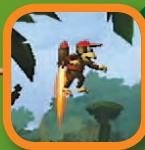
Barrel Jet
After jumping and while in the air, hold Ⓐ to activate Diddy Kong's Barrel Jet. When Diddy Kong is on Donkey Kong's back, Donkey Kong will have control of the Barrel Jet.
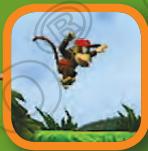
Cartwheel Attack
Shake the Wii Remote or Nunchuk while holding left or right on to Cartwheel Attack.
Peanut Popgun
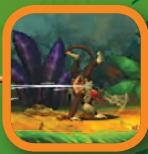
Shake the Wii Remote or Nunchuk to shoot Diddy Kong's Peanut Popgun.
When Diddy Kong is on Donkey Kong's back, Diddy Kong can still shoot his Peanut Popgun.
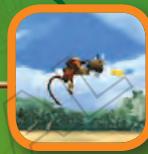
Popgun Pound
While on the ground, shake the Wii Remote and Nunchuk to shoot Diddy Kong's Peanut Popgun at the ground to create small tremors. These tremors will stun nearby enemies and allow Diddy Kong to interact with environmental objects such as DK Plates.
Blow
Hold down on Ⓞ and shake the Wii Remote or Nunchuk controller to blow.
Grab
Press and hold either Z or B to pick up barrels and other objects or grab vines. Release the button to throw the barrel or let go of the object or vine.
Cling
Press and hold either Z or B to cling to certain surfaces like grass, sails, and chains. Hold Ⓞ left or right to move along the surface. Shake the Wii Remote or Nunchuk to pound. Release to let go.
Rambi's Moves
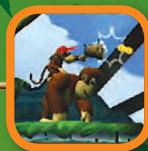
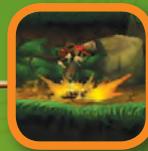
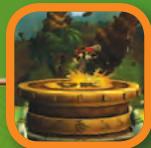
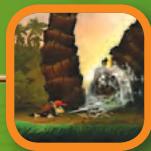
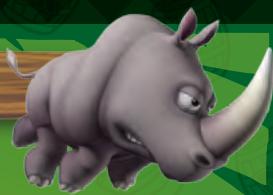
In some stages, you will find Rambi the rhinoceros waiting to help in the quest. Moving and jumping with Rambi is the same as with Donkey Kong, but Rambi has some unique moves of his own.
natural_image
Cartoon illustration of a rhinoceros with large tusks and a roset, set against a green background (no text or symbols)To use Rambi, locate a crate with the Rambi logo on its side. Jump on the crate and ground pound to release Rambi.
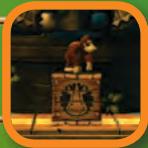
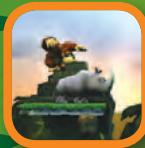
To jump on Rambi's back, press A while standing next to Rambi. To dismount Rambi, press either Z or B. When using the Wii Remote (Horizontal) control style, the controls for dismounting Rambi are different. Hold + and press 1.
While riding Rambi, Donkey Kong will be invulnerable to most enemies and environmental dangers, as Rambi will knock them out of the way.
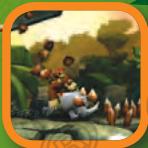
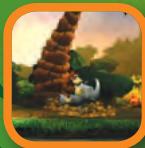
Shaking the Wii Remote or Nunchuk will cause Rambi to ground pound.
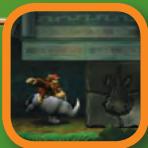
Shake the Wii Remote or Nunchuk while holding left or right on to charge Rambi forward.
Mine Carts
natural_image
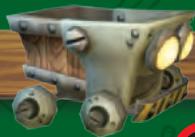
Illustration of a metallic mechanical device with visible ports and yellow-black safety stripes (no text or symbols)While riding a mine cart, you can jump or crouch (pg. 13) to avoid obstacles.
In some mine cart levels, Donkey Kong jumps separately from the mine cart. In these stages you must time your jumps so you land back on the mine cart.
Rocket Barrel
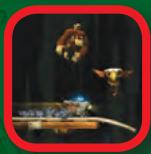
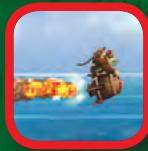
Rocket Barrels control their own direction of travel. After jumping in a Rocket Barrel, rapidly press A to start the rocket. Once in the air, press or hold A to increase the rocket's thrust. Release A to decrease the thrust.
natural_image
Cartoon character with a white beard holding a tool, standing beside a wooden saw and shovel (no text or symbols)Rocket what? In my day, we had to walk uphill both ways to get around the island!
Barrels

Regular Barrel
These regular-looking barrels are perfect to throw at enemies and objects in the environment.
DK Barrel
Barrels marked with “DK” have a friend inside. Break the barrel to release the friend. Breaking this barrel will also replenish any lost hearts.
Barrel Cannon
These barrels are marked with a white arrow. Jump into them and press Ⓐ to blast across gaps and long distances.
Blast Barrel
Barrels marked with a white explosion will automatically blast you out once you jump into them.
Slot Machine Barrel
This barrel is found at the end of the level. You must time when to grab this barrel to gain one of the following rewards:

Banana Bunch
Worth five bananas.

Banana Coin
One Banana Coin.

Red Balloon
One extra life.

DK icon
Receive a random item. Shake the controllers to receive more of that item.
Note: Some Barrel Cannons are marked with a skull and crossbones. These barrels will disappear after use.
COLLECTIBLES AND ITEMS
Collectibles and Items
natural_image
Illustration of a bunch of yellow bananas against a green background (no text or symbols)
Bananas
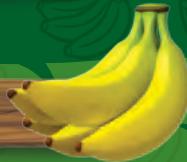
This yellow fruit is the object of Donkey Kong's quest. Collecting 100 bananas will earn one Red Balloon.

Banana Coins
Collect these coins to use at Cranky Kong's Shop.

K-O-N-G Letters
Complete a level collecting all four letters to receive the K-O-N-G Letter Icon (pg.9).

Puzzle Pieces
Each level contains hidden Puzzle Pieces. Use all of Donkey Kong's and Diddy Kong's moves to locate them.

Red Balloons
Red Balloons provide an extra life.

Heart
A heart will refill one of Donkey Kong's or Diddy Kong's hearts.
natural_image
Cartoon character with a white beard holding a tool, standing beside a wooden fence (no text or symbols visible)I heard through the apevine that something nifty happens if you find all the K-O-N-G Letters and Puzzle Pieces. Get a move on!
CRANKY KONG'S SHOP
Donkey Kong's white-bearded, grouchy grandfather, Cranky Kong, has set up shop in each world to sell items to aid Donkey Kong. Cranky Kong can ramble on about anything, but don't ignore what he has to say, as his ramblings provide advice for those who pay careful attention.

One Red Balloon
Provides one extra life.

Three Red
Balloons
Provides three extra lives.

Seven Red
Balloons
Provides seven extra lives.

Squawks
Squawks will help you locate Puzzle Pieces.

Heart Boost
Adds one extra heart to your heart count. The effect will be available until finishing or quitting the level.

Banana Juice
Use this item to become invulnerable. Be careful not to take too many hits, as it will wear off.

Map Key
Use this key to open the locked path on the Map screen.
When playing a two-player game, please keep in mind the following game-play differences from a one-player game.
If your character loses a life, press ① to use a balloon and you will return floating in a DK Barrel.
natural_image
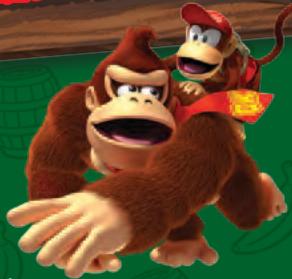
Cartoon illustration of two monkeys in dynamic poses, one wearing a red hat and the other a yellow hat with a red emblem (no text or symbols)When the barrel touches the other character, it will break and you will be back in the game. To float toward the other player, shake the Wii Remote and Nunchuk. You can also bring a character back by breaking a DK Barrel found in the level.
Note: Balloons will be consumed one per character.
When Diddy Kong is on Donkey Kong's back, all movement is controlled by Donkey Kong. This includes riding Rambi, Rocket Barrels, Mine Carts, and Diddy Kong's Barrel Jet (pg. 15). When Diddy Kong is not on Donkey Kong's back, either character can control Rambi, Rocket Barrels, and Mine Carts.
Both Donkey Kong and Diddy Kong must jump in Rocket Barrels, Mine Carts, and Blast Barrels to activate them.
If Donkey Kong and Diddy Kong are separated and one character is off screen, the offscreen character will warp to the on-screen character after a few seconds.
CRANKY'S TIPS
natural_image
Cartoon character with a white beard and hat sitting on a wooden chair, holding a staff (no text or symbols visible)1 Always explore each level thoroughly to find all the secrets. Those pesky Tikis haven't found everything hidden on this island.
2 if you get lost, try going right...or was it left? Maybe up? Sorry—senior moment.
SUPER GUIDE
If you are having trouble on a particularly tough stage and lose a life enough times, a tutorial pig will appear and offer Super Kong's assistance to complete the stage.
To activate Super Guide, stand in front of the tutorial pig, press +, and follow the on-screen instructions.
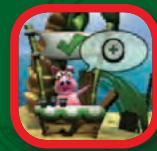
Once Super Guide has been activated, press + at any time to regain control. While you will be able to control the character, you will not be able to collect items. When Super
Guide is used to complete a level, you will only unlock the path to the next level. You will not be rewarded with any collectibles (pg. 19), and the level icon will remain red instead of changing to blue. Once you complete the level on your own, the level icon will turn blue.
natural_image
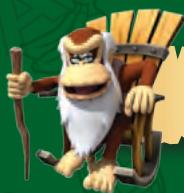
Cartoon monkey character holding a staff, standing beside wooden tools (no text or symbols visible)Super Kong? Bah, fiddlesticks! I could do a better job with my eyes tied behind my back! Now, where'd my cane get off to?
3 Some enemies are too tough to beat with a simple jump. Try different moves when you encounter a new enemy. Like ground pound. Or better yet, buy stuff from my shop!
4 Leave no banana behind. if you collect enough of them, you'll get an extra balloon. I'm not sure exactly how many bananas you need, because I'm so tough that I only need one balloon!
5 That Donkey Kong may be strong, but he's not the only monkey in the barrel. He'll need Diddy Kong's help to get to those hard-to-reach places.
VEUILLEZ LIRE ATTENTIVEMENT L'INTÉGRALITÉ DU MODE D'EMPLOI DE LA Wii™ AVANT D'UTILISER VOTRE CONSOLE, VOTRE DISQUE DE JEU OU VOS ACCESSOIRES Wii. CE MODE D'EMPLOI CONTIENT D'IMPORTANTES INFORMATIONS SUR VOTRE SANTÉ ET VOTRE SÉCURITÉ.
INFORMATIONS IMPORTANTES CONCERNANT VOTRE SÉCURITÉ : VEUILLEZ LIRE LES PRÉCAUTIONS SUIVANTES AVANT QUE VOUS OU QUE VOTRE ENFANT NE JOUIEZ À DES JEUX VIDÉO.
natural_image
Cartoon character with white beard and brown head, sitting in a chair with wooden tools, set against a green leafy background (no text or symbols)
natural_image
Colorful cartoon character with stylized facial features and feathered headband (no text or symbols)COMMANDES
natural_image
Illustration of a white electric shaver with gold wires and a yellow clip, set against a green background (no text or symbols)Bouton Z

et appuyez sur A.
natural_image
Illustration of a monkey holding a red envelope next to a giant monkey, set against a green background with banana leaves (no text or symbols)Paramètres
Voir p. 30.
Continuer
natural_image
Illustration of a cartoon monkey character with brown fur and red belt (no text or symbols)
Souffler
natural_image
Cartoon monkey holding a staff and a wooden axe, no text or symbols presentnatural_image
Illustration of a monkey character flying next to a rocket, with no visible text or symbols in the image itself.natural_image
Cartoon illustration of a rhinoceros, likely a zebra or penguin, with no visible text or symbols.natural_image
Illustration of a cartoon-style military vehicle with visible muzzle lights and gear (no text or symbols)natural_image
Cartoon monkey character holding a staff, standing beside a wooden fence (no text or symbols)natural_image
Illustration of a bunch of yellow bananas against a green background (no text or symbols)natural_image
Cartoon character with white beard holding a staff, wearing a hat and crossed saw (no text or symbols)natural_image
Illustration of a monkey and a monkey in motion, no text or symbols presentnatural_image
Cartoon character with white beard and hat sitting on a wooden cart (no text or symbols)natural_image
Cartoon character with a white beard and wooden staff, holding a tool (no text or symbols visible)natural_image
Cartoon character with white beard and brown head, sitting in a chair with wooden tools, set against a green leafy background (no text or symbols)V
natural_image
Colorful cartoon character with stylized facial features and a headband, set against a green background (no text or symbols)CONTROLES
natural_image
Illustration of a Wii game controller with gold wires and control buttons (no text or symbols)Botón B
natural_image
Illustration of a white handheld device with yellow connectors and a blue handle, set against a green background (no text or symbols)Botón Z
natural_image
Illustration of a Nintendo Wii controller with gold cable routing (no text or symbols)Botón HOME
natural_image
Cartoon illustration of a monkey and a monkey wearing red scarves, holding a golden coin (no text or symbols)Opciones
natural_image
Illustration of a cartoon monkey character with brown fur and red cape, walking on green background (no text or symbols)
Soplar
natural_image
Cartoon monkey holding a wooden log and a staff, set against a green background (no text or symbols)natural_image
Illustration of a monkey character in red hat running with a rocket launch (no text or symbols)