
SUPER MARIO GALAXY - Video game NINTENDO - Free user manual and instructions
Find the device manual for free SUPER MARIO GALAXY NINTENDO in PDF.


| Product Type | Video Game |
| Platform | Nintendo Wii |
| Genre | Action-adventure, platform |
| Number of players | 1 to 2 (local multiplayer mode) |
| Available languages | French, English, Spanish (manual) |
| Required controllers | Wii Remote + Nunchuk (player 1); additional Wii Remote (player 2) |
| Main features | Galaxy exploration, collecting Super Stars, using power-ups (Bee Mario, Rainbow Mario, etc.), fighting enemies, solving puzzles, saving progress |
| Safety | Epilepsy warning (flashing lights), risks of repetitive motions, nausea; recommendations: play in a well-lit room, take breaks of 10-15 minutes per hour, consult a doctor if symptoms occur |
| Maintenance and cleaning | Keep the disc in its case away from dust and scratches. Clean with a soft, dry cloth. Avoid exposure to heat or humidity. |
| Warranty | 12 months for console (hardware), 3 months for game and accessories. Nintendo after-sales service: 1-800-255-3700 |
| Case dimensions | Approximately 13.5 x 19 x 1.5 cm |
| Case weight | Approximately 100 g |
| Power supply | Requires a Nintendo Wii console to operate |
| Spare parts and repairability | Not applicable (software product). In case of defect, contact Nintendo for replacement under warranty. |
| General information | Published by Nintendo. Requires a Wii menu update upon first insertion. Manufactured under license from Dolby Laboratories. |
Frequently Asked Questions - SUPER MARIO GALAXY NINTENDO
User questions about SUPER MARIO GALAXY NINTENDO
0 question about this device. Answer the ones you know or ask your own.
Ask a new question about this device
Download the instructions for your Video game in PDF format for free! Find your manual SUPER MARIO GALAXY - NINTENDO and take your electronic device back in hand. On this page are published all the documents necessary for the use of your device. SUPER MARIO GALAXY by NINTENDO.
USER MANUAL SUPER MARIO GALAXY NINTENDO
PLEASE CAREFULLY READ THE Wii™ OPERATIONS MANUAL COMPLETELY BEFORE USING YOUR Wii HARDWARE SYSTEM, GAME DISC OR ACCESSORY. THIS MANUAL CONTAINS IMPORTANT HEALTH AND SAFETY INFORMATION.
IMPORTANT SAFETY INFORMATION: READ THE FOLLOWING WARNINGS BEFORE YOU OR YOUR CHILD PLAY VIDEO GAMES.
WARNING - Seizures
- Some people (about 1 in 4000) may have seizures or blackouts triggered by light flashes or patterns, and this may occur while they are watching TV or playing video games, even if they have never had a seizure before.
- Anyone who has had a seizure, loss of awareness, or other symptom linked to an epileptic condition, should consult a doctor before playing a video game.
- Parents should watch their children play video games. Stop playing and consult a doctor if you or your child has any of the following symptoms:
Convulsions
Loss of awareness
Eye or muscle twitching
Involuntary movements
Altered vision
Disorientation
-
To reduce the likelihood of a seizure when playing video games:
-
Sit or stand as far from the screen as possible.
- Play video games on the smallest available television screen.
- Do not play if you are tired or need sleep.
- Play in a well-lit room.
- Take a 10 to 15 minute break every hour.
WARNING - Repetitive Motion Injuries and Eyestrain
Playing video games can make your muscles, joints, skin or eyes hurt. Follow these instructions to avoid problems such as tendonitis, carpal tunnel syndrome, skin irritation or eyestrain:
- Avoid excessive play. Parents should monitor their children for appropriate play.
Take a 10 to 15 minute break every hour, even if you don't think you need it. - If your hands, wrists, arms or eyes become tired or sore while playing or if you feel symptoms such as tingling, numbness, burning or stiffness, stop and rest for several hours before playing again.
- If you continue to have any of the above symptoms or other discomfort during or after play, stop playing and see a doctor.
CAUTION - Motion Sickness
Playing video games can cause motion sickness in some players. If you or your child feels dizzy or nauseous when playing video games, stop playing and rest. Do not drive or engage in other demanding activity until you feel better.
IMPORTANT LEGAL INFORMATION
This Nintendo game is not designed for use with
any unauthorized device. Use of any such device will invalidate your Nintendo product warranty. Copying of any Nintendo game is illegal and is strictly prohibited by domestic and international intellectual property laws. "Back-up" or "archival" copies are not authorized and are not necessary to protect your software. Violators will be prosecuted.
WARRANTY & SERVICE INFORMATION
You may need only simple instructions to correct a problem with your product. Try our website at www.nintendo.com or call our Consumer Assistance Hotline at 1-800-255-3700, rather than going to your retailer. Hours of operation are 6 a.m. to 7 p.m., Pacific Time, Monday - Sunday (times subject to change). If the problem cannot be solved with the troubleshooting information available online or over the telephone, you will be offered express factory service through Nintendo. Please do not send any products to Nintendo without contacting us first.
HARDWARE WARRANTY
Nintendo of America Inc. ("Nintendo") warrants to the original purchaser that the hardware product shall be free from defects in material and workmanship for twelve (12) months from the date of purchase. If a defect covered by this warranty occurs during this warranty period, Nintendo will repair or replace the defective hardware product or component, free of charge. The original purchaser is entitled to this warranty only if the date of purchase is registered at point of sale or the consumer can demonstrate, to Nintendo's satisfaction, that the product was purchased within the last 12 months.
GAME & ACCESSORY WARRANTY
Nintendo warrants to the original purchaser that the product (games and accessories) shall be free from defects in material and workmanship for a period of three (3) months from the date of purchase. If a defect covered by this warranty occurs during this three (3) month warranty period, Nintendo will repair or replace the defective product, free of charge.
SERVICE AFTER EXPIRATION OF WARRANTY
Please try our website at www.nintendo.com or call the Consumer Assistance Hotline at 1-800-255-3700 for troubleshooting information and repair or replacement options and pricing. In some instances, it may be necessary for you to ship the complete product, FREIGHT PREPAID AND INSURED FOR LOSS OR DAMAGE, to Nintendo. Please do not send any products to Nintendo without contacting us first.
WARRANTY LIMITATIONS
THIS WARRANTY SHALL NOT APPLY IF THIS PRODUCT: (a) IS USED WITH PRODUCTS NOT SOLD OR LICENSED BY NINTENDO (INCLUDING, BUT NOT LIMITED TO, NON-Licensed GAME ENHANCEMENT AND COPIER DEVICES, ADAPTERS, AND POWER SUPPLIES); (b) IS USED FOR COMMERCIAL PURPOSES (INCLUDING RENTAL); (c) IS MODIFIED OR TAMPERED WITH; (d) IS DAMAGED BY NEGLIGENCE, ACCIDENT, UNREASONABLE USE, OR BY OTHER CAUSES UNRELATED TO DEFECTIVE MATERIALS OR WORKMANSHIP; OR (e) HAS HAD THE SERIAL NUMBER ALTERED, DEFACED OR REMOVED.
ANY APPLICABLE IMPLIED WARRANTYES, INCLUDING WARRANTY OF MERCHANTABILITY AND FITNESS FOR A PARTICULAR PURPOSE, ARE HEREBY LIMITED IN DURATION TO THE WARRANTY PERIODS DESCRIBED ABOVE (12 MONTHS OR 3 MONTHS, AS APPLICABLE). IN NO EVENT SHALL NINTENDO BE LIABLE FOR CONSEQUENTIAL OR INCIDENTAL DAMAGES RESULTING FROM THE BREACH OF ANY IMPLIED OR EXPRESS WARRANTY. SOME STATES DO NOT ALLOW LIMITATIONS ON HOW LONG AN IMPLIED WARRANTY LASTS OR EXCLUSION OF CONSEQUENTIAL OR INCIDENTAL DAMAGES, SO THE ABOVE LIMITATIONS MAY NOT APPLY TO YOU.
This warranty gives you specific legal rights. You may also have other rights which vary from state to state or province to province.
Nintendo's address is: Nintendo of America Inc., P.O. Box 957, Redmond, WA 98073-0957 U.S.A.
This warranty is only valid in the United States and Canada.

Manufactured under license from Dolby Laboratories. Dolby, Pro Logic, and the double-D symbol are trademarks of Dolby Laboratories.
This game is presented in Dolby Pro Logic II. To play games that carry the Dolby Pro Logic II logo in surround sound, you will need a Dolby Pro Logic II, Dolby Pro Logic or Dolby Pro Logic IIx receiver. These receivers are sold separately.
© 2007 Nintendo. TM, 假 and the Wii logo are trademarks of Nintendo. © 2007 Nintendo. All rights reserved.
Prologue
Every hundred years, a huge comet flies by in the skies above the Mushroom Kingdom. One year, that comet filled the entire sky, and from it fell a stream of shooting stars. The Toads scooped up the Star Bits and brought them to the cast reborn as a great Power Star in the Mushroom Kingdom. The received a letter...
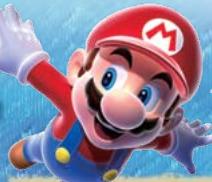
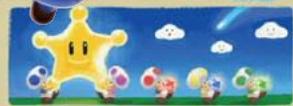
The Toads brought the shooting stars to the castle, where they became a great Power Star.
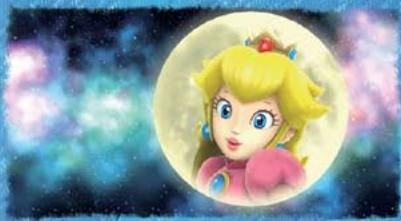
Dear Mario,
I'll be waiting for you at the castle on the night of the Star Festival. There's something I'd like to give you. From Peach
With invitation in hand, Mario headed off to the castle just as the Star Festival was getting into full swing. Surrounded by Toads gleefully trying to catch falling Star Bits, Mario was looking forward to the
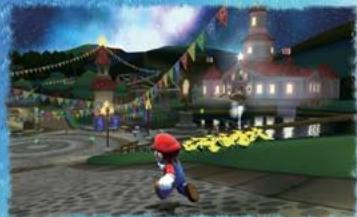
But then, something happened...

Contents



Controls 5
Starting the Game
Traveling the Galaxies 9
Mario's Moves
Mario's Special Moves 15
Objects 17
Items 20
Hints 21

Polari
This elderly Luma is Rosalina's most trusted advisor. He knows all about the observatory, and if you speak to him, he will show you a map.
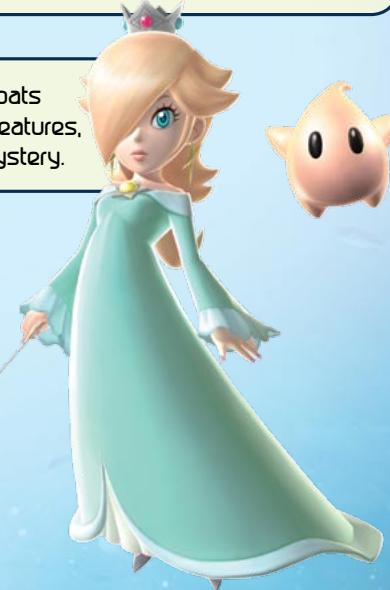
Nosalina
This Keeper of the Comet Observatory floats through the cosmos with curious star creatures, called Lumas. Her past is shrouded in mystery.
Lumas
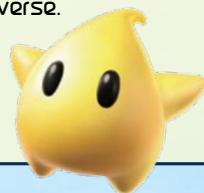
Many different types of Lumas live throughout the cosmos. They love Star Bits, the glittering chunks of stars that are scattered throughout the universe.

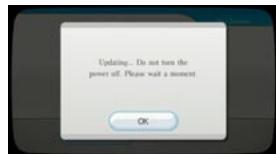
SYSTEM MENU UPDATE
Please note that when first loading the Game Disc into the Wii console, the Wii will check if you have the latest system menu, and if necessary a Wii system update screen will appear. Press OK to proceed.
Controls
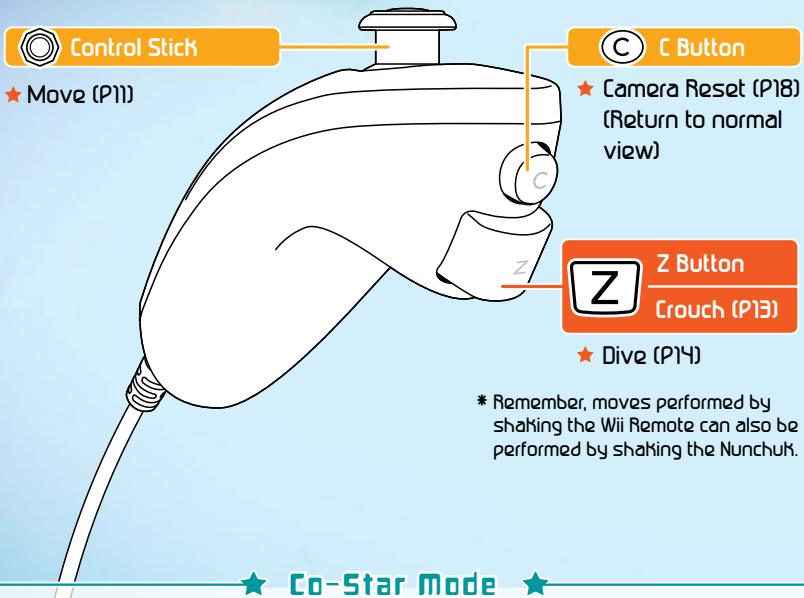
This game is played with both theWii Remote and the Nunchuk, soyou will need to connect a Nunchukto your Wii Remote. Please seepages 11- 20 for detailed instructionsperform each action with these cont
Hold the controllers like this.
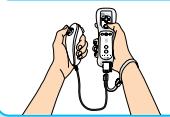

Nunchuk

This game is normally played with one player, but if you have two Wii Remotes, you can play with two players. One player will control Mario while the other will collect Star Bits (P20), stop enemies in their tracks, and help out the other player. Player 2 can even make Mario jump by pointing at him. Player 2 needs only the Wii Remote.

PI's Pointer
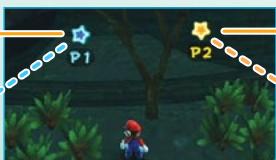
P2's Pointer

Wii Remote

Pointer
Grab a Star Bit
Move the Star Pointer Point at a Pull Star (P11)

+Control Pad
Change camera view (P18)

HOME Button
Display HOME Menu
If you turn off the sound on your Wii Remote, it will come out of your TV instead.
- For more information, please see your Wii System Operations Manual.

Hold and Press
(-Button)/(+Button)
★ Display Pause Menu
Player 2's Controls
You can check controls for on the file-selection screen (P8).
| Collect Star Bits | Point at Star Bits to grab them. |
| Shoot Star Bits | Press B to shoot a Star Bit in the direction you are pointing. |
| Stop an Enemy | Point at an enemy and press A to stop their movements. * This does not work on some enemies. |
| Make Mario Jump | Point at Mario and press A to make him jump. |
| Make Mario Spin | Point at Mario in midair and press A to make Mario spin. |
| Powerful Jump | Point at Mario and press A at the same time as Player 1 to make Mario jump very high. |

Point like this
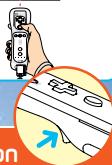

B Button
Shoot a Star Bit while aiming with the pointer
★ Cancel a command

A Button
Confirm
Jump (P12)
★ Speak / Read (P13)
★ Swim (P'H)
Grab a Pull Star (P17)
Shake
Spin (P11)
Activate a object
Starting the Game
Correctly insert the Super Mario Galaxy Game Disc into the disc slot on your Wii console. The power on the Wii will turn on.

When the screen on the right appears, read all of the information there and press 空
- This screen will appear even if you turn on the Wii first and then insert the Game Disc.


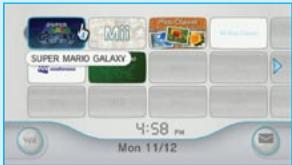
Point at the Disc Channel on the Wii Menu Screen and press A.
Wii Menu Screen

The Channel Preview Screen will appear. Select Start and press A.
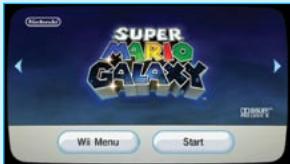
Channel Preview Screen

The Wrist Strap Reminder Screen will appear. When you are ready, press .
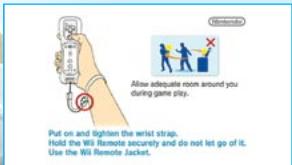
Wrist Strap Reminder Screen

A message will appear that says, "Would you like to create a Super Mario Galaxy save file?" Press A to create a file.
Title Screen
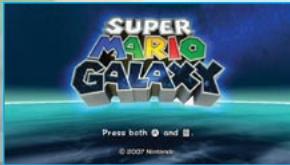
Playing from the Beginning and Creating a Save file
When playing for the first time, choose a planet where you want to create your save file. When you create a file, you will return to the file-selection screen. Creating a file requires 1 free block of space in your Wii system memory. You can also mark your save file with a Mii stored in your Wii system memory.
- For more information about creating Miis, please see your Wii Operations Manual.

File Selection Screen
Choose a save file (planet) to play and select "Play with this File" to continue from a previous save. Also, you can point at the and press A to display two-player controls (PS-6).
File Selection Menu
| Copy | Copy a save file to another planet. |
| Icon | Change the icon associated with a save file. |
| Erase | Erase a saved file. Once you've erased a save file, it can't be recovered. Please be careful! |
Back Button
Point at this and press ④ or ⑧ to return to the previous screen.
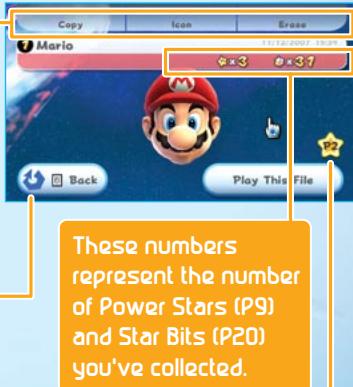
Check the controls for P2 here (PS-6).
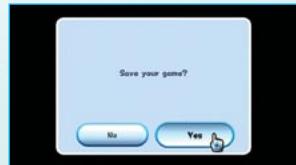
About Saving
After completing a stage, you have the option to save your game progress. Once data is erased, it cannot be restored, so please be careful. When you restart the game, your lives will be reset.
- Please see your Wii System Operations Manual for more information about how to erase files from Wii system memory.
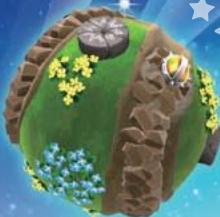
Traveling the Galaxies
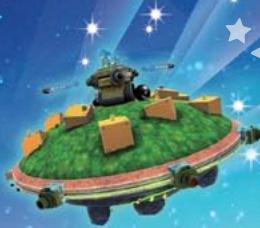
You'll control Mario as he ventures from the Comet Observatory out into wild and alien galaxies to collect all of the scattered Power Stars.

Look for Power Stars
Mario will explore many galaxies. In most galaxies, you will need to do many things to find a Power Star. When you obtain the star at the end of a mission, you will open up the next mission in that galaxy, if there are any.

Power Star

Comet Observatory
This is the starting point for many of your adventures throughout the cosmos. You will move from domes (galaxy observatories) to the galaxies themselves, collecting information from Lumas as you go. When you collect the Grand Star in the last galaxy of one dome, the next dome will open.
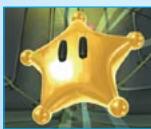
Grand Star
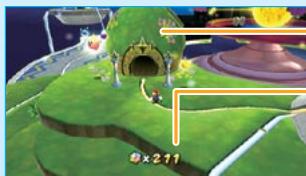
Dome
Number of Star Bits
This is the total number of Star Bits you have collected on your journey through the galaxies.

Galaxy Selection Screen
Grab the Pull Star (P17) at the top of a dome to enter the galaxy-selection screen. Choose the galaxy you want to try, then select "Fly to this Galaxy." You will then advance to the mission-selection screen.
Undiscovered Galaxy
Collect the number of Power Stars shown to discover this galaxy.
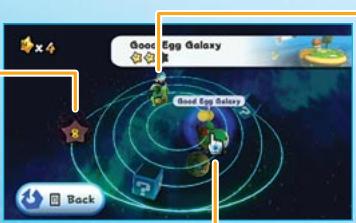
Discovered Galaxy
Point at this galaxy and press A to fly there.
View the System

Point at something other than a galaxy and press ④ to grab a point you can use to rotate the system for a better view.

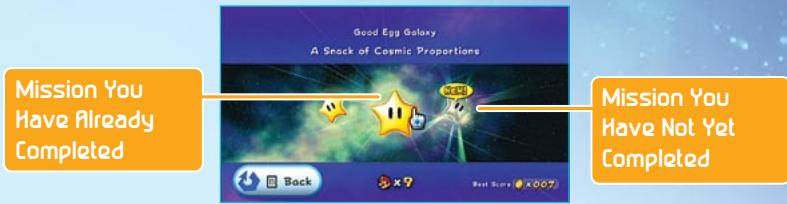
Mission Selection Screen
Point at a mission and press ④ to fly to the galaxy. If you point at a mission you have already cleared, you can see your previous high score.

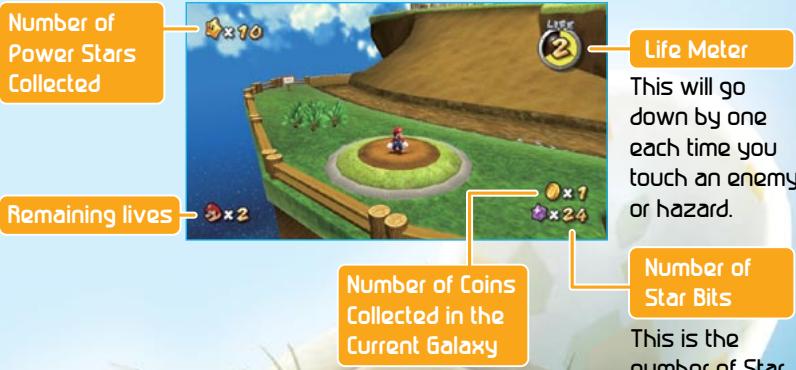
Galaxy Screen
When your life meter reaches zero from getting hit by enemies, thorns, or other dangerous things, or if you fall into a black hole, the number of your remaining lives will go down by one. If you lose your life while you have zero remaining lives, the game will end and you will return to the title screen. Information other than your life meter will appear on-screen when you stand still.

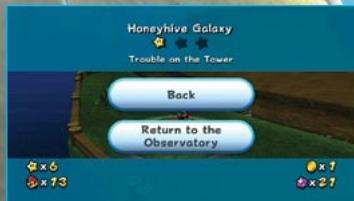
Pause Screen
Press and hold or ① to pause. On the pause screen, you can check how many coins you have collected or which galaxy you are currently in. To resume your game, select Back to go back to the action or Return to the Observatory to go back to the observatory.
mario's moves
Basic
These are Mario's basic moves. Each one has its uses, depending on the situation, so try experimenting!

Move
Tilt a little to walk and a lot to run.

Spin
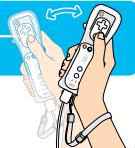
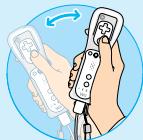
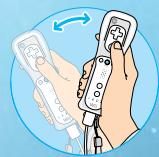
As you progress in the game, you will learn how to spin. Shake the Wii Remote to spin and destroy
obstacles or stun enemies. You may also need to spin to activate certain kinds of objects, so try spinning in different places to see what happens.
Shake
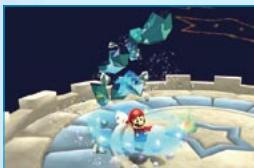
Destroy Obstacles
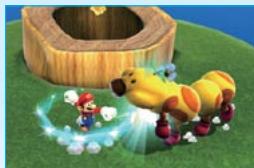
Stun Enemies
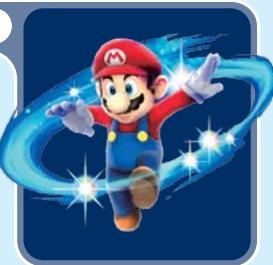
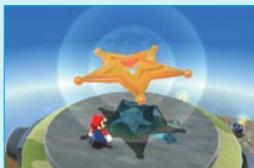
Use Objects
Spin Jump
Shake the Wii Remote in midair.
Spin in midair to perform a spin jump. Jumping and then spinning at the peak of your jump allows you to go higher than in a normal jump.
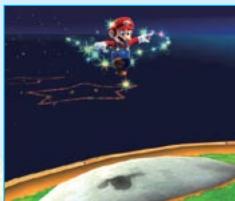

Defeat Enemies
You can defeat most enemies by stomping on them with a jump, stunning them with a spin, or shooting them with a Star Bit and then running into them. However, there are some enemies that you can't defeat in these ways. You may need to spin to return an enemy's attacks or use an item or mechanism to defeat some enemies.

Jump
Press
A to jump
You can jump in many different ways, depending on how you combine the jump with other actions. Try and find the best jump for every situation.
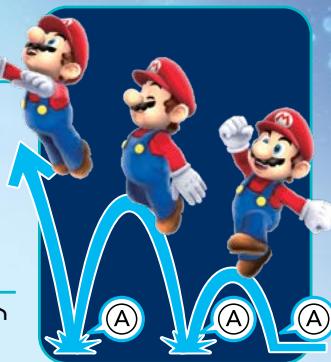
Multiple Jumps / Triple Jump
Press ④ right when you land.
After jumping while you run, press ④ right as you land for three consecutive jumps. On your third jump, you may be able to pull off an especially high jump.
Backward Somersault
Hold down and press A.
If you jump while crouching, you will leap high into the sky and slightly backward.
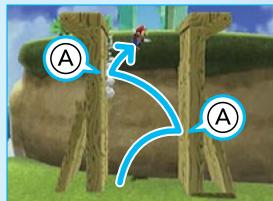
Wall Jump
face a wall and press A.
Face a wall and jump toward it, then continue to jump off the wall with good timing by pressing ④ to kick off the wall. In areas where two walls face each other with a small gap, you can use this method to climb to the top.
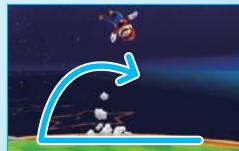
Side Somersault
Tilt in the opposite direction while running and press A.
While running, tilt in the opposite direction and press to perform a high jump with a turn.
Long Jump
Press Z and then A while running.
Press ② and then ④ while running to jump a long distance.
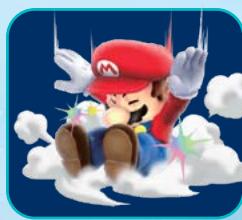
Ground Pound
Press Z while in midair.
Press Z while in midair to perform a ground pound. You can use a ground pound to break flooring with cracks in it or to activate a ground-pound switch (P18).

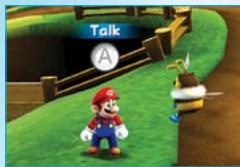
While standing in front of certain characters or signs, you can press ④ to speak or read.

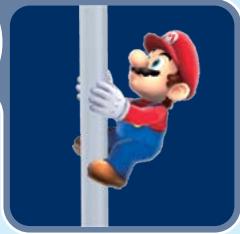
Grab a Pole
Press
near a pole to grab on.

and jump
grab on.
Press ④ and jump near a pole to grab on. You can move around the pole by tilting up, down, left, or right on ⑤ . Press ④ to jump off.

Crouch
Press

Z
Press and hold ⑦ to crouch. You can also move around while crouched by tilting ⑤ .
Hold or Catch / Throw
You can pick up shells and other objects by shaking the Wii Remote when standing near them. Shake the Wii Remote again to throw the object in the direction you are facing. You can also use this technique to catch some objects thrown by enemies.
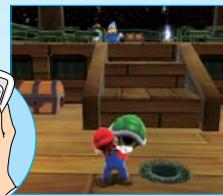
Pick up a shell...
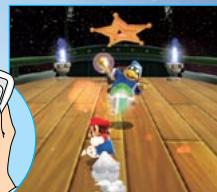
Throw it at your target!

swim
Press
A
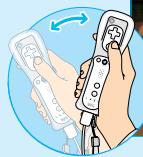
Use to change your direction underwater and press A to swim. If you press and hold A, you can swim by kicking your feet. Shake the Wii Remote while swimming to swim faster. If you are holding a shell, you will swim even faster. Press and hold A at the surface of the water or shake the Wii Remote to jump out of the water.

Dive
Press Z
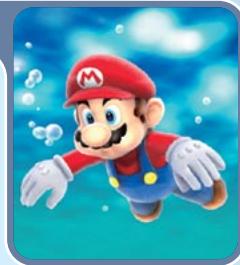
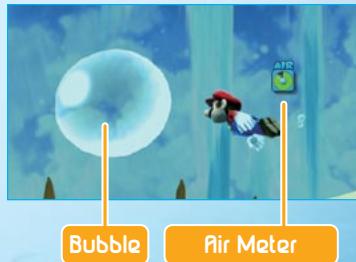
Press at the surface of the water to dive. While underwater, an air meter will appear. If this meter goes empty, you will quickly lose life, so please be careful. You can refill your air meter by surfacing or running into an air bubble.

Skate
Shake
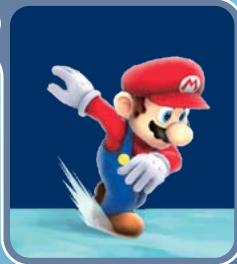
Shake the Wii Remote while standing on ice to skate. You can change your direction while skating with ⑤ You will travel faster than running while skating, and you can pull off consecutive jumps while skating just like you can on land.

Mario's Special moves
Grabbing certain power-ups will transform you and give you new abilities. Here's how to use all of your new abilities!


Flying Meter
Bee Mario

Grab a Bee Mushroom
Press A to hover, and control your movement by tilting O. Your Flying Meter will continue to go down while you press A. If your Flying Meter reaches zero, you will begin to fall, so be careful. You can also stick to honeycomb walls and walk on clouds and flowers as Bee Mario.
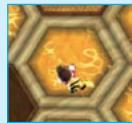
Honeycomb Wall
How to return to regular Mario Touch an enemy, take damage, or touch water.
Rainbow Mario

Grab a Rainbow Star
You're invincible! You can also instantly defeat any enemy you touch. After you run for a little while, your run speed will increase.
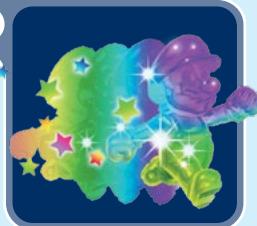
How to return to regular Mario Just wait until the Rainbow Star wears off.

Boo mario

Grab a Boo Mushroom
Shake the Wii Remote to turn transparent. That way, you can pass through bars and certain types of walls. You can also press repeatedly to float.
How to return to regular Mario Touch an enemy, take damage, or touch light.
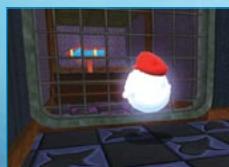
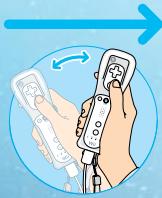
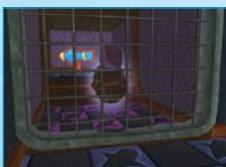
Power-Ups
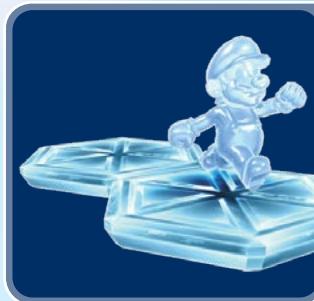
Ice Mario

Grab an Ice Flower
Freeze water as you walk on its surface by creating tiles of ice.
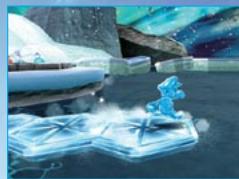
How to return to regular Mario Just wait until the Ice flower wears off.
Fire Mario

Grab a Fire Flower
Shake the Wii Remote to throw fireballs.
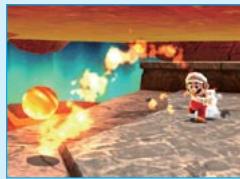
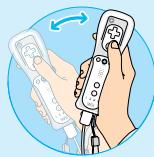
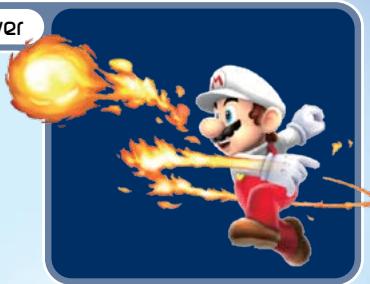
How to return to regular Mario Just wait until the fire flower wears off.
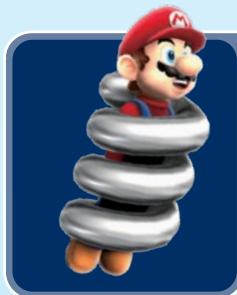
Spring Mario

Grab a Spring Mushroom
Bounce around with your springy body. Press ④ with good timing when you hit the ground to bounce especially high. You will also wall- jump automatically when you hit a wall.
How to return to regular Mario
Touch an enemy, take damage, touch water, or touch a Launch Star.
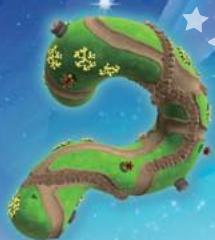
Objects
To make your way through the galaxies, you'll need to know how to use all kinds of object. Here's how to use them all.
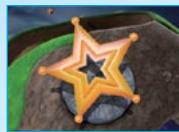
Launch Star

Launch Star
Shake
Shake the Wii Remote near a Launch Star to catapult yourself on a path through the sky to another planet. Sometimes you may need to gather Yellow Star Chips to reassemble a broken Launch Star before you can use it.
Pieces of BroKen Launch Star
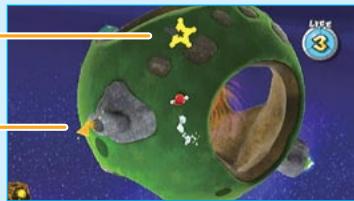
Yellow Star Chip
Collect all of these to reassemble a broken Launch Star.

Pull Stars
Point at a Pull Star until you see appear, then press and hold A to draw yourself to that Pull Star. Press A to gently release yourself from a Pull Star's grasp, or press Z or spin to release yourself quickly. Sometimes you may need to gather Blue Star Chips to reassemble a broken Pull Star before you can use it.
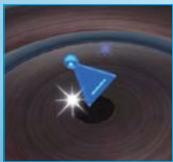
Blue Star Chip
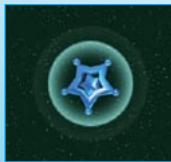
Pull Star

Point and Press

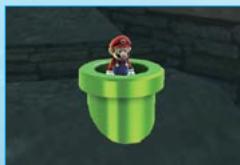
Pipe
Enter the Pipe
When you enter a pipe, it will warp you to another location.

Blocks / Switches
Jump, Spin, etc.

? Bloch
Jump and hit this from below to release coins or Star Bits.

Brick Block
Jump to hit this from below or spin into it to break it.

Block
You can't break this block.

Flipswitch Panel
Walk over this to change its color.

Lever Switch
Spin near this switch to change its position.

Ground Pound Switch
Get on top of the switch, then ground-pound over it to activate it.

Adjust the Camera

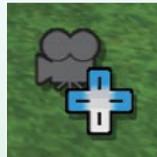
Camera Icon
Depending on Mario's position in a given area, you may be able to change the camera angle. Press + to make the Camera Icon appear, then press + in the directions indicated in blue on the icon to move the camera. Press + to center the camera again. In some areas, you can also press up or down on + to toggle between a first-person view and a normal view. Use the Nunchuk to look around in first-person view.
- There may be some areas where you can't change the camera view.

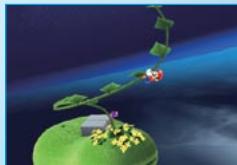
Sproutle Vine
Shake
Shake the Wii Remote near a vine growing from a Sproutle to swing up the vine. When you reach the end, you can jump far off of the end. Just keep shaking the Wii Remote until you've jumped off the vine.

Cannons
Point and Press


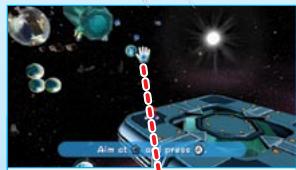
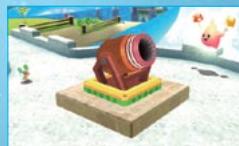
Jump inside the cannon and point at your desired target. Press ④ to shoot out of the cannon at your target.
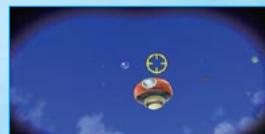
Press A to fire the cannon.
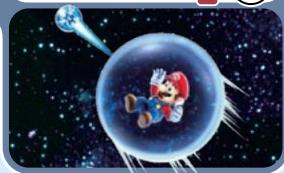
Enter a bubble to float around in it. Just point at the bubble from the other side of the direction you want to go, then press A to blow air on the bubble and move it in the desired direction. Press Z when you want to leave the bubble. If you run into a hazard, your bubble will burst.
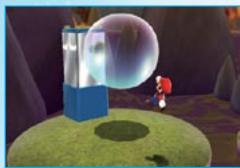
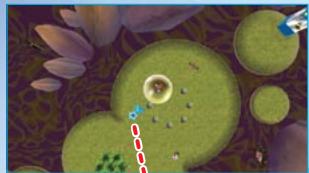
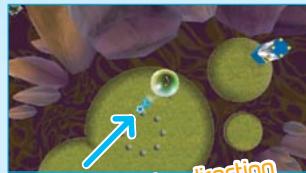
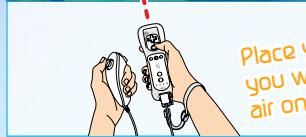
Place your pointer opposite you want to go, then press A to blow air on your bubble and move it!

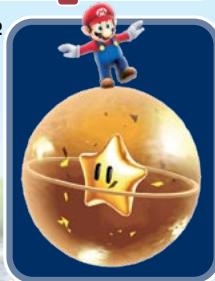
Rolling Ball
Jump to get on top of the ball, then hold your Wii Remote with the top painting up to move, tilt the Wii Remote in the direction you want to go, and press ④ to jump.
Tilt forward to move forward.
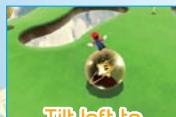
Tilt left to move left.
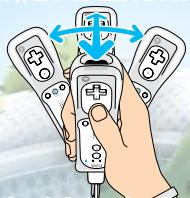
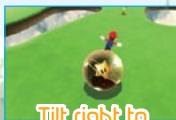
move right.
Tilt back to go backward.

Tilt

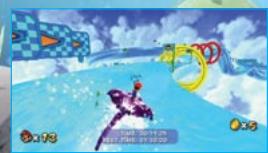
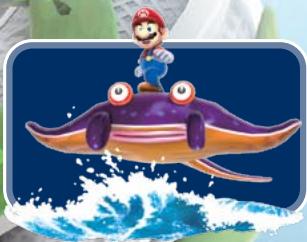
Ray Surfing
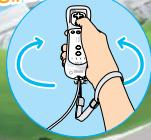
Get on Ray and press ④ to move forward. Tilt the Wii Remote left to move left, and tilt it right to move right. Shake the Wii Remote to make Ray jump.
Twist to change directions
Press A and tilt

Sling Pods

Touch the Sling Pod to get inside, then point at it. Press and hold A to grab the Sling Pod with and pull it back. Release A to release the Sling Pod, which will throw you opposite the direction you pulled it in.
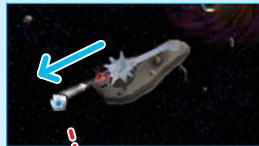
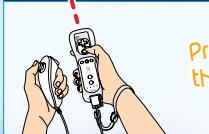

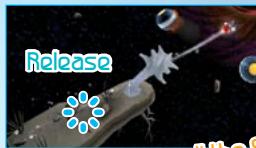
Press and hold A to grab and pull this button then release A to fly off in the opposite direction!
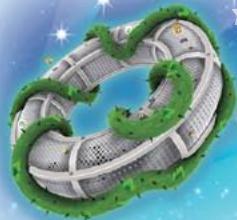
? Coin
Nobody knows what will happen when you grab this!
Items
Some items will help you right away. Some items need to be collected before they have an effect. Either way, you want them!

Coin
These shiny treasures restore one slice of your health meter. Collect 50 to earn an extra life.

Green Shell
Throw these to break open treasure chests or attack enemies. You can also hold on to one while swimming for a nice speed boost.

Red Shell
Throw one to send it at an enemy! Also, hold on to one while swimming for a big speed boost.

Life Mushroom

I-Up Mushroom
Grab one of these to earn an extra life.
Grab one of these to temporarily increase your max health to six. But if your life falls to three or lower, your max health will revert to three.

Collect Star Bits


Grab 50 Star Bits to earn an extra life. You can shoot Star Bits you have collected by pointing at your target and pressing Use them to stun enemies or to feed Hungry Lumas (P21).
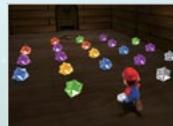

The Right Move at the Right Time
In many galaxies, there may be an area where you have to transform to advance. In others, you may need to use a move to activate a switch or find something hidden. Use the right one of Mario's moves in the right place!
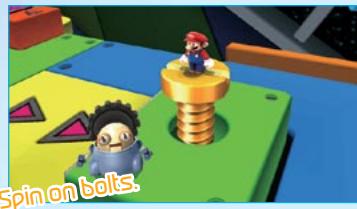
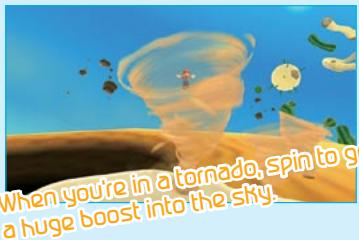

Trouble Defeating Enemies?
To defeat some enemies, you may need to use a special move or attack a certain weak spot. Watch the enemy's movements, think about their special characteristics, then launch an attack on their weak spot!
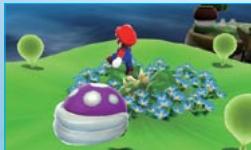
Attack with good timing!
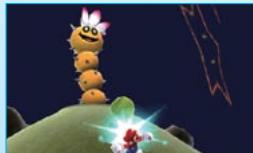
Hit enemies with objects!
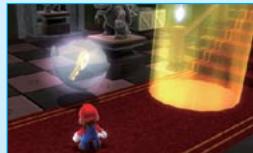
Look for the enemy's
weaknesses!

Feed Hungry Lumas with Star Bits!
After speaking to Hungry Lumas, you can point at them to display and feed them Star Bits by pressing B. What happens when they finally get full of Star Bits?

Hungry Luma

maps
When you have progressed far enough to open up the second dome in the observatory, speak to Polari (P4) to learn about maps. There is a Comet Observatory Map and a Universe Map. Select a galaxy on the Universe Map to see how many Power Stars you've found there. Toggle between the two maps by pressing A.
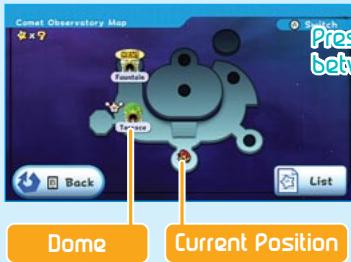
Comet Observatory Map
This is acurrently open dome.
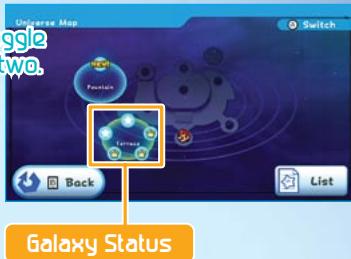
Universe Map
A galaxy that still has Power Stars to collect.
A galaxy where you have collected all the Power Stars.
A newly discovered galaxy.

Send Your Star List to a Friend
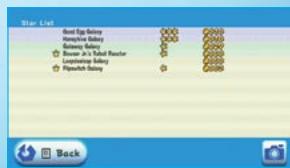
Select on your Map screen to access the Star List. From here you can see which Power Stars you've collected. Using Nintendo Wi-Fi Connection, you can send your list of stars to your message board or to friends to show them how well you're doing! A page at the bottom also shows all of your race times.

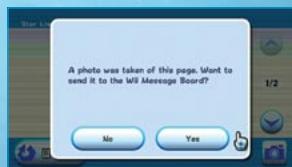
Select on the Star List screen to take a picture of the page.

When you see the screen to the right, you can send the image to your Wii Message Board. When you send the image, mail will arrive and you can send the attached image to friends.
- Please see your Wii Operations Manual for more information on how to send messages.
VEUILLEZ LIRE ATTENTIVEMENT L'INTEGRALITE DU MODE D'EMPLOI DE LA Wii AVANT D'UTILISER VOITRE SYSTème, VOTRE DISQUE DE JEU, OU VOS ACCESSOIRS Wii. CE MODE D'EMPLOI COMPRED D'IMPORTANTES INFORMATIONS SUR VOTRE SANTÉ ET VOTRE SECURITÉ.
INFORMATIONS IMPORTANTES CONCERNANT VOTRE SECURITE: VEUILLEZ LIRE LES PRECAUTIONS SUIVANTES AVANT QUE VOUS OU VOTRE ENFANT NE JOUIEZ À VOS JEUX VIDÉO.