MARIO KART WII - Video game NINTENDO - Free user manual and instructions
Find the device manual for free MARIO KART WII NINTENDO in PDF.


User questions about MARIO KART WII NINTENDO
0 question about this device. Answer the ones you know or ask your own.
Ask a new question about this device
Download the instructions for your Video game in PDF format for free! Find your manual MARIO KART WII - NINTENDO and take your electronic device back in hand. On this page are published all the documents necessary for the use of your device. MARIO KART WII by NINTENDO.
USER MANUAL MARIO KART WII NINTENDO
NEED HELP WITH INSTALLATION, MAINTENANCE OR SERVICE?
Nintendo Customer Service
SUPPORT.NINTENDO.COM
or call 1-800-255-3700
Recorded tips for many titles are available on Nintendo's Power Line at (425) 885-7529. This may be a long-distance call, so please ask permission from whoever pays the phone bill. If the information you need is not on the Power Line, you may want to try using your favorite Internet search engine to find tips for the game you are playing. Some helpful words to include in the search, along with the game's title, are: "walk through," "FAQ," "codes," and "tips."
BESOIN D'AIDE POUR L'INSTALLATIO L'ENTRETIEN OU LA RÉPARATION?
Service à lalienté de Nintendo SUPPORT.NINTENDO.COM ouappelezle1-800-255-3700 BESOIN D'AIDE DANS UN JI
The Official Seal is your assurance that this product is licensed or manufactured by Nintendo. Always look for this seal when buying video game systems, accessories, games and related products.
- Some people (about 1 in 4000) may have seizures or blackouts triggered by light flashes or patterns, and this may occur while they are watching TV or playing video games, even if they have never had a seizure before.
- Anyone who has had a seizure, loss of awareness, or other symptom linked to an epileptic condition should consult a doctor before playing a video game.
- Parents should watch their children play video games. Stop playing and consult a doctor if you or your child has any of the following symptoms:
Convulsions
Loss of awareness
Eye or muscle twitching
Involuntary movements
Altered vision
Disorientation
- To reduce the likelihood of a seizure when playing video games:
- Sit or stand as far from the screen as possible.
- Play video games on the smallest available television screen.
- Do not play if you are tired or need sleep.
- Play in a well-lit room.
- Take a 10 to 15 minute break every hour.
WARNING - Repetitive Motion Injuries and Eyestrain
Playing video games can make your muscles, joints, skin or eyes hurt. Follow these instructions to avoid problems such as tendinitis, carpal tunnel syndrome, skin irritation or eyestrain:
- Avoid excessive play. Parents should monitor their children for appropriate play.
Take a 10 to 15 minute break every hour, even if you don't think you need it. - If your hands, wrists, arms or eyes become tired or sore while playing, or if you feel symptoms such as tingling, numbness, burning or stiffness, stop and rest for several hours before playing again.
- If you continue to have any of the above symptoms or other discomfort during or after play, stop playing and see a doctor.
CAUTION - Motion Sickness
Playing video games can cause motion sickness in some players. If you or your child feel dizzy or nauseous when playing video games, stop playing and rest. Do not drive or engage in other demanding activity until you feel better.
IMPORTANT LEGAL INFORMATION
This Nintendo game is not designed for use with
any unauthorized device. Use of any such device will invalidate your Nintendo product warranty. Copying of any Nintendo game is illegal and is strictly prohibited by domestic and international intellectual property laws. "Back-up" or "archival" copies are not authorized and are not necessary to protect your software. Violators will be prosecuted.
WARRANTY & SERVICE INFORMATION
You may need only simple instructions to correct a problem with your product. Try our website at support.nintendo.com or call our Consumer Assistance Hotline at 1-800-255-3700, rather than going to your retailer. Hours of operation are 6 a.m. to 7 p.m., Pacific Time, Monday - Sunday (times subject to change). If the problem cannot be solved with the troubleshooting information available online or over the telephone, you will be offered express factory service through Nintendo. Please do not send any products to Nintendo without contacting us first.
HARDWARE WARRANTY
Nintendo of America Inc. ("Nintendo") warrants to the original purchaser that the hardware product shall be free from defects in material and workmanship for twelve (12) months from the date of purchase. If a defect covered by this warranty occurs during this warranty period, Nintendo will repair or replace the defective hardware product or component, free of charge.* The original purchaser is entitled to this warranty only if the date of purchase is registered at point of sale or the consumer can demonstrate, to Nintendo's satisfaction, that the product was purchased within the last 12 months.
GAME & ACCESSORY WARRANTY
Nintendo warrants to the original purchaser that the product (games and accessories) shall be free from defects in material and workmanship for a period of three (3) months from the date of purchase. If a defect covered by this warranty occurs during this three (3) month warranty period, Nintendo will repair or replace the defective product, free of charge.*
SERVICE AFTER EXPIRATION OF WARRANTY
Please try our website at support.nintendo.com or call the Consumer Assistance Hotline at 1-800-255-3700 for troubleshooting information and repair or replacement options and pricing.*
*In some instances, it may be necessary for you to ship the complete product, FREIGHT PREPAID AND INSURED FOR LOSS OR DAMAGE, to Nintendo. Please do not send any products to Nintendo without contacting us first.
WARRANTY LIMITATIONS
THIS WARRANTY SHALL NOT APPLY IF THIS PRODUCT: (a) IS USED WITH PRODUCTS NOT SOLD OR LICENSED BY NINTENDO (INCLUDING, BUT NOT LIMITED TO, NON-Licensed GAME ENHANCEMENT AND COPIER DEVICES, ADAPTERS, AND POWER SUPPLIES); (b) IS USED FOR COMMERCIAL PURPOSES (INCLUDING RENTAL); (c) IS MODIFIED OR TAMPERED WITH; (d) IS DAMAGED BY NEGLIGENCE, ACCIDENT, UNREASONABLE USE, OR BY OTHER CAUSES UNRELATED TO DEFECTIVE MATERIALS OR WORKMANSHIP; OR (e) HAS HAD THE SERIAL NUMBER ALTERED, DEFACED OR REMOVED.
ANY APPLICABLE IMPLIED WARRANTYES, INCLUDING WARRANTYES OF MERCHANTABILITY AND FITNESS FOR A PARTICULAR PURPOSE, ARE HEREBY LIMITED IN DURATION TO THE WARRANTY PERIODS DESCRIBED ABOVE (12 MONTHS OR 3 MONTHS, AS APPLICABLE). IN NO EVENT SHALL NINTENDO BE LIABLE FOR CONSEQUENTIAL OR INCIDENTIAL DAMAGES RESULTING FROM THE BREACH OF ANY IMPLIED OR EXPRESS WARRANTYES. SOME STATES DO NOT ALLOW LIMITATIONS ON HOW LONG AN IMPLIED WARRANTY LASTS OR EXCLUSION OF CONSEQUENTIAL OR INCIDENTIAL DAMAGES, SO THE ABOVE LIMITATIONS MAY NOT APPLY TO YOU.
This warranty gives you specific legal rights. You may also have other rights which vary from state to state or province to province.
Nintendo's address is: Nintendo of America Inc., P.O. Box 957, Redmond, WA 98073-0957 U.S.A.
This warranty is only valid in the United States and Canada.
DOLBY PRO LOGIC II
Manufactured under license from Dolby Laboratories. Dolby, Pro Logic, and the double-D symbol are trademarks of Dolby Laboratories.
This game is presented in Dolby Pro Logic II. To play games that carry the Dolby Pro Logic II Logo in surround sound, you will need a Dolby Pro Logic II, Dolby Pro Logic or Dolby Pro Logic IIx receiver. These receivers are sold separately.
© 2008 Nintendo. TM, © and the Wii logo are trademarks of Nintendo. All rights reserved. © 2008 Nintendo.

Blue Marble image courtesy of NASA.

Contents

Controls 3 Game Modes 10
Getting Started 5 Nintendo WFC 14
Driving Techniques 7 Mario Kart Channel 19
Items 8

Controls
This game uses the Wii Remote™ (either alone, with the Wii Wheel™, or the Nunchuk™), Classic Controller (sold separately), or the Nintendo GameCube™ Controller (sold separately).
- In this manual, the primary control scheme will be the Wii Remote and Wii Wheel [Wii Wheel style].
- Please see Driving Techniques [page 7] for detailed control information.
Wii Remote in Wii Wheel
The orange text represents control during menu-screen navigation.
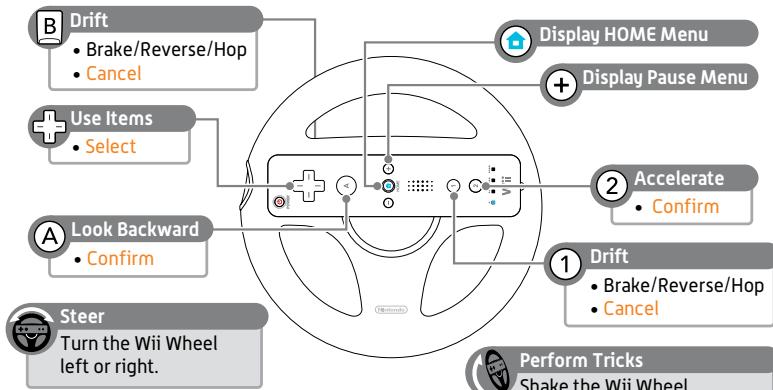

Perform Wheelies
When riding a bike, lift the Wii Wheel up. To end the wheeie, push the Wii Wheel down.

erform Tricks
Shake the Wii Wheel when jumping.
Refer to the Wii Operations Manual and manual for each controller on how to connect the controller.
Wii Remote & Nunchuk

Look Backward

Steer
- Select

Jse Items

Perform a Wheelie
When riding a bike, lift the Wii Remote up. To end the wheelic, push the Wii Remote down.

Accelerate
- Confirm
Drift

Snake/Reverse/Hon
- Cancel

Display Pause Menu

Display HOME Menu
Perform Tricks
Shake the Wii Remote when jumping.
Classic Controller

Display Pause Menu

L Use Items

Steer
- Select

Perform Tricks
Press when jumping.

Perform/End Wheelies
Press up or down when riding a bike.

Look Backward

Accelerate
- Confirm

Drift
Brake/Reverse/Hop
Cancel ⑥

Display HOME Menu
Nintendo GameCube Controller

Use Items

Steer
- Select
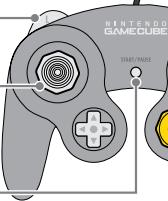

play Pause Menu

Select 8 Cancel

rm/End Wheelies
Press up or down on when riding a bike.

Drift
·Br
ake/Reverse/Hop


Look Backward

Accelerate
will on the Nintendo
Perform Tricks
Press when jumping.
To prevent damage to your console or Game Disc, don't pull on the Nintendo GameCube controller during play or eject the Game Disc while changing the
GameCube Controller.
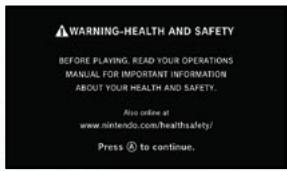
Insert the Mario Kart Wii Game Disc in the disc slot. The Wii will turn on, and the screen on the right will appear. Read the contents and press A to confirm.
* The screen on the right will appear even if you insert a Game Disc when the Wii is on.
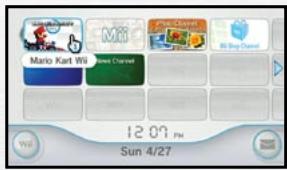
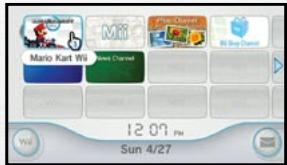
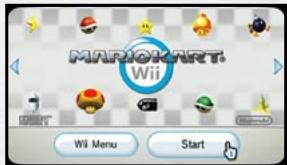
When the Wii Menu appears, point the cursor at the Disc Channel and press A.
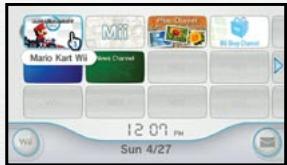
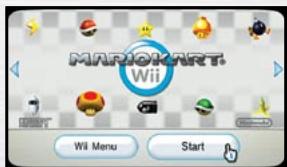
3 When the Channel Preview screen appears, point the cursor at Start and press A.
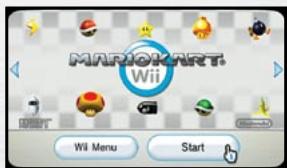
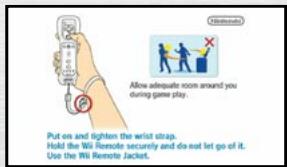
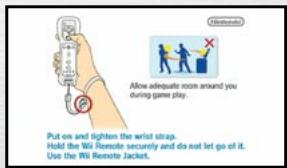
A screen will appear that shows you how to attach the wrist strap. When you are finished reading the instructions, press (A) to continue.
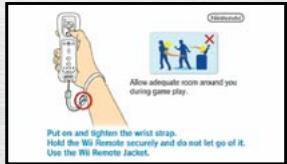
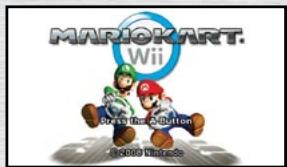
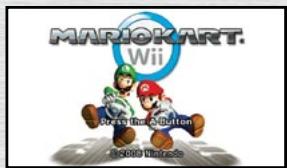
Next, the title screen will appear. Press A to go to the Select License screen [page 6].
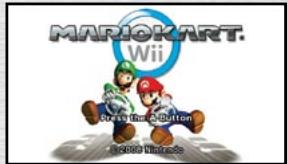
If you want to change the controller, please do so at the title screen. If you change it on a menu screen, the screen on the right will appear, and you should press A to move forward.
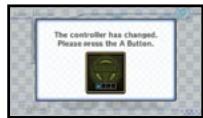
- You cannot change a controller in the middle of a race. Also, if you're using a Nintendo GameCube Controller, you can only change it at the title screen.
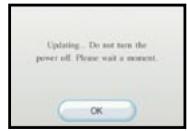
SYSTEM MENU UPDATE
Please note that when first loading the Game Disc into the Wii console, the Wii will check if you have the latest system menu, and if necessary a Wii system update screen will appear. Press OK to proceed.

Select License
When playing for the first time, place the cursor over a new license and press ④ to confirm. If you want to use an existing license, choose it and press ④ to continue.
You can register up to four licenses.

Go back one screen.
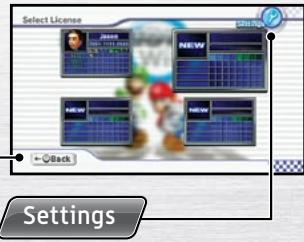
Change various settings here.
Create a License
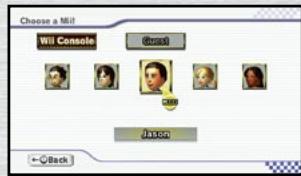
If you choose a new license in the Select License screen, you will go to the Choose a Mii screen. In addition to the six preset Miis, you will be able to choose any of the Miis in the Mii Channel. After you choose a Mii, your license will be ready and you will go to the Main Menu [page 10].
- You can change the registered Mii in License Settings.
- For information on how to add Miis to your Mii Channel, please check the features section [Mii Channel] of your Wii Operations Manual.

About Save Data

#
This game saves automatically, and you need 23 blocks of empty space in your Wii system memory. When you end a race, your progress to that point will automatically be saved in your license.
- For information on how to delete save data in your Wii system memory, please check the features section [Wii Options] of your Wii Operations Manual.
- Do not turn the power off or press RESET while saving.
- The save data cannot be copied to an SD Card.
Here are some tips to help you improve your driving skills! There are two types of vehicles that you can choose from, karts and bikes, and each has its own driving techniques.
The explanations for these techniques use the Wii Wheel control scheme. When using the Wii Wheel, (2) is the acceleration button. If using any other control scheme, please refer to the control layouts on page 4 for the corresponding button.
Rocket Start
Press and hold ② at just the right time during the countdown to rev up your engine and give yourself a burst of speed off the starting line.
Drifting
Drifting lets you take sharp corners without slowing down. To drift, press 8 while holding ② when turning to slide sideways. Also, while drifting, you can change your direction by turning
- If you select Automatic Drift, you can drift by using just
Mini-Turbo
After drifting for a bit, sparks will fly from your tires. Release when blue flames start shooting out to get a boost of speed, also called a Mini-Turbo.
- Mini-Turbos are only possible when your drift mode is set to Manual.
Super Mini-Turbo
Continue to drift after the blue flames appear, and they will turn orange. Release at this point to activate a bigger boost of speed, also called a Super Mini-Turbo.
- Super Mini-Turbos are only possible when your drift mode is set to Manual and you are driving a kart.
Trick
Shake the Wii Wheel up, down, left, or right as you leave a platform to perform a trick (in the air. Successful tricks give you a short speed boost when you land.
Wheelie
Tilt the Wii Wheel up when riding a bike to perform a wheelie and get a speed boost. Be careful, though, because it's more difficult to turn when doing a wheelie, and if another vehicle hits you during your wheelie, you'll slow down and lose control. To exit the wheelie, simply push your Wii Wheel back down.
- You can only perform wheelies when driving a bike.
Pick up items in a race to perform various actions.
- During team battles [page 13], your items won't affect your teammates.

Getting Items
Pass through item blocks to pick them up. The item you get is randomly determined.
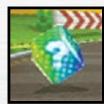
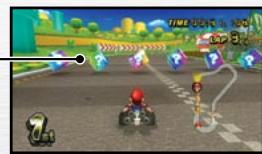
If you already have an item, you can't pick up another one. However, if you equip an item, you can pick up another one.


Using Items
Use items by pressing +
Equipping Items
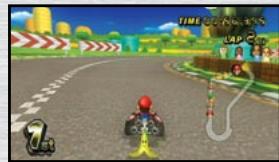
You can equip certain items. When an item is equipped, it acts like a shield. Items like Triple Bananas can be equipped by pressing once, while others, like the Banana, will only stay equipped for as long as you hold
Throwing Items
You can throw some items backward or forward. To throw an item forward, press . To throw it behind you, press .
- When using controllers other than the Wii Wheel, throw items forward by pressing the button to use items while pressing the Control Stick forward.
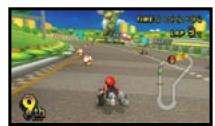
You might drop an item if you flip or spin out. If you drive over a dropped item, you will feel its effects immediately.

Item List
Items with can be dragged behind you.

Banana/Triple Bananas
Vehicles that roll over bananas will spin out. Press to equip Triple Bananas.
Press + again to drop them.

Green Shell/Triple Green Shells
Green shells move in straight lines when thrown. If you hit a vehicle, it will Shells. Press ④ again to throw them.
flip over. Press to equip Triple Green Shells. Press again to throw them.

Red Shell/Triple Red Shells
Red Shells home in on the closest
vehicle in front of you. If you hit it, the vehicle Red Shells. Press + again to throw them.

Bob-omb!
When thrown, they will explode after a certain
amount of time or when a vehicle runs into them. Vehicles that hit the explosion will roll or spin out.

Spiny Shell
Spiny Shells find the vehicle in first place and explode on impact. Any vehicle caught in the blast will flip or spin out.

Fake Item Box
Though they look like regular Item Boxes, if a vehicle hits one, the vehicle will flip over.

Mushroom/Triple Mushrooms
Mushrooms provide a short speed boost. Triple Mushrooms give three speed boosts.

Golden Mushroom
For a temporary speed boost, press + as many times as you like for a short period of time.

Bullet Bill
Bullet Bills let you fly automatically through the track, knocking over any vehicle you hit on your way.

Blooper
Bloopers spray ink on all vehicles ahead of you and reduce their visibility.

Lightning
Lightning zaps your opponents, causing them to spin out, drop their items, shrink, and drive more slowly for a while.

Star
Stars turn you invincible for awhile. While invincible, your top speed increases and you'll knock over any vehicle you hit.

Mega Mushroom
Mega Mushrooms turn you into a giant for a short time and give you a short speed boost. While huge, you'll flatten any vehicles that get in your way.

POW Block
POW Blocks shake the ground, causing opponents to spin out and drop their items.

Lightning Cloud
Lightning clouds float above you, and after a set amount of time, zap you with lightning. If you hit an ice time runs out, however, you can pass the cloud off.
- During a team race (page 13), some of the items won't affect your teammates.
Mario Kart Wii features four sections, each with different game modes.

Main Menu
Point the cursor over the section you want to enter and press ()
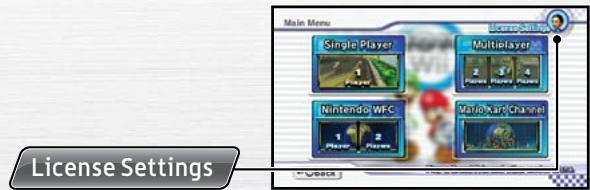
| Single Player | Choose from four game modes to play alone. |
| Multiplayer | Choose from four game modes to play in groups of two to four people. |
| Nintendo WFC (page 14) | Play people from around the world. Each match can hold up to 12 people, with up to two people playing on the same Wii. |
| Mario Kart Channel (page 19) | Check ranking, tournament, and friend information. |

Game Modes
You can access different modes depending on whether you're in the Single Player or Multiplayer section.
| Single Player | Multiplayer | ||
| Grand Prix | (page 11] | Playable | — |
| Time Trial | (page 12] | Playable | — |
| VS | (page 13] | Playable | Playable |
| Battle | (page 13] | Playable | Playable |

Grand Prix
There are eight cups, with each cup featuring four different tracks. Race against 11 other opponents on each track for the best overall standings.
Starting a Race
- As you progress through the game, more characters and vehicles become available.
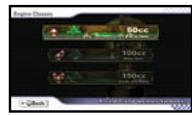
Class
Choose from three classes.
Only karts can race in 50cc matches, only bikes can race in 100cc matches, and both bikes and karts can race in 150cc matches.
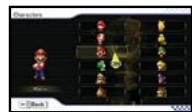
Characters
Choose your driver.
- As you progress through the game, more characters will become available.
Vehicles
Choose your vehicle.
- The type of vehicles available to you depends on the size of your character. Only selectable vehicles will appear.
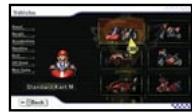
- As you progress through the game, more vehicles will become available.
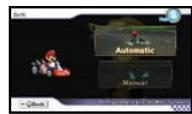
Drift
Choose your drift mode.
Automatic lets you drift automatically, with no Mini-Turbos. Manual lets you control the drift and gives you the option of Mini-Turbos.
Cups
Choose a cup to compete in.
More cups become available as you progress through the game.

Start the race.

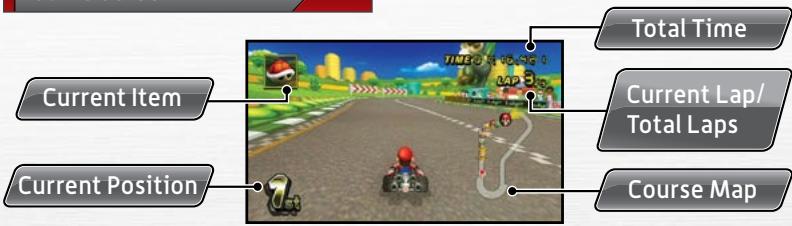
Game Screen
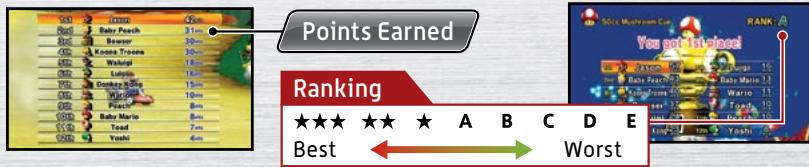
Results
You earn points based on your placement in a race. After you complete all four courses, your points are added together to determine your overall ranking. Gold, silver, and bronze trophies are awarded for first, second, and third place overall. Your driving technique will also be ranked.

Time Trial
Race through a course by yourself to break the existing time record.
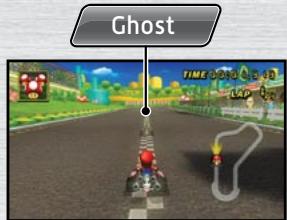
Ghosts
When you earn a new Time Trial record, you create a ghost that records your exact path.
After selecting a course, if you choose Race a Ghost, it will appear with you.
Saving a Ghost
If you beat your fastest time, your race data will automatically be saved as a ghost. You can view your saved ghosts in the Rankings section (page 21).
- You can save a single ghost per course for each license. When you succeed in uploading your ghost data for a course, your old ghost is overwritten and can no longer be loaded.

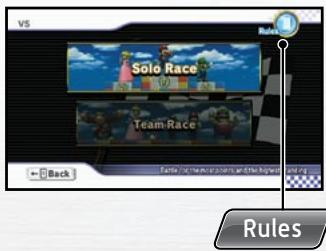
VS
In Single-Player mode, you will race against CPU players. In Multiplayer mode, two to four players will race.
Race Select
Solo Race
Race alone against others for the most total points.
Team Race
Split into two teams and compete for the most total points.
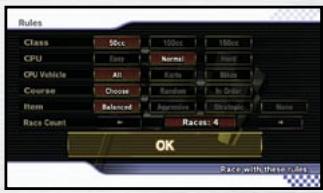
VS Rules
Choose Rules and press A to set the engine class, CPU difficulty, vehicle types, and much more.

Battle
In Single Player mode, you will battle against CPU players. In Multiplayer mode, two to four players will battle.
- Battles are played in teams. The first team to reach the number set in the win count wins.
Battle Select
Balloons Popped
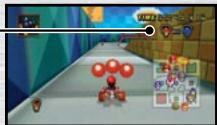
Balloon Battle
Pop the other team's balloons. The team with the most points at the end wins.
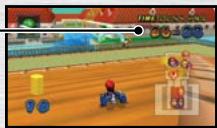
Coin Runners
The team that collects the most coins wins.
Coins Collected
To protect your privacy, do not give out personal information such as last name, phone number, birth date, age, school, e-mail, or home address when communicating with others.
The End User License Agreement that governs Wii online game play and sets forth the Wii Privacy Policy is available in the Wii console's System Settings and online at support.nintendo.com/wiiprivacy.jsp.

Nintendo Wi-Fi Connection
1 By choosing Nintendo WFC 1 Player, one player with one Wii can connect to Nintendo WFC. By choosing Nintendo WFC 2 Player, two players with one Wii can connect to Nintendo WFC. Choose the mode you want to play and press A.
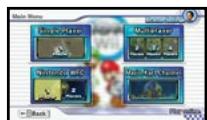
*During 2 Player matches, the screen will split into two sections. Player 2 will also register a controller and choose a Mii.
The Nintendo WFC screen will appear and you will start to connect to Nintendo WFC.
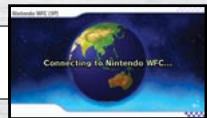
3 When you are successfully connected, the mode-selection screen will appear. Choose a mode to play and press A.
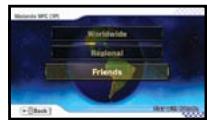
- If you have friends connected to Nintendo WFC while you're connected, the Friends icon will change and the Mii for your friends will change to or .
Worldwide
Regional
Play an opponent from somewhere around the world.
Play an opponent in your region.
Your rating changes depending on the result of your match.
- Your rating is a number that represents how strong a player you are. It starts at 5000 and goes up if you win a match and down if you lose. You can choose to play against others who have the same approximate rating as you.
Friends
Compete with people registered to your friend roster. The results of friend matches don't affect your rating.
- In order to play with friends, you need to register them to your friend roster [page 18].
Continue to page 15.
Continue to page 16.

Worldwide

Regional
Choose from VS or Battle modes [page 13].
- In VS races and battles, your ratings are calculated independently. In VS races, you earn a VR (VS Rating), and in battles, you earn a BR (Battle Rating).
1 Choose Game Mode
Choose between race and battle modes.
2 Choose Characters, Vehicles, Drift Mode
Choose your character, vehicle, and drift mode.
3 Find Opponents
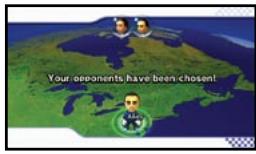
Once opponents have been found, you will vote on which course to play. If the person you want to play is in the middle of a race, you will watch the race and then vote on a course after it ends.
4 Vote on a Course or Stage
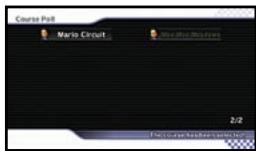
Vote on a course from the 32 available.
After every player has voted, a course will be selected and the race will start.
- In Battle mode, you can choose from 10 stages.
5 View Results
When a race ends, players' ratings will change depending on where they place.
- When a race ends, players return to the check members screen.

Friends
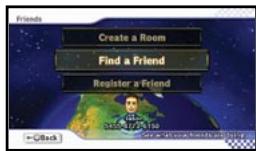
You can compete with faraway friends in a VS race [page 13] or battle [page 13]. Also, you can join a friend who is currently playing online when you're online as well.
- You can choose between playing in teams or by yourself when participating in a VS race.
Hosting a Race
1 Create a Room
To host a race, create a room by selecting Create a Room and pressing A.
Joining a Friend
1 Find a Friend
You can join a friend who is already connected to Nintendo WFC. Choose that friend's Mii and press A to confirm.
The Mii's face changes to reflect your friend's status
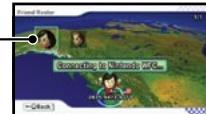
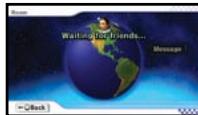
2 Wait for Friends
Wait until your friends join your room.
-
When you want to shut the room down, choose Back and press A.
-
If you shut the room down, friends that have joined you will either return to the title screen or Friends menu.
2 Check Your Friends' Status and Join a Match
Choose Meet Up and press ()
Note: Depending on their status, you may be unable to join some friends.
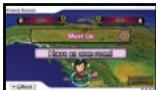
Join a friend's room and play.
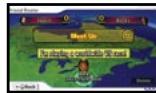
Join a race that your friend is playing [Worldwide or Regional].
Continue to page 17.
Continue to page 15.
Continued from page 16.
3 Send a Message
While waiting in a room for a match to start, you can send messages to friends to discuss simple strategies.
- If there are players in the room who are not registered to your friend roster, the Register icon will appear. Select it and press A to ask them to register you as a friend. If the other player accepts, you can register each other without exchanging friend codes.
4 Select a Mode
Choose Close and press A to choose the game mode and rules.
4 Wait to Start
You can send messages to your friends while waiting for the game mode and rules to be selected.
5 Choose Characters, Vehicles, Drift Mode
Choose the character, vehicle, and drift mode that you will use during the race.
6 Check the Participants
Confirm the match's participants.
7 Vote on a Course or Stage
See 4 on page 15.
8 End the Race
Until you complete three races, you will return to 7 Vote on a Course or Stage.
Once you've completed four races, you will return to 4 Wait to Start.

Find a Friend (Friend Rosten)
Your friend roster will display your friends' Miis. By choosing your friends' Miis, you can check th connection status (open room/playing a game, s page 16) or check their registration information can also delete them from your friend roster.
- You can register up to 30 friends for each license. Choose a Mii that is online and you can join a Nintendo WFC match.
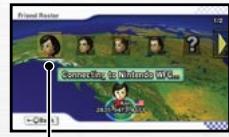
Choose a Mii to start a Nintendo WFC match.

Register a Friend
If you and another person both register each other's friend codes, you will become Mario Kart Wii friends and be able to play together via Nintendo WFC.
1 Exchange friend codes with another player.
If you choose Register a Friend, a screen will appear where you will enter a friend code. After entering it, choose OK and press A.
In order to register each other's friend codes to your friend rosters, you must both connect to Nintendo WFC.
- If both players connect to Nintendo WFC at the same time, they will be registered to one another's friend rosters.
- If one player (P1) connects and disconnects and then the other player (P2) connects later, P1 will be registered to P2's friend roster. For P2 to be registered to P1's friend roster, P1 must connect a second time after P2 has connected. In this case, the hand-keyed friend code will appear on the unregistered player's friend roster.
Unregistered Friend Codes
If the display does not change even after both players have connected, the friend code entered may be incorrect. Please delete the entry and enter it again.
Your Friend's Mii and Nickname
Friends who aren't completely registered will appear only as friend codes. Once registration is complete, their Miis and nicknames will appear.
Using WiiConnect24, you can download ghosts and send your ghost to friends. Also, you can get information about tournaments run through the Mario Kart Channel, as well as information about events.
- If you install the Mario Kart Channel in your Wii Menu [page 5], you can access each of the channel's features without having the Game Disc inserted. However, if you want to race, you will need to insert the Game Disc into the Wii.
In order to use the features of the Mario Kart Channel, you must first define your Internet connection settings and turn WiiConnect24 on.
Cautions Regarding WiiConnect24
- If you connect to WiiConnect24, there is a possibility that your license name and Mii will be seen by many people. See page 14 for privacy protection recommendations.
What is WiiConnect24?
WiiConnect24 allows you to stay connected to the Internet, receive data, and exchange messages with friends and family even if your Wii is off.
24…

How to Use the Mario Kart Channel

Choose the Mario Kart Channel from either the Main Menu or the Wii Menu and press A.

If you selected the Mario Kart Channel from the Wii Menu, you will be taken to the Select License screen (page 6). Select a license and press A to confirm.
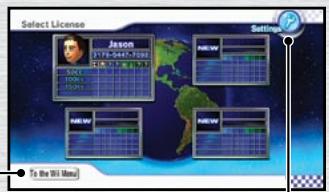
Wii Menu Return to the Wii Menu.
Overall Settings

The Mario Kart Channel menu will appear.
Notices
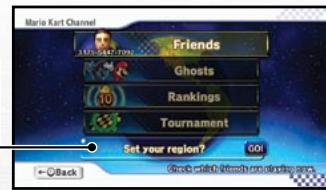
Event information and other notices will be displayed.
- When the "Receive Mario Kart updates" message displays, select it and press (A) to get the latest Mario Kart Channel updates.
- When special notices such as “A tournament is under way” appear, select the notice and press A to move to a new screen with information regarding the posted notice.
When you receive a notice regarding tournaments or ghost challenges, the following notices will appear in the Mario Kart Channel.

You've received an invitation.

A tournament is underway.

You haven't played a ghost race in a while.

A special ghost is available.
| Friends [page 18] | Access your friend roster and register friend codes. |
| Ghosts [page 21] | Race against ghosts from all over the world and check ghosts sent from your friends. |
| Rankings [page 21] | Check your rankings and tournament scores and download the ghosts of the worldwide and regional champions. |
| Tournament [page 22] | Participate in tournaments for a limited time. |

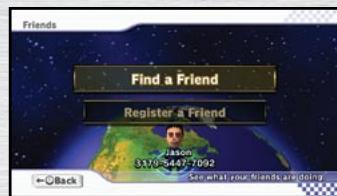
Friends
Choose Find a Friend to view your friend roster and join friends connected to Nintendo WFC [page 18]. Choose Register a Friend to enter new friend codes.
- If you access the Mario Kart Channel through the Wii Menu, you can check your friends' status even if a Game Disc isn't inserted into your Wii.

Ghosts
Ghost Races
Compete in a series of races against ghosts around your skill level.
- Ghosts raced in this mode can't be saved to your downloaded ghost list.
Downloaded Ghost List
Check which ghosts you've downloaded or challenge one to a race. You can also get rid of ghosts you don't want anymore by selecting Erase Ghost.
- Each license can save a maximum of 32 ghosts.

Rankings
Watch replays of your Time Trial or ghost races. The center of the ranking graph represents the average ranking. Miis farther to the left represent slower performances and Miis farther to the right indicate times closer to the fastest records. The number of Miis stacked vertically at a given point on the graph indicates the approximate number of people who have ranked at a given level.
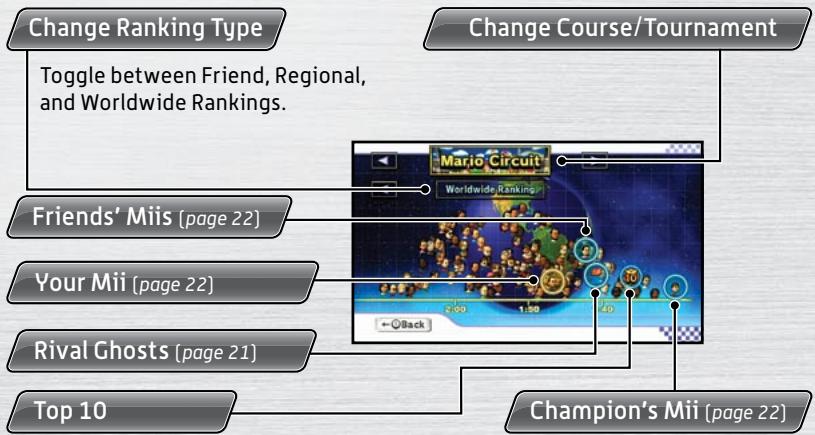
Check the records of the Top 10 players for the course/ranking currently displayed.
- You can't save the ghosts from anyone in the Top 10.
Your Friends' Miis
Your friends' race records are displayed here and are automatically updated through WiiConnect24. When you select one of your friend's Miis, the following options will appear.
Send a Ghost Challenge Send your ghost as a challenge.
Replay Watch a replay of your friend's ghost.
Race Compete against a friend's ghost in Time Trial mode.
- You can send a maximum of five challenges at once.
- If you haven't downloaded records from a particular friend, or that friend hasn't played the selected course in Time Trial mode, no records will appear for them.
- If you haven't received a ghost from your friend as part of a challenge, only the Send a Ghost Challenge option will display.
- When you receive a ghost from a friend, it will be announced via a notice and will be saved to your downloaded ghost list.
Your Mii
Your record for the currently displayed course can be seen here. Select this Mii to play Time Trial mode or view a replay.
Rival Ghosts
Select this option to download and race ghosts that have records just slightly faster than your own for the currently displayed course. You can also view replays.
- Once downloaded, rival Ghosts will save to your downloaded ghost list.
Champion's Mii
Select this option to download and race against the worldwide and regional champion for the currently displayed course. You can also view a replay.
- Once downloaded, each course's champion ghost will save to your downloaded ghost list.

Tournament
Compete in a tournament held for a limited amount of time. To participate, select Tournament from the Mario Kart Channel. Read the notices, then continue to select your character, vehicle, and drift mode and press (A). After you've finished the race, add your performance to the tournament rankings by selecting Send Your Record.
VEUILLEZ LIRE ATTENTIVEMENT L'INTÉGRAlité DU MODE D'EMPLOI DE LA Wii™ AVANT D'UTILISER VOTRE SYSTème, VOTRE DISQUE DE JEU, OU VOS ACCESSOIRS Wii. CE MODE D'EMPLOI COMPEND D'IMPORTANTES INFORMATIONS SUR VOTRE SANTÉ ET VOTRE SECURITÉ.
INFORMATIONS IMPORTANTES CONCERNANT VOTRE SECURITE: VEUILLEZ LIRE LES PRECAUTIONS SUIVANTES AVANT QUE VOUS OU VOTRE ENFANT NE JOUIEZ À VOS JEUX VIDÉO.
WARNING-HEALTH AND SAFETY
BEFORE PLAYING READ YOUR OPERATIONS
MANUAL FOR IMPORTANT INFORMATION
ABOUT YOUR HEALTH AND SAFETY.
Also online at
www.nintendso.com/healthsafety/
Press to continue.
WARNING-HEALTH AND SAFETY
BEFORE PLAYING, READ YOUR OPERATIONS
MANUAL FOR IMPORTANT INFORMATION
ABOUT YOUR HEALTH AND SAFETY.
Also online at
www.nintendso.com/healthsafety/
Press to continue.