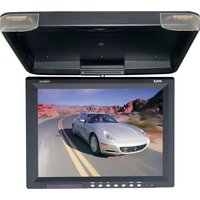
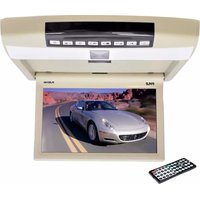
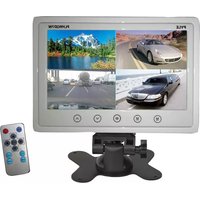
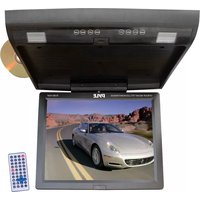
PHUD12 - Monitor Pyle - Free user manual and instructions
Find the device manual for free PHUD12 Pyle in PDF.


Pick your language and provide your email: we'll send you a specifically translated version.
| Product Type | LCD Monitor |
| Screen Size | 12.0 inches |
| Resolution | 1024 x 768 pixels |
| Aspect Ratio | 4:3 |
| Brightness | 300 cd/m² |
| Contrast Ratio | 500:1 |
| Viewing Angle | 160° (H) / 140° (V) |
| Input Connectors | VGA, Composite Video, Audio |
| Built-in Speakers | Yes, 2 x 2W |
| Power Source | 12V DC (car adapter included) |
| Power Consumption | 15W (typical) |
| Dimensions (W x H x D) | 11.6 x 9.2 x 1.5 inches |
| Weight | 3.5 lbs |
| Mounting | VESA 75x75mm compatible |
| Operating Temperature | 32°F to 104°F (0°C to 40°C) |
| Storage Temperature | -4°F to 140°F (-20°C to 60°C) |
| Cleaning | Use a soft, dry cloth. Avoid harsh chemicals. |
| Safety Features | Over-voltage protection, short circuit protection |
| Spare Parts | Available through Pyle customer service |
| Warranty | 1 year limited warranty |
Frequently Asked Questions - PHUD12 Pyle
How do I mount the Pyle PHUD12 monitor?
The monitor supports VESA 75x75mm mounting. Use appropriate screws and a compatible mount.
What power source does the PHUD12 require?
It operates on 12V DC power. A car adapter is included for vehicle use.
What video inputs are available?
The monitor has VGA and Composite Video inputs. Audio input is also provided.
Can I connect the PHUD12 to a computer?
Yes, use the VGA cable to connect to a computer's VGA port.
What is the native resolution of the PHUD12?
The native resolution is 1024 x 768 pixels, typical for 12-inch monitors.
Does the monitor have built-in speakers?
Yes, it features 2 x 2W built-in speakers for audio output.
How do I clean the screen?
Use a soft, dry cloth. Do not use abrasive cleaners or liquids directly.
What should I do if the monitor does not power on?
Check the power cable connection and ensure the vehicle (if using car adapter) is powered. Verify the fuse if necessary.
Is the PHUD12 compatible with rearview cameras?
Yes, it supports Composite Video input commonly used for backup cameras.
Where can I find spare parts or accessories?
Contact Pyle customer service or visit the official website for replacement parts.
User questions about PHUD12 Pyle
0 question about this device. Answer the ones you know or ask your own.
Ask a new question about this device
No questions yet. Be the first to ask one.
Download the instructions for your Monitor in PDF format for free! Find your manual PHUD12 - Pyle and take your electronic device back in hand. On this page are published all the documents necessary for the use of your device. PHUD12 by Pyle.
USER MANUAL PHUD12 Pyle
Manual assistant
Powered by Anthropic
Waiting for your message
Product information
Brand : Pyle
Model : PHUD12
Category : Monitor