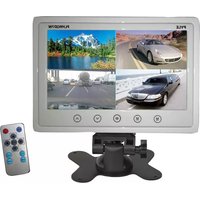
PLHRQD7W - Monitor Pyle - Free user manual and instructions
Find the device manual for free PLHRQD7W Pyle in PDF.


| Product Type | Video Baby Monitor |
| Display Size | 7 inches TFT LCD |
| Display Resolution | 480 x 234 pixels |
| Night Vision | Built-in IR LEDs for clear night vision |
| Two-Way Audio | Built-in microphone and speaker |
| Wireless Range | Up to 300 feet outdoors |
| Power Supply | AC adapter (included) for monitor |
| Battery Type | Rechargeable lithium-ion battery (monitor) |
| Battery Life | Up to 4 hours continuous use |
| Dimensions (Monitor) | 7.5 x 5.5 x 1.2 inches |
| Weight (Monitor) | 1.2 lbs |
| Channels | 2.4 GHz FHSS, 2 channels |
| Temperature Sensor | Room temperature display |
| Feeding Timer | Built-in feeding timer reminder |
| Lullabies | 4 pre-installed lullabies |
| Wall Mountable | Yes, with included bracket |
| Cleaning Instructions | Wipe with dry cloth, avoid liquids |
| Safety Certification | FCC, CE, RoHS compliant |
| Warranty | 1 year limited warranty |
Frequently Asked Questions - PLHRQD7W Pyle
User questions about PLHRQD7W Pyle
0 question about this device. Answer the ones you know or ask your own.
Ask a new question about this device
Download the instructions for your Monitor in PDF format for free! Find your manual PLHRQD7W - Pyle and take your electronic device back in hand. On this page are published all the documents necessary for the use of your device. PLHRQD7W by Pyle.
USER MANUAL PLHRQD7W Pyle
XI. Panel button function

- Mode: Split image switch
2.TFT MENU - Power:ON/OFF
- Decrease brightness, contrast, color, vol, etc
- Increase brightness, contrast, color, vol, etc
XII.PACKAGING LIST
| SN | NAMES | QUANTITY |
| 1 | Host | 1 |
| 2 | Remote controller | 1 |
| 3 | User's Manual | 1 |
| 4 | Power Cable | 1 |
| 5 | Small bracket(optional) | 1 |
MS 11122703A
7" TFT/LCD Video Quad Monitor
USER'S MANUAL
natural_image
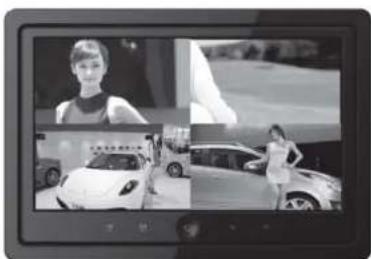
Black-and-white photo collage showing a woman in a dress and two cars on display, one with a slight smile (no visible text or symbols)Please read this Manual thoroughly before using this product and keep it well for future reference.
Thank you for purchasing our products. To enjoy all the features of this product and ensure it free of fault as long as possible, please read this Manual thoroughly and follow the instructions herewith accordingly:
- No parts of this product can be repaired by user himself. In case of faults, shut off the power immediately, and consult us or our dealers, As this product is made of precise electronic components, unauthorized detachment or reassembly may damage it
- Do not expose this device in moisture, dirt, smoke, vapor or direct sunshine.
- Do not use thinner or other chemical cleaner to clean the device. Please use soft wet cloth to clean the dirt if any on the device.
- Keep the monitor far from extremely hot or cold places, storage temperature of this device is -20^ +65^
- Avoid dropping or bumping this device.
CAUTIONS:
For your safety, driver please do not watch the Monitor while you are driving
-1-
X. REPLACE BATTERY
In normal conditions, the battery has 1 year life (or shorter, it depends on the operating conditions). The lower the power of battery is, the narrower the working range of the power is.
Precautions of lithium battery
- Please keep the battery out of reach of children, if children has swallowed the batteries, please ask doctor for help.
- Clean the batteries with dry cloth so as to ensure they are in good contact
- When installing batteries, make sure they are properly fit in polarity.
- Do not use metal clamp to clip the batteries, in order to prevent short circuit.
WARNINGS!
If improperly handled, the batteries may explode, do not charge the batteries, decompose them or put it into fire.
Installation procedures of batteries:
• Take out battery card: press down the card bolt, pull out the battery card
- Replace the batteries: place in battery card, with anode (+) upward
- Insert battery card: insert the battery card to the original place

\~6\~
VIII.Monitor

natural_image
Black-and-white photo collage showing a woman in a studio, a car with a person posing, and a car on display (no visible text or symbols)IX. OPERATIONS OF REMOTE CONTROLLER

- Power
- Up
- Function decrease
- Down
- Function increase
- MENU
- Split image switch
- Four video switch in each split image
\~5\~
I.SPECIFICATION
| TYPE | 7inch |
| Screen size | 7-inch TFT LCD Panel |
| Definition | 480RGB(W)X234(H) |
| System | PAL/NTSC |
| Nominal voltage | 12V,red line;positive;black |
| Power consumption | 6W MAX |
| Way of control | Touch button |
| Purpose | Monitor and vehicle entertainment |
| Working environment | -20°C~+65°C |
II.ON INSTALLATION
• We strongly recommend have qualified technician or maintenance engineer install this device.
- If this monitor does not work well, check the connection first, then the fuse if it the connection is ok.
- Improper installation of this Monitor may cause battery leakage or short circuit
III.DEWING
When environmental temperature declines dramatically, dew may occur inside the monitor, user need wait for a minute till the moisture vapors, then the device will return to good condition.
If you have any query or question about this machine, please consult your nearest dealer.
-2-
IV. ADDITIONAL INFORMATION
Precautions of remote controller
- Do not place the remote controller on dashboard, steering wheel or any other place under direct sunlight especially in summer, where there is high temperature which may deform the remote controller.
- When parking the car in the sun, please place the card-style remote controller in toolkit or other safe places.
- When exposed in direct sunlight, signal emitting from the remote controller may not be properly received by the monitor. It should be place nearer to the inductor of frontal panel of the host.
ON LCD
- Do not press the screen of LCD, otherwise distortion or other fault may occur. the image may become unclear or LCD may be damaged.
• Precautions of cleaning
Uses a little wet soft cloth to clean the screen.
Do not use solvent such as gasoline, thinner, cleaner in the market or anti static spray to clean the screen.
Do not use this product when environmental temperature is lower than -20°C or higher than 65°C
- If you park your car in an extremely cold or hot place, the video may become unclear, it is not a fault, when the temperature in car returns to normal level, the video will become clear.
- Static blue or red spot may appear on the monitor, this is called light spot, it is a common phenomenon for any kind of LCD. LCD is a very precise device, more than 99.99% segment is normal, but less than 0.01% segment may be flaw, however, this will not affect your visual effects.
V.Connection of DVD player

1 Yellow 1 Video input 1
2 Yellow 2 Video input 2
3 Yellow 3 Video input 3
4 Yellow 4 Video input 4
5 Red "+"
6 Black GND
7 Blue Resverse lamp
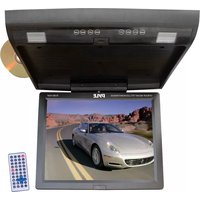
Brand : Pyle
Model : PLHRQD7W
Category : Monitor