VICTRIX Pro BFG - Controller PDP - Free user manual and instructions
Find the device manual for free VICTRIX Pro BFG PDP in PDF.


Pick your language and provide your email: we'll send you a specifically translated version.
| Product Type | Wireless Game Controller |
| Brand | PDP |
| Model | VICTRIX Pro BFG |
| Compatibility | PlayStation 5, PC |
| Dimensions | 17.5 x 10.5 x 6.5 cm |
| Weight | 280 g |
| Power | Rechargeable lithium-ion battery 1000 mAh |
| Battery Life | Approximately 20 hours |
| Connectivity | Wireless (2.4 GHz or Bluetooth), Wired USB-C |
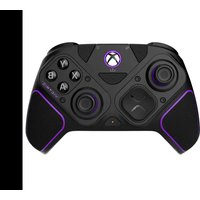
| Main Features | Modular controller with interchangeable sticks, adjustable triggers, programmable rear paddles |
| Maintenance and Cleaning | Clean with a soft, dry cloth. Do not use abrasive products. |
| Safety | Do not expose to moisture. Turn off if overheating. |
| Spare Parts and Repairability | Interchangeable sticks and buttons, replaceable battery |
| General Information | Professional controller for competitive gamers, officially licensed for PlayStation |
Frequently Asked Questions - VICTRIX Pro BFG PDP
How to pair the VICTRIX Pro BFG controller with my PS5?
Use the 2.4 GHz wireless mode with the included USB dongle, or connect it via USB-C. For Bluetooth, enable pairing on the PS5.
Are the sticks interchangeable?
Yes, the controller is modular. You can replace the sticks with different types (concave, convex, short, long) included in the box.
How to program the rear paddles?
Press the FN button, then the desired paddle, then press the key to map. To confirm, press FN again.
What is the battery life?
Battery life is approximately 20 hours in wireless use, depending on settings and lighting.
Can I use the controller on PC?
Yes, it is PC compatible in wired mode (USB-C) or wireless via the 2.4 GHz dongle or Bluetooth.
How to adjust trigger sensitivity?
The triggers have switches on the top to switch between hair trigger mode (short travel) and normal mode (long travel).
Is the controller officially licensed for PS5?
Yes, it is officially licensed by Sony for PlayStation 5.
How to clean the controller?
Use a soft, slightly damp cloth (not wet). Avoid chemicals and do not immerse the controller in water.
What to do if the controller doesn't turn on?
Check the battery: plug it in via USB-C for at least 30 minutes. If still nothing, reset with the tool provided in the small hole on the back.
Where to find spare parts?
Sticks, buttons, and paddles are available on the official website pdp.com or from authorized retailers.
User questions about VICTRIX Pro BFG PDP
0 question about this device. Answer the ones you know or ask your own.
Ask a new question about this device
No questions yet. Be the first to ask one.
Download the instructions for your Controller in PDF format for free! Find your manual VICTRIX Pro BFG - PDP and take your electronic device back in hand. On this page are published all the documents necessary for the use of your device. VICTRIX Pro BFG by PDP.
USER MANUAL VICTRIX Pro BFG PDP
Manual assistant
Powered by Anthropic
Waiting for your message
Product information
Brand : PDP
Model : VICTRIX Pro BFG
Category : Controller