LT - Microphone Lectrosonics - Free user manual and instructions
Find the device manual for free LT Lectrosonics in PDF.


Pick your language and provide your email: we'll send you a specifically translated version.
| Product Type | Wireless Bodypack Transmitter |
| Brand | Lectrosonics |
| Model | LT |
| Frequency Range | 470 - 614 MHz (UHF) |
| Dimensions (H x W x D) | 3.1 x 2.4 x 0.8 in (79 x 61 x 20 mm) |
| Weight (with battery) | 4.1 oz (116 g) |
| Power Supply | 2 AA alkaline batteries |
| Battery Life | Up to 8 hours (alkaline) |
| Audio Input Connector | TA5M (5-pin) for lavalier or headset microphones |
| Modulation | FM (Frequency Modulation) |
| RF Power Output | 50 mW / 100 mW selectable |
| Frequency Response | 35 Hz - 20 kHz (±1 dB) |
| Dynamic Range | >109 dB (A-weighted) |
| Audio Input Impedance | 1 kOhm (adjustable via software) |
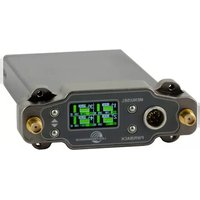
| LCD Display | Backlit LCD for frequency, battery, audio level |
| IR Sync | Yes, for quick frequency matching with receiver |
| Antenna | Removable, flexible whip antenna |
| Operating Temperature Range | -10°C to 50°C (14°F to 122°F) |
| Maintenance | Clean with a dry cloth; avoid moisture and extreme temperatures |
| Safety Precautions | Use only AA alkaline or NiMH batteries; do not submerse in water |
| Spare Parts Availability | Battery compartment cover, antennas, belt clip available from Lectrosonics |
| Repairability | Serviceable by authorized technicians; modules replaceable |
| General Information | Professional wireless microphone transmitter compatible with Lectrosonics UHF receivers |
Frequently Asked Questions - LT Lectrosonics
How do I pair the LT transmitter with a receiver?
Use the IR sync function: place the transmitter's IR port near the receiver's IR port and press the sync button on the receiver. The frequency will automatically match.
What type of microphone can I connect to the LT?
The LT accepts lavalier or headset microphones with a TA5M (5-pin) connector. Ensure the microphone pinout matches Lectrosonics standard.
How long does the battery last?
With two fresh AA alkaline batteries, battery life is typically up to 8 hours. Using NiMH rechargeables may reduce runtime to about 6 hours.
Can I change the RF power output?
Yes, you can select between 50 mW and 100 mW via the transmitter menu. Higher power extends range but reduces battery life.
How do I clean and maintain the LT?
Wipe the exterior with a dry, soft cloth. Avoid solvents. Keep the antenna and input connector dry. Store in a cool, dry place.
What should I do if the audio level is too low?
Check the audio input gain setting on the transmitter. Adjust it via the menu. Also ensure the microphone is properly connected and not muted.
Is the LT compatible with other wireless systems?
No, the LT is designed specifically for Lectrosonics UHF receivers and uses proprietary digital tuning. It is not compatible with other brands.
How can I extend the operating range?
Set the RF power to 100 mW, use a high-gain antenna on the receiver, and ensure a clear line of sight. Avoid metallic obstacles.
What does the LCD display show?
The LCD shows operating frequency, battery level, audio level meter, and RF power setting. It also displays menus for configuration.
Where can I find spare parts like antennas?
Spare parts are available from Lectrosonics dealers or the official website. Common parts include replacement antennas, belt clips, and battery door.
User questions about LT Lectrosonics
0 question about this device. Answer the ones you know or ask your own.
Ask a new question about this device
No questions yet. Be the first to ask one.
Download the instructions for your Microphone in PDF format for free! Find your manual LT - Lectrosonics and take your electronic device back in hand. On this page are published all the documents necessary for the use of your device. LT by Lectrosonics.
USER MANUAL LT Lectrosonics


Manual assistant
Powered by Anthropic
Waiting for your message
Product information
Brand : Lectrosonics
Model : LT
Category : Microphone