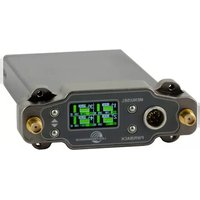
DSR4 - Microphone Lectrosonics - Free user manual and instructions
Find the device manual for free DSR4 Lectrosonics in PDF.


Pick your language and provide your email: we'll send you a specifically translated version.
| Product Type | Digital Stereo Receiver |
| Model | Lectrosonics DSR4 |
| Category | Wireless Microphone Receiver |
| Frequency Range | 470-608 MHz (UHF) |
| Number of Channels | 4 (independent) |
| Modulation | Digital (DSSS) |
| Antenna Type | Removable BNC (2 ports) |
| Audio Outputs | Balanced XLR (4), AES3 digital |
| Headphone Output | 1/4" TRS |
| Network Control | Ethernet (RJ45) with Dante/AES67 |
| Power Supply | AC 100-240V, 50/60 Hz; DC 12V |
| Power Consumption | 30W max |
| Dimensions (W x D x H) | 19" x 10.5" x 1.75" (1U rackmount) |
| Weight | 8.5 lbs (3.85 kg) |
| Operating Temperature | -10°C to 50°C |
| Display | Backlit LCD |
| Frequency Selection | Automatic scan and sync via IR |
| Security Encryption | 256-bit AES |
| Compatible Transmitters | Lectrosonics DCHT, DBSM, etc. |
| Maintenance | Clean exterior with dry cloth; do not use solvents |
| Safety Certifications | FCC Part 15, CE, RoHS |
| Spare Parts Available | Antennas, power supply, rack ears |
| Repairability | Serviceable by authorized technicians |
| Included Accessories | Power cord, rack ears, 2 antennas |
Frequently Asked Questions - DSR4 Lectrosonics
How do I pair a transmitter with the DSR4?
Press the SYNC button on the receiver and then activate the IR sync on the transmitter within 6 inches. The receiver will automatically tune to the transmitter's frequency.
What is the operating range of the DSR4?
Under ideal conditions, the range is up to 300 feet (100 meters) line-of-sight. Obstacles and interference can reduce range.
Can the DSR4 be used with non-Lectrosonics transmitters?
No, the DSR4 is designed exclusively for Lectrosonics D-Series digital transmitters for optimal performance and compatibility.
How do I update the firmware on the DSR4?
Connect the receiver to a computer via Ethernet, then use the Lectrosonics Updater app to install the latest firmware from the website.
What audio outputs are available?
The DSR4 provides balanced XLR outputs for each channel, a headphone output, and digital AES3 output via the DANTE module.
How do I reset the DSR4 to factory settings?
Hold down the Menu button while powering on the unit until 'Factory Reset' appears. Confirm with the Select button.
What is the power consumption of the DSR4?
The DSR4 consumes approximately 30 watts of power. It can be powered by AC 100-240V or DC 12V (external supply).
Does the DSR4 support multi-channel operation without interference?
Yes, the DSR4 uses digital diversity and frequency-agile tuning to ensure interference-free operation of up to 4 channels simultaneously.
How do I clean the DSR4?
Unplug the unit, then wipe the exterior with a soft, dry cloth. Do not use any liquids or abrasive cleaners.
What should I do if the display is not working?
Check the power connection and ensure the unit is on. If the issue persists, try a factory reset. If still broken, contact Lectrosonics support for repair.
User questions about DSR4 Lectrosonics
0 question about this device. Answer the ones you know or ask your own.
Ask a new question about this device
No questions yet. Be the first to ask one.
Download the instructions for your Microphone in PDF format for free! Find your manual DSR4 - Lectrosonics and take your electronic device back in hand. On this page are published all the documents necessary for the use of your device. DSR4 by Lectrosonics.
USER MANUAL DSR4 Lectrosonics


Manual assistant
Powered by Anthropic
Waiting for your message
Product information
Brand : Lectrosonics
Model : DSR4
Category : Microphone