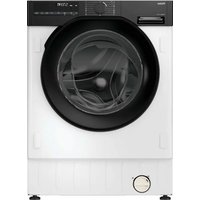
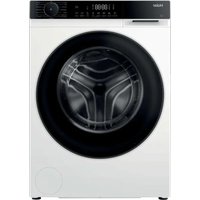
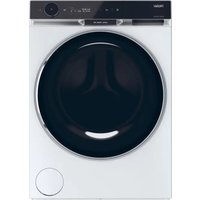
HW-C1470TVE-F - Washing machine HAIER - Free user manual and instructions
Find the device manual for free HW-C1470TVE-F HAIER in PDF.


User questions about HW-C1470TVE-F HAIER
0 question about this device. Answer the ones you know or ask your own.
Ask a new question about this device
Download the instructions for your Washing machine in PDF format for free! Find your manual HW-C1470TVE-F - HAIER and take your electronic device back in hand. On this page are published all the documents necessary for the use of your device. HW-C1470TVE-F by HAIER.
USER MANUAL HW-C1470TVE-F HAIER
FRONT LOAD WASHING MACHINE
Service Manual
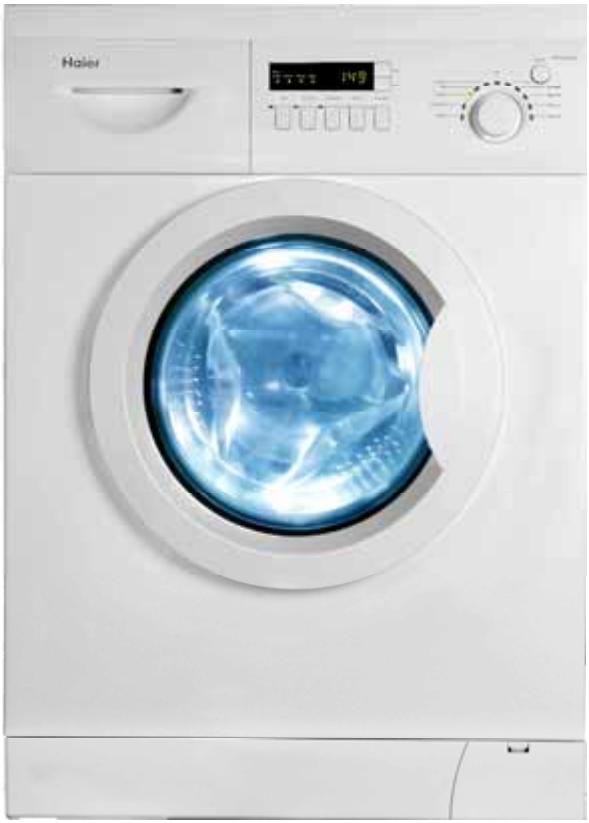
Suited model:
HW-C1270TVE-F
HW-C1470TVE-F
Features
- 300mm diameter porthole, door may be open at a 180 degrees.
- Class-A energy-saving;Class-A washing performance,Homocentric tubs with higher energy efficiency
Multi-gear speed controller - Unique gasket design featuring no residual water hidden inside
Delay time adjustive
Large wash load capacity 7kg
1 Contents
2 Features 2
3 Sale points 2
4 Specification 3
5 Safety 5
6 Installation 8
7 Net dimension 11
8 Names of the parts 12
9 Operational Functions 13
10Trouble shooting 16
11 Wiring circuit 26
FEATURES
- 300mm diameter porthole, door may be open at a 180 degrees.
Facilitate view of wash process, facilitate unloading and easy to use with large port.
Class A energy-saving, Class A washing performance
Scientific design for tub can reduce the use of water heavy during washing, consequently upgrade the energy efficiency class to A,also use scientific washing
Multi-gear speed controller
According to different costuming you can select corresponding spin speed from 400 to 1000 rpm.
- Unique gasket design featuring no residual water hidden inside.
By the unique gasket washing machine can left no residual water hidden between outer drum and front board.
- Delay time adjustive.
According to different costuming you can select delay time from 0.5h to 24h.
Sale points
One sentence for simplicity
Tight machine body without any wasting places
Three sentences for convenience:
I. Choose from 11 programs, convenient uses to provide you much benefit
II. Front-Load structured to ensure placing clothes much more facility
III. Humanistic design for control panel to help expedient operation
Five sentences for tech-support:
I. No need to be worried because of the function of intelligent-memory
II. Satisfied to encourage children's curiosity because of the child-lock
III. Perish your trouble because of the alarm to the fault
IV. Make you happy because of quick-wash in 29 mins
V. Reassure for you because of the 24hours pre-wash which may offer you washing anywhere and anytime.
SPECIFICATION
| Proposal | 2008 | New Sensor | |
| Front loaders washing machines | HW-C70TVE SERIES | ||
| 1. | Product identification | ||
| Description of appliance | Washing machine | ||
| Type of appliance (FS = standing, BI = built-in) | FS | ||
| Supplier own brand | Haier Haier | ||
| Supplier bar code | EAN | ||
| Mares computer code | Haier | ||
| Commercial Brand / Model | Haier | ||
| Commercial bar code | EAN | Haier | |
| 2. | Key-Features | ||
| Energy efficiency class | A | ||
| Washing performance class | A | ||
| Spin efficiency class | B | ||
| Programs | n° | 11 | |
| Capacity | kg | 7 | |
| Spin speed (max. / optional) | rpm | 1200-400 | |
| Noise level(spin) | dB(A) | 70.9 | |
| Energy consumption per wash circle * | kWh | 1.05 | |
| Water consumption* | I | 51 | |
| Residual dampness (spin result) | % | 50% | |
| Spin speed selector switch (steps) | rpm | ● | |
| Spin speed variator (stepless) | rpm | ● | |
| Adjustable thermostat (water temp. adjust from - to) | °C | 90/60/50/40/30 | |
| Drum capacity dry laundry / water | kg / l | 7/51 | |
| Auto water level adjust (depending on volume of filled in laundry) | AWL | ● | |
| Washing time (max.) | min | 178 | |
| Washing temperatures (program-controlled) | °C | 30 - 90 | |
| Certification's (CE / ISO 9001 / ISO 9002) | CE / ISO 9001 | ||
| Approvals (VDE/GS / TÜV/GS / IMQ) | TÜV | ||
| * EN 60456 (60°C cycle, full load without pre-wash) *= COLD | ● | ||
| 3. | Basics data | ||
| Unit dimensions (H x W x D) | cm | 84 x 59,5 x 61 | |
| Net weight | kg | 72 | |
| Voltage/frequency | V/Hz | 220-240V~50Hz | |
| Input power / main fuse (intensity) | W / A | 2000/10 | |
| Work top / removable | -/- | ||
| Control M = electromechanical, E = electronic, F = fuzzy | E | ||
| Inner cylinder S = stainless steel / Z = zinc coated | S | ||
| Outer cylinder P = Plastic / S = stainless steel | P | ||
| Door: | |||
| aesthetic (R = round, Y = big eye, Q = square) | Y | ||
| Diameter | cm | 30 | |
| Outer door frame S= stainless steel / M = metal / P = plastic | P | ||
| Inner door G= glass / P= plastic | G | ||
| Detergent compartments | n° | 3 | |
| Removable compartment for liquid detergent | - | ||
| Delay timer (from - to) | h | 0.5-24 | |
| Self cleaning suds pump | ● | ||
| Water inlet hose cold water / hot water | ●/- | ||
| Water drain hose / -support | ●/● | ||
| Adjustable feet | n° | 4 | |
| 4. | Safety systems | ||
| Auto door lock | ADL | ● | |
| Motor overheating protection | MOP | ● | |
| No heating without water | NHW | ● | |
| Auto water cool-down (before drain 90°C boiled water) | AWC | ● | |
| ACQUA Stop kit | - | ||
| Child protection | ● | ||
| Programs | |||
| 5. | 1) Strong action /cotton cycles | n° | 1 |
| 2) Normal action / synthetics | n° | 1 | |
| 3) Delicate action / wool cycles | n° | 1 | |
| Pre-wash / wash | ●/- | ||
| Quick wash / super quick wash | ●/- | ||
| Rinse / soften | ●/- | ||
| Delicate / hand wash | -/- | ||
| Wool / cashmere | ●/- | ||
| Soak / spin | -/- | ||
| Drain | ● | ||
| Easy ironing | - | ||
| Optional function keys (additional program settings) | |||
| ON/OFF button | ● | ||
| Half load | - | ||
| Fussy | - | ||
| Spin exclusion | ● | ||
| Spin reduction | rpm | ● | |
| High water level | ● | ||
| Rinse hold | ● | ||
| Rinse stop | - | ||
| Delicate | - | ||
| Cold wash | * | ● | |
| Sport wash | ● | ||
| ECO | ● | ||
Stand for having the function
- Stand for not having the function
ECO stand for economical wash
Matters Needing Attention
Safety
- A separate earthed socket is required for the power supply. The socket should be reachable by the power cable of the machine.
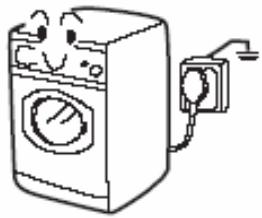

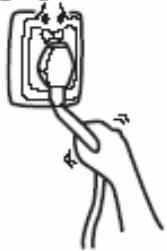
- Hold the plug and not the electric cable when unplugging the power supply.

- Fuses in the power circuit should be rated for 15A.


- Do not touch or use the washing machine bare-footed or when the hands or feet are wet.
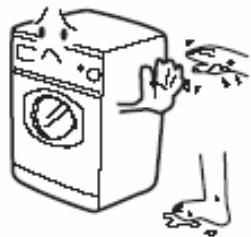

- Do not use flammable detergent or dry cleaning agent; do not use flammable spray in close vicinity to the washing machine; do not remove or insert the plug in the presence of flammable gas.
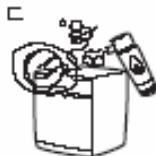

t6. The door of the washing machine will become hot during the heating process. Avoid contact with the door during the heating process.
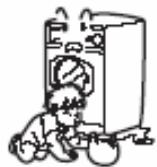

- Keep children away from the packing materials after unpacked.
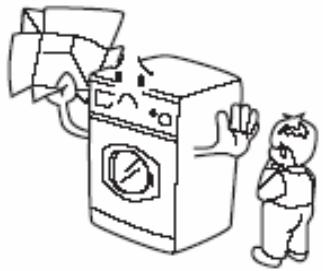

Matters Needing Attention
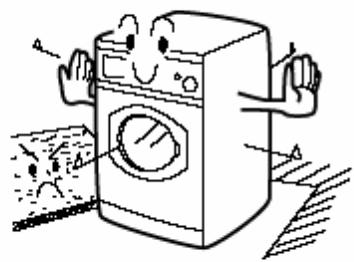
- The washing machine should not be installed outdoors or in a damp place. In the event of water leakage or splashes allow the machine to dry naturally.


- Do not place the washing machine directly on a carpet, or close to a wall or furniture.

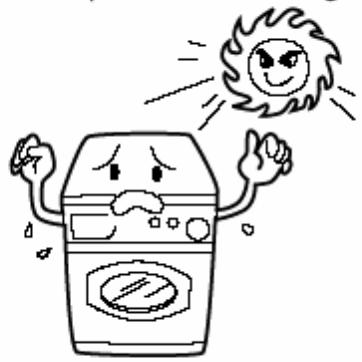
- Keep away from heat sources and direct sunlight to prevent plastic and rubber components from aging.

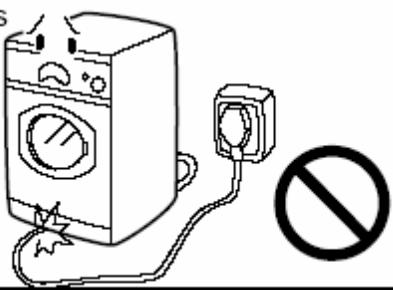
- During installation, ensure that the electric cable is not trapped by the washing machine and avoid damage to the electric cable.
If the supply cord is damaged, it must be replaced by the manufacturer, its service agent or similarly
qualified persons in order to avoid a hazard.
During Use
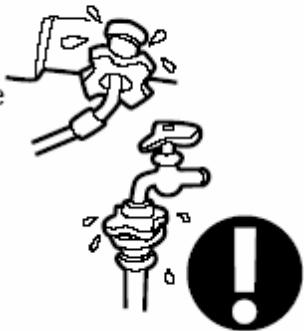
- Before use, check the joints of the filling hose, the tap and the drainage hose for possible problems from water pressure fluctuations. If joints are loose or there is leakage, turn off the tap and repair. Do not use the washing machine until the hose are properly fixed.
Note: That the appliance is to be connected to the water mains using new hose-sets and that old hose-sets Should not be used
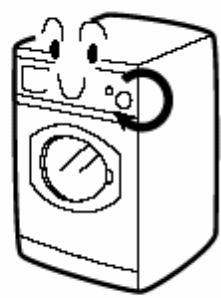
- To select a program, simply turn the knob clockwise or counterclockwise.

Matters Needing Attention
- Do not place heavy, heating source or wet articles on the top of the washing machine.


- Do not hot wash foam rubber or sponge-like materials.


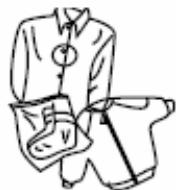
5.Before washing,do up zippers, buttons and clothes straps and put small articles,such as socks,laces orbras,into a washing bag or apillow.
Steel wires in bras will pop out during washing; never wash bras containing steel wires.

- Do not open the detergent distribution drawer during the wash cycle.
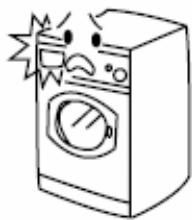

- The door is fitted with a self-lock device and will not open until 2~3 minutes after the washing machine stops. Do not force the door open. Do not open the door if water level can reach the porthole.
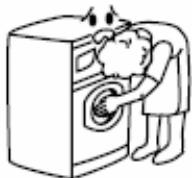

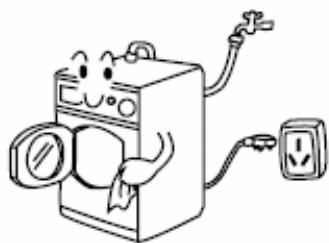
- After each wash program, turn off the tap to prevent leakage; and unplug the washing machine and wipe clean the lower part of the porthole.

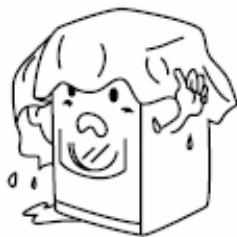
- Keep the door slightly open when the washing machine is not in use to prevent formation of odors; do not cover the washing machine with plastic cover so that inside dampness cannot be kept in.

Installation
- Remove all the packing materials to prevent vibration during use. Upon opening of the package, water drops may be seen on the plastic bag and the porthole. This is normal phenomenon resulting from water test in the factory as shown in Fig 1.
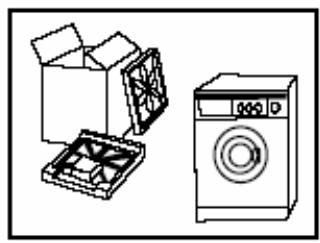
Fig. 1
-
Dismantle the packing bolts as shown in Fig. 2. The packing bolts are designed for clamping anti-vibration components inside of the washing machine during the transportation process. Before use:
-
Remove the back plate;
- Remove the three packing bolts on the back plate and take out the rubber hose;
- Replace the back plate;
- Fill the holes left by the packing bolts with plastic plugs.
Attention: The packing bolts and rubber hoses should be kept in a safe place for later use
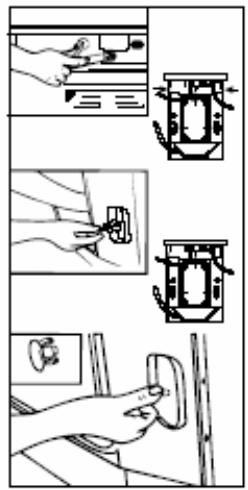
Fig. 2
Adjusting the washing machine
There are adjustable feet under the bottom of the washing machine. Before use, the washing machine should be adjusted, as shown in Fig. 3, so that it is level.
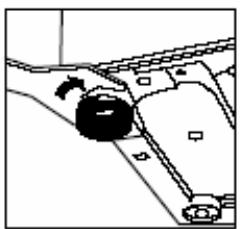
Fig. 3
Maintenance
- Turn off the water tap and pull out electricity plug after each wash. Open the porthole to prevent formation of moisture and odors. If the washing machine is left idle for a long period, drain the water in the machine and replace the drainage hose.
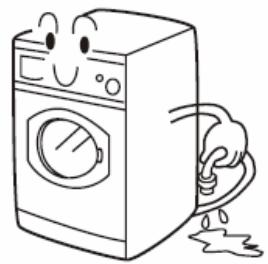
- Unplug the machine during cleaning and maintenance. Use a soft cloth dampened with soap liquid to clean the machine case and rubber components. Do not use organic chemicals or corrosive solvents.
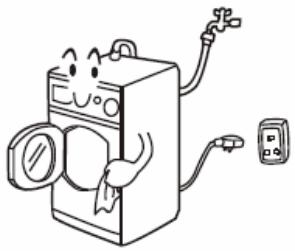
- Clean the detergent distribution drawer regularly.
Swing out the drawer, flush it clean with water and then replace it.
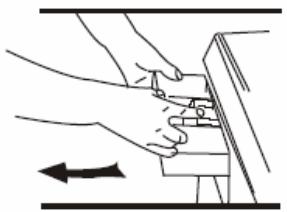
- Clean the filter Cleaning methods (once a month)
1) Push out the outer cover (Fig. 1);
2)Screw out filter by turning counterclockwise (Fig. 2);
3) Flash clean with running water;
4) Replace the filter by turning clockwise and remount the cover. (Fig.3);
Caution: The filter must be in place, or it may lead to leakage.
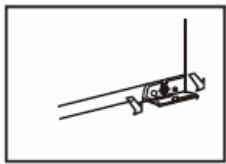
Fig1
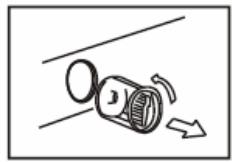
Fig2
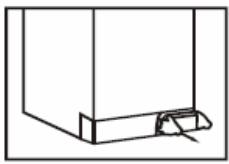
Fig 3
Maintenance
- To prevent blockage to the water supply by ingress of foreign substances, clean the water inlet and inlet filter regularly.
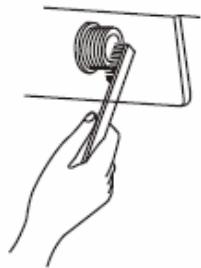
- If the machine is to be moved to a distant place, replace the vibration absorbing locks (packing screws, rubber gaskets) removed before installation to prevent damage as shown below.
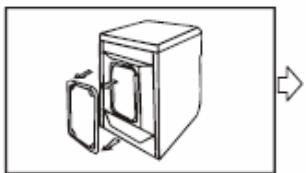
Remove the back cover and take out the three rubber plugs.
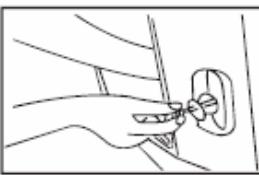
Insert the channel steel vibration locks.
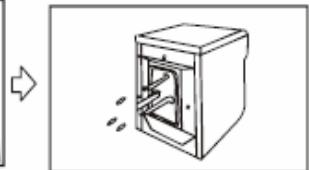
Insert the rubber bolt gaskets.
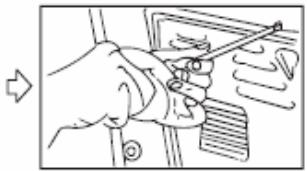
Replace the back cover.
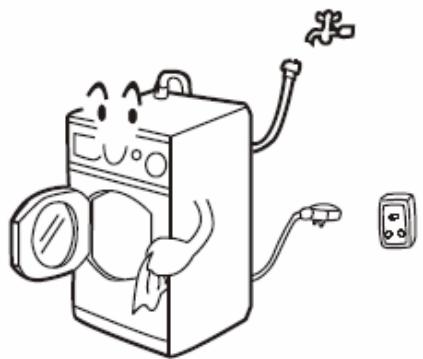
- If the washing machine is left idle for a long period, pull out the electrical plug and turn off the water tap. Open the door to prevent formation of moisture and odors. Let the door open while not used.
Net dimension

HXWXD:840X595X610MM
Names of the part
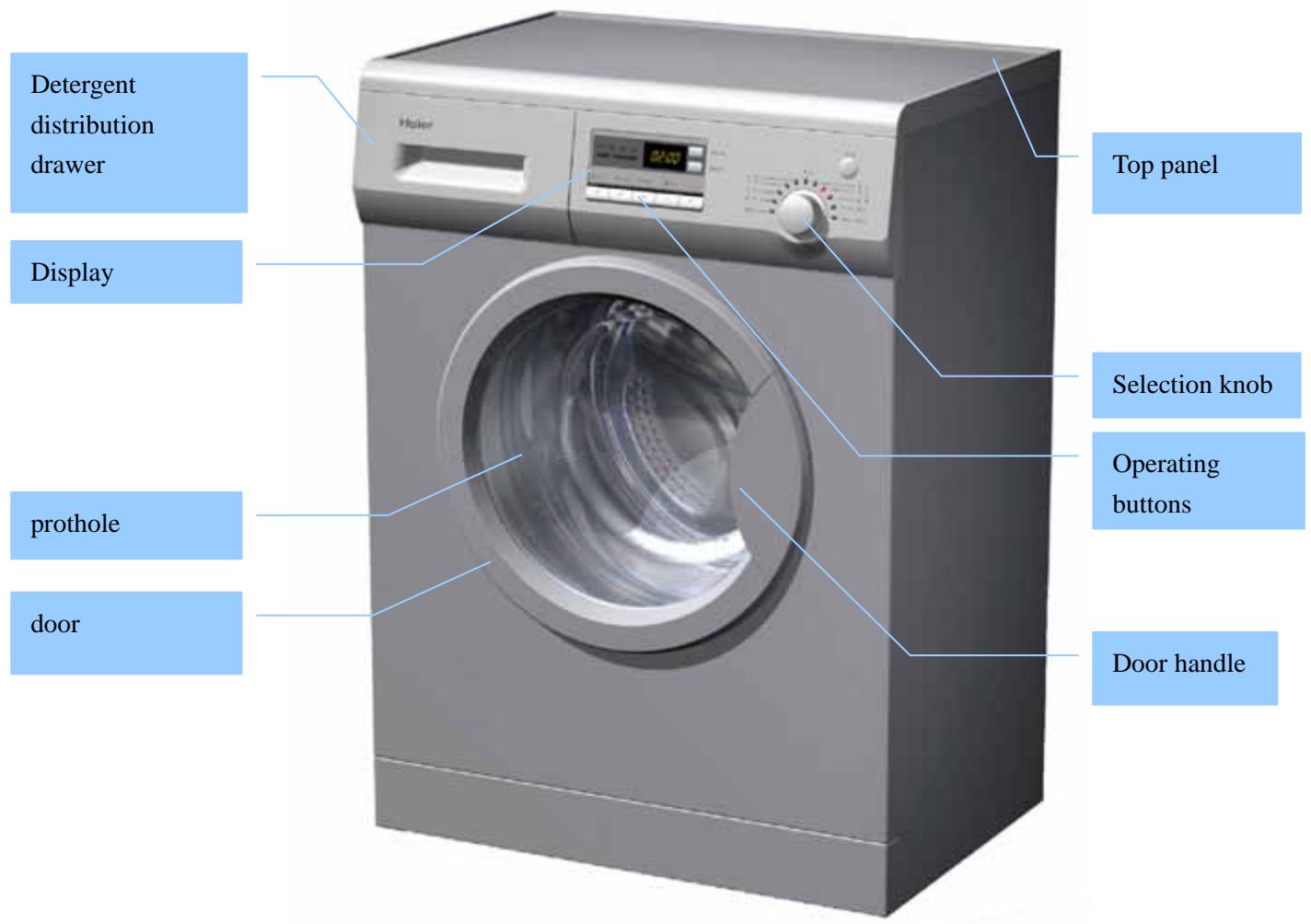
Control panel
Operational Functions
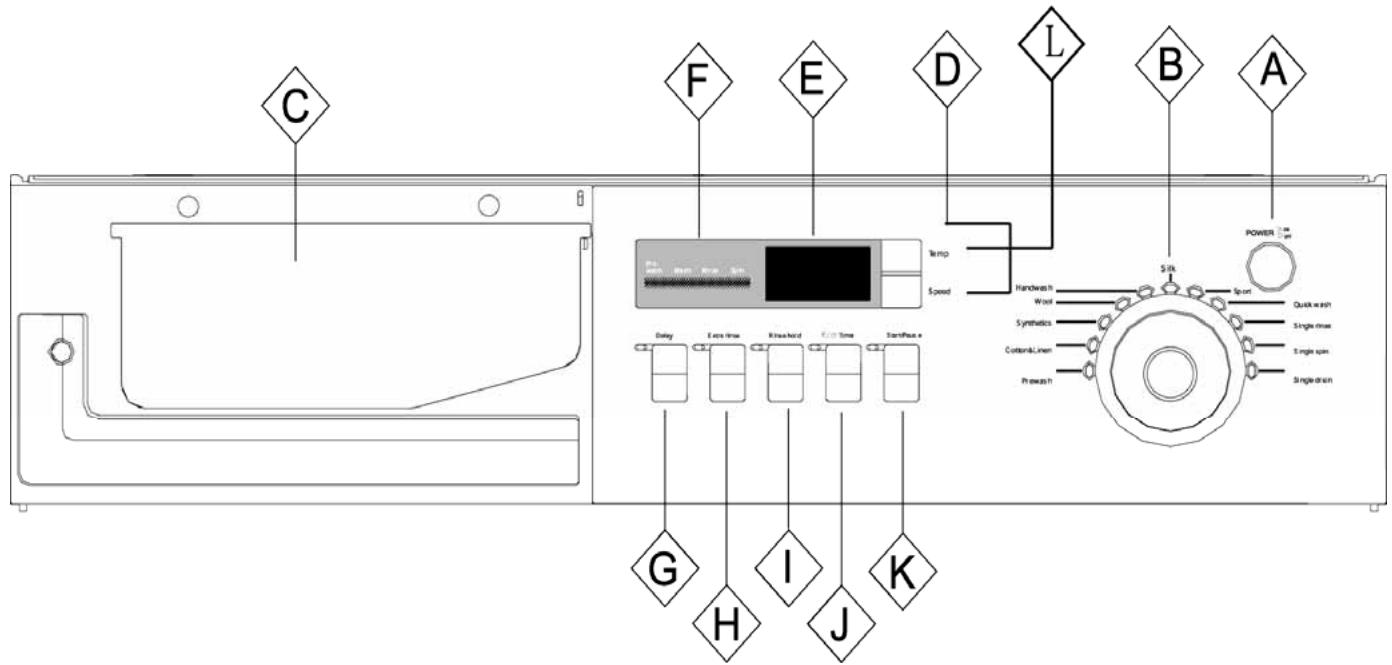
A:Power Switch
Press this button to switch on the washing machine. Press it again to switch it off.
B: Wash programming knob
By turning the knob clockwise/counterclockwise, the required program can be selected.
(Refer to Guide to Operational Program Selection).

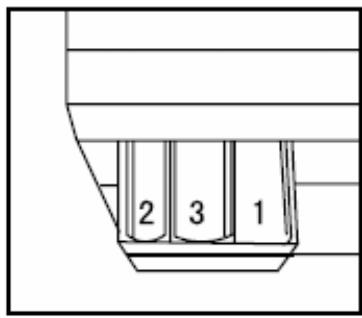
C : Detergent distribution drawer
Open the drawer, three compartments can be seen:
Compartment 1: Pre-wash detergent
Compartment 2: Normal - Quick wash detergent
Compartment 3: Softener, conditioning agent, perfume, etc.
D: Washing temperature knob
Touch this button lightly to select the required temperature (when a temperature is selected, the corresponding indicator will go on).
E:Display
Such information as remaining wash time, temperature and speed setting and error messages will be shown.
Note: After power is switched on, the display will go on and the remaining wash time decreases. As the water pressure and temperature may differ, the remaining time may be adjusted accordingly. When the laundry is not balanced during spinning, the time may be automatically prolonged. These are normal phenomena.
F: Washing indicator
It indicates the washing process of the selected program. When the light is on, it shows that the washing process being indicated is running.
| G: Delay Button Touch this button lightly, the washing machine will start operation after a period of time and the corresponding indicator will go on. The range is 0.5-24 hours; each touch of this button increases a half hour. After the button is set, press the Start/Pause button to start countdown of the set time (the time is displayed on the screen until the program ends). Note:The delay time must be longer than the program time;otherwise,the washing machine will start the wash program directly. |
| H: Extra rinse button Touch this button lightly, the indicator will go on. An additional rinse operation will be activated. Note: Select this function when programme 1-6 or 9 is selected. F Rinse hold button |
| I: Rinse hold button Touch this button lightly, the overhead indicator will go on. When the washing machine is at the last rinsing operation, it will not drain but to start a soaking cycle. If you want to spin the laundry, press this button again, the indicator will go off and operation will resume. Note: Select this function when "prewash","cotton&linen","synthetics" "single rinse"is selected. |
| J: €€ Time button Before a washing program, press this button to set the required washing load (1:3 1:2 2:3 FULL), the washing machine will automatically adjust the water consumption, heating time and washing time. Users can select the washing load as required for economical operation. Note: 1." 1:3-FULL" refers to the four levels of washing load. If the laundry is more than half of the drum content, it is recommended to select 2:3-FULL; otherwise, select 1:3 ~ 1:2 2.For"synthetics","sport",you can only select 1:3 1:2 2:3 3.-Please adjust the detergent quantity according to the washing load selected |
| K: Start / Pause button When the washing machine is plugged and a program is selected, lightly touch this button to start operation. During a wash cycle, touch it lightly, the display will begin blinking and operation will stop. Touch it again to resume operation. |
| L: Spinning speed setting button Touch this button lightly to select the desired speed. There are speed indicators over this button. Note: Please refer to Guide to Operational Program Selection and Washing Instructions for the required washing temperature and spinning speed for different laundry. If you have no specific requirements, please use default settings. |
Special Functions:
- Control panel lock function : To prevent children from accidentally changing the settings,Press"Delay"and"Start/pause"at the same time.This function will work and the "Lock" sign and the remaining program time will appear alternatively . When this fuction is on,allother buttons are locked.press the two button again to unlock.
2.Power-off memory function: this machine has Power-off memory function, in case of abrupt power failure or the power must be cut off during a program cycle, the present settings will be saved and the present operation will resume when the power is on again.
Note:
1.If you want to stop the program setting, at first, you should prests the button of start/pause only one time. Then turn off power, .If you want to start the program setting again, you should turn on the power again, so it is ok.
2. Switch on the power, press the "extra rinse" button and the "rinse hold" button at the same time, the washing machine will display the model. Then press "start/pause" button, the washing machine will be in self check mode.
1) When the door switch is closed for ten seconds, 88:88 will be displayed.
2) When the main wash valve allows water to let in for 3 seconds, 77:77 will be displayed.
3) When the pre-wash valve allows water to let in for 3 seconds, 77:77 will be displayed.
4) When the hot water valve allows water to let in for 3 seconds, 77:77 will be displayed.
5) When the main wash valve, the pre-wash valve and and also the hot water valve allow water to let in for 3 seconds at the same time, 77:77 will be displayed.
6) When the motor runs for ten seconds with the spin speed 93rpm, 66:66 will be displayed.
7) When the motor runs for 50 seconds with the spin speed 800rpm , 66:66 will be displayed.
8) When the main wash and pre-wash allow the water to go in meanwhile until the maxim water level, 55:55 will be displayed.
9) When the water fills the tub fully, it will stop for ten seconds and at this time 55:55 will be displayed.
10) When the motor runs clockwise for 15 seconds with 50 rpm, the washing machine will stop for 5 seconds and at this time 44:44 will be displayed.
11) When the washing machine heats water for 10 seconds, 33:33 will be displayed.
12) When the washing machine drains for 30 seconds, 22:22 will be displayed.
13) When a program cycle is finished, END will be displayed.
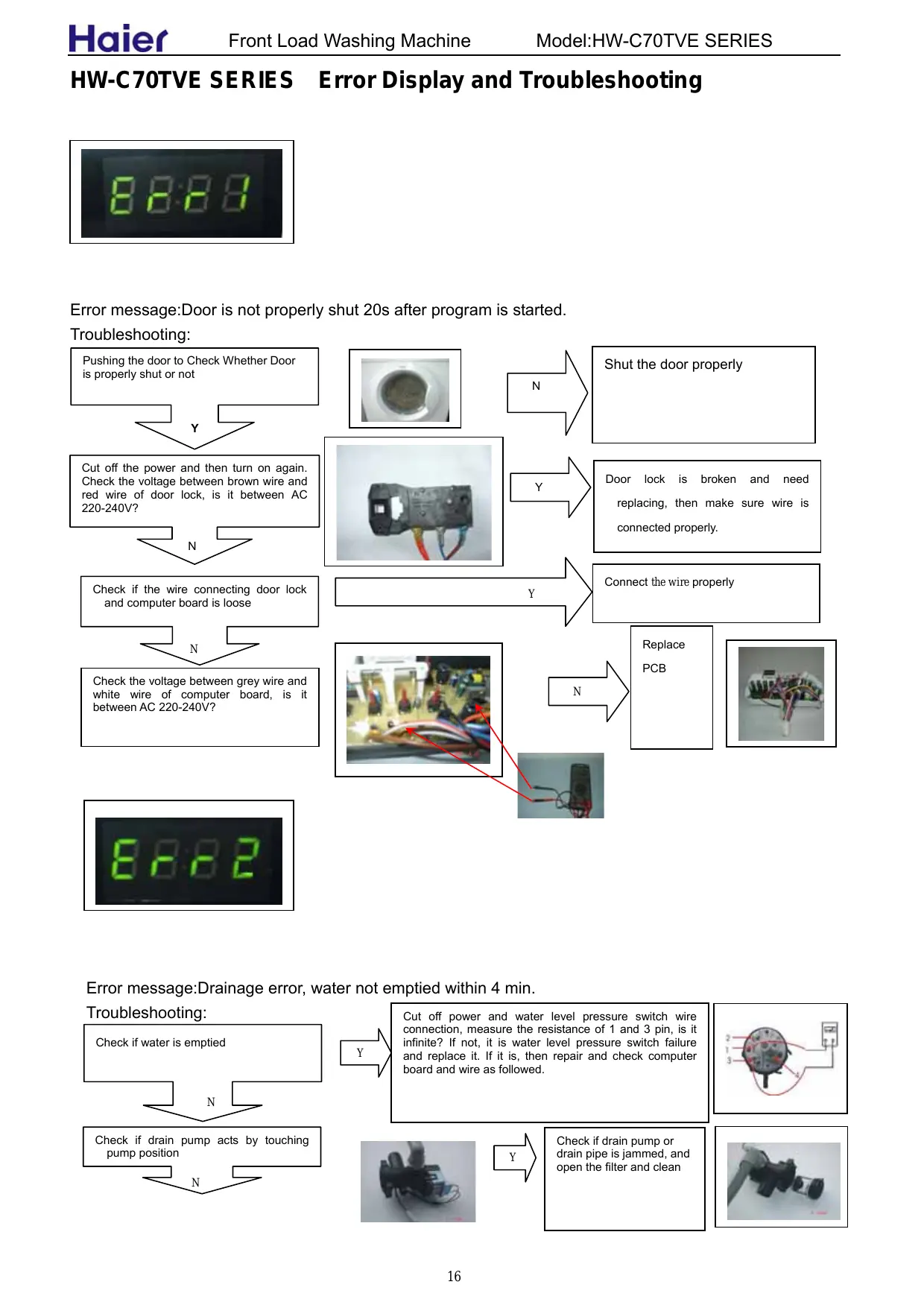
HW-C70TVE SERIES Error Display and Troubleshooting
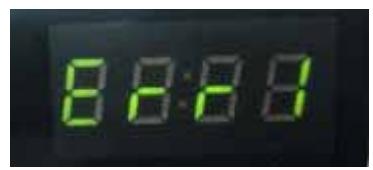
Error message:Door is not properly shut 20s after program is started.
Troubleshooting:
Pushing the door to Check Whether Door is properly shut or not

Cut off the power and then turn on again. Check the voltage between brown wire and red wire of door lock, is it between AC 220-240V?

Check if the wire connecting door lock and computer board is loose

Check the voltage between grey wire and white wire of computer board, is it between AC 220-240V?


Y
N
Y
Shut the door properly
Door lock is broken and need replacing, then make sure wire is connected properly.
Connect the wire properly
Replace PCB
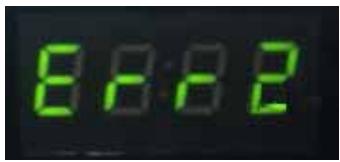
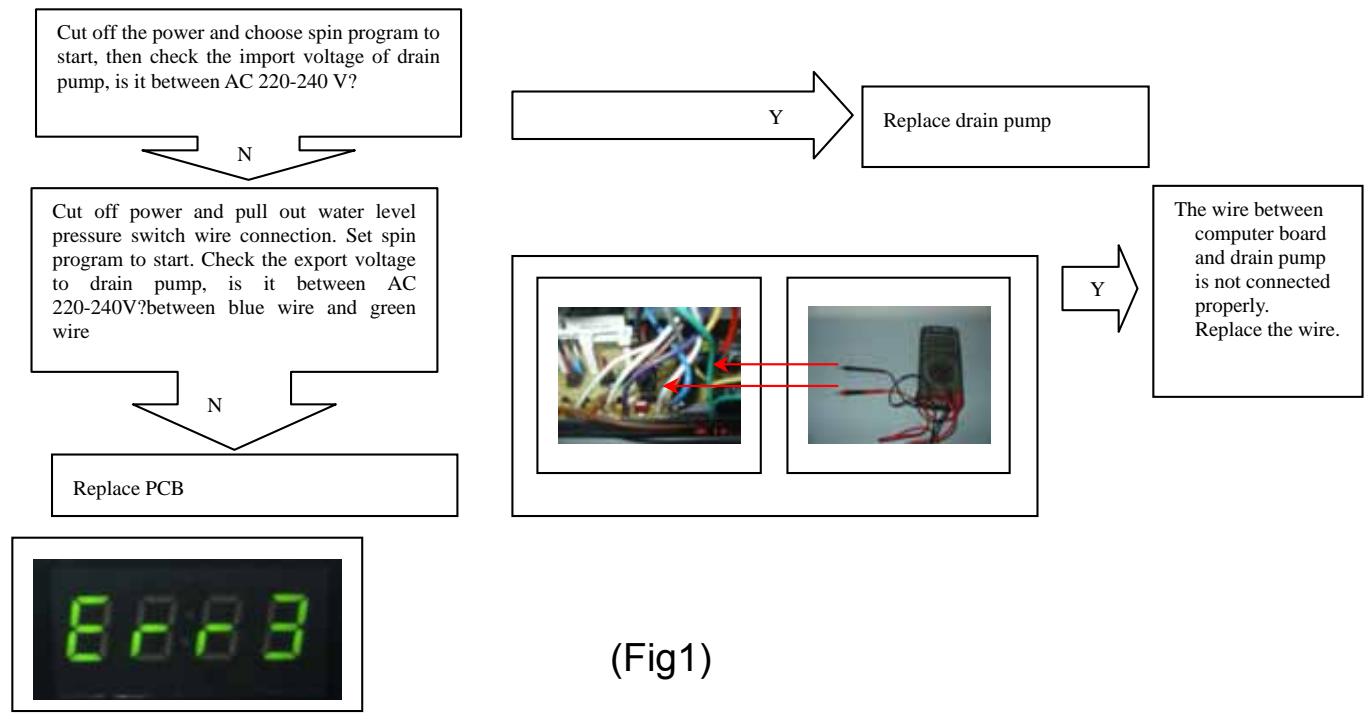
Error message:Drainage error, water not emptied within 4 min.
Troubleshooting:
Check if water is emptied
Cut off power and water level pressure switch wire connection, measure the resistance of 1 and 3 pin, is it infinite? If not, it is water level pressure switch failure and replace it. If it is, then repair and check computer board and wire as followed.
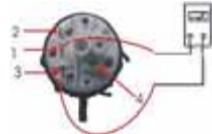
Y
Check if drain pump acts by touching pump position
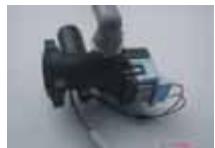
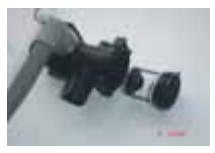
Check if drain pump or drain pipe is jammed, and open the filter and clean
Error message: Temperature sensor is not properly connected or damaged (display at the end of a program).
Troubleshooting:
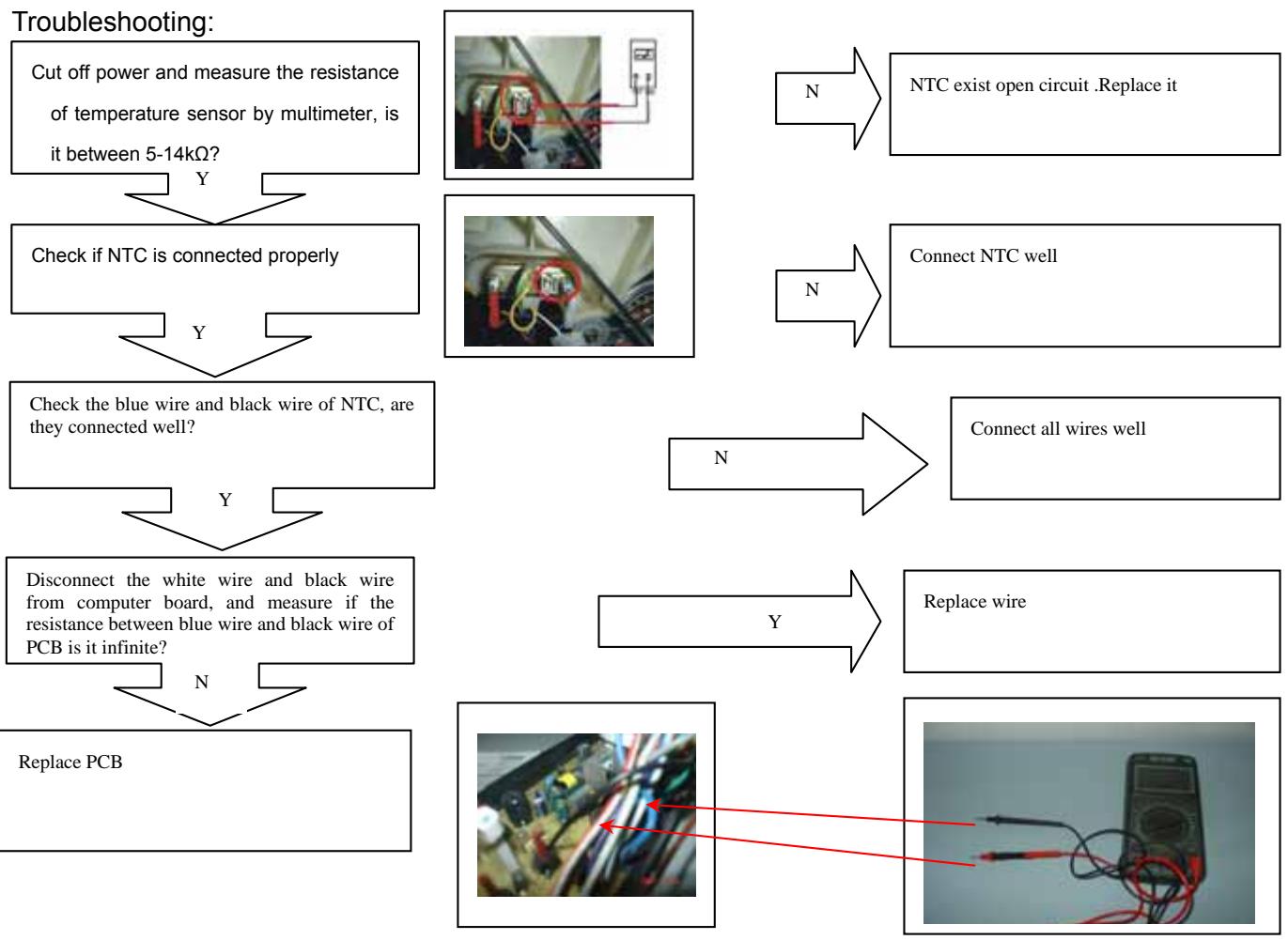
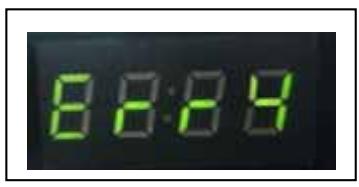
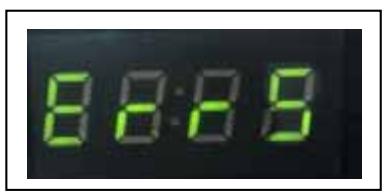
Error message :The heater may be broken
Troubleshooting:

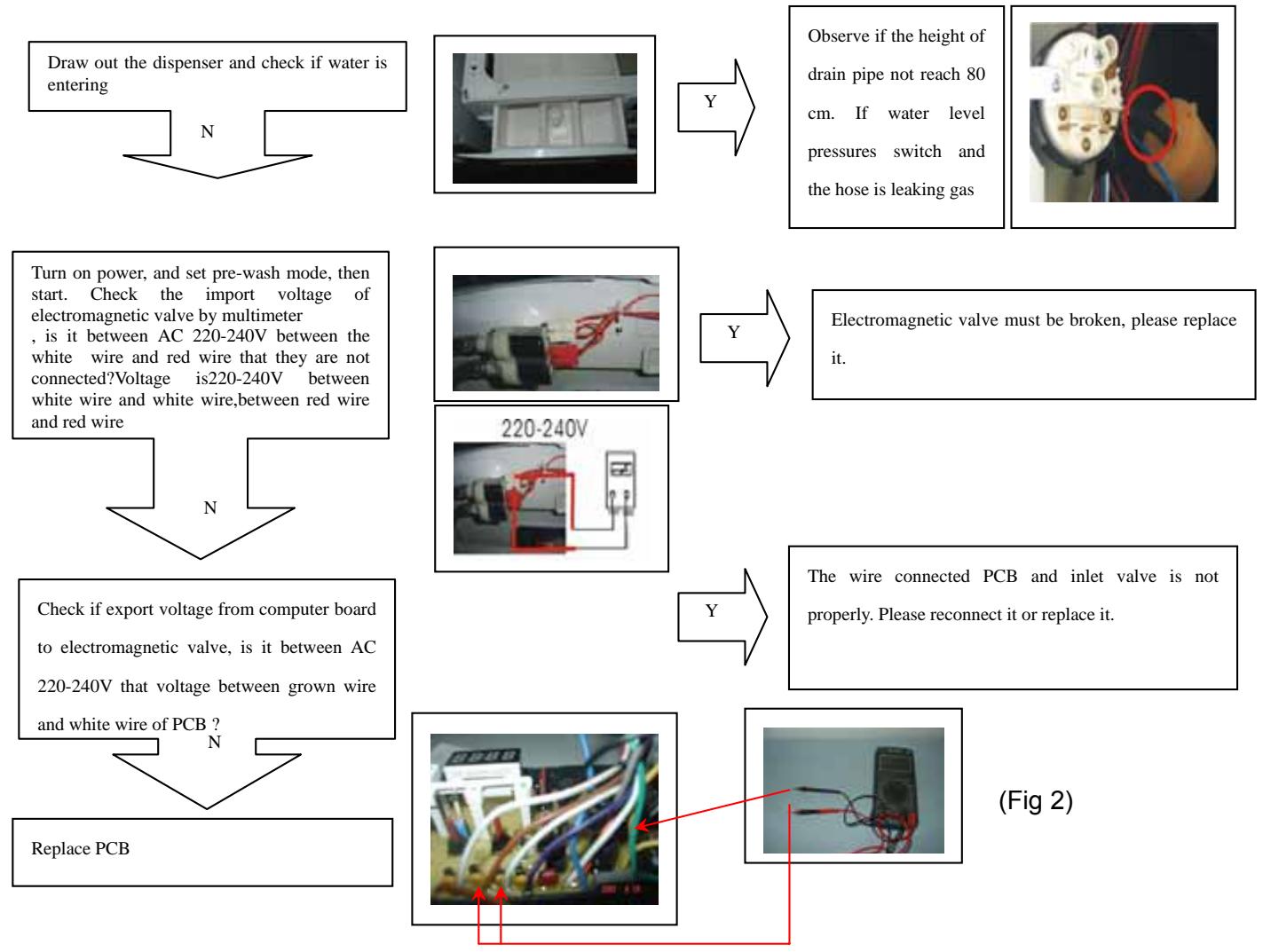
Error message:The required water level is not reached within 8 min.
Troubleshooting:

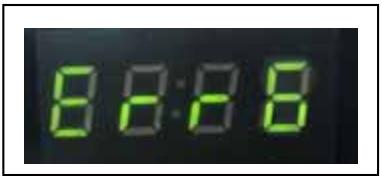
Error message:Motor speed error .it may be not properly connected or damaged.
Troubleshooting :
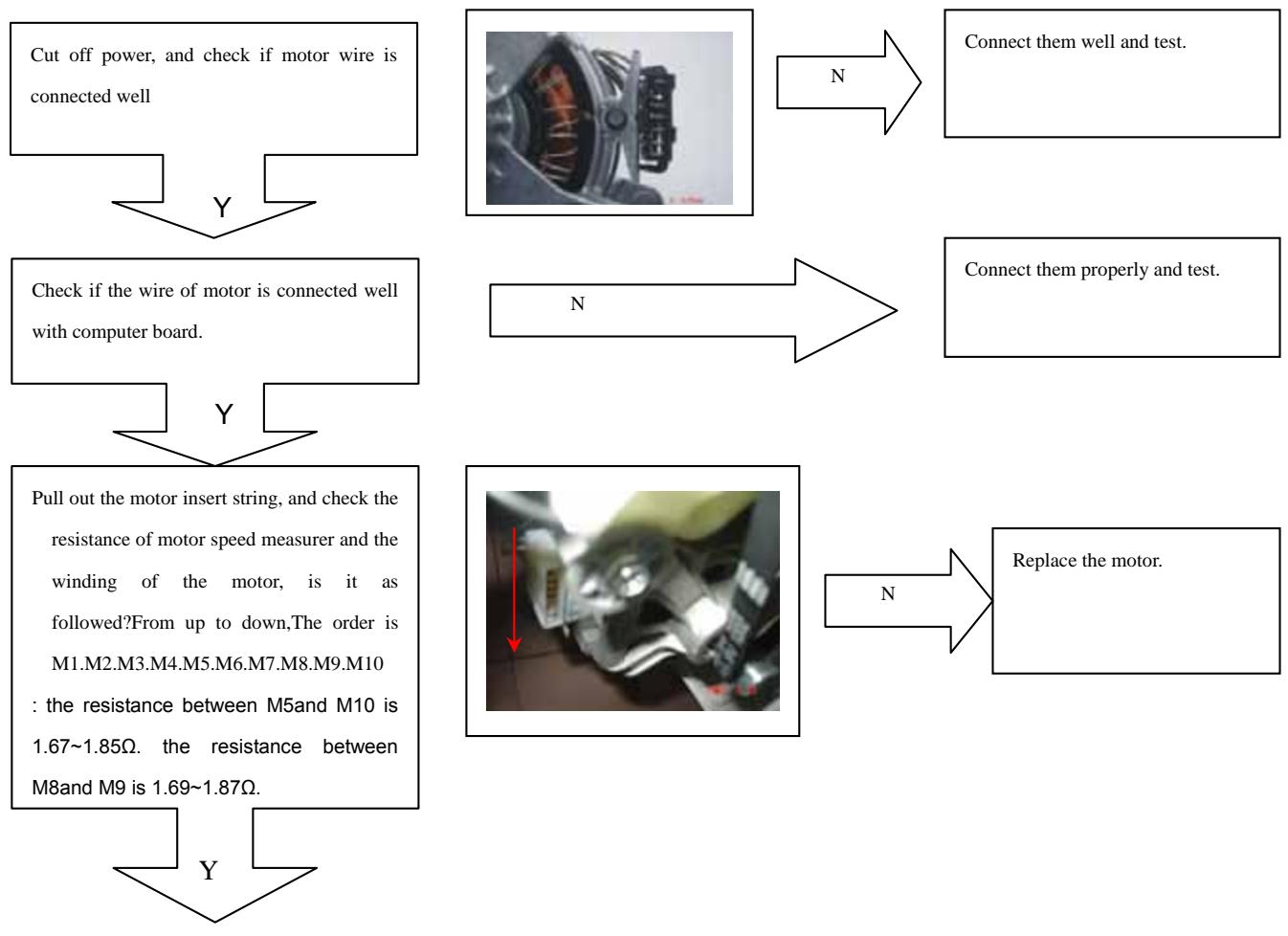
Check the import voltage between M1 wind and M2 wind, is it between AC 220-240V?
Replace PCB
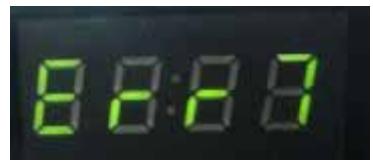
Error message. Motor overheat protection or is damaged.
Troubleshooting:
Cut off power and check if motor wires are connected well
Y

N
Reconnect well
Measure if resistance of motor winding by multimeter, is it as followed?
the resistance between M5and M10 is 1.67 1.85 . the resistance between M8and M9 is 1.69 1.87
N
Put the motor in nominal temperature about ten minutes, and then test again. If the resistance is natural, it is caused by overheated protection. Then check and deal with overload, abnormal voltage. If not, please replace motor
Pull out the wire connection of motor and computer board. Then check if circuit is open by multimeter
N
Y
Repair wires
Turn on power and set spin mode,then start. Check the import voltage between red wire and red wires, is it between 220-240V?
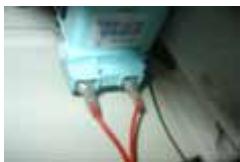
Y
Replace PCB
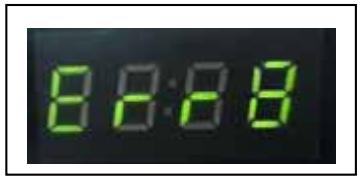
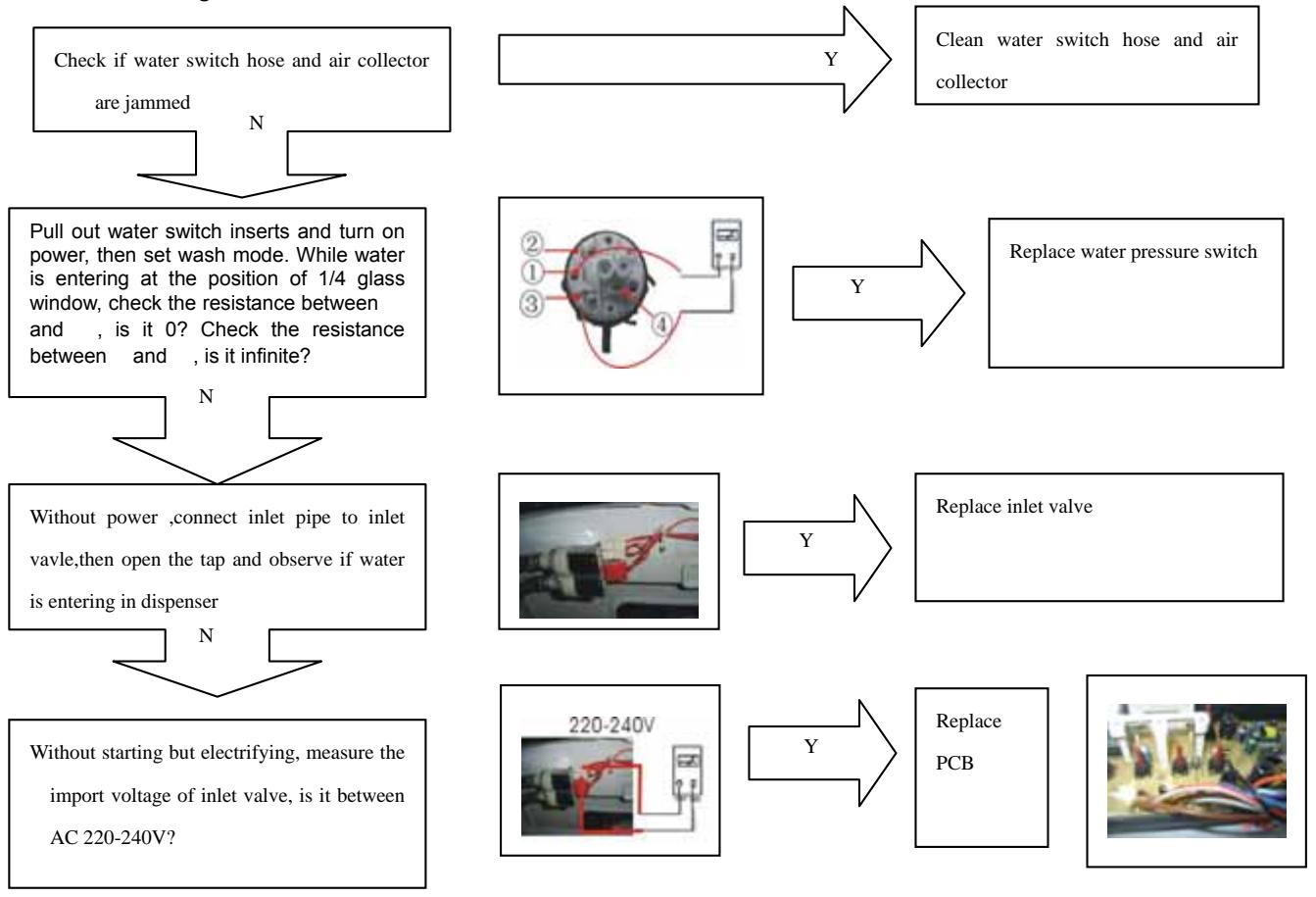
Error message. Water level exceeds protection value.
Troubleshooting:
HW-C70TVE SERIES Examination & Troubleshooting
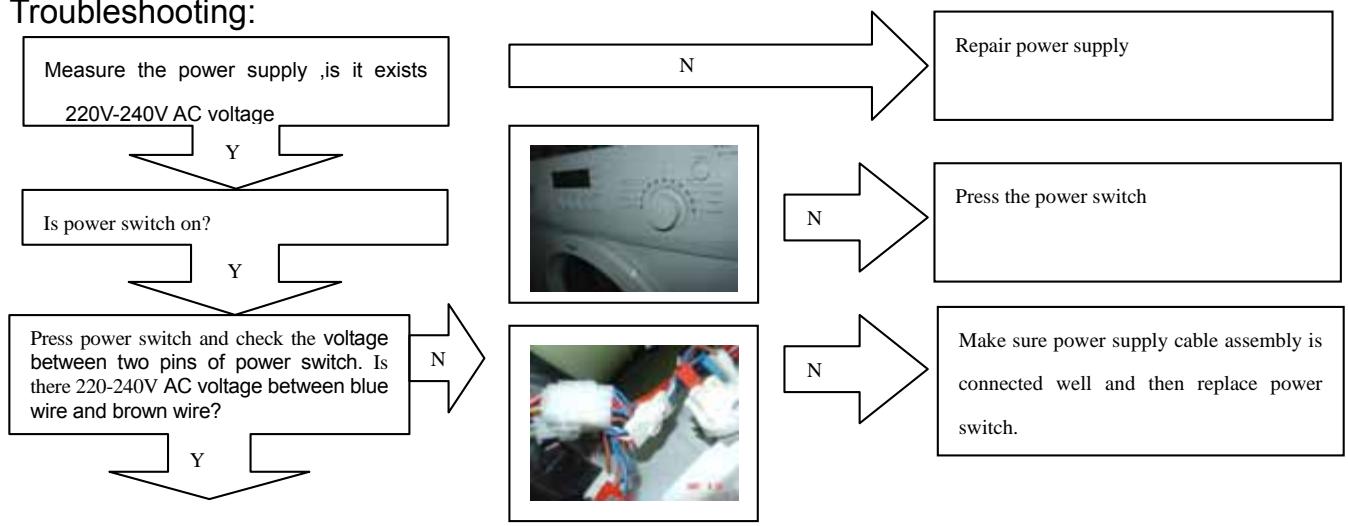
Failure:Display nothing
Troubleshooting:
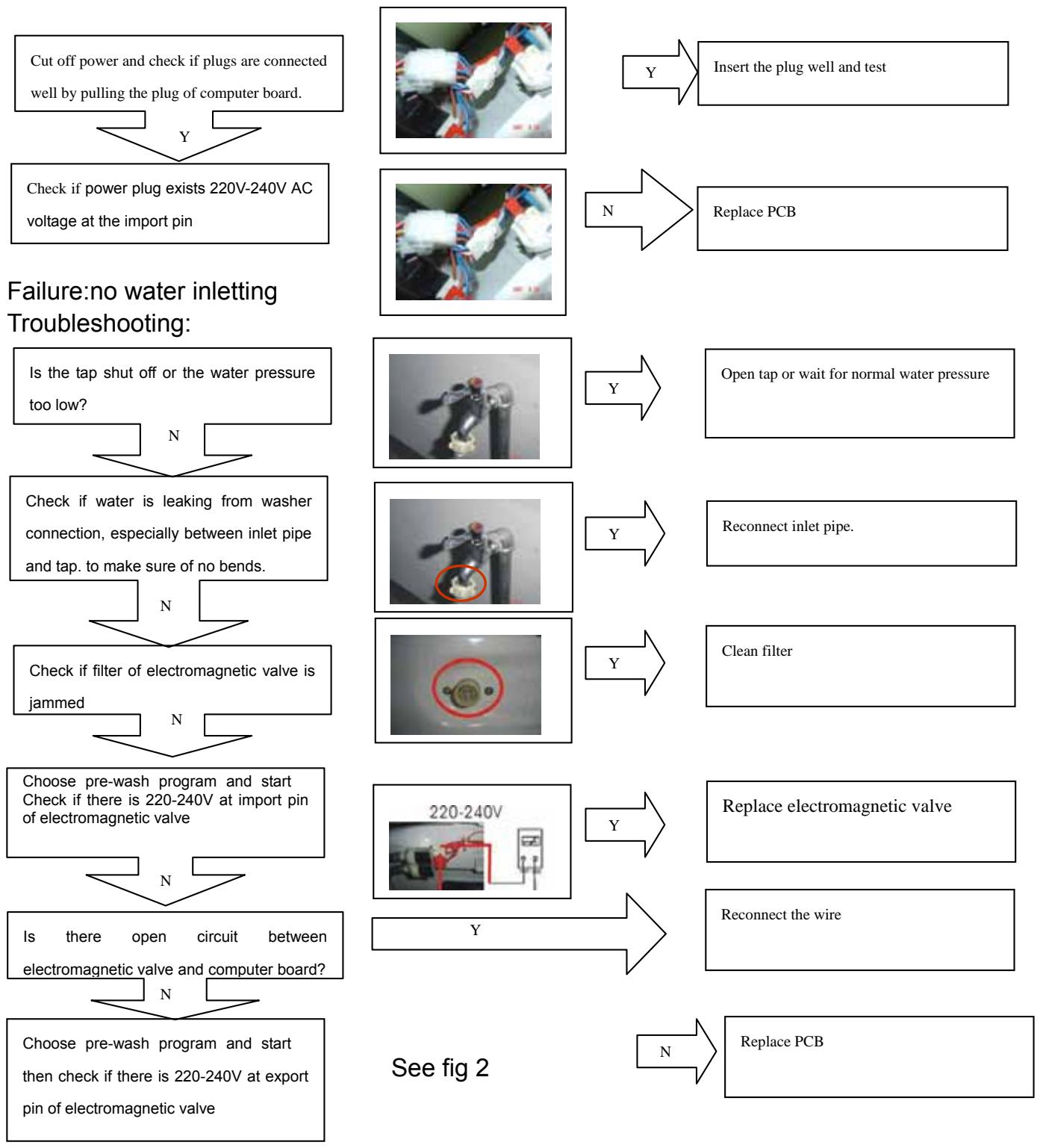
Failure: no draining
Troubleshooting:
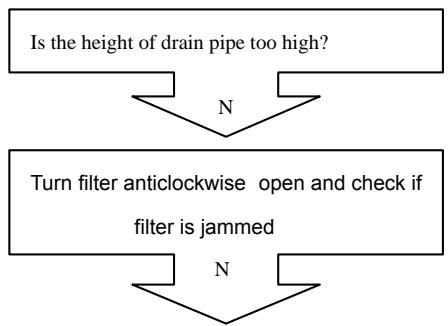
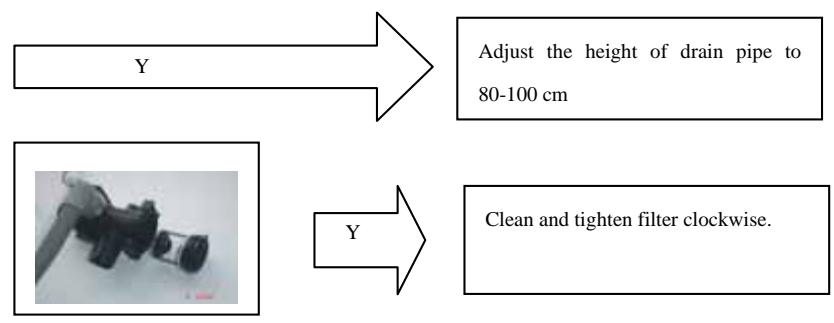
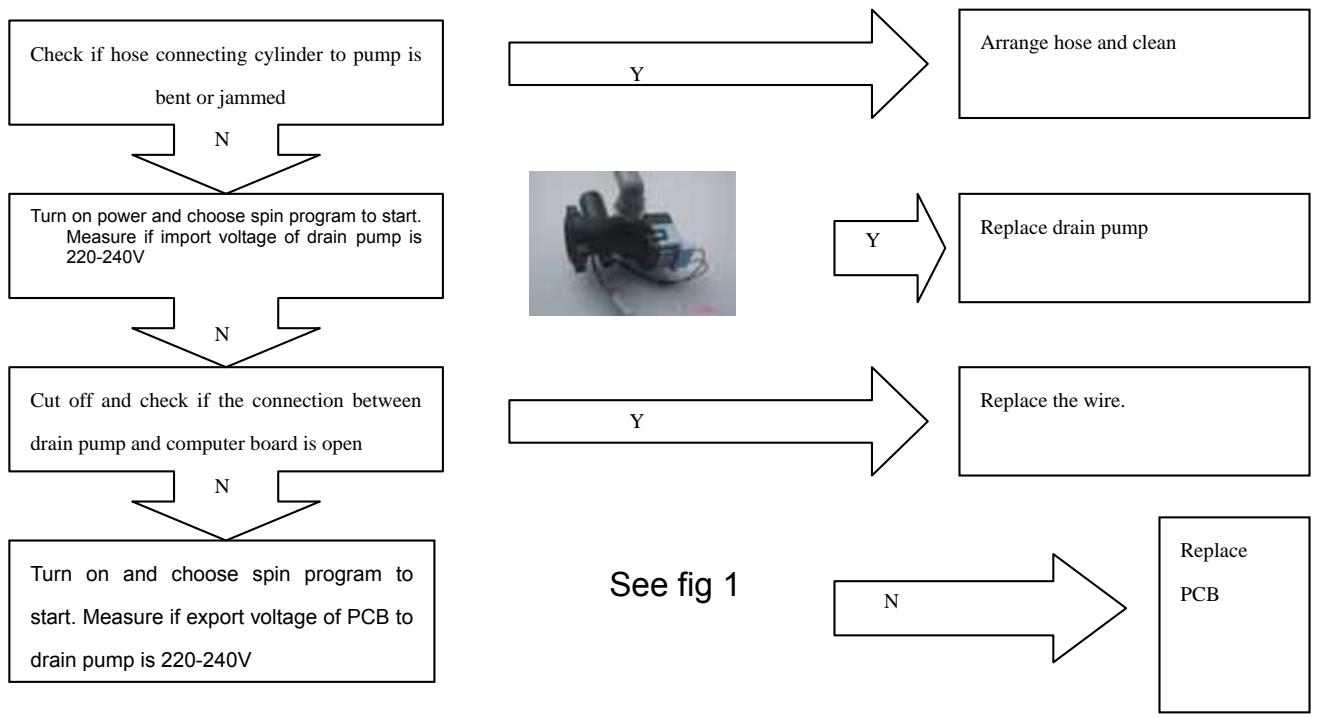
Failure :abnormal noise and vibration
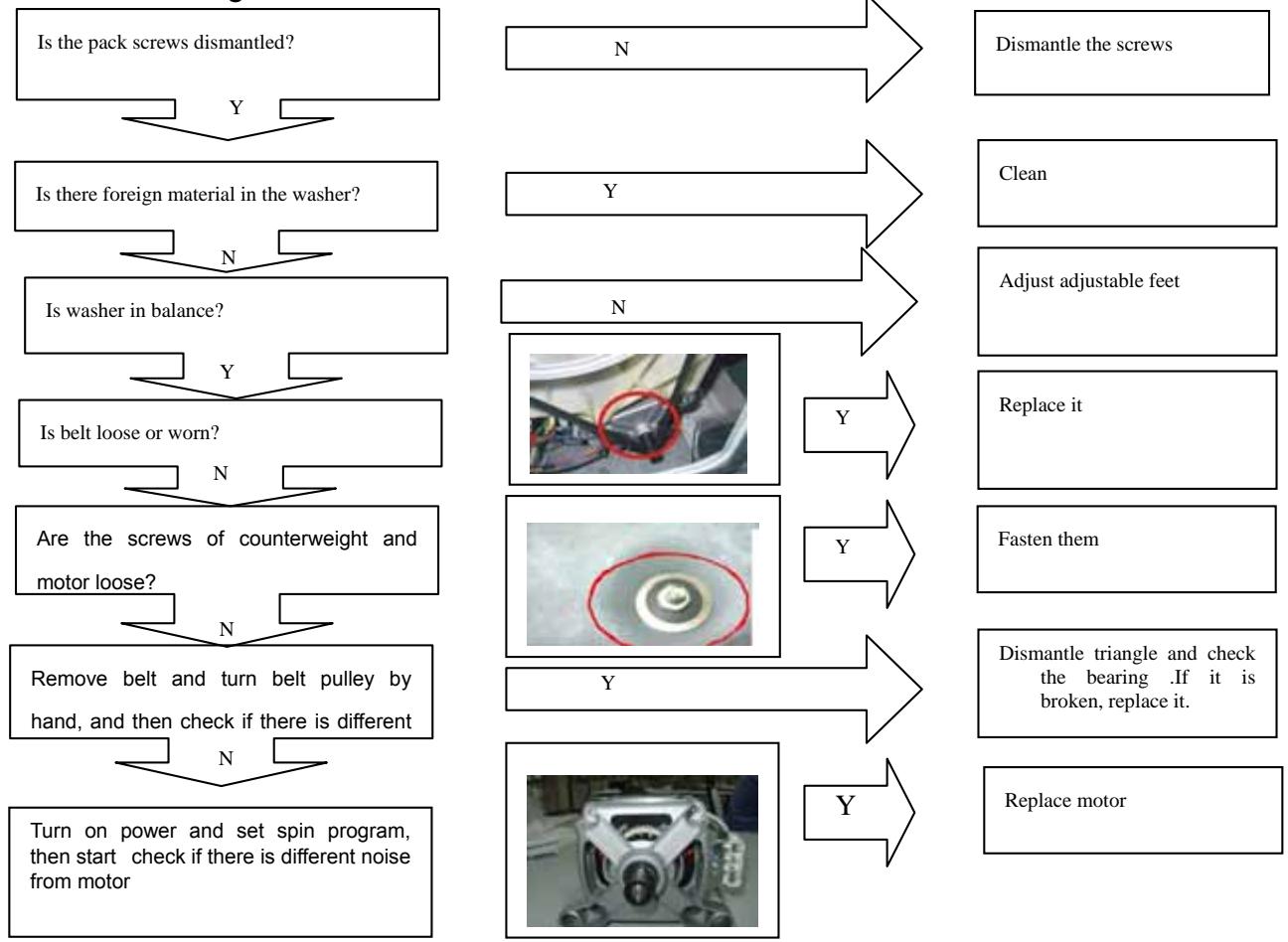
Troubleshooting:
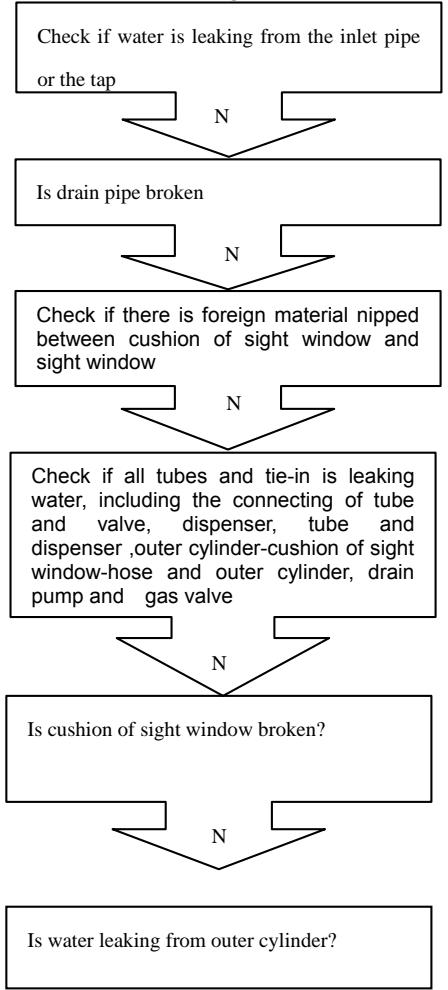
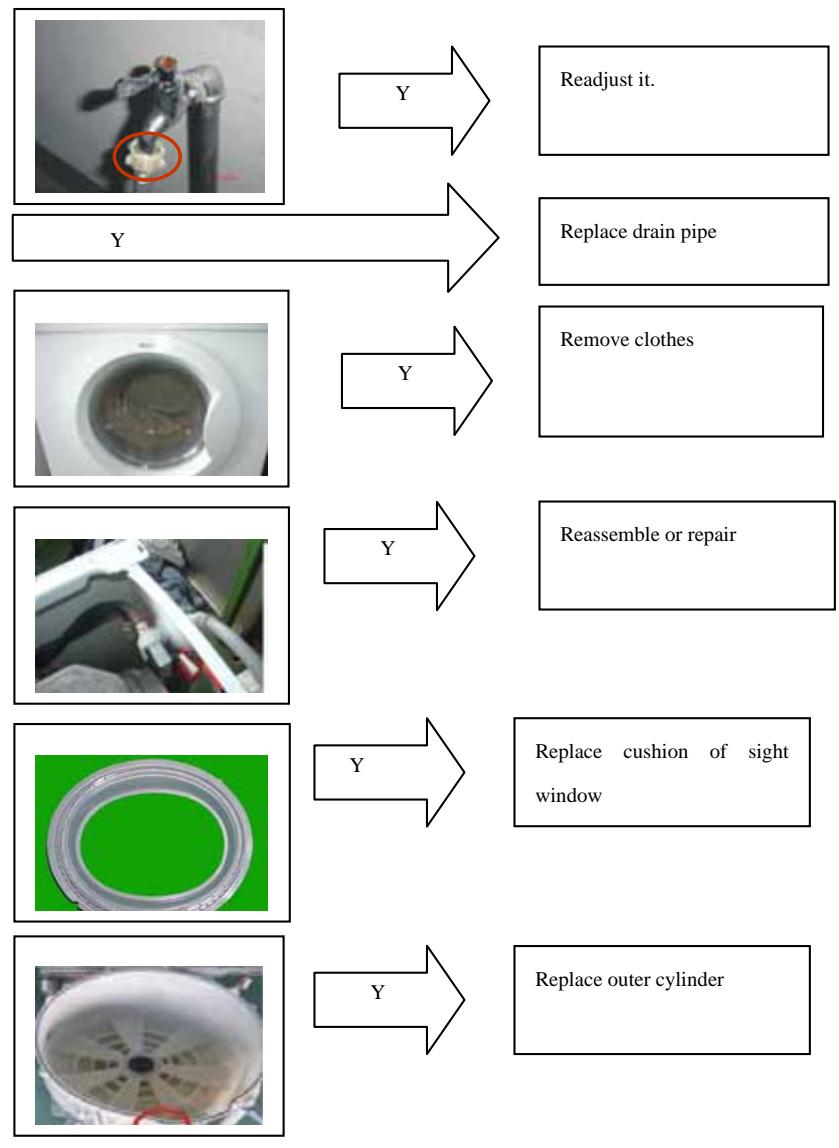
Failure:water leaking
Troubleshooting:
Wiring circuit
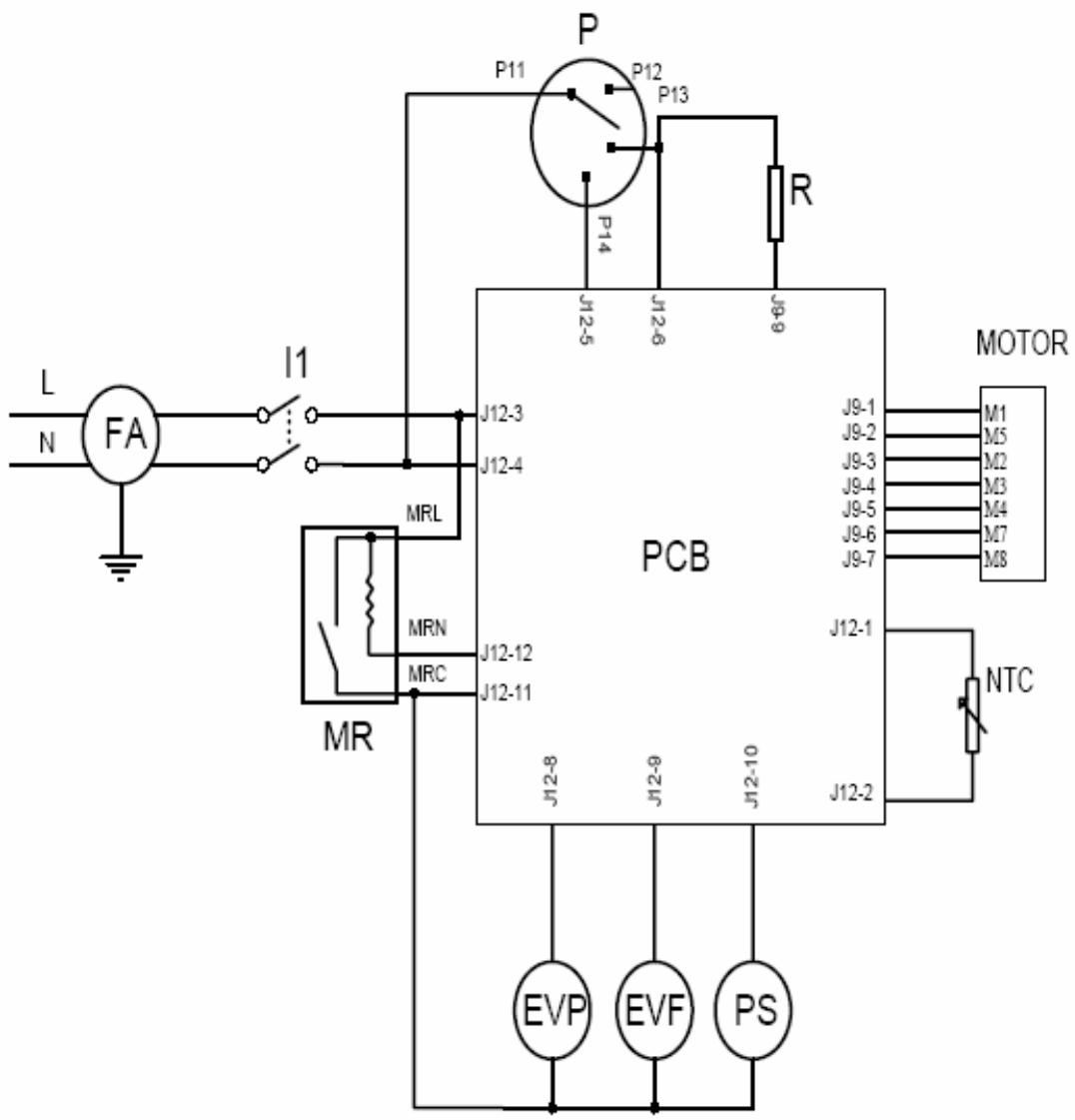
Motor-Motor
PCB-Printed circuit board
MR-Door lock
R-Heating element
PS-Drainage pump
EVF,EVP-Water valve
11-on/off
P-Pressure switch
FA-Interference suppresser
NTC-Temperature sensor
Sincere Forever
Haier Group
Haier Industrial Park, No.1, Road
266101, Qingdao,Haier China
http://www.haier.com