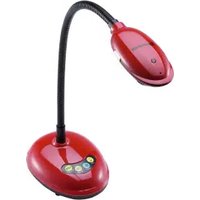
DC-F80 - Document Camera Lumens - Free user manual and instructions
Find the device manual for free DC-F80 Lumens in PDF.


Pick your language and provide your email: we'll send you a specifically translated version.
| Product Type | Document Camera |
| Brand | Lumens |
| Model | DC-F80 |
| Image Sensor | 1/2.5-inch CMOS |
| Resolution | Full HD 1080p (1920x1080) |
| Optical Zoom | 10x |
| Digital Zoom | Up to 8x |
| Frame Rate | 30 fps |
| Interfaces | USB 2.0, HDMI, VGA, Audio |
| Dimensions (LxWxH) | Approx. 300 x 200 x 100 mm |
| Weight | Approx. 2.5 kg |
| Power Supply | AC 100-240V, 50/60 Hz |
| Power Consumption | < 30W |
| Lighting | Built-in LED lights |
| White Balance | Auto |
| Focus | Auto / Manual |
| Max Document Size | A4 / Letter |
| Main Functions | Document capture, live display, annotation, video recording, image capture |
| Maintenance | Clean lens with soft, dry cloth; store in dust-free environment |
| Safety | Use only supplied AC adapter; keep away from liquids; do not disassemble |
| Spare Parts | Replacement LED lamps, USB cables (available from Lumens) |
| Repairability | Professional service required; no user-serviceable internal parts |
Frequently Asked Questions - DC-F80 Lumens
How do I connect the DC-F80 to a projector or monitor?
Use an HDMI or VGA cable to connect the camera's output to the projector or monitor. For USB connection, connect to a computer for software control.
What is the maximum resolution of the DC-F80?
The DC-F80 supports Full HD resolution up to 1920x1080 at 30 fps.
Can I record video with the DC-F80?
Yes, video recording is possible via the USB connection to a computer using compatible software, or directly to a USB storage device if supported.
How do I adjust the focus?
Press the Auto Focus button for automatic focus, or use the manual focus ring on the lens for precise control.
What should I do if the image is too dark?
Adjust the built-in LED lights using the brightness control. Ensure the document is evenly lit and check the exposure settings in the software.
How do I clean the camera lens?
Use a soft, lint-free cloth slightly dampened with lens cleaning solution. Gently wipe the lens in a circular motion. Avoid using harsh chemicals.
What type of documents can I display?
The camera can display documents up to A4 or Letter size. It also works with 3D objects up to a certain height.
Is the DC-F80 compatible with Mac or Linux?
The camera is primarily designed for Windows systems. Mac compatibility may vary; check Lumens website for specific driver and software support.
How do I update the firmware?
Download the latest firmware from the Lumens support page. Connect the camera to your computer via USB and run the update utility following the instructions.
What is the warranty period for the DC-F80?
The standard warranty is typically 2 years for parts and labor. Warranty terms may vary by region; contact Lumens or your dealer for details.
User questions about DC-F80 Lumens
0 question about this device. Answer the ones you know or ask your own.
Ask a new question about this device
No questions yet. Be the first to ask one.
Download the instructions for your Document Camera in PDF format for free! Find your manual DC-F80 - Lumens and take your electronic device back in hand. On this page are published all the documents necessary for the use of your device. DC-F80 by Lumens.
USER MANUAL DC-F80 Lumens



Manual assistant
Powered by Anthropic
Waiting for your message
Product information
Brand : Lumens
Model : DC-F80
Category : Document Camera