
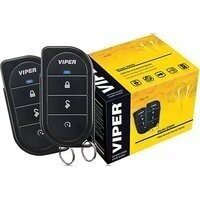
5308V - Car alarm Viper - Free user manual and instructions
Find the device manual for free 5308V Viper in PDF.


Pick your language and provide your email: we'll send you a specifically translated version.
| Product Type | Car Alarm System |
| Brand | Viper |
| Model | 5308V |
| Dimensions (Control Unit) | 4.5 x 3.0 x 1.2 inches |
| Weight (Control Unit) | 0.5 lb |
| Power Supply | 12V DC (Vehicle Battery) |
| Operating Frequency | 433 MHz |
| Remote Range | Up to 1 mile (line of sight) |
| Main Functions | Remote locking/unlocking, panic alarm, shock sensor, door/hood/trunk triggers, starter disable |
| Additional Features | Remote start capability, two-way confirmation, programmable settings |
| Number of Remotes Included | 2 |
| Battery Type (Remote) | CR2032 (3V) |
| Manual Pages | 40 |
| Installation Type | Professional installation recommended |
| Maintenance | Check remote batteries annually; clean sensor contacts if needed |
| Safety Features | Starter interrupt, shock sensor, glass break detection (with optional sensor) |
| Spare Parts Available | Replacement remotes, shock sensors, wiring harness |
| Repair Information | Refer to manual for troubleshooting; contact Viper support for repairs |
| General Information | Designed for most 12V vehicles; 40-page user manual included |
Frequently Asked Questions - 5308V Viper
How do I program a new remote for my Viper 5308V?
To program a remote, turn the ignition key to the ON position, press and release the valet switch 3 times, then press and hold the lock button on the remote until the horn chirps. Refer to the manual for exact steps.
What should I do if my car alarm keeps going off randomly?
Check for loose door/hood/trunk sensors or a low remote battery. Adjust shock sensor sensitivity via the valet switch. If persists, consult a professional installer.
How do I replace the battery in the remote?
Use a flathead screwdriver to gently pry open the remote case. Replace the CR2032 battery with the positive side facing up. Snap the case back together.
Can I install the Viper 5308V myself?
While possible for experienced DIYers, professional installation is recommended to avoid damaging vehicle electronics and to ensure proper function.
What does the two-way confirmation feature do?
The two-way confirmation sends a signal back to the remote to confirm that the alarm command was received, such as locking/unlocking the doors.
How do I adjust the shock sensor sensitivity?
Locate the shock sensor module (usually under dash). Turn the adjustment screw clockwise to decrease sensitivity, counterclockwise to increase. Test by tapping the vehicle.
My remote start doesn't work. What should I check?
Ensure the vehicle is in park, the hood is closed, and the brake pedal is not pressed. Check the remote battery and if the vehicle has a manual transmission, confirm the remote start setup.
How do I reset the alarm to factory settings?
Turn the ignition to ON, press and hold the valet switch for 10 seconds. The horn will chirp to indicate reset. This clears all programmed remotes and settings.
What is the range of the remote?
The range is up to 1 mile in open line of sight. Obstacles like buildings can reduce range.
How do I silence the alarm without disarming?
Press and release the valet switch quickly. This will silence the alarm but keep it armed. The next trigger will reactivate the siren.
User questions about 5308V Viper
0 question about this device. Answer the ones you know or ask your own.
Ask a new question about this device
No questions yet. Be the first to ask one.
Download the instructions for your Car alarm in PDF format for free! Find your manual 5308V - Viper and take your electronic device back in hand. On this page are published all the documents necessary for the use of your device. 5308V by Viper.
USER MANUAL 5308V Viper



Manual assistant
Powered by Anthropic
Waiting for your message
Product information
Brand : Viper
Model : 5308V
Category : Car alarm