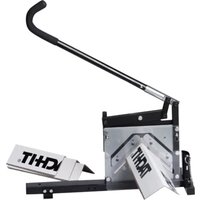
EBC-110 - Machine Tool Tach-It - Free user manual and instructions
Find the device manual for free EBC-110 Tach-It in PDF.


Pick your language and provide your email: we'll send you a specifically translated version.
| Product Type | Handheld Label Maker |
| Brand | Tach-It |
| Model | EBC-110 |
| Dimensions | 6.3 x 4.1 x 2.5 inches (160 x 104 x 64 mm) |
| Weight | 0.7 lbs (320 g) without batteries |
| Power Source | 6 AA batteries (not included) or optional AC adapter (6V, 1A) |
| Display | 2-line LCD with backlight, 16 characters per line |
| Print Technology | Thermal transfer |
| Print Resolution | 180 dpi |
| Label Width Supported | 6 mm, 9 mm, 12 mm, 18 mm |
| Maximum Print Speed | 10 mm/sec |
| Main Functions | Create custom text, 10 font styles, 50 frames, 200 symbols, automatic cutting, label preview |
| Language Support | English, French, German, Spanish, Italian, Dutch |
| Memory | Store up to 99 labels (up to 80 characters each) |
| Keyboard | QWERTY layout with numeric keypad |
| Included Accessories | 1 black tape cartridge (12 mm x 8 m), user manual, quick start guide |
| Maintenance | Clean print head and roller with isopropyl alcohol swab after each tape change |
| Safety Precautions | Do not expose to moisture, remove batteries if not used for long periods, use only recommended AC adapter |
| Spare Parts | Replacement tape cartridges (TZ style), AC adapter (Tach-It model AD-06) |
| Repairability | User-replaceable print head and cutter blade; service manual available from Tach-It support |
| Certifications | CE, RoHS |
| Warranty | 1 year limited warranty |
Frequently Asked Questions - EBC-110 Tach-It
How do I insert the tape cartridge?
Open the top cover by pressing the release button. Insert the tape cartridge with the tape and ink ribbon aligned properly, ensuring the ribbon passes between the print head and the platen roller. Close the cover until it clicks.
Why is my label printer not printing clearly?
Unclear printing may be due to a dirty print head. Clean it gently with an isopropyl alcohol swab after removing the tape cartridge. Also check if the ink ribbon is correctly installed or depleted.
Can I use generic tape cartridges with this label maker?
The EBC-110 is designed to work with TZ-style tape cartridges. While third-party cartridges may fit, we recommend using Tach-It branded cartridges for best print quality and to avoid damage.
How do I change the language on the display?
Press the 'Menu' key, then use the arrow keys to navigate to Language Settings. Select your desired language from the list (e.g., English, French, German) and press 'OK' to confirm.
What is the maximum label length I can print?
The device can print labels up to 99 characters in length, but the actual physical length depends on the tape width and font size. For continuous tape, the maximum is typically 1 meter per label.
How do I replace the cutter blade?
Ensure the device is powered off and unplugged. Remove the tape cartridge. Use a small screwdriver to remove the two screws holding the cutter cover. Gently pull out the old blade and insert a new one (part number TAC-CB10). Reassemble.
My label maker is not turning on. What should I do?
First, check if the batteries are properly inserted and have sufficient charge. If using an AC adapter, ensure it is securely connected to the device and a working outlet. Try replacing the batteries with fresh ones.
Can I print barcodes with this label maker?
Yes, the EBC-110 supports printing of several barcode formats including Code 39, Code 128, EAN-13, and UPC-A. Access the barcode menu by pressing 'Shift' + 'Symbol' and selecting 'Barcode'.
How do I adjust the label alignment?
Go to the Adjustment Settings in the menu. You can fine-tune the horizontal and vertical alignment of the printed text relative to the tape edge. Use the arrow keys to shift the print position and press 'OK' to save.
What does the error code 'E-03' mean?
Error code 'E-03' indicates a tape jam or cutter error. Turn off the device, open the cover, remove the tape cartridge, and check for any obstructions. Clear the jam, reinsert the cartridge, and restart the device.
User questions about EBC-110 Tach-It
0 question about this device. Answer the ones you know or ask your own.
Ask a new question about this device
No questions yet. Be the first to ask one.
Download the instructions for your Machine Tool in PDF format for free! Find your manual EBC-110 - Tach-It and take your electronic device back in hand. On this page are published all the documents necessary for the use of your device. EBC-110 by Tach-It.
USER MANUAL EBC-110 Tach-It
Manual assistant
Powered by Anthropic
Waiting for your message
Product information
Brand : Tach-It
Model : EBC-110
Category : Machine Tool