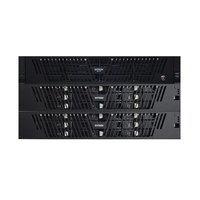
NetBackup Flex 5260 - Server VERITAS - Free user manual and instructions
Find the device manual for free NetBackup Flex 5260 VERITAS in PDF.


Pick your language and provide your email: we'll send you a specifically translated version.
| Product Type | Backup Server |
| Brand | Veritas |
| Model | NetBackup Flex 5260 |
| Form Factor | 2U Rackmount |
| Processor | Dual Intel Xeon Scalable (Cascade Lake) |
| Memory | 128 GB DDR4 ECC (expandable up to 1.5 TB) |
| Storage | 12 x 3.5" SAS/SATA drives (supports SSDs) |
| Network | 4 x 10GbE SFP+ ports |
| Power Supply | Dual redundant 1600W PSUs (hot-swappable) |
| Dimensions (W x D x H) | 17.2 x 25.6 x 3.5 inches (437 x 650 x 89 mm) |
| Weight | Approx. 55 lbs (25 kg) fully loaded |
| Operating System | Veritas NetBackup software appliance OS |
| Backup Software | Veritas NetBackup pre-installed and licensed |
| Deduplication | Inline variable-length deduplication |
| Replication | Supports Auto Image Replication (AIR) |
| Management | Web-based GUI, CLI, and REST API |
| Compliance | Supports encryption (data at rest and in transit) |
| Cooling | 6 hot-swappable fans (N+1 redundant) |
| Operating Temperature | 41°F to 95°F (5°C to 35°C) |
| Certifications | FCC, CE, UL, RoHS |
| Warranty | 3-year hardware warranty with 4-hour response |
Frequently Asked Questions - NetBackup Flex 5260 VERITAS
How do I perform an initial setup of the NetBackup Flex 5260?
Connect power and network cables. Access the management console via the default IP (192.168.1.100). Use the Veritas NetBackup Setup Wizard to configure storage, network, and backup policies.
What RAID levels are supported?
The Flex 5260 supports RAID 0, 1, 5, 6, and 10. The recommended RAID level for backup data is RAID 6 for a balance of performance and redundancy.
Can I add additional storage to the server?
Yes, the server has 12 drive bays. You can add drives of any capacity, but mixing drive types is not recommended. Expansion via external SAS shelves is also supported.
How do I replace a failed hard drive?
The drives are hot-swappable. Locate the failed drive (status LED will be amber). Unlock the handle, pull out the drive, insert a new drive of the same type, and lock. The system will automatically rebuild.
What is the default login for the management interface?
Default username is 'admin' and password is 'Veritas1', but it is strongly recommended to change the password upon first login.
How do I update the firmware?
Download the latest firmware bundle from Veritas Support. Upload it via the management console under 'System > Firmware Update'. The system will reboot during the update.
Is the Flex 5260 compatible with third-party backup software?
While it is optimized for Veritas NetBackup, it can be used as a generic storage server with Windows Server or Linux, but Veritas recommends using it with their software for full functionality.
What kind of battery backup does the server have?
The server does not include a built-in UPS. It is recommended to connect it to an external UPS to prevent data loss during power outages.
How do I reset the system to factory defaults?
Access the System Configuration menu on the front LCD panel, select 'Factory Reset', and confirm. This will erase all settings and data, so use with caution.
Where can I find the service manual or replacement parts?
Service manuals and replacement parts (fans, PSUs, drives) are available through Veritas and authorized distributors. Contact Veritas Support or visit the Veritas website.
User questions about NetBackup Flex 5260 VERITAS
0 question about this device. Answer the ones you know or ask your own.
Ask a new question about this device
No questions yet. Be the first to ask one.
Download the instructions for your Server in PDF format for free! Find your manual NetBackup Flex 5260 - VERITAS and take your electronic device back in hand. On this page are published all the documents necessary for the use of your device. NetBackup Flex 5260 by VERITAS.
USER MANUAL NetBackup Flex 5260 VERITAS

Manual assistant
Powered by Anthropic
Waiting for your message
Product information
Brand : VERITAS
Model : NetBackup Flex 5260
Category : Server