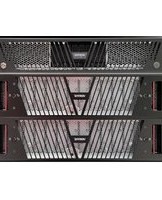
NetBackup Flex 5360 - Server VERITAS - Free user manual and instructions
Find the device manual for free NetBackup Flex 5360 VERITAS in PDF.


Pick your language and provide your email: we'll send you a specifically translated version.
| Product Type | Backup Appliance Server |
| Form Factor | 2U Rackmount |
| Dimensions (H x W x D) | 3.4 x 17.2 x 27.8 in (86 x 437 x 706 mm) |
| Weight | Approx. 70 lb (32 kg) |
| Power Supply | Dual redundant 1600W AC |
| Processor | Intel Xeon Scalable (2nd Gen) |
| Memory | 128 GB to 512 GB DDR4 |
| Storage Capacity | Up to 240 TB raw (SAS HDDs) |
| Network Interfaces | Multiple 10/25 GbE ports |
| Supported Backup Targets | NetBackup, cloud storage, tape |
| Deduplication | Inline variable-length deduplication |
| Replication | Built-in to remote sites or cloud |
| Management Interface | Web-based NetBackup appliance UI |
| Operating Environment | Temperature: 10-35°C; Humidity: 20-80% non-condensing |
| Maintenance | Clean vents regularly; replace drives as needed |
| Safety Precautions | Use ESD grounding when handling internal components |
| Spare Parts Availability | Contact Veritas support for authorized parts |
| General Information | Part of Veritas NetBackup Flex family; integrated software and hardware |
Frequently Asked Questions - NetBackup Flex 5360 VERITAS
How do I perform initial setup of the NetBackup Flex 5360?
Connect power and network, then access the appliance management IP via web browser. Follow the initial configuration wizard to set hostname, network settings, time zone, and admin password.
What type of drives are supported for storage expansion?
The appliance supports hot-swappable SAS hard drives (10K or 15K RPM) and SSDs for cache. Use only Veritas-approved drives for warranty compliance.
Can I replicate backups to a remote site?
Yes, the Flex 5360 includes built-in replication capabilities. Configure a target appliance or cloud storage in the NetBackup console and schedule replication jobs.
How to troubleshoot a failed backup job?
Check the NetBackup activity monitor for error codes. Review logs in
/usr/openv/netbackup/logs. Common issues include network timeouts, storage full, or expired licenses.What are the supported backup sources?
It can back up Windows, Linux, UNIX servers, VMware and Hyper-V virtual machines, Oracle, SQL Server, and Exchange databases, as well as file systems.
How to replace a failed hard drive?
Identify the failed drive via the appliance LED or web UI. Remove it from the slot and insert a new same-capacity SAS drive. The RAID controller will automatically rebuild the array.
Can I integrate with cloud storage?
Yes, the Flex 5360 supports Amazon S3, Azure Blob, and Google Cloud Storage for backup targets or tiering. Configure cloud storage units in NetBackup.
What does the deduplication ratio look like?
Typical deduplication ratios range from 10:1 to 30:1 depending on data types. For database logs, ratios may be higher; for media files, lower.
How to update firmware?
Download the latest firmware bundle from the Veritas support site. Apply via the appliance web UI under 'Maintenance > Firmware Update'. The appliance will reboot.
Is the appliance rack-mountable?
Yes, the Flex 5360 is a 2U rackmount server. Use the included rail kit and follow the installation guide for proper mounting in a 19-inch rack.
User questions about NetBackup Flex 5360 VERITAS
0 question about this device. Answer the ones you know or ask your own.
Ask a new question about this device
No questions yet. Be the first to ask one.
Download the instructions for your Server in PDF format for free! Find your manual NetBackup Flex 5360 - VERITAS and take your electronic device back in hand. On this page are published all the documents necessary for the use of your device. NetBackup Flex 5360 by VERITAS.
USER MANUAL NetBackup Flex 5360 VERITAS

Manual assistant
Powered by Anthropic
Waiting for your message
Product information
Brand : VERITAS
Model : NetBackup Flex 5360
Category : Server