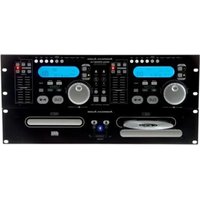
DCD-PRO610 - Audio Equipment American Audio - Free user manual and instructions
Find the device manual for free DCD-PRO610 American Audio in PDF.


Pick your language and provide your email: we'll send you a specifically translated version.
| Product Type | Dual CD Player |
| Model | DCD-PRO610 |
| Brand | American Audio |
| Dimensions (W x H x D) | 19 x 5.25 x 12 inches (rackmount, 3U) |
| Weight | 15 lbs |
| Power Supply | AC 120V/60Hz or 230V/50Hz (switchable) |
| Power Consumption | 30 Watts |
| Anti-shock Buffer | 10 seconds (ESP) |
| Pitch Control Range | ±8%, ±16%, ±24% |
| Playback Formats | CD, CD-R, CD-RW, MP3 CD |
| Seamless Loop | Yes |
| Key Change / Master Tempo | Yes |
| Digital Output | Coaxial (S/PDIF) |
| Analog Output | RCA (L/R) |
| Headphone Output | 1/4" stereo jack, level control |
| Maintenance | Clean exterior with dry cloth; do not use liquids |
| Safety Warnings | Avoid moisture, use proper voltage, do not open |
| Spare Parts | Contact customer support for replacement parts |
| Repairability | Professional service recommended; user-serviceable parts: none |
| Included Accessories | Power cord, manual (32 pages) |
| Country of Origin | China |
Frequently Asked Questions - DCD-PRO610 American Audio
How do I set the pitch range on the DCD-PRO610?
Press the PITCH RANGE button repeatedly to cycle through ±8%, ±16%, and ±24%.
Can I play MP3 CDs on this player?
Yes, the DCD-PRO610 supports CD, CD-R, CD-RW, and MP3 CD formats.
What is the ESP anti-shock buffer time?
The ESP (Electronic Shock Protection) provides up to 10 seconds of buffer to prevent skipping during movement.
How do I create a seamless loop?
During playback, press the LOOP IN button at the start point, then press LOOP OUT at the end point. The loop will play continuously. Press LOOP OUT again to exit.
The unit does not power on. What should I check?
First, ensure the power cord is securely connected and the voltage selector is set correctly (120V or 230V). Check the power outlet. If still not working, contact support.
How do I use the Master Tempo feature?
Press the MASTER TEMPO button to activate key-lock. The pitch will adjust without altering the key. Press again to deactivate.
Can I connect this player to a DJ mixer?
Yes, use the RCA outputs to connect to a mixer's line inputs. For digital connection, use the Coaxial digital output.
How do I clean the CD lens?
Use a CD lens cleaner disc. Do not use liquid cleaners or open the unit. If cleaning doesn't help, consult a technician.
The disc is not reading. What can I do?
Try a different disc. Check the disc for scratches or dirt. Clean the disc with a soft cloth. If problem persists, the lens may need cleaning or service.
Where can I download the manual?
The manual is available for free download at notice-facile.com or the American Audio website.
User questions about DCD-PRO610 American Audio
0 question about this device. Answer the ones you know or ask your own.
Ask a new question about this device
No questions yet. Be the first to ask one.
Download the instructions for your Audio Equipment in PDF format for free! Find your manual DCD-PRO610 - American Audio and take your electronic device back in hand. On this page are published all the documents necessary for the use of your device. DCD-PRO610 by American Audio.
USER MANUAL DCD-PRO610 American Audio
Manual assistant
Powered by Anthropic
Waiting for your message
Product information
Brand : American Audio
Model : DCD-PRO610
Category : Audio Equipment