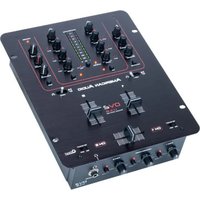
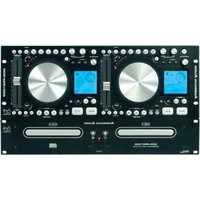
DV2 USB - Audio Equipment American Audio - Free user manual and instructions
Find the device manual for free DV2 USB American Audio in PDF.


Pick your language and provide your email: we'll send you a specifically translated version.
| Product Type | Dual deck DJ controller with USB playback |
| Dimensions (W x D x H) | 350 x 200 x 60 mm |
| Weight | 1.5 kg |
| Power Supply | 5V DC via USB or external 12V adapter (optional) |
| USB Interface | USB 2.0 for playback from USB drives and computer connection |
| Supported Audio Formats | MP3, WAV, FLAC, AAC |
| Main Functions | Dual deck playback, pitch control, loop, cue, effects, mixer with EQ |
| Outputs | RCA line output, headphone jack (3.5mm) |
| Inputs | USB type A for storage, USB type B for computer |
| Maintenance | Clean with dry cloth; avoid liquids; keep USB ports dust-free |
| Safety Precautions | Do not expose to moisture; use only recommended power source; avoid extreme temperatures |
| Spare Parts & Repairability | Contact American Audio support for parts; user-replaceable parts include fuses |
| General Information | Designed for professional DJ use; compatible with leading DJ software |
Frequently Asked Questions - DV2 USB American Audio
How do I connect the DV2 USB to my computer?
Use the included USB B cable to connect the DV2 USB to a USB port on your computer. The device will be recognized as a sound card and controller.
Can I play music directly from a USB flash drive?
Yes, insert a USB drive (FAT32 formatted) into the USB A port on the front panel. Use the deck controls to browse and play tracks.
What audio formats are supported?
The DV2 USB supports MP3, WAV, FLAC, and AAC files up to 320 kbps. Higher bitrates may cause playback issues.
How do I update the firmware?
Download the latest firmware from the American Audio support page. Place the file on a FAT32 USB drive, insert it into the DV2, and power on while holding the LOOP button.
Why is there no sound from the headphones?
Check that headphones are plugged into the 3.5mm jack firmly. Ensure the CUE buttons are active for the desired channel and adjust the headphone volume knob.
How do I clean the DV2 USB?
Disconnect power. Use a soft, dry microfiber cloth to wipe the surface. For control knobs, use a slightly damp cloth, but avoid moisture entering the unit.
Can I use the DV2 USB without a computer?
Yes, it supports standalone operation using USB drives. Connect speakers to the RCA output for a full DJ setup without a computer.
What should I do if a deck stops responding?
First, power cycle the unit. If the issue persists, perform a factory reset by holding SHIFT + CUE during power-on. This will restore default settings.
How do I set up the crossfader?
The crossfader assigns channels A and B. Use the CROSSFADER ASSIGN switches above each channel fader to select side (L, R, or THRU). The crossfader curve can be adjusted via software.
Is the DV2 USB compatible with Serato DJ?
Yes, the American Audio DV2 USB is a class-compliant MIDI device and works with Serato DJ, Virtual DJ, and other major software with proper mapping.
User questions about DV2 USB American Audio
0 question about this device. Answer the ones you know or ask your own.
Ask a new question about this device
No questions yet. Be the first to ask one.
Download the instructions for your Audio Equipment in PDF format for free! Find your manual DV2 USB - American Audio and take your electronic device back in hand. On this page are published all the documents necessary for the use of your device. DV2 USB by American Audio.
USER MANUAL DV2 USB American Audio
Manual assistant
Powered by Anthropic
Waiting for your message
Product information
Brand : American Audio
Model : DV2 USB
Category : Audio Equipment