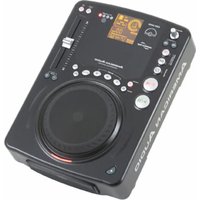
CDI-300 - Audio Equipment American Audio - Free user manual and instructions
Find the device manual for free CDI-300 American Audio in PDF.


Pick your language and provide your email: we'll send you a specifically translated version.
| Product Type | CD Player / Media Player |
| Brand | American Audio |
| Model | CDI-300 |
| Disc Compatibility | CD, CD-R, CD-RW, MP3 CD |
| Dimensions (W x H x D) | 19 x 3.5 x 10 inches (rack mountable) |
| Weight | 11.5 lbs (5.2 kg) |
| Power Supply | AC 100-240V, 50/60Hz |
| Power Consumption | 25W |
| Audio Outputs | RCA unbalanced, XLR balanced, Digital Coaxial |
| Audio Output Level | 2V RMS (RCA), 4V RMS (XLR) |
| Frequency Response | 20Hz - 20kHz ±0.5dB |
| Signal-to-Noise Ratio | >95dB |
| THD+N | <0.05% |
| Playback Functions | Play/Pause, Search, Skip, Program, Repeat, Random |
| Control Options | Front panel buttons, IR remote, RS-232 (optional) |
| Display | Backlit LCD with track info |
| Maintenance | Clean lens with dry cloth; avoid dust |
| Safety | Do not expose to moisture; avoid strong magnetic fields |
| Spare Parts / Repairability | Laser pickup, power supply board available |
Frequently Asked Questions - CDI-300 American Audio
What types of discs can the CDI-300 play?
The CDI-300 supports standard CDs, CD-Rs, CD-RWs, and MP3-encoded CDs. It will also play mixed-mode discs.
How do I connect the CDI-300 to my mixer?
Use the RCA or XLR outputs to connect to your mixer's line inputs. For digital connection, use the coaxial output to a compatible digital input.
Can I control the CDI-300 remotely?
Yes, it comes with an IR remote control for basic functions like play, pause, skip, and search.
Why is the CDI-300 not reading a disc?
First, ensure the disc is inserted label-side up and is not scratched. If it still doesn't read, try a different disc. If the problem persists, the laser may need cleaning or replacement.
How do I clean the CDI-300?
Use a soft, dry cloth to clean the exterior. For the laser lens, use a commercial CD lens cleaner or consult a technician. Avoid liquids inside the unit.
What is the warranty on the CDI-300?
American Audio typically offers a 1-year limited warranty on parts and labor. Check your specific dealer for details.
Can I rack-mount the CDI-300?
Yes, the CDI-300 has a standard 19-inch rack-mountable chassis and includes rack ears for installation.
Does the CDI-300 support programming tracks?
Yes, it has a program function that allows you to create a custom play order of up to 20 tracks.
What is the output voltage of the CDI-300?
The RCA outputs provide 2V RMS, while the XLR outputs deliver 4V RMS for balanced connections.
How can I reset the CDI-300?
To reset, turn off the unit, disconnect power for 10 seconds, then reconnect and power on. This restores factory defaults.
User questions about CDI-300 American Audio
0 question about this device. Answer the ones you know or ask your own.
Ask a new question about this device
No questions yet. Be the first to ask one.
Download the instructions for your Audio Equipment in PDF format for free! Find your manual CDI-300 - American Audio and take your electronic device back in hand. On this page are published all the documents necessary for the use of your device. CDI-300 by American Audio.
USER MANUAL CDI-300 American Audio
Manual assistant
Powered by Anthropic
Waiting for your message
Product information
Brand : American Audio
Model : CDI-300
Category : Audio Equipment