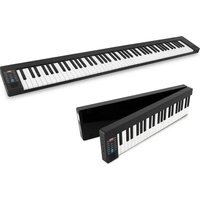
PKBRD8100 - Keyboard Pyle - Free user manual and instructions
Find the device manual for free PKBRD8100 Pyle in PDF.


Pick your language and provide your email: we'll send you a specifically translated version.
| Product Type | Wired Multimedia Keyboard |
| Brand | Pyle |
| Model | PKBRD8100 |
| Connection Type | USB 2.0 |
| Cable Length | 1.5 m (5 ft) |
| Key Count | 104 keys |
| Layout | QWERTY (US) |
| Multimedia Keys | Yes (play/pause, volume, mute, etc.) |
| Backlight | No |
| Compatible Operating Systems | Windows, Mac OS, Linux |
| Dimensions (L x W x H) | 17.3 x 5.5 x 1.2 in (440 x 140 x 30 mm) |
| Weight | 1.1 lbs (500 g) |
| Material | Plastic |
| Color | Black |
| Power Source | USB bus-powered |
| Cable Type | Braided USB cable |
| Key Type | Membrane |
| Wrist Rest | No |
| Cleaning Instructions | Wipe with a soft, dry cloth. Do not use liquid cleaners. |
| Safety | Avoid exposure to liquids and extreme temperatures. Unplug when not in use for extended periods. |
| Spare Parts Availability | Contact Pyle support for replacement keys or cable. |
| Warranty | 1 year limited |
Frequently Asked Questions - PKBRD8100 Pyle
How do I connect the PKBRD8100 keyboard to my computer?
Simply plug the USB cable into an available USB port on your computer. The keyboard should be automatically recognized and ready for use without additional drivers.
Does the PKBRD8100 work with Mac computers?
Yes, the keyboard is compatible with Mac OS. However, some multimedia keys may function differently. You can remap keys using system preferences if needed.
How do I clean the keyboard?
Unplug the keyboard, then use a soft, dry cloth to wipe the keys and surface. For stubborn dirt, slightly dampen the cloth with water, but avoid moisture entering the keys. Do not use chemical cleaners.
My multimedia keys are not working. What should I do?
Ensure the keyboard is properly connected. Check if your operating system supports multimedia keys. For Windows, press the Fn + F keys if needed. On some systems, you may need to install generic HID drivers.
Can I use this keyboard for gaming?
The PKBRD8100 is suitable for casual gaming due to its membrane keys, but it does not have features like mechanical switches or anti-ghosting. For competitive gaming, consider a dedicated gaming keyboard.
Is the keyboard spill-resistant?
The keyboard is not designed to be spill-resistant. Keep liquids away from the device. If a spill occurs, unplug immediately and allow the keyboard to dry completely before testing.
How do I adjust the keyboard volume?
Use the dedicated multimedia keys (usually marked with volume icons) to increase, decrease, or mute the volume. On some systems, you may need to hold the Fn key while pressing the volume key.
The keyboard feels unresponsive or keys are stuck. What can I do?
First, unplug and reconnect the keyboard. If keys are physically stuck, gently pry them up and clean underneath. For persistent issues, contact Pyle support.
Can I use a USB hub with this keyboard?
Yes, you can connect the keyboard to a USB hub. Ensure the hub provides sufficient power (the keyboard draws minimal power). If the keyboard malfunctions, try a direct USB port.
Where can I find spare keycaps or a replacement cable?
Spare parts are available through Pyle customer service. Visit the official Pyle website or contact support for part numbers and ordering information.
User questions about PKBRD8100 Pyle
0 question about this device. Answer the ones you know or ask your own.
Ask a new question about this device
No questions yet. Be the first to ask one.
Download the instructions for your Keyboard in PDF format for free! Find your manual PKBRD8100 - Pyle and take your electronic device back in hand. On this page are published all the documents necessary for the use of your device. PKBRD8100 by Pyle.
USER MANUAL PKBRD8100 Pyle



Manual assistant
Powered by Anthropic
Waiting for your message
Product information
Brand : Pyle
Model : PKBRD8100
Category : Keyboard