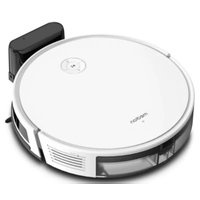
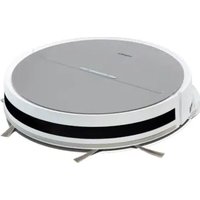
S35 (MD 11899) - Robot vacuum MEDION - Free user manual and instructions
Find the device manual for free S35 (MD 11899) MEDION in PDF.


Pick your language and provide your email: we'll send you a specifically translated version.
| Product type | Robot vacuum cleaner |
| Brand | Medion |
| Model | S35 (MD 11899) |
| Dimensions (diameter x height) | 33 cm x 9 cm |
| Weight | 3.2 kg |
| Power supply | Rechargeable lithium-ion battery |
| Battery voltage | 14.8 V |
| Battery capacity | 2600 mAh |
| Autonomy | Approximately 120 minutes |
| Charging time | Approximately 4 hours |
| Suction power | 25 W |
| Dust container capacity | 600 ml |
| Floor types | Hard floors, carpets |
| Main functions | Programming, anti-fall sensors, obstacle detection, automatic return to base |
| Brushes | Main brush + side brush |
| Filter | Washable HEPA filter |
| Noise level | Approximately 55 dB |
| Maintenance | Regular cleaning of filter and brushes |
| Safety | Fall and collision detection, overheat protection |
| Spare parts available | Filters, brushes, battery, dust container |
| Repairability index | 6.5/10 |
| Manual available in French | Yes, 150 pages |
Frequently Asked Questions - S35 (MD 11899) MEDION
How to start the MEDION S35 robot vacuum?
Press the power button on the top of the device. You can also use the remote control or the mobile app if available.
How to schedule a cleaning session?
Use the schedule button on the remote control or the app to set the time and days for cleaning. The robot will start automatically.
What to do if the robot does not return to its base?
Check that the charging base is plugged in and unobstructed. Clean the charging contacts on the robot and the base. Make sure the robot is not blocked by an obstacle.
How to clean the HEPA filter?
Remove the dust container, then the filter. Wash it with lukewarm water and let it dry completely before reinstalling. Replace it every 3 months.
Does the robot vacuum carpets?
Yes, the MEDION S35 is designed to vacuum both hard floors and short-pile carpets. For thick carpets, it may encounter difficulties.
How to replace the side brush?
Unscrew the screw of the worn brush, remove it and clip the new brush in place. Tighten the screw. Use only genuine Medion parts.
What does the flashing red light mean?
A red light generally indicates a fault. Consult the manual for the specific error code. Possible causes include low battery, brush blockage, or obstructed sensor.
Can the robot be used without Wi-Fi?
Yes, the robot works autonomously without Wi-Fi. You can use the remote control or the buttons on the device. The app requires a Wi-Fi connection.
How to empty the dust container?
Press the latch to remove the container, open the lid and empty it into a trash can. Wash the container with water if necessary and dry it before reinstalling.
Where to find spare parts?
Spare parts (filters, brushes, battery) are available on the Medion website or from authorized dealers. Always use original parts to ensure proper operation.
User questions about S35 (MD 11899) MEDION
0 question about this device. Answer the ones you know or ask your own.
Ask a new question about this device
No questions yet. Be the first to ask one.
Download the instructions for your Robot vacuum in PDF format for free! Find your manual S35 (MD 11899) - MEDION and take your electronic device back in hand. On this page are published all the documents necessary for the use of your device. S35 (MD 11899) by MEDION.
USER MANUAL S35 (MD 11899) MEDION

Manual assistant
Powered by Anthropic
Waiting for your message
Product information
Brand : MEDION
Model : S35 (MD 11899)
Category : Robot vacuum