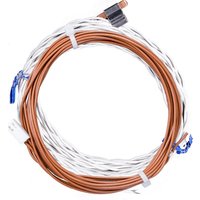
178GR10K-1 - Sonde thermique INTERMATIC - Free user manual and instructions
Find the device manual for free 178GR10K-1 INTERMATIC in PDF.


Pick your language and provide your email: we'll send you a specifically translated version.
| Product Type | Electronic Timer |
| Brand | Intermatic |
| Model | 178GR10K-1 |
| Supply Voltage | 120-277 VAC |
| Frequency | 50/60 Hz |
| Rated Current | 10 A |
| Load Type | Resistive, Inductive |
| Operating Temperature | -10°C to 40°C |
| Protection Rating | IP20 |
| Dimensions (L × W × H) | 120 × 80 × 60 mm |
| Weight | 0.3 kg |
| Housing Material | ABS Plastic |
| Certifications | UL, CSA |
| Mounting Type | Wall or DIN rail |
| Contact Type | NO/NC (changeover) |
| Display | Operation LED |
| Programming | By push buttons |
| Main Functions | Adjustable delay, cycle mode |
| Maintenance and cleaning | Clean with a dry, soft cloth |
| Safety | Compliant with CE standards, overcurrent protection |
| Spare parts and repairability | Available on request from the manufacturer |
| Warranty | 2 years |
| General information | Indoor use, for lighting or motor control |
Frequently Asked Questions - 178GR10K-1 INTERMATIC
How to wire the 178GR10K-1 device?
Connect the phase (L) to the input terminal, the neutral (N) and the load to the output terminal. Refer to the wiring diagram in the manual. Use an insulated screwdriver to tighten the screws.
How to set the delay time?
Use the push buttons to adjust the delay. Press SET then + or - to change the value. The range is from 1 second to 10 minutes (depending on model). Confirm with ENTER.
What to do if the device does not power on?
First check the power supply (correct voltage). Check the fuse or circuit breaker. If the LED indicator is off, the device may be defective. Contact customer service.
Can I use this device with an LED load?
Yes, it is compatible with LED loads, provided the total power does not exceed 10 A. For LEDs, use a suitable transformer if necessary.
What is the product lifespan?
The average lifespan is about 100,000 switching cycles. This depends on usage conditions and load. Regular maintenance extends reliability.
How to reset factory settings?
Press and hold the SET and RESET buttons simultaneously for 5 seconds. The display flashes and parameters return to default values. Reset erases all programming.
Is it compatible with a home automation system?
This model is a standalone timer without communication. For home automation integration, use a compatible module at the output or choose a connected version from Intermatic.
Where to find the detailed wiring diagram?
The wiring diagram is in the user manual provided with the device. Download the PDF manual from notice-facile.com or from the Intermatic website.
What safety standards are met?
The device is certified CE and UL. It complies with low voltage and EMC directives. It has overcurrent and short-circuit protection.
How to contact Intermatic support?
For any technical questions, contact Intermatic support by email or phone. The contact details are on the official website. Have your model number (178GR10K-1) and purchase date ready.
User questions about 178GR10K-1 INTERMATIC
0 question about this device. Answer the ones you know or ask your own.
Ask a new question about this device
No questions yet. Be the first to ask one.
Download the instructions for your Sonde thermique in PDF format for free! Find your manual 178GR10K-1 - INTERMATIC and take your electronic device back in hand. On this page are published all the documents necessary for the use of your device. 178GR10K-1 by INTERMATIC.
USER MANUAL 178GR10K-1 INTERMATIC
Manual assistant
Powered by Anthropic
Waiting for your message
Product information
Brand : INTERMATIC
Model : 178GR10K-1
Category : Sonde thermique