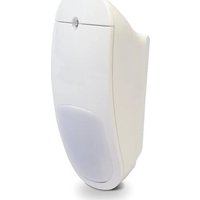
EN1263 - Motion detector Inovonics - Free user manual and instructions
Find the device manual for free EN1263 Inovonics in PDF.


Pick your language and provide your email: we'll send you a specifically translated version.
| Product Type | Motion Detector |
| Brand | Inovonics |
| Model | EN1263 |
| Sensor Technology | Passive Infrared (PIR) |
| Detection Range | Up to 12 meters |
| Detection Angle | 90° |
| Power Supply | 2 x AA batteries (1.5V each) |
| Battery Life | Up to 2 years |
| Wireless Frequency | 433.92 MHz |
| Operating Temperature | -10°C to 50°C (14°F to 122°F) |
| Dimensions | 100 x 60 x 40 mm |
| Weight (without batteries) | 100 g |
| Mounting Type | Wall or ceiling |
| LED Indicator | Yes |
| Tamper Protection | Yes |
| Compliance | CE, RoHS |
| Maintenance | Clean lens with dry cloth; avoid solvents |
| Safety | Do not disassemble; keep away from children |
| Spare Parts | Batteries (AA); mounting brackets available |
| Repair | No user-serviceable parts; contact Inovonics support |
Frequently Asked Questions - EN1263 Inovonics
How do I install the EN1263 motion detector?
Mount the detector on a wall or ceiling at a height of 2-2.5m. Insert 2 AA batteries into the compartment. The LED will flash briefly to indicate power. Pair with your receiver by following the receiver's instructions.
What type of batteries does it use?
It uses two AA 1.5V alkaline batteries. Do not use rechargeable batteries as they have lower voltage.
How long do the batteries last?
Battery life is up to 2 years under normal usage. Low battery is indicated by a periodic LED flash.
What is the detection range?
The detection range is up to 12 meters in a 90° angle. Performance may vary depending on mounting location and environmental conditions.
How do I pair the detector with my system?
Refer to your receiver's manual for pairing. Typically, you activate the receiver's pairing mode and then trigger the motion detector (e.g., press a hidden button or move in front of it) to transmit its ID.
Why is the detector triggering false alarms?
Common causes include: pets, moving curtains, heaters, or direct sunlight. Reposition the detector away from drafts and heat sources. Also ensure the lens is clean.
How do I clean the motion detector?
Wipe the lens with a soft dry cloth occasionally. Do not use water, solvents, or abrasive cleaners as they may damage the sensor.
What does the LED flash indicate?
A brief flash upon installation indicates power on. A periodic flash (e.g., every 30 seconds) indicates low battery. Some models flash on detection as well.
Can I use this outdoors?
No, the EN1263 is designed for indoor use only. Exposing it to rain or extreme temperatures may cause malfunction.
What should I do if the detector stops working?
First, check the batteries. Replace them if needed. Ensure the device is within range of the receiver and no obstructions. If still not working, contact Inovonics support for assistance.
User questions about EN1263 Inovonics
0 question about this device. Answer the ones you know or ask your own.
Ask a new question about this device
No questions yet. Be the first to ask one.
Download the instructions for your Motion detector in PDF format for free! Find your manual EN1263 - Inovonics and take your electronic device back in hand. On this page are published all the documents necessary for the use of your device. EN1263 by Inovonics.
USER MANUAL EN1263 Inovonics

Manual assistant
Powered by Anthropic
Waiting for your message
Product information
Brand : Inovonics
Model : EN1263
Category : Motion detector