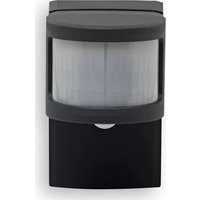
HmIP-SMO-A-2 - Motion detector Homematic IP - Free user manual and instructions
Find the device manual for free HmIP-SMO-A-2 Homematic IP in PDF.


Pick your language and provide your email: we'll send you a specifically translated version.
| Product type | Motion detector |
| Brand | Homematic IP |
| Model | HmIP-SMO-A-2 |
| Dimensions (W x H x D) | 80 x 80 x 45 mm |
| Weight | Approx. 60 g |
| Power supply | 3 AA batteries (not included) |
| Radio range | Up to 200 m in free field |
| Detection angle | 120° horizontal |
| Detection distance | Up to 12 m |
| Main functions | Motion detection, lighting control, scene triggering |
| Technology | Homematic IP radio (868 MHz) |
| Protection rating | IP20 (indoor use) |
| Operating temperature | -10 °C to +50 °C |
| Mounting | Wall-mount, simple fixation |
| Box contents | Motion detector, mounting bracket, screws and wall plugs |
| Requires a central unit | Yes, Homematic IP central unit (not included) |
| Maintenance and cleaning | Clean with a soft, dry cloth. Do not use harsh chemicals. |
| Safety | Do not expose to moisture. For indoor use only. |
| Spare parts and repairability | Not user-repairable. No spare parts available. |
| General information | Connected device for the smart home. Compatible with the Homematic IP system. |
Frequently Asked Questions - HmIP-SMO-A-2 Homematic IP
How to install the HmIP-SMO-A-2 motion detector?
Attach the wall bracket at the desired location (recommended height: 2 m). Insert the batteries, then snap the detector onto the bracket. To pair the device, follow the procedure in the Homematic IP app or via the central unit.
How to pair the detector with the Homematic IP central unit?
Put the central unit into pairing mode (via the app). Insert the batteries into the detector: it will connect automatically. If not, press and hold the pairing button (under the cover) for 3 seconds until the LED flashes.
What is the radio range of the detector?
The range can reach 200 meters in free field. Indoors, it is reduced by walls and obstacles (approx. 30-50 m). Use Homematic IP repeaters if necessary.
What type of batteries does the detector use and what is their lifespan?
The detector operates on 3 AA batteries (alkaline recommended). Typical battery life is 2 to 3 years depending on usage. The app notifies you when batteries are low.
Is the detector compatible with other smart home systems?
No, the HmIP-SMO-A-2 works exclusively with the Homematic IP ecosystem. It requires a Homematic IP central unit (CCU3, Access Point, etc.) and the dedicated app.
How to adjust the sensitivity of the detector?
Sensitivity is adjusted in the Homematic IP app, under the detector settings. You can adjust the trigger threshold and time delay to avoid false alarms (pets, temperature variations).
What to do if the detector triggers unwanted detections?
Check the location: avoid drafts, heat sources (radiators, direct sunlight) and pets. Reduce sensitivity in the app. You can also disable detection in certain areas via the software.
How to reset the detector to factory settings?
Remove one battery, press and hold the pairing button, then reinsert the battery while continuing to press the button for 5 seconds. The LED flashes rapidly to confirm the reset. You will then need to re-pair it to the central unit.
Where to download the full manual for the HmIP-SMO-A-2?
You can download the manual for free in PDF format from notice-facile.com or the official Homematic IP website. The manual details installation, configuration, and troubleshooting.
Can the detector be used outdoors?
No, this model has a protection rating of IP20, making it suitable for indoor use only. For outdoor use, use the Homematic IP model HmIP-SMO-A-3 (IP44 rating).
User questions about HmIP-SMO-A-2 Homematic IP
0 question about this device. Answer the ones you know or ask your own.
Ask a new question about this device
No questions yet. Be the first to ask one.
Download the instructions for your Motion detector in PDF format for free! Find your manual HmIP-SMO-A-2 - Homematic IP and take your electronic device back in hand. On this page are published all the documents necessary for the use of your device. HmIP-SMO-A-2 by Homematic IP.
USER MANUAL HmIP-SMO-A-2 Homematic IP
Manual assistant
Powered by Anthropic
Waiting for your message
Product information
Brand : Homematic IP
Model : HmIP-SMO-A-2
Category : Motion detector