Atom - Projector DANGBEI - Free user manual and instructions
Find the device manual for free Atom DANGBEI in PDF.


Pick your language and provide your email: we'll send you a specifically translated version.
| Product type | Portable DLP projector |
| Native resolution | Full HD 1920 x 1080 pixels |
| Brightness | 600 ANSI lumens |
| Contrast ratio | 1000:1 |
| Light source | LED, lifespan up to 30,000 hours |
| Keystone correction | Automatic, vertical and horizontal ±40° |
| Focus | Automatic |
| Projected image size | 40 to 150 inches diagonal |
| Projection distance | 0.5 to 4 meters |
| Connectivity | HDMI 2.0 (ARC), USB 2.0, 3.5mm audio output, Wi-Fi 6, Bluetooth 5.2 |
| Built-in speakers | 2 × 5W stereo |
| Dimensions (W × D × H) | 200 × 150 × 50 mm |
| Weight | 1.2 kg |
| Power supply | AC adapter 19V DC, 3.42A |
| Power consumption | 65W (max) |
| Smart features | Wireless projection, built-in smart screen (Android TV), voice control |
| Maintenance and cleaning | Clean the lens with a soft, dry cloth. Avoid chemicals. Dust the ventilation grilles. |
| Safety | Do not look directly into the light beam. Do not obstruct ventilation grilles. Keep away from heat sources. |
| Spare parts and repairability | Remote control, power cable, AC adapter. Repair by authorized center. Repairability index not provided. |
| Warranty | 2 years |
| General information | Compatible with iOS, Android, Windows, macOS. Ideal for home cinema and presentations. |
Frequently Asked Questions - Atom DANGBEI
How to connect my phone to the Atom projector?
You can project wirelessly via AirPlay or Miracast from your phone's settings. Make sure the projector and phone are connected to the same Wi-Fi network.
Can I use the projector without an HDMI port?
Yes, thanks to Wi-Fi and Bluetooth, you can stream content from compatible devices wirelessly.
How to focus the image if it is blurry?
The Atom projector has an automatic focus. If it doesn't activate, use the manual focus ring located on the lens.
What to do if the image is distorted (keystone)?
Enable automatic keystone correction in the settings menu or adjust manually using the dedicated buttons on the remote.
How to clean the projector lens?
Use a soft, dry microfiber cloth to gently wipe the lens. Never use liquid or abrasive products.
Does the projector overheat normally?
Yes, it is normal for the projector to heat up during operation. Make sure the ventilation grilles are not obstructed and place it on a flat surface.
Can I watch live TV with the projector?
Yes, if you connect a TV decoder via HDMI or use a TV streaming app on the built-in Android TV platform.
How to reset the projector to factory settings?
Go to Settings > System > Reset and confirm. All data will be erased.
Where to find the complete user manual?
The full manual is available for free download at notice-facile.com in PDF format. You can also request a translation by email.
What accessories are included in the box?
The box contains the Atom projector, the remote control, the power cable, the AC adapter, and a quick start guide.
User questions about Atom DANGBEI
0 question about this device. Answer the ones you know or ask your own.
Ask a new question about this device
No questions yet. Be the first to ask one.
Download the instructions for your Projector in PDF format for free! Find your manual Atom - DANGBEI and take your electronic device back in hand. On this page are published all the documents necessary for the use of your device. Atom by DANGBEI.
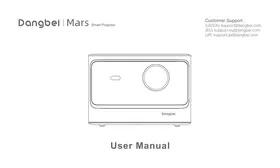
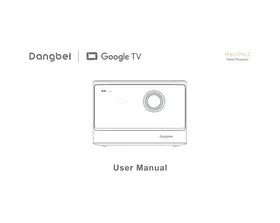
USER MANUAL Atom DANGBEI

Manual assistant
Powered by Anthropic
Waiting for your message
Product information
Brand : DANGBEI
Model : Atom
Category : Projector