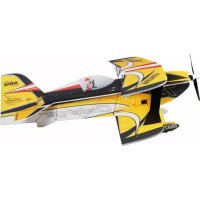
Slick X360 - Remote control toy MULTIPLEX - Free user manual and instructions
Find the device manual for free Slick X360 MULTIPLEX in PDF.


Pick your language and provide your email: we'll send you a specifically translated version.
| Product type | Remote-controlled toy (drone) |
| Brand | Multiplex |
| Model | Slick X360 |
| Dimensions | Approx. 30 x 30 x 10 cm |
| Weight | Approx. 200 g |
| Power supply | Li-Po battery 3.7 V 500 mAh |
| Flight time | Approx. 8 minutes |
| Charging time | Approx. 60 minutes |
| Remote control range | Up to 50 meters |
| Frequency | 2.4 GHz |
| Main functions | Forward/backward flight, left/right rotation, altitude hold, automatic return |
| Built-in camera | 720p, photos and videos (microSD card not included) |
| Materials | ABS plastic |
| Installation | None, ready to fly |
| Safety | Propeller guard, automatic shut-off on impact |
| Maintenance | Clean with a soft dry cloth |
| Spare parts | Available (propellers, battery) |
| Repairability | Possible with original parts |
| Warranty | 2 years |
Frequently Asked Questions - Slick X360 MULTIPLEX
How to recharge the Slick X360 battery?
Use the provided USB charger. Plug it into a USB port (5V) and connect the battery. Charging time is approximately 60 minutes. Do not leave the battery unattended while charging.
What is the flight time?
The flight time is approximately 8 minutes under normal conditions. It is recommended to have extra batteries to extend the fun.
How to calibrate the drone?
Place the drone on a flat surface, turn on the remote control then the drone. Wait for the lights to flash then become steady. Refer to the manual for detailed steps.
Can the Slick X360 be used outdoors?
Yes, but in calm weather (wind below 10 km/h). Avoid rain, snow, and extreme temperatures.
What to do if the drone is unresponsive?
Check the battery of the drone and the remote control. Perform a recalibration. If the problem persists, contact customer service.
How to replace the propellers?
Gently remove the damaged propeller by pulling it upward. Insert the new propeller respecting the rotation direction (A or B). Tighten by hand.
Is there a built-in camera?
Yes, the Slick X360 is equipped with a 720p camera allowing you to take photos and videos. Files are stored on a microSD card (not included).
How to connect the drone to the app?
Download the Multiplex app from the App Store or Google Play. Activate the drone's Wi-Fi, connect your smartphone to the drone's network, then open the app.
What is the maximum control distance?
The range is approximately 50 meters line of sight. Do not exceed this distance to avoid signal loss.
How to maintain the drone?
Clean the propellers and body with a soft dry cloth. Store the drone in a dry place away from dust. Regularly check the screws.
User questions about Slick X360 MULTIPLEX
0 question about this device. Answer the ones you know or ask your own.
Ask a new question about this device
No questions yet. Be the first to ask one.
Download the instructions for your Remote control toy in PDF format for free! Find your manual Slick X360 - MULTIPLEX and take your electronic device back in hand. On this page are published all the documents necessary for the use of your device. Slick X360 by MULTIPLEX.
USER MANUAL Slick X360 MULTIPLEX

Manual assistant
Powered by Anthropic
Waiting for your message
Product information
Brand : MULTIPLEX
Model : Slick X360
Category : Remote control toy