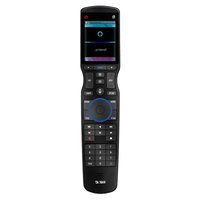
Total Control TRC-1480 - Remote control URC - Free user manual and instructions
Find the device manual for free Total Control TRC-1480 URC in PDF.


Pick your language and provide your email: we'll send you a specifically translated version.
| Product Type | Universal Remote Control |
| Brand | URC |
| Model | Total Control TRC-1480 |
| Color | Black |
| Dimensions (H x W x D) | 6.4 x 2.0 x 0.9 inches (162 x 51 x 23 mm) |
| Weight | 5.6 oz (160 g) |
| Power Source | 2 x AAA batteries (not included) |
| Battery Life | Up to 6 months (typical use) |
| Operating Frequency | Infrared (IR) at 38 kHz |
| Range | Up to 50 feet (15 meters) line-of-sight |
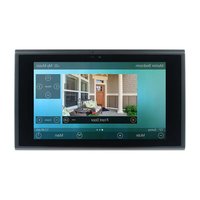
| Display | 2.8-inch TFT color LCD touch screen |
| Backlight | Yes, adjustable |
| Programmable | Yes, via online setup or manual learning |
| Macro Support | Yes, up to 255 steps per macro |
| Device Control Capacity | Up to 255 devices |
| Connectivity | IR emitter (built-in) and IR blaster (included) |
| Setup Method | PC software or direct IR learning |
| Operating Temperature | 32°F to 104°F (0°C to 40°C) |
| Storage Temperature | -4°F to 140°F (-20°C to 60°C) |
| Cleaning | Wipe with a soft, dry cloth. Do not use liquids or abrasive cleaners. |
| Safety Precautions | Keep away from moisture and extreme temperatures. Do not disassemble. |
| Spare Parts | Replacement batteries (AAA), IR blaster cable |
Frequently Asked Questions - Total Control TRC-1480 URC
How do I program the URC Total Control TRC-1480?
You can program the remote using either the URC Complete Control software (available for Windows/Mac) or by directly learning IR commands from your original remotes. Refer to the user manual for detailed steps.
How do I reset the remote to factory defaults?
To reset, press and hold the Setup button until the LED blinks, then enter code 9999. Alternatively, use the software to restore defaults.
How do I replace the batteries?
Slide open the battery compartment on the back. Insert two AAA batteries with correct polarity. Close the compartment securely.
What is the effective range of the remote?
The IR range is up to 50 feet (15 meters) in direct line-of-sight. Using the included IR blaster extends the range to devices behind cabinets.
Is the remote compatible with all devices?
The URC Total Control TRC-1480 can control virtually any IR-controlled device. It has a built-in database of thousands of codes. For devices not in the database, it can learn commands from the original remote.
Can I control devices that are not in line-of-sight?
Yes, use the included IR blaster to connect to the remote and place the emitter near your devices. This allows control of components behind closed doors.
How do I create macros?
In the URC software, you can create macros by selecting a sequence of commands (e.g., turn on TV, sound system, and set input). Assign the macro to a button or activity. The remote supports up to 255 steps per macro.
What should I do if the touch screen is unresponsive?
First, check battery level. If low, replace batteries. Try recalibrating the screen from the settings menu. If problem persists, perform a reset. If still unresponsive, contact URC support.
How do I update the remote’s firmware?
Download the latest firmware from the URC website. Connect the remote to your computer via USB (if applicable) or use the software's update function while connected.
How do I clean the remote?
Use a soft, clean, dry cloth to wipe the exterior. Avoid using any liquids, solvents, or abrasive materials. Do not clean the touch screen with harsh chemicals.
User questions about Total Control TRC-1480 URC
0 question about this device. Answer the ones you know or ask your own.
Ask a new question about this device
No questions yet. Be the first to ask one.
Download the instructions for your Remote control in PDF format for free! Find your manual Total Control TRC-1480 - URC and take your electronic device back in hand. On this page are published all the documents necessary for the use of your device. Total Control TRC-1480 by URC.
USER MANUAL Total Control TRC-1480 URC
Manual assistant
Powered by Anthropic
Waiting for your message
Product information
Brand : URC
Model : Total Control TRC-1480
Category : Remote control